Henri Härkönen
Members
-
Joined
-
Last visited
-
Had same issue and with this version of this docker. My server ended up online without password, not good. I had to setup variable for the password and that fixed it. So this is wrong: "If you set a variable with a value, it will overwrite the value in the config file. All variables are optional so you can set only the one you want and leave the rest for config file default."
-
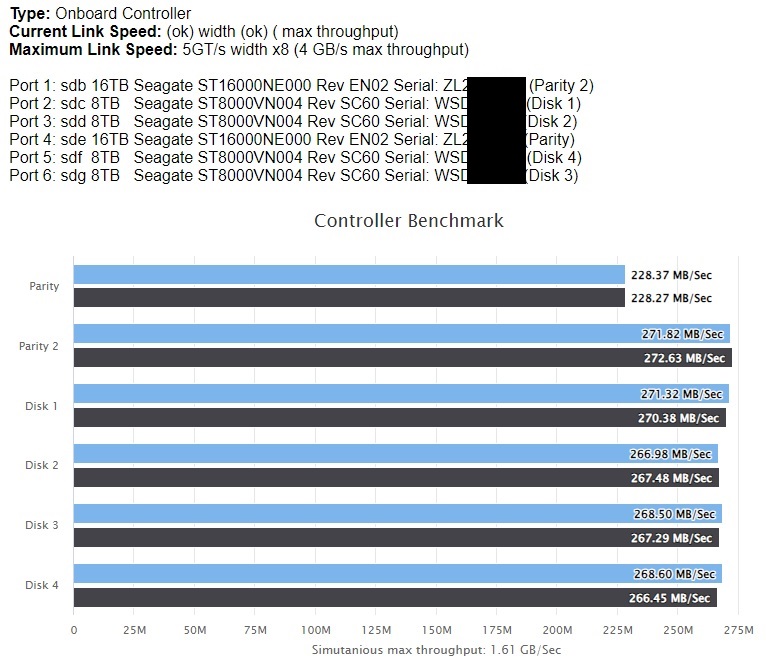
So no need to replace, even its new? Performance I can expect from factory certified disk? I am running multiple other tests for the disk, and if everything else looks good, I think that read speed is then fine.
-
I have bought these 2 factory recertified disk, and they are both parity disks. Other one is having slower reading speeds, is it drive issue, or could it be something with the system? I have tried other port / cable on my computer. See picture attached.