





Not liam
Members
-
Joined
-
Last visited
-
i have fixed it by modifing the defult install comand then installing the docker compose plugin again defult : "curl -SL https://github.com/docker/compose/releases/download/v2.7.0/docker-compose-linux-x86_64 -o $DOCKER_CONFIG/cli-plugins/docker-compose" , "chmod +x $DOCKER_CONFIG/cli-plugins/docker-compose" simple modifcation to diretorys : "curl -SL https://github.com/docker/compose/releases/download/v2.9.0/docker-compose-linux-x86_64 -o /usr/local/bin/docker-compose" , "chmod +x /usr/local/bin/docker-compose" the v2.9.0 inside the curl you can modify to curent vertion
-
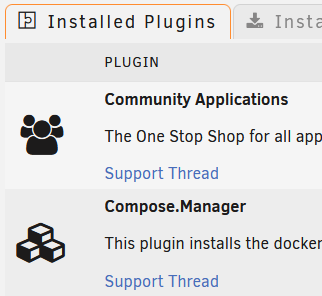
im having an isue with docker copose. i had prviously installed a old vertion witch worked but no with the compose file so then i found out about this plugin and now its broken. ive tryed to uninstall and re-install multipel times witch proberly is doing be no favours. when i typen both docker-compose vertion and without the dash i get not reconised docker comand with the plugin installed. if any one has any ideas that would be grately apretiated.

-
i think its out of date
-
hi im looking at building a home serever for a nas and game servers my curent parts list is https://nz.pcpartpicker.com/list/dJX2k9 it has 4, 2tb drives im wondering whhat raid or zffs array?
