





Mattlevant
Members
-
Joined
-
Last visited
Everything posted by Mattlevant
-
so i recently had 2 4tb WD red cmr drives die (or i belive they died) both were giving corrupt file system errors for weeks not at the same time but one on one day then the other on another, happening repeatedly but i just ran xfs repair and carried on, then i noticed both disk 3 & 4 dropped offline and giving i/o errors on xfs repair unable to find superblock, tried multiple different cables, different power connection combinations etc, anyway i replaced with 2 brand new seagate ironwolf 6tb (lost alot of data in the process as i only had single parity but its all media that can be redownloaded which i am in the process of) anyway the drives been powered now for maybe a total of 3 days, and ive just had notification that disk 4 has been disabled due to errors i dont beleive it has failed but am i right in thinking i can just stop the array, remove disk 4, start in maintenance, stop and then readd it to rebuild and renable? i did come across this thread doing some quick googling, has this been found to be a fix and worth doing? diags attached incase anything can be found to be the cause in there, im using a lsi 9201 in IT mode if my memory is correct but i may be wrong on the exact model tower-diagnostics-20230609-0945.zip
-
tower-diagnostics-20230606-2123.zip
-
i had a drive fail (drive 4, it was clicking) so i replaced it with a new drive and started a rebuild during the rebuild i lost disk 3, rebooted and both drive 3 nd 4 have unmountable no filesystem attempted to rebuild the filesystem using xfs repair -l and i get Phase 1 - find and verify superblock... superblock read failed, offset 0, size 524288, ag 0, rval -1 fatal error -- Input/output error am i about to lose data or can this be fixed?
-
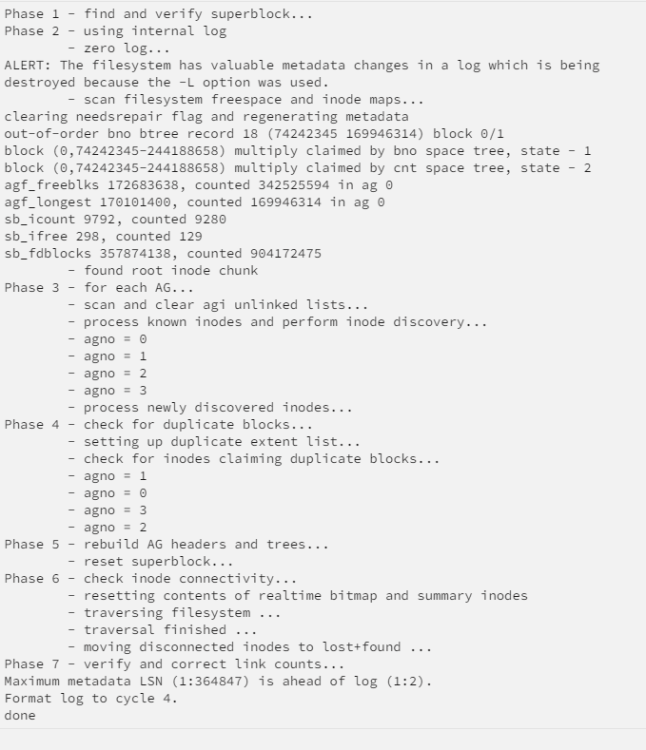
I let the parity check finish because it was over 60%, ran the check -n then -L, UI said it could take hours, 5 minutes later it completed, restarted array and disk 4 back online and mounted im guessing it must have only had a small corruption?
-
correcting
-
it is currectly running a scheduled parity check, is it safe to cancel the parity check and go through the steps to correct the file system on the drive or have i to wait until the check is completed?
-
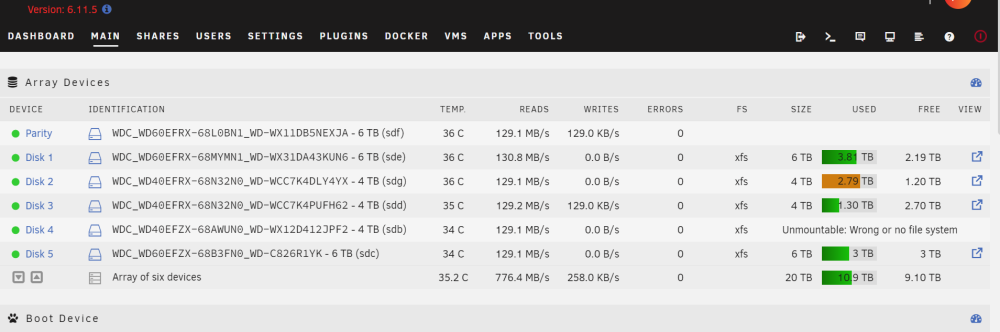
I lost disk 3 & 4 rebooted and both came back online but 4 showed no file system, stopped array started in maintenance mode, removed drive 4 and readded and started array, unraid completed a rebuild of the drive but it still shows unmountable i have attached diagnostics and a screenshow of the home of the UI how can i get it back without formatting? tower-diagnostics-20230430-1419.zip
-
The other 6tb are CMR? Is it possible to move all the data to my 4tb drives and use the other 6tb as parity if they are CMR?
-
👌 Ordered a brand new red plus see if it fixes my issue I hope it does at £180 a drive 😭 Is smr ok for the main storage array? I can't be replacing 8 drives 😂
-
I'm not too clued up on it, what other types are there apart from smr and how do I know if they are smr or not 🤷♂️
-
What brand/model would you suggest? I've always used WD red since back when I ran freenas 9/10/11 and truenas12 so wouldn't even know which to look for I can't afford to just buy disks repeatedly so need some that are known to be good for unraid
-
another diagnostics attched now its in IT mode tower-diagnostics-20220630-1124.zip
-
Okay I have just flashed it mode Still same issue, disk gets disabled as soon as the array is started
-
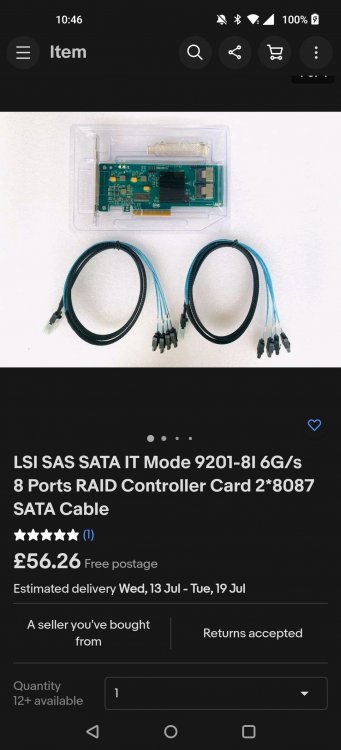
Hmm I bought the LSI as it was supposed to be in IT mode If it's in raid mode how do I show it is so I can try get a refund from eBay? I can't afford to keep buying disks so if I can get it back working with a firmware flash on the LSI card to put it in it mode then that would be preferable
-
Hi, my parity drives keep getting disabled after i replaced a dead drive I have tried removing, starting in maintenance mode, readding different cables (connecting directly to the motherboard sata instead of my lsi sas-sata card) difference power configurations(moving the power connectors to different slots on the string like from 4th to first in the string, also having some drives unplugged) diagnostics attached tower-diagnostics-20220630-1013.zip i cannot figure out the cause, they were fine until i replaced the dead drive when i first boot they show up in unassigned, i can view the smart attributes etc but then i add them start the array they get diabled then lose the ability to view the smart attributes and they disappear from the unassigned devices


