Nanomed
Members
-
Joined
-
Last visited
-
I wanted to add to this as i just followed space invader's video on the subject that was posted previously. However my CPU was still being used and i couldnt get it to switch. The fix for me was in Libraries and in the Health Check tab. quick says its available for CPU workers only. Thorough uses both cpu/gpu workers. switching these actually had Tdarr show up on my gpu statistics so i knew it was actually being utilized. Hope this helps somebody else.
-
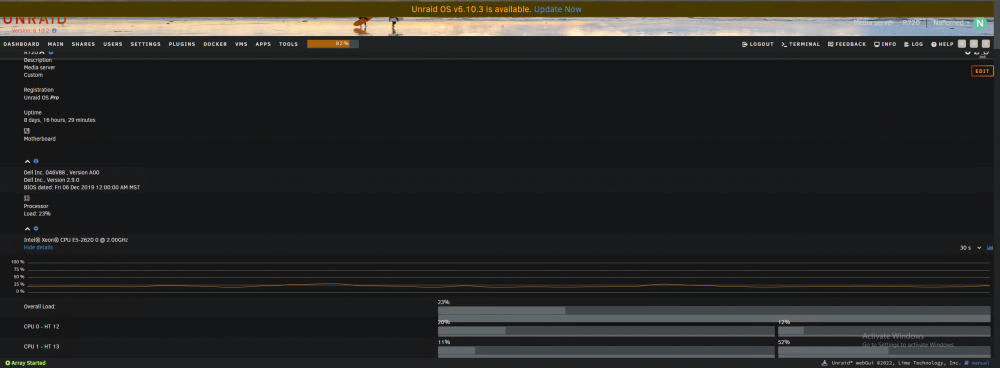
Hello, ive had an issue forever where my dashboard only shows as a single column. As far as i remember, its always been this way. recently i've seen a couple pictures of others where they have multiple columns side by side. i have tried different browsers on different PC's and its always the same. I have gone through and deleted almost all plugins, disabled docker and VM and there is no change. the only real plugins i have a CA and Unassigned Devices. This has also persisted through dozens of OS updates through the years. i've tried looking on google and havent been able to find anyone else with the issue. Hope somebody can give me a hand. im not sure which diagnostic file you would want, so just lemme know if you need one. TIA.