





PassTheSalt
Members
-
Joined
-
Last visited
Everything posted by PassTheSalt
-
root@Crusty:~# blkdiskcard -f /dev/nvme1n1 bash: blkdiskcard: command not found Tried that and got the above? I'm just typing that in the terminal window you get to from the >_ button at the top right? Edit: I found what you meant- blkdiscard* did the rest and attached diag. looks like that worked to me! Thanks for your help with this! crusty-diagnostics-20260217-0937.zip
-
ok, i did that and then removed the pool, readded the pool with 1 slot and added nvme0n1, it started and seems fine. crusty-diagnostics-20260216-1523.zip

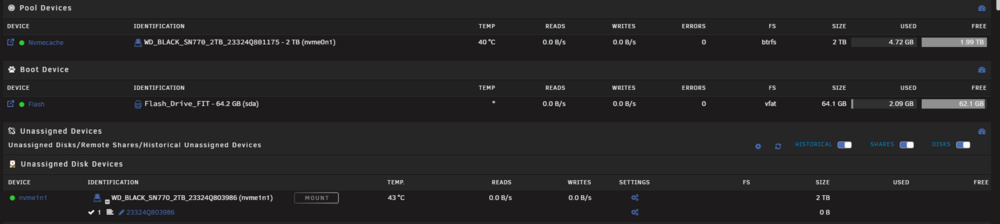
-
OK i believe I did that as instructed. even though i made it 1 slot it still says its not an uninstalled nvme2? crusty-diagnostics-20260216-1107.zip
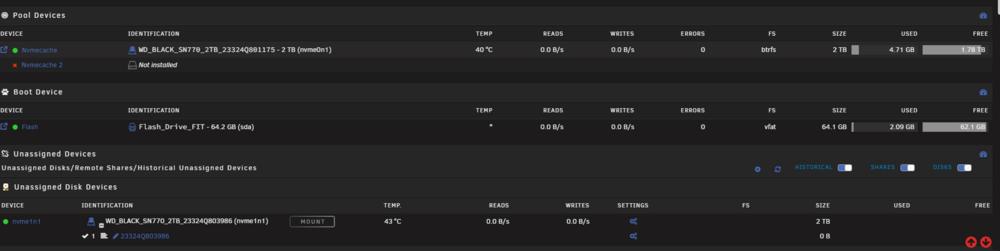
-
ok i did, seemingly, the same thing again, and this time it seems to have formatted the drive when i started the array. i think I'm good to go. gonna post diagnostics again if you could check if everything is looking ok. crusty-diagnostics-20260212-1634.zip
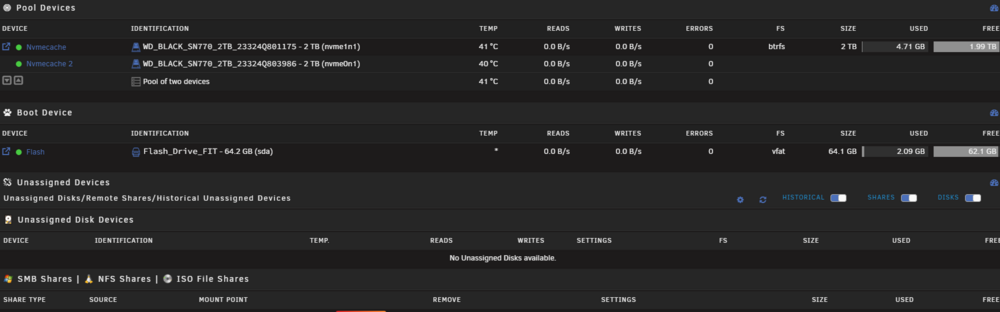
-
ok, I got the ssd onto a windows machine, deleted the volume in disk management and recreated a new NTFS volume. I installed it into the server and Its now showing up as mountable. my problem now is I'm not sure how to make unraid reformat the drive to use BTRFS so i can add it to my cache? screenshot+diag attached crusty-diagnostics-20260212-1612.zip
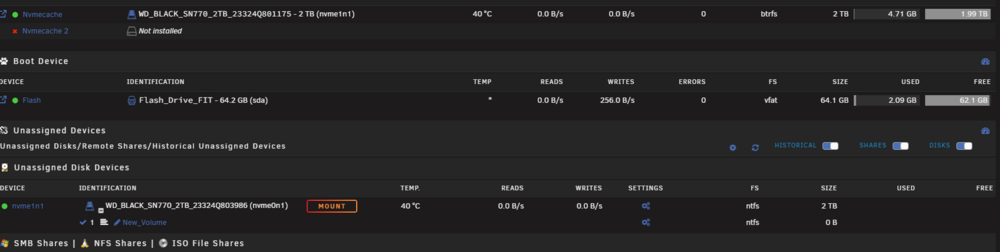
-
it shows in windows disk management, but the only option i have is to delete the partition on it. maybe ill try reformatting? or maybe try to upgrade firmware? I have it on a usb m.2 adapter. Sandisk/WD's own dashboard software can't find it. I'm gonna see if I can get sandisk to help/replace
-
I took the drive that wasn't working and swapped it to a 3rd m.2 port on my mobo. still not showing. (the other drive is under some "ssd armor" under the cpu heatsink, would be a pain to get to) i double checked that the new m.2 slot's lanes aren't being used for other sata ports. I'm gonna take the drive out and see if i can see it in windows i guess. new diag attached crusty-diagnostics-20260212-1240.zip
-
crusty-diagnostics-20260210-1356.zip
-
ok, I was able to shutdown the machine and bring it back up(even left it unplugged for a bit). still showing as unmountable. Luckily the drive is still under warranty so if its dead hopefully i can get it replaced.
-
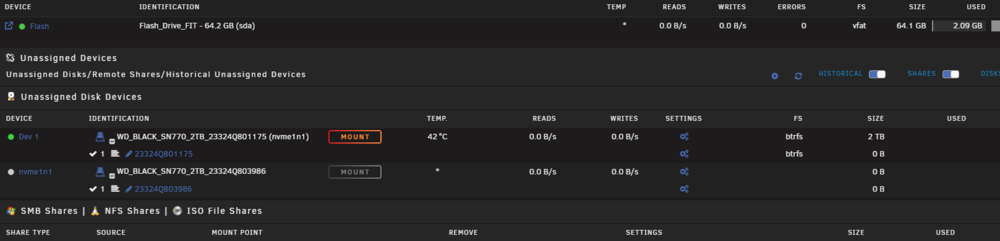
I gave that a try. still not showing. I'm not gonna be physically at its location to try a complete power cycle for a few days, but I did reboot. it shows as unassigned but unmountable. I guess that means its just dead? Fun time for a 2TB drive to die lol
-
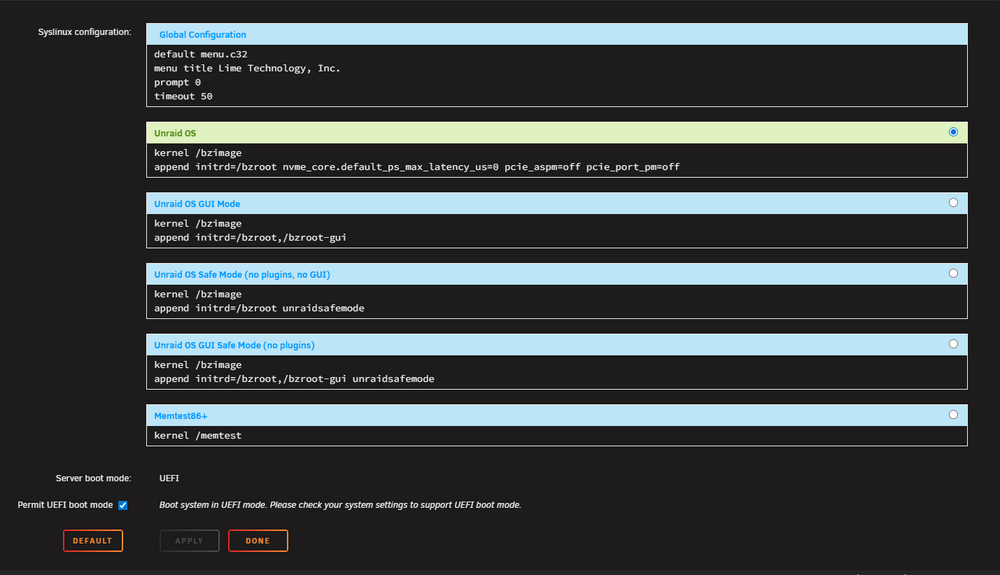
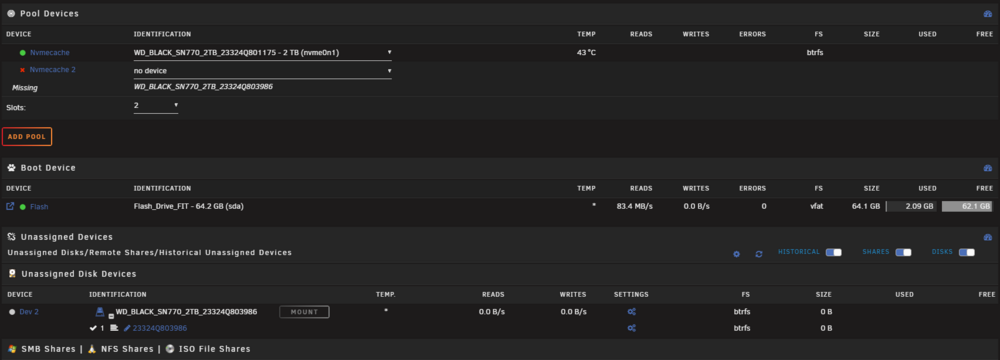
started with a dockerimage corruption. noticed BTRFS errors on my BTRFS NVME cache pool. while the array was running it showed both as green. when i stopped the array (after moving everything off the cache to change to ZFS) it showed my second NVME drive as no device. I also notice its showing up in the unassaigned devices. If its can see teh device, why isn't it able to be used in the pool? Not sure if it means my drive is dead or just the filesytem got corrupted and its not sure what to do with it? Like i said, no data is on the pool. suggestions to move forward? attached current Diagnostics and when i pulled diagnostics after the dockerimage corruption. crusty-diagnostics-20260205-1542.zip crusty-diagnostics-20260203-0904.zip
-
Last time I was in the case was when the HBA dropped a different drive. It was been closed for 20+ days before this happened.
-
I'm fairly certain its the HBA. Never had an issue with a drive and suddenly two after installing the HBA. Thank you for your help! Sending a coffee your way!
-
Thats really weird... The files that went missing from plex aren't even on disk 5... thats scary.. New Diag. I'll own you a couple coffees thanks JorgeB for helping me. After the reboot the other files seemed to come back into plex.... They share an HBA card. an evidently low quality one that i will replace as soon as the new one arrives. On the same power supply but not on the same line crusty-diagnostics-20250108-0951.zip
-
posted above also seeing missing files in plex that weren't missing before I checked Sonarr logs and a BUNCH of stuff suddenly couldn't be found at 10:06:56 PM (eastern) I don't see any other drive thats failed? That's WELL after I noticed this issue so idk what thats about.
-
crusty-diagnostics-20250107-1048.zip new diag
-
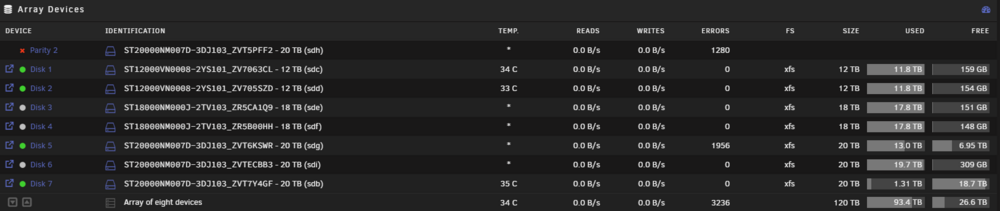
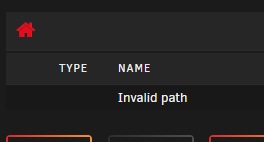
ok I just noticed that my disk 5 also has errors. weird it has a green dot next to it, and says "normal operation", but if i try to go to the drive, it says "invalid path" does that mean i've lost two drives? I haven't shut down or done anything to the array yet.
-
....ehh... yeah thats what i got.... i was hoping going new would be better. is there anything new I can buy new off amazon that won't suck? or is used the way to go? I found a LSI 9300-16i from a 99.6% seller. guess I'll give it a try. until then, IIRC all i have to do is, stop the array, remove the parity drive, start the array, stop it again, add the parity drive back and then start the array and let it rebuild?
-
I've been running unraid for a few year and have never had a drive error. I installed a Startech 8 port sata HBA less than a month ago. this is the second time a drive has had a problem on the HBA. Not currently on site to physically do anything. Just trying to see what might have caused it and my best next steps forward? crusty-diagnostics-20250106-1053.zip
-
Ahh, i knew it would be simple, just couldn't find that article. rebuilding now. I will keep in mind that I need to take diagnostics BEFORE a reboot in the future. Thanks
-
SMART from the disk crusty-smart-20241217-1657.zip
-
did a xfs filesystem check. here are the results Phase 1 - find and verify superblock... Phase 2 - using internal log - zero log... - scan filesystem freespace and inode maps... - found root inode chunk Phase 3 - for each AG... - scan (but don't clear) agi unlinked lists... - process known inodes and perform inode discovery... - agno = 0 - agno = 1 - agno = 2 - agno = 3 - agno = 4 - agno = 5 - agno = 6 - agno = 7 - agno = 8 - agno = 9 - agno = 10 - agno = 11 - agno = 12 - agno = 13 - agno = 14 - agno = 15 - agno = 16 - agno = 17 - agno = 18 - process newly discovered inodes... Phase 4 - check for duplicate blocks... - setting up duplicate extent list... - check for inodes claiming duplicate blocks... - agno = 0 - agno = 2 - agno = 1 - agno = 3 - agno = 16 - agno = 7 - agno = 6 - agno = 10 - agno = 11 - agno = 8 - agno = 9 - agno = 4 - agno = 13 - agno = 17 - agno = 14 - agno = 15 - agno = 18 - agno = 5 - agno = 12 No modify flag set, skipping phase 5 Phase 6 - check inode connectivity... - traversing filesystem ... - traversal finished ... - moving disconnected inodes to lost+found ... Phase 7 - verify link counts... No modify flag set, skipping filesystem flush and exiting.
-
I installed an HBA card (2x miniSAS to 8x sata. ) i got everythign up and the array was running. A couple hours later I get an error about disk errors on disk 6 and 7 (7 was a new disk i added to the array before installing the HBA card, its pretty much empty, and has no important files) shutdown the server and reseated the sata connectors on 6 and 7 aswell as reseated the miniSAS side of the cables. i booted the server backup and it said (iirc) disk7 was there but was unmountable. I knew i didn't have important data on it so I told it to format. After the format it still says disk 7 is "Device disabled, Contents Emulated" which i assume means its figuring it out based off parity. i have an option to a "Read-Check" I wasn't sure if it was the new HBA card so i moved disk7 back to a sata port on the motherboard, but no change in unraid. I did stop the array, unassigned the drive, mounted it with unassigned devices and saw the folder's for the two movies that would have been recently added. Which... doesn't make sense, since I just allegedly reformatted it? but it does seem to mean it CAN access data in the drive, so why is it disabled and emulated? I'm not really sure what to do here. I'd like to just readded the blank drive if i can. Maybe zero the drive?I'm sure its probably fairly simple, but I'm gonna stop touching it so i don't break anything, if i haven't already. Thanks crusty-diagnostics-20241217-1645.zip
-
I haven't touch nginx for a bit, but just updated the container and now it seems to start but constantly spams nginx: [emerg] cannot load certificate "/etc/letsencrypt/live/npm-2/fullchain.pem": BIO_new_file() failed (SSL: error:80000002:system library::No such file or directory:calling fopen(/etc/letsencrypt/live/npm-2/fullchain.pem, r) error:10000080:BIO routines::no such file) and i can't access the webUI on port 81 get a "Refused to connect" error i checked that location and theres nothing in the npm-2 folder. Whats supposed to be there? is this a new feature of the latest version?
-
when i connected via my tailscale ip address it wouldn't work, but if i connect via the lan address, it worked right away. seems like its having an issue getting through the vpn?


