





cunni
Members
-
Joined
-
Last visited
-
Thanks Jorge, I'm learning more and more about Unraid, so i appreciate all the help. I ran a check, it came back pretty horrific, log file was silly-big. I'll not post it, but what I did do is repair with the correct flags for the XFS drive in question. The drive is now mounted and working again (for now) I've started a parity check, but I've also ordered another 8TB drive because im not confident that this drive is 100% ok.. I'll see what the outcome of the parity check is, and report back, but If all else fails i'll switch the drive asap. Cheers, Dan
-
No worries. Thanks itimpi, I appreciate your assistance.
-
OK slapped into maintenance mode, and ran a disk check. this is the outcome. Im guessing the drive is bad.... ?? check.txt
-
Appologies, I'm running a Parity check now, without the corrections. I'll let you know the outcome.
-
This isn't my issue. It's mounted by says incorrect file system. Not going to lie, after reading all that im 100% at this stage I don't want to corrupt the data, it's clearly on the disk. Not sure what to do. Thanks in advance. Dan
-
Ahhh ok i had no idea that was the case. Thanks for letting me know 🙂 I will do so, and report back.
-
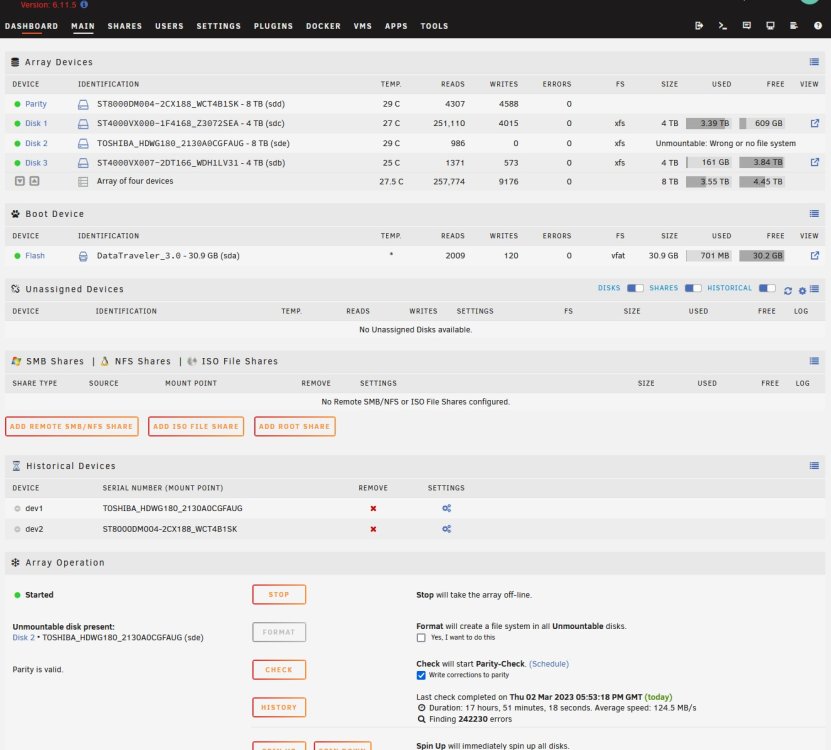
So thanks to Jorge last week, I got myself sorted, but i rebooted my server (unplanned) and it's now showing the same issue with the Unmountable disk again. Anyone have a clue how i get it back online without formatting it this time? FYI the Bios is 100% on SATA not IDE. Cheers. Dan anas-diagnostics-20230302-2103.zip
-
Wooohooo! Data-Rebuild 2023-02-24, 13:20:17 (Friday) 8 TB 17 hr, 44 min, 15 sec 125.3 MB/s OK 0 All back up and running perfecrtly. The Motherboard did indeed have a dead battery. Switched it, reset the bios back to use ports 5 and 6 as SATA and not IDE as you mentioned, the drive formatted perfectly and 18 hours later, I've fully rebuilt. Thank you JorgeB. I appreciate you and the other mods. So glad that'sorted! **Phew!** 😅
-
Yeah I 100% did that. I will check again. Wonder if the Motherboard Battery isn't holding bios settings (would explain that!) If that's the issue im going to crack my head against a wall! I'll check it over now and report back.
-
root@ANAS:~# sgdisk -o -a 8 -n 1:32K:0 /dev/sdc Creating new GPT entries in memory. The operation has completed successfully. root@ANAS:~# fdisk -l /dev/sdc Disk /dev/sdc: 7.28 TiB, 8001563222016 bytes, 15628053168 sectors Disk model: TOSHIBA HDWG180 Units: sectors of 1 * 512 = 512 bytes Sector size (logical/physical): 512 bytes / 4096 bytes I/O size (minimum/optimal): 4096 bytes / 4096 bytes root@ANAS:~#
-
Feb 23 03:40:16 ANAS crond[1044]: exit status 1 from user root /usr/local/sbin/mover &> /dev/null Feb 23 14:41:47 ANAS ool www[30090]: /usr/local/emhttp/plugins/unassigned.devices/scripts/rc.settings 'save' Feb 23 14:42:45 ANAS unassigned.devices: Format device '/dev/sdc'. Feb 23 14:42:45 ANAS unassigned.devices: Device '/dev/sdc' block size: 15628053168. Feb 23 14:42:45 ANAS unassigned.devices: Clearing partition table of disk '/dev/sdc'. Feb 23 14:42:47 ANAS unassigned.devices: Clear partition result: 1+0 records in 1+0 records out 2097152 bytes (2.1 MB, 2.0 MiB) copied, 1.46064 s, 1.4 MB/s Feb 23 14:42:49 ANAS unassigned.devices: Reloading disk '/dev/sdc' partition table. Feb 23 14:42:49 ANAS unassigned.devices: Reload partition table result: /dev/sdc: re-reading partition table Feb 23 14:42:49 ANAS unassigned.devices: Creating Unraid compatible gpt partition on disk '/dev/sdc'. Feb 23 14:42:51 ANAS unassigned.devices: Create gpt partition table result: Creating new GPT entries in memory. The operation has completed successfully. Feb 23 14:42:53 ANAS unassigned.devices: Reloading disk '/dev/sdc' partition table. Feb 23 14:42:53 ANAS unassigned.devices: Reload partition table result: /dev/sdc: re-reading partition table Feb 23 14:42:53 ANAS unassigned.devices: Formatting disk '/dev/sdc' with 'xfs' filesystem. Feb 23 14:42:53 ANAS unassigned.devices: Format drive command: /sbin/mkfs.xfs -f '/dev/sdc1' 2>&1 Feb 23 14:42:55 ANAS unassigned.devices: Format disk '/dev/sdc' with 'xfs' filesystem failed: Error accessing specified device /dev/sdc1: No such file or directory Usage: mkfs.xfs /* blocksize */#011#011[-b size=num] /* config file */#011[-c options=xxx] /* metadata */#011#011[-m crc=0|1,finobt=0|1,uuid=xxx,rmapbt=0|1,reflink=0|1, #011#011#011 inobtcount=0|1,bigtime=0|1] /* data subvol */#011[-d agcount=n,agsize=n,file,name=xxx,size=num, #011#011#011 (sunit=value,swidth=value|su=num,sw=num|noalign), #011#011#011 sectsize=num /* force overwrite */#011[-f] /* inode size */#011[-i perblock=n|size=num,maxpct=n,attr=0|1|2, #011#011#011 projid32bit=0|1,sparse=0|1] /* no discard */#011[-K] /* log subvol */#011[-l agnum=n,internal,size=num,logdev=xxx,version=n #011#011#011 sunit=value|su=num,sectsize=num,lazy-count=0|1] /* label */#011#011[-L label (maximum 12 characters)] /* naming */#011#011[-n size=num,version=2|ci,ftype=0|1] /* no-op info only */#011[-N] /* prototype file */#011[-p fname] /* quiet */#011#011[-q] /* realtime subvol */#011[-r extsize=num,size=num,rtdev=xxx] /* sectorsize */#011[-s size=num] /* version */#011#011[-V] #011#011#011devicename <d Error in plain text (rather than a screen shot)
-
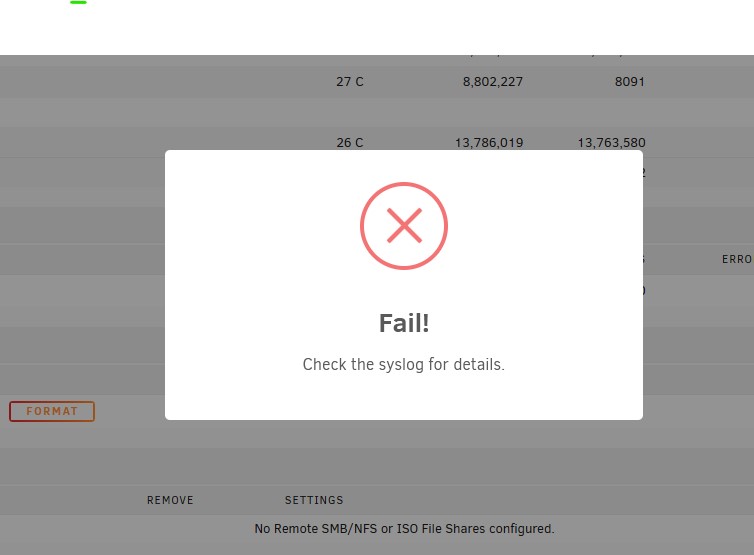
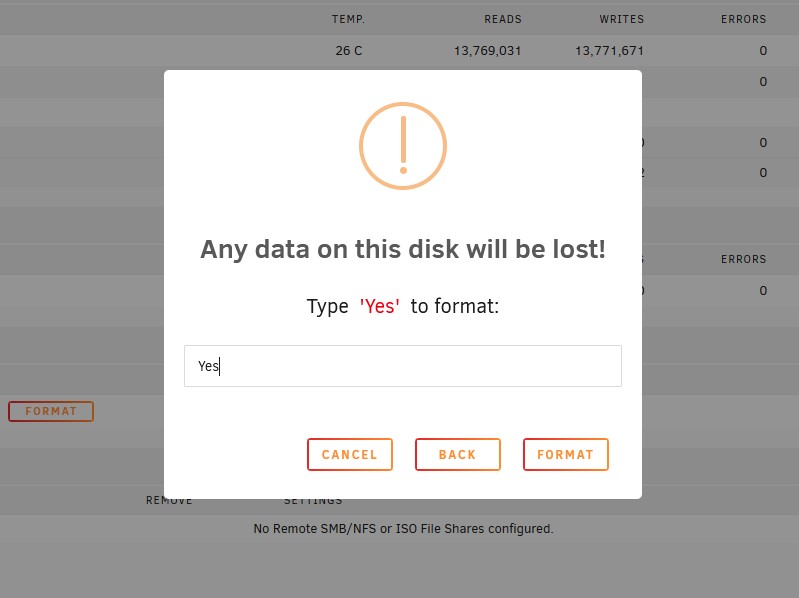
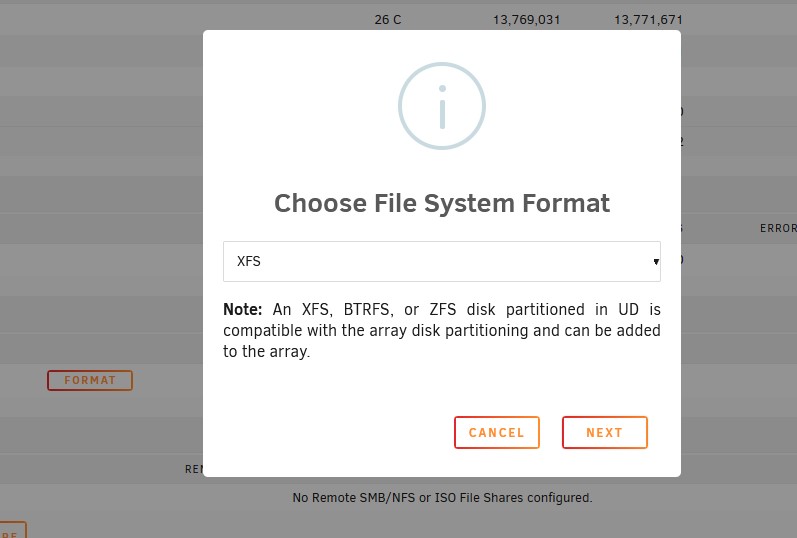
I did before, see below:- However just to highlight it still doesn't work I'll do it all again. Hope that helps you understand why im currnetly stuck. Cheers Dan anas-diagnostics-20230223-1443.zip

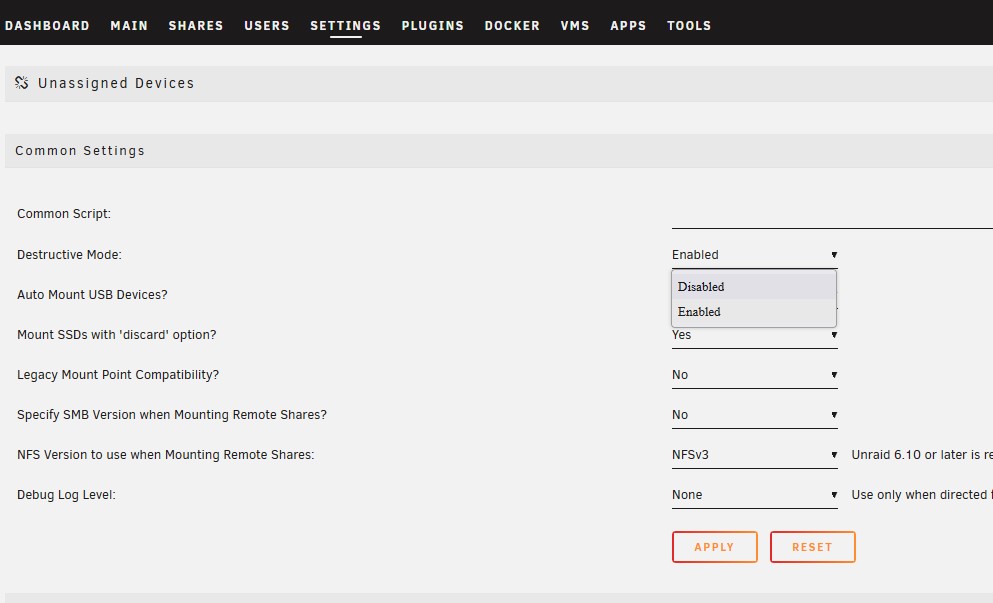
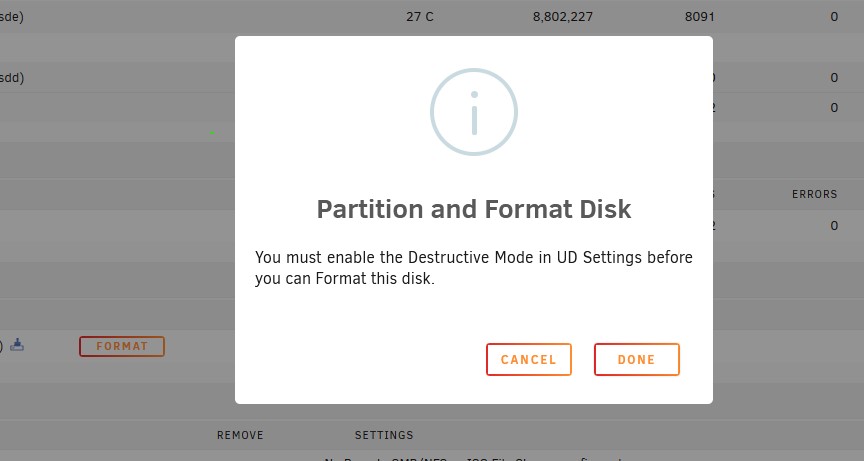
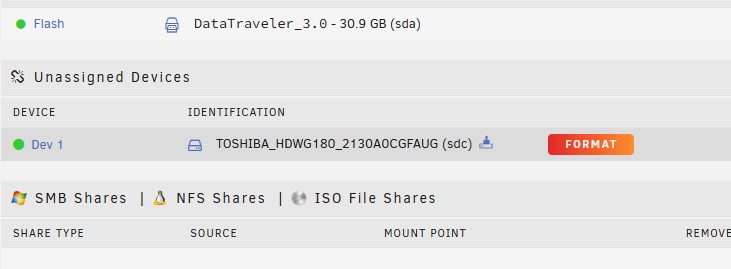
-
It wont format, this is my issue. It says "format error", no matter what i've tried. Do i try formatting it from fdisk? (Never done that before on Unraid. Is it the same process?)
-
Correct, it has nothing important on it.
-
Looks like this:- root@ANAS:~# lsblk NAME MAJ:MIN RM SIZE RO TYPE MOUNTPOINTS loop0 7:0 0 117.9M 1 loop /lib/firmware loop1 7:1 0 19.4M 1 loop /lib/modules loop2 7:2 0 20G 0 loop /var/lib/docker/btrfs /var/lib/docker loop3 7:3 0 1G 0 loop /etc/libvirt sda 8:0 1 28.8G 0 disk └─sda1 8:1 1 28.8G 0 part /boot sdb 8:16 0 7.3T 0 disk └─sdb1 8:17 0 7.3T 0 part sdc 8:32 0 7.3T 0 disk sdd 8:48 1 3.6T 0 disk └─sdd1 8:49 1 3.6T 0 part sde 8:64 1 3.6T 0 disk └─sde1 8:65 1 3.6T 0 part md1 9:1 0 3.6T 0 md /mnt/disk1 md2 9:2 0 7.3T 0 md md3 9:3 0 3.6T 0 md /mnt/disk3 root@ANAS:~#



