cunni
Members
-
Joined
-
Last visited
Everything posted by cunni
-
Thanks Jorge, I'm learning more and more about Unraid, so i appreciate all the help. I ran a check, it came back pretty horrific, log file was silly-big. I'll not post it, but what I did do is repair with the correct flags for the XFS drive in question. The drive is now mounted and working again (for now) I've started a parity check, but I've also ordered another 8TB drive because im not confident that this drive is 100% ok.. I'll see what the outcome of the parity check is, and report back, but If all else fails i'll switch the drive asap. Cheers, Dan
-
No worries. Thanks itimpi, I appreciate your assistance.
-
OK slapped into maintenance mode, and ran a disk check. this is the outcome. Im guessing the drive is bad.... ?? check.txt
-
Appologies, I'm running a Parity check now, without the corrections. I'll let you know the outcome.
-
This isn't my issue. It's mounted by says incorrect file system. Not going to lie, after reading all that im 100% at this stage I don't want to corrupt the data, it's clearly on the disk. Not sure what to do. Thanks in advance. Dan
-
Ahhh ok i had no idea that was the case. Thanks for letting me know 🙂 I will do so, and report back.
-
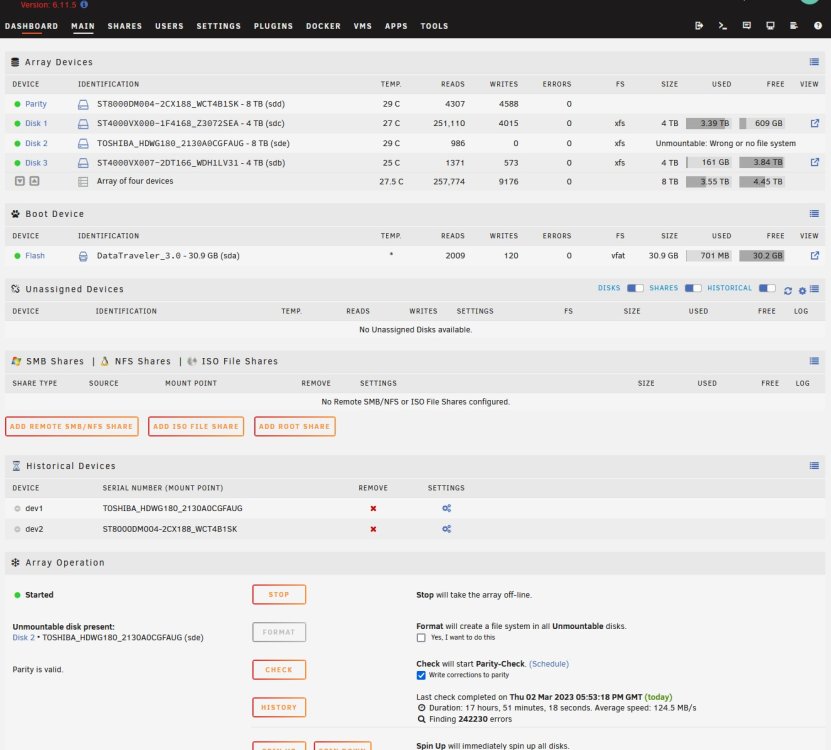
So thanks to Jorge last week, I got myself sorted, but i rebooted my server (unplanned) and it's now showing the same issue with the Unmountable disk again. Anyone have a clue how i get it back online without formatting it this time? FYI the Bios is 100% on SATA not IDE. Cheers. Dan anas-diagnostics-20230302-2103.zip
-
Wooohooo! Data-Rebuild 2023-02-24, 13:20:17 (Friday) 8 TB 17 hr, 44 min, 15 sec 125.3 MB/s OK 0 All back up and running perfecrtly. The Motherboard did indeed have a dead battery. Switched it, reset the bios back to use ports 5 and 6 as SATA and not IDE as you mentioned, the drive formatted perfectly and 18 hours later, I've fully rebuilt. Thank you JorgeB. I appreciate you and the other mods. So glad that'sorted! **Phew!** 😅
-
Yeah I 100% did that. I will check again. Wonder if the Motherboard Battery isn't holding bios settings (would explain that!) If that's the issue im going to crack my head against a wall! I'll check it over now and report back.
-
root@ANAS:~# sgdisk -o -a 8 -n 1:32K:0 /dev/sdc Creating new GPT entries in memory. The operation has completed successfully. root@ANAS:~# fdisk -l /dev/sdc Disk /dev/sdc: 7.28 TiB, 8001563222016 bytes, 15628053168 sectors Disk model: TOSHIBA HDWG180 Units: sectors of 1 * 512 = 512 bytes Sector size (logical/physical): 512 bytes / 4096 bytes I/O size (minimum/optimal): 4096 bytes / 4096 bytes root@ANAS:~#
-
Feb 23 03:40:16 ANAS crond[1044]: exit status 1 from user root /usr/local/sbin/mover &> /dev/null Feb 23 14:41:47 ANAS ool www[30090]: /usr/local/emhttp/plugins/unassigned.devices/scripts/rc.settings 'save' Feb 23 14:42:45 ANAS unassigned.devices: Format device '/dev/sdc'. Feb 23 14:42:45 ANAS unassigned.devices: Device '/dev/sdc' block size: 15628053168. Feb 23 14:42:45 ANAS unassigned.devices: Clearing partition table of disk '/dev/sdc'. Feb 23 14:42:47 ANAS unassigned.devices: Clear partition result: 1+0 records in 1+0 records out 2097152 bytes (2.1 MB, 2.0 MiB) copied, 1.46064 s, 1.4 MB/s Feb 23 14:42:49 ANAS unassigned.devices: Reloading disk '/dev/sdc' partition table. Feb 23 14:42:49 ANAS unassigned.devices: Reload partition table result: /dev/sdc: re-reading partition table Feb 23 14:42:49 ANAS unassigned.devices: Creating Unraid compatible gpt partition on disk '/dev/sdc'. Feb 23 14:42:51 ANAS unassigned.devices: Create gpt partition table result: Creating new GPT entries in memory. The operation has completed successfully. Feb 23 14:42:53 ANAS unassigned.devices: Reloading disk '/dev/sdc' partition table. Feb 23 14:42:53 ANAS unassigned.devices: Reload partition table result: /dev/sdc: re-reading partition table Feb 23 14:42:53 ANAS unassigned.devices: Formatting disk '/dev/sdc' with 'xfs' filesystem. Feb 23 14:42:53 ANAS unassigned.devices: Format drive command: /sbin/mkfs.xfs -f '/dev/sdc1' 2>&1 Feb 23 14:42:55 ANAS unassigned.devices: Format disk '/dev/sdc' with 'xfs' filesystem failed: Error accessing specified device /dev/sdc1: No such file or directory Usage: mkfs.xfs /* blocksize */#011#011[-b size=num] /* config file */#011[-c options=xxx] /* metadata */#011#011[-m crc=0|1,finobt=0|1,uuid=xxx,rmapbt=0|1,reflink=0|1, #011#011#011 inobtcount=0|1,bigtime=0|1] /* data subvol */#011[-d agcount=n,agsize=n,file,name=xxx,size=num, #011#011#011 (sunit=value,swidth=value|su=num,sw=num|noalign), #011#011#011 sectsize=num /* force overwrite */#011[-f] /* inode size */#011[-i perblock=n|size=num,maxpct=n,attr=0|1|2, #011#011#011 projid32bit=0|1,sparse=0|1] /* no discard */#011[-K] /* log subvol */#011[-l agnum=n,internal,size=num,logdev=xxx,version=n #011#011#011 sunit=value|su=num,sectsize=num,lazy-count=0|1] /* label */#011#011[-L label (maximum 12 characters)] /* naming */#011#011[-n size=num,version=2|ci,ftype=0|1] /* no-op info only */#011[-N] /* prototype file */#011[-p fname] /* quiet */#011#011[-q] /* realtime subvol */#011[-r extsize=num,size=num,rtdev=xxx] /* sectorsize */#011[-s size=num] /* version */#011#011[-V] #011#011#011devicename <d Error in plain text (rather than a screen shot)
-
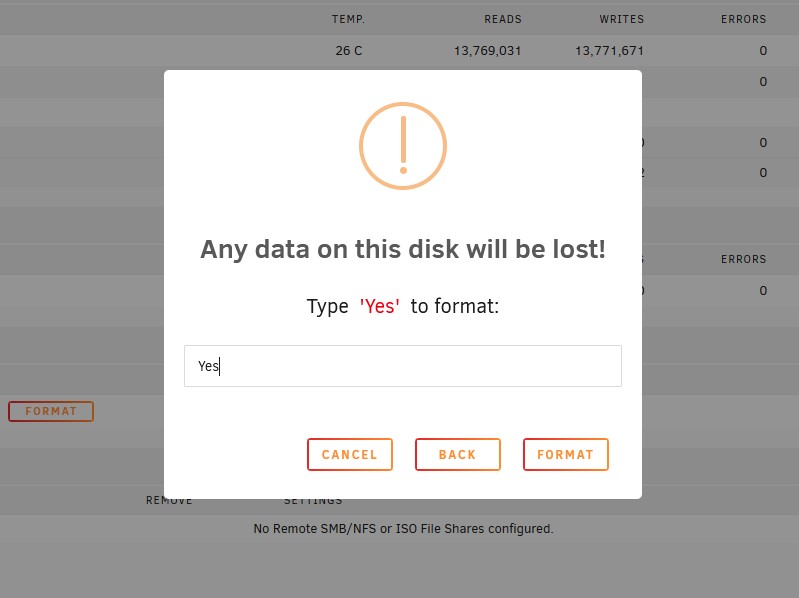
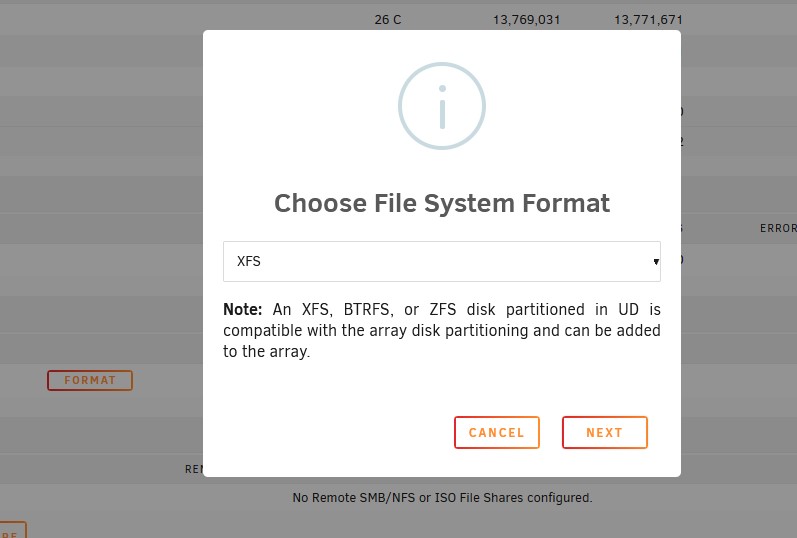
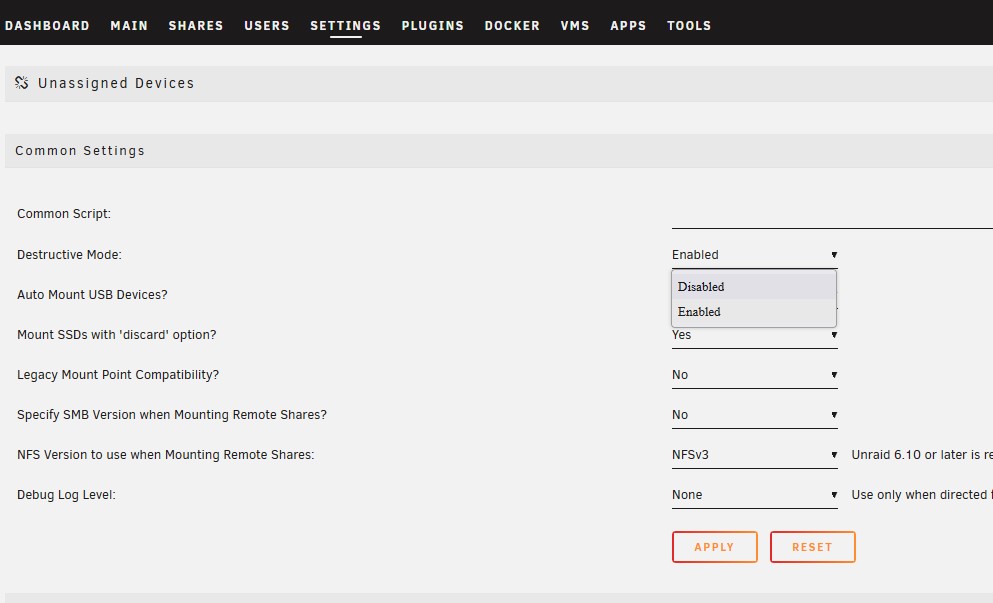
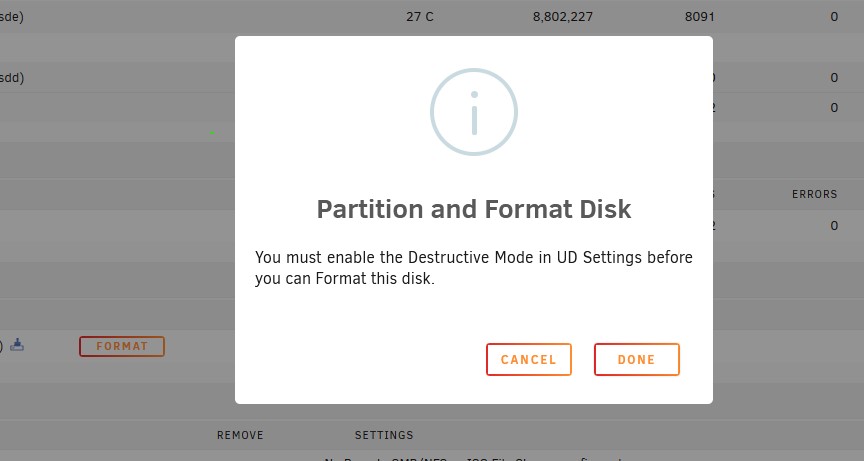
I did before, see below:- However just to highlight it still doesn't work I'll do it all again. Hope that helps you understand why im currnetly stuck. Cheers Dan anas-diagnostics-20230223-1443.zip

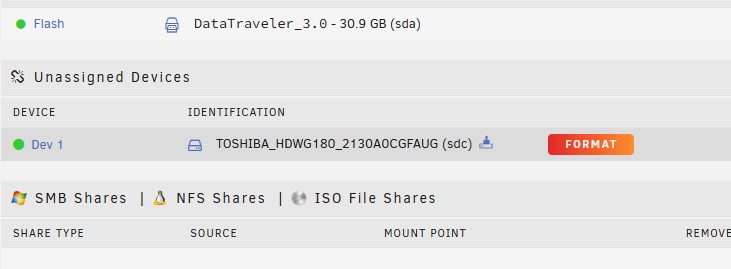
-
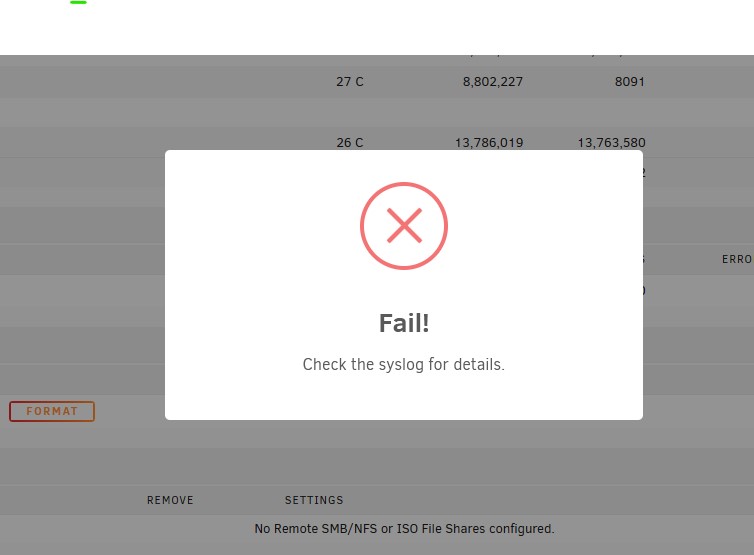
It wont format, this is my issue. It says "format error", no matter what i've tried. Do i try formatting it from fdisk? (Never done that before on Unraid. Is it the same process?)
-
Correct, it has nothing important on it.
-
Looks like this:- root@ANAS:~# lsblk NAME MAJ:MIN RM SIZE RO TYPE MOUNTPOINTS loop0 7:0 0 117.9M 1 loop /lib/firmware loop1 7:1 0 19.4M 1 loop /lib/modules loop2 7:2 0 20G 0 loop /var/lib/docker/btrfs /var/lib/docker loop3 7:3 0 1G 0 loop /etc/libvirt sda 8:0 1 28.8G 0 disk └─sda1 8:1 1 28.8G 0 part /boot sdb 8:16 0 7.3T 0 disk └─sdb1 8:17 0 7.3T 0 part sdc 8:32 0 7.3T 0 disk sdd 8:48 1 3.6T 0 disk └─sdd1 8:49 1 3.6T 0 part sde 8:64 1 3.6T 0 disk └─sde1 8:65 1 3.6T 0 part md1 9:1 0 3.6T 0 md /mnt/disk1 md2 9:2 0 7.3T 0 md md3 9:3 0 3.6T 0 md /mnt/disk3 root@ANAS:~#
-
Just to add, everything was fine today, parity matced. but the drive was still showing Unmountable after the sucessful 20hour run.
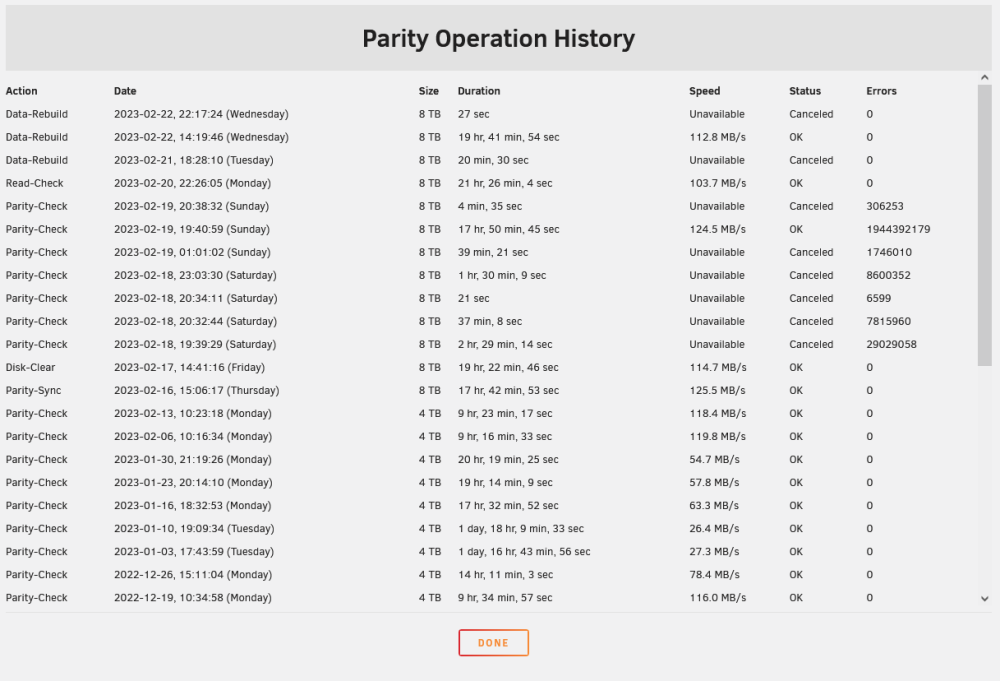
-
Thanks for the fast reply. The disk is currently not in the array, again I've added it in three times now and done a rebuild, it then says that the drive drive needs formating, and then it can't format the drive. The drive is currently not in the array but here is the information you asked for. Thanks, Dan anas-diagnostics-20230222-2325.zip
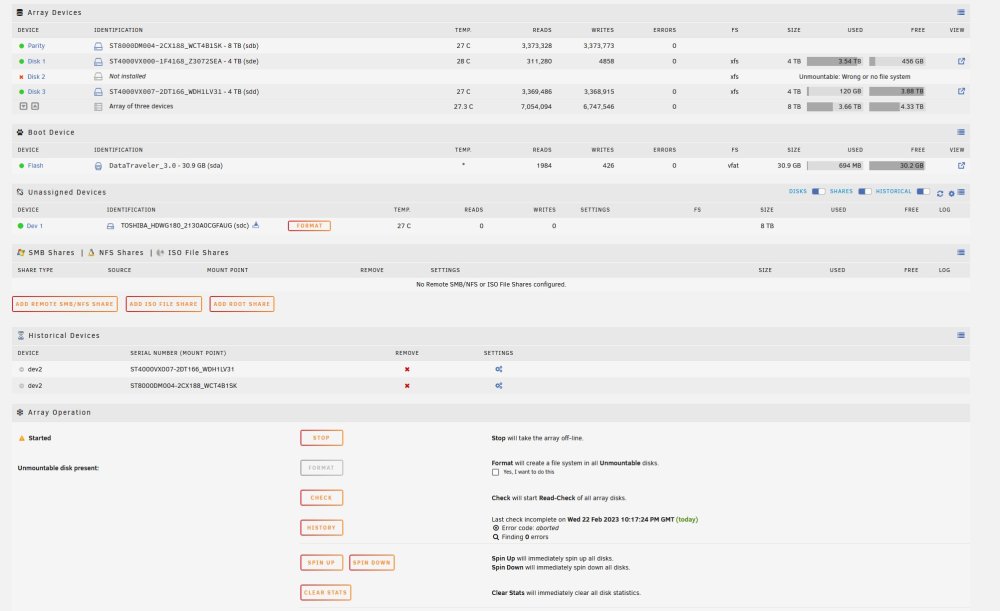
-
It had data on it correct for 1 day. I was on 6.10 and it did this issue after 1 day. After that I couldn't get it back in ( i had the previous invalid parity issue which have now gone) So given that got sorted, i've removed, precleared, formated, and added back in several times. The data on the drive was minimal because I added the drive and it worked for 1 day (nothing was added to the drive datawise) however this would be classed as a "used" drive at this point? My issye now is, I can't format, I've again precleared, removed, readded, rebuild (even with it saying "Unmountable: Unsupported partition layout") No matter what i can't get the drive to format and be usable (Unless 6.11.5 also has an issue where it shows "Unmountable: Unsupported partition layout" even when its working fine? Cheers for your help. Dan
-
I've removed the drive from the assigned raid array. Started the array back up without it assigned. I've enabled destructive mode in UD so i can format said drive. I went to format and I got an error. "Format Error, check logs" Log is :
-
Just found one of your previous posts on another Thread JorgeB, Also done this, literally rebuilds and then throws the same error. I've just just had this message:- Not sure if this is my issue? but it seems that Unraid can't format because No device id?
-
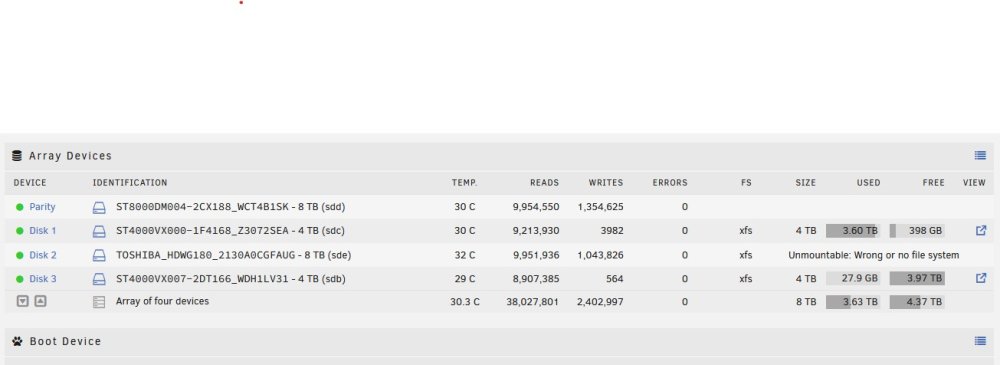
Disk 1 has never changed. Disk 3 4TB was the old Parity drive. Parity 8TB was added (new) to replace the now Disk 3 Disk 2 is a completely new drive in the sense that, It added fine and had data on it, but since got the unmountable issue. Luckily no data was on that drive but trying to get it back into the array seems to be an issue. Cheers Dan
-
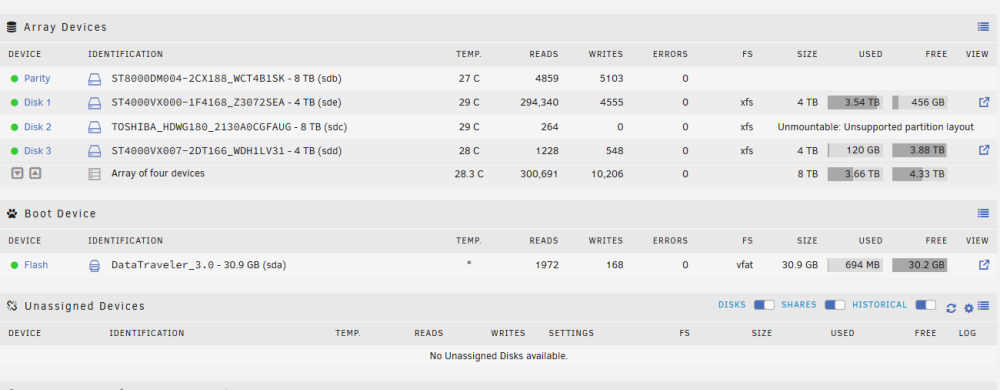
OK did what you said Jorge, thank you! it does seem to have helped somewhat but i've still got an issue, Wonder whats going on. Im back to 0 errors now, parity is valid, however i'm not able to get the second 8TB drive to load into the array wihtout the error: "Unmountable: Unsupported partition layout" I read deeply over several threads here, about updating to 6.11 because of an issue with version 6.10 and this error, but it still exists. I've pre-cleared the drive, and then done a full parity to the others 0 errors. I've tired to format the 8TB drive too. I just can't get the drive to load into the error. Screens shots attached and Diagnostics attached. Any help would be highly apprecited. Kindest regards, Dan anas-diagnostics-20230222-1640.zip
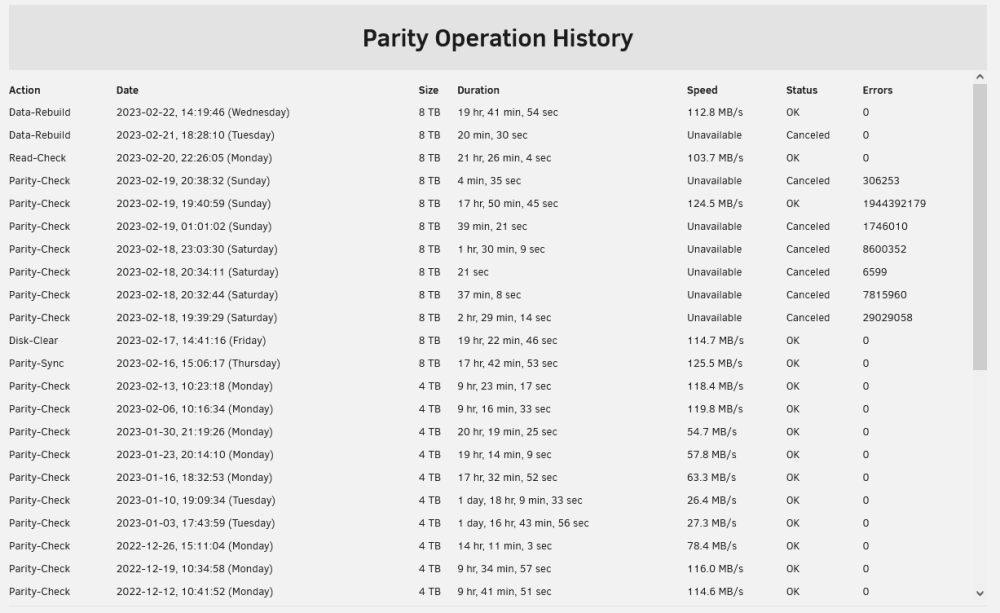
-
Hi Jorge, Thanks for the speedy reply! Had no idea ports 5 and 6 are IDE as standard, then again it's not often you use those ports. I will try this and report back. Kindest regards, Dan
-
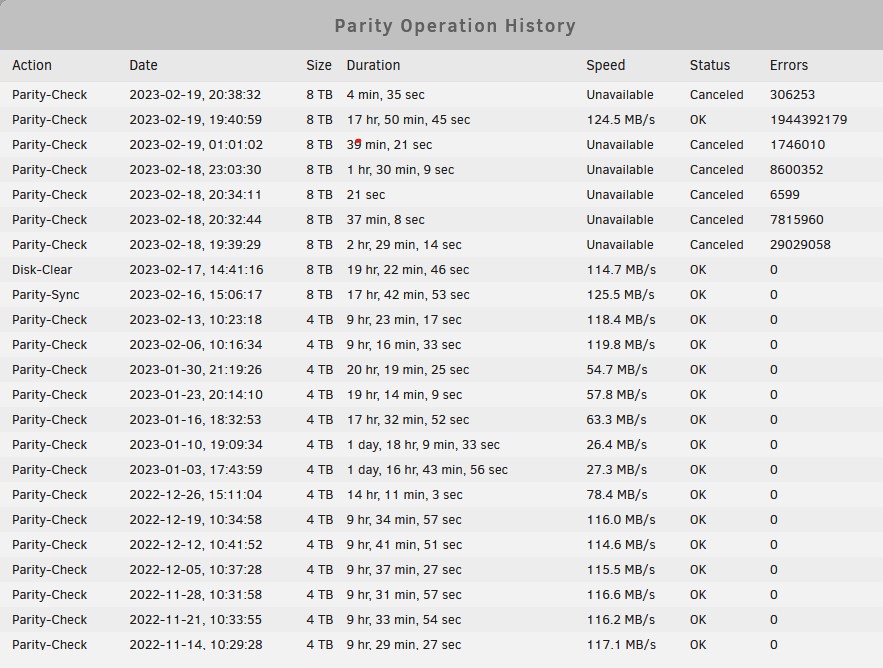
Hi all hope you can help. I've just switched a 4TB Parity drive for a newer 8TB one. I also added a second 8TB into the array, and moved the old parity drive to the array, all worked ok until a day later and the partiy check did over 3billion errors. I've since done a non-correcting parity check, another 2 billion errors. I'm literally not sure what to do at this point. I'm debating moveing all the data off the drives and starting fresh after a year of using unRaid. No idea why the file system is now unmountable, I've clearly got multiple issues here. If anyone know what is going on, when I start a "correct parity check" it says its going to take over 3+ years. After reading here, Things i've tried. I've switch ports for the two 8TB drive on the motherboard, I've bought new SATA cables, i've swapped the power cables. Attached is diagonostics, along with snap of the array. Any help is massively appreciated at this point, I'm 3 days into trying to get this to work right and i'm getting stressed out with it *sigh* Cheers, anas-diagnostics-20230219-2040.zip