





Blane
Members
-
Joined
-
Last visited
-
Linux VM. You don't actually install the OS in a typical way. IIRC, the *.img file is a working OS, so you put that as your primary vdisk. There's no *.iso to mount. I've put in a snippet of my config so you can see what I mean. HTH
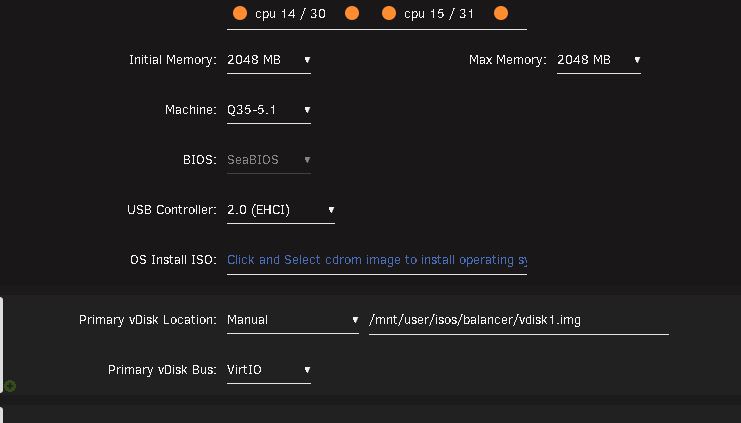
-
Sorry, I just saw the notification. I do use SeaBIOS and, in my case, I left the drive type as VirtIO. If I need to build another one then I'll probably switch to SATA to see if there's any performance differences. As of today it's been working flawlessly for a couple months.
-
Reviving an old thread but... This does work as I've just set it up. The only gotcha is the Xen download is in a .disk format so you need to convert using something like: qemu-img convert -p -O raw /path/to/LoadMaster.disk /path/to/balancer/vdisk1.img preferably in your isos directory. I'm assuming the OP was talking about the NetworkChuck YT video where he goes about setting this up. I was able to get mine going by following most of those steps and being (im)patient in getting the DNS updated.
