Gaeroce
Members
-
Joined
-
Last visited
Everything posted by Gaeroce
-
I am located in China and have already used a proxy, but it still times out
-
When I downloaded Ubuntu, it prompted this

-
-
By the way, can I install a graphical interface for LXC? I want to install a piece of software for testing and then connect via NVC. Is that possible?
-
Thank you.Let me try.
-
I have a self-compiled OpenWRT, and I want to deploy it directly without downloading from the server.
-
Hello, can I deploy a specific version of OpenWRT using a local file? I don't want to use the original version of OpenWRT. How should I proceed
-
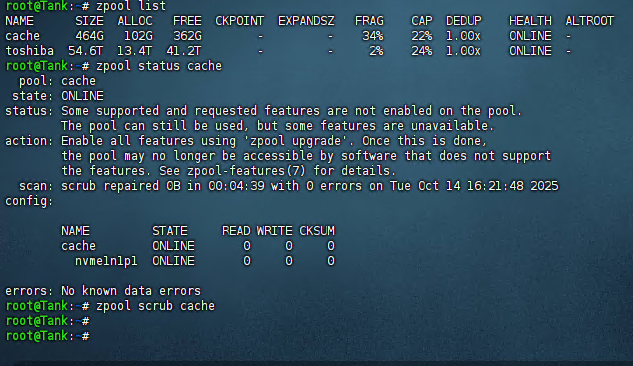
I have tried both of these paths, but they are both invalid. "cache" is the name of my pool I have tried both of these paths, but they are both invalid. "cache" is the name of my pool
-
Very bad, I have used this command before. It doesn't work.Yes, in the end, I reinstalled unRaid. Occasionally, when I created a new virtual machine and then deleted it, the deletion still failed (due to filenames without spaces). I had to recreate a virtual machine with the same name and then delete it together. I'm not sure what caused this. Could this be a bug in unRaid?
-
Too bad~~
-
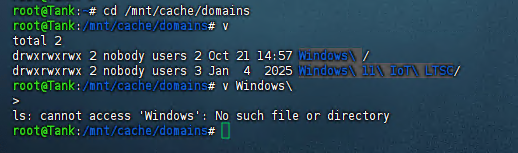
Yes.You are right.Because I created a VM named ”Windows“, but unfortunately, there was a space at the end of the folder name, which made it impossible for me to delete it. It's a "ghost" that doesn't affect usage. But it's really annoying, haha
-
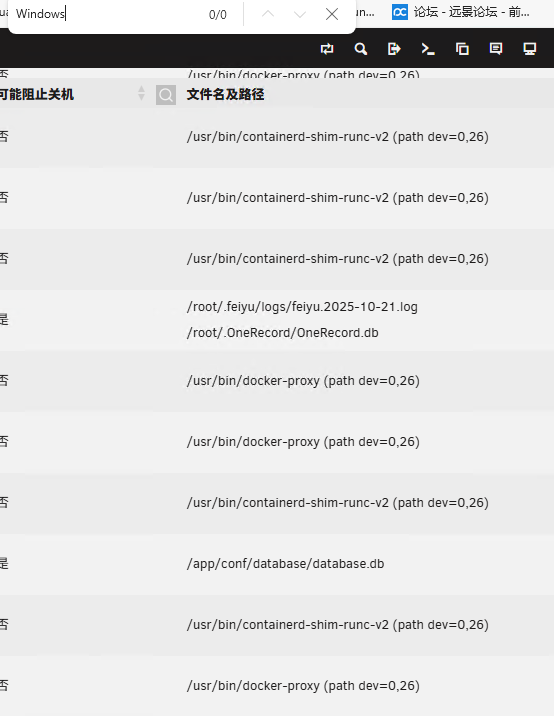
I downloaded the "open files" plugin, but I didn't find any occupation related to the "Windows" folder in the list. It's quite strange
-
OK.Let me try
-
Oh, this is a terrible thing. This folder has reappeared. When I close the VM (Virtual Machine), it cannot be deleted anymore
-
Yes,ZFS.But this issue seems to have been resolved. After I shut down the virtual machine, it could be deleted directly. It has been two days, and it hasn't reappeared.
-
<?xml version='1.0' encoding='UTF-8'?> <domain type='kvm' id='4'> <name>Windows 11 IoT LTSC</name> <uuid>b985c644-63bb-f512-8c43-2edb5114bf6f</uuid> <metadata> <vmtemplate xmlns="http://unraid" name="Windows 11" icon="windows11.png" os="windowstpm" webui="" storage="default"/> </metadata> <memory unit='KiB'>16777216</memory> <currentMemory unit='KiB'>16777216</currentMemory> <memoryBacking> <nosharepages/> </memoryBacking> <vcpu placement='static'>6</vcpu> <cputune> <vcpupin vcpu='0' cpuset='3'/> <vcpupin vcpu='1' cpuset='9'/> <vcpupin vcpu='2' cpuset='4'/> <vcpupin vcpu='3' cpuset='10'/> <vcpupin vcpu='4' cpuset='5'/> <vcpupin vcpu='5' cpuset='11'/> </cputune> <resource> <partition>/machine</partition> </resource> <os> <type arch='x86_64' machine='pc-i440fx-9.1'>hvm</type> <loader readonly='yes' type='pflash' format='raw'>/usr/share/qemu/ovmf-x64/OVMF_CODE-pure-efi-tpm.fd</loader> <nvram format='raw'>/etc/libvirt/qemu/nvram/b985c644-63bb-f512-8c43-2edb5114bf6f_VARS-pure-efi-tpm.fd</nvram> </os> <features> <acpi/> <apic/> <hyperv mode='custom'> <relaxed state='on'/> <vapic state='on'/> <spinlocks state='on' retries='8191'/> <vpindex state='on'/> <synic state='on'/> <stimer state='on'/> <vendor_id state='on' value='none'/> </hyperv> </features> <cpu mode='host-passthrough' check='none' migratable='on'> <topology sockets='1' dies='1' clusters='1' cores='3' threads='2'/> <cache mode='passthrough'/> <feature policy='disable' name='hypervisor'/> </cpu> <clock offset='localtime'> <timer name='hpet' present='no'/> <timer name='hypervclock' present='yes'/> </clock> <on_poweroff>destroy</on_poweroff> <on_reboot>restart</on_reboot> <on_crash>restart</on_crash> <devices> <emulator>/usr/local/sbin/qemu</emulator> <disk type='file' device='cdrom'> <driver name='qemu'/> <target dev='hda' bus='sata'/> <readonly/> <boot order='2'/> <alias name='sata0-0-0'/> <address type='drive' controller='0' bus='0' target='0' unit='0'/> </disk> <disk type='file' device='cdrom'> <driver name='qemu'/> <target dev='hdb' bus='sata'/> <readonly/> <alias name='sata0-0-1'/> <address type='drive' controller='0' bus='0' target='0' unit='1'/> </disk> <disk type='file' device='disk'> <driver name='qemu' type='raw' cache='writeback' discard='unmap'/> <source file='/mnt/user/domains/Windows 11 IoT LTSC/vdisk1.img' index='1'/> <backingStore/> <target dev='hdc' bus='sata' rotation_rate='1'/> <serial>vdisk1</serial> <boot order='1'/> <alias name='sata0-0-2'/> <address type='drive' controller='0' bus='0' target='0' unit='2'/> </disk> <controller type='pci' index='0' model='pci-root'> <alias name='pci.0'/> </controller> <controller type='sata' index='0'> <alias name='sata0'/> <address type='pci' domain='0x0000' bus='0x00' slot='0x03' function='0x0'/> </controller> <controller type='virtio-serial' index='0'> <alias name='virtio-serial0'/> <address type='pci' domain='0x0000' bus='0x00' slot='0x04' function='0x0'/> </controller> <controller type='usb' index='0' model='ich9-ehci1'> <alias name='usb'/> <address type='pci' domain='0x0000' bus='0x00' slot='0x07' function='0x7'/> </controller> <controller type='usb' index='0' model='ich9-uhci1'> <alias name='usb'/> <master startport='0'/> <address type='pci' domain='0x0000' bus='0x00' slot='0x07' function='0x0' multifunction='on'/> </controller> <controller type='usb' index='0' model='ich9-uhci2'> <alias name='usb'/> <master startport='2'/> <address type='pci' domain='0x0000' bus='0x00' slot='0x07' function='0x1'/> </controller> <controller type='usb' index='0' model='ich9-uhci3'> <alias name='usb'/> <master startport='4'/> <address type='pci' domain='0x0000' bus='0x00' slot='0x07' function='0x2'/> </controller> <interface type='bridge'> <mac address='52:54:00:01:b4:de'/> <source bridge='br0'/> <target dev='vnet3'/> <model type='virtio-net'/> <alias name='net0'/> <address type='pci' domain='0x0000' bus='0x00' slot='0x02' function='0x0'/> </interface> <serial type='pty'> <source path='/dev/pts/1'/> <target type='isa-serial' port='0'> <model name='isa-serial'/> </target> <alias name='serial0'/> </serial> <console type='pty' tty='/dev/pts/1'> <source path='/dev/pts/1'/> <target type='serial' port='0'/> <alias name='serial0'/> </console> <channel type='unix'> <source mode='bind' path='/run/libvirt/qemu/channel/4-Windows 11 IoT LTSC/org.qemu.guest_agent.0'/> <target type='virtio' name='org.qemu.guest_agent.0' state='connected'/> <alias name='channel0'/> <address type='virtio-serial' controller='0' bus='0' port='1'/> </channel> <input type='mouse' bus='ps2'> <alias name='input0'/> </input> <input type='keyboard' bus='ps2'> <alias name='input1'/> </input> <tpm model='tpm-tis'> <backend type='emulator' version='2.0' persistent_state='yes'/> <alias name='tpm0'/> </tpm> <sound model='ich9'> <alias name='sound0'/> <address type='pci' domain='0x0000' bus='0x00' slot='0x06' function='0x0'/> </sound> <audio id='1' type='none'/> <hostdev mode='subsystem' type='mdev' managed='no' model='vfio-pci' display='off'> <source> <address uuid='78f53dc2-b7d1-44ca-a94e-104da680659a'/> </source> <alias name='hostdev0'/> <address type='pci' domain='0x0000' bus='0x00' slot='0x08' function='0x0'/> </hostdev> <memballoon model='virtio'> <alias name='balloon0'/> <address type='pci' domain='0x0000' bus='0x00' slot='0x05' function='0x0'/> </memballoon> </devices> <seclabel type='dynamic' model='dac' relabel='yes'> <label>+0:+100</label> <imagelabel>+0:+100</imagelabel> </seclabel> </domain>
-
Please wait a moment.
-
By the way, my unRiad only has an integrated graphics card and hasn't installed a discrete graphics card, so I used the Intel GVT-g plugin. I'm not sure if it's related to this plugin

-
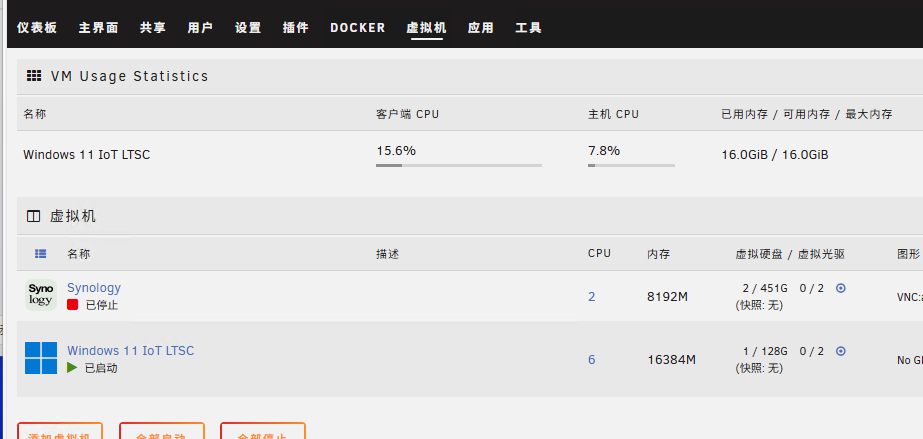
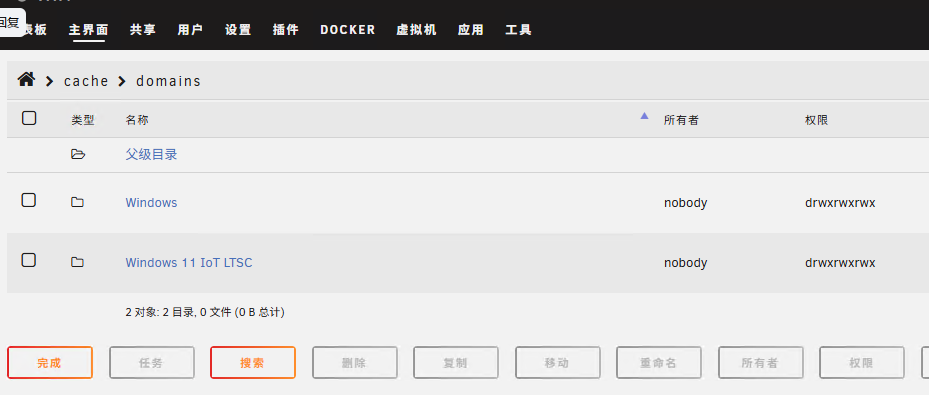
I think I've found the crux of the problem. When I run the virtual machine named "Windows 11 IoT LTSC", it automatically creates a folder named "Windows" shortly after. When my virtual machine is running, it cannot be deleted. However, when I close the virtual machine, it can be deleted normally
-
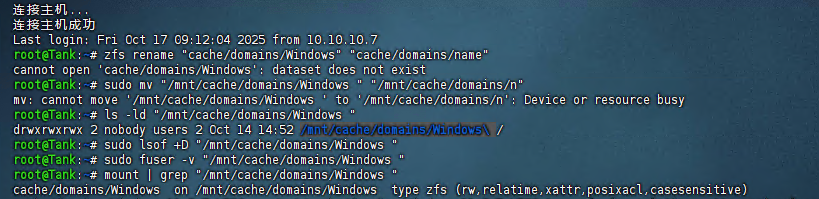
I have found this information. How can I completely delete it
-
OK,Let me try again
-
The folder named "Windows" cannot be deleted normally. It has been bothering me for a long time, by the way. There is a space after this folder name. It should be "Windows " or "Windows\"
-
I created a virtual machine named "Windows" some time ago. However, I deleted it shortly after. Nevertheless, the folder persisted and remained undeleted. Currently, I only have one virtual machine named "Windows 11 IoT LTSC".
-
Thank you very much, but the extra "Windows" folder still cannot be deleted
-
Is this normal?