





robti
Members
-
Joined
-
Last visited
Everything posted by robti
-
Hi is there anything in unraid that i can run to test a drive before installing it ? Thanks
-
Thanks to you all for having the patience to help me on this, finally got it all moved onto the cache drive after switching docker and vpn off in settings, I had just been turning the app off. Thanks
-
Sorry I was thinking I hadn’t set any docker or vm’s up yet but forgot about plex, so this is after stopping plex and starting move, although the move button only changes for a second broxi-diagnostics-20220828-2323.zip
-
my diagnostics and sceenshot of shares broxi-diagnostics-20220828-1221.zip
-
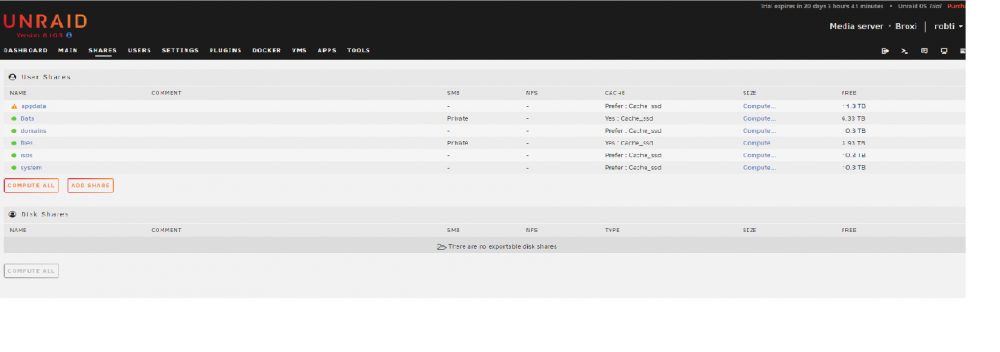
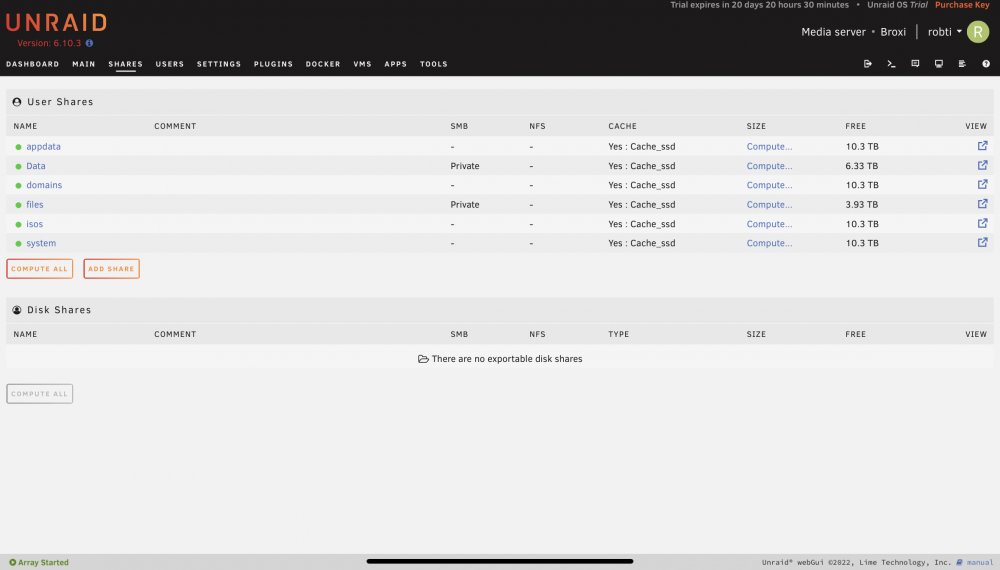
Thanks shares screenprint uploaded, I have changed the shares to use cache
-
Sorry I just replied on my iPhone, I hope the file is okay broxi-diagnostics-20220827-0803.zip
-
so just set machine up last week using the above as my cahe drive and while my other drives sit at around 26c this sits around 39 and will jump up to 46-47c when in use, is this correct or will i swap it out Thanks
-
thanks to all the helpful answers and as a newbie i have to do a lot of searching to find out how to set shares up, luckily i only have a few Tb of data to move across so keeping the backup safe for now. if there was just some where to say if only using as a nas/file server do it this way but if using multiple dockers/ vpn's do it another way. i first set it up through multiple shares like spaceinvader one says, then found via fb and elsewhere that the TRaSH guide was also recommended. So atm i have it set up via the windows explorer and sub folders just because i am used to it and couldn't get a definitive answer without delving deeper than what i know for now Thanks
-
thanks to you both will have a think before i add any more files from my backup
-
Hi i am a newbie at unraid and thought i had my shares set up okay all seperate share, movies,tv series, photos, music and files, but someone said i would be better to set up another way with a share called data then use windows explorer to set up folders in the data folder as media then sub folders of the above files. Which way is recommended share setup please delete if links are not allowed ? Thanks
-
Okay so tried 3 usb sticks a windows and two Linux and they all boot pass the bios, tried the unraid one with the same settings and freezes at the slash screen again, so seems to be the unraid usb that’s at fault
-
nothing i have been searching all morning with no results there doesn't seem to be a bios setting for halt on errors, funny its been running for years with never having this problem before. so tried the usb in all the ports with the same result hangs on the american megatrends splash screen pop a key board in and the unraid splash screen comes up, so tried it with an old microsoft wireless mouse/keyboard usb stick and it boots okay in all the ports, so totally lost now tried truenas and it boots okay back to unraid and no boot, so only diffence is booting from usb
-
Hi so I have been running this set up for many years with whs 1 and 2011 then truenas core & scale now with unraid with the only difference being changing boot from ssd to usb. Now system hangs on bios splash screen at boot unless a keyboard is connected then it boots normally. Can I ask that if I set the usb stick up legacy as the media creation tool didn’t work and I clicked the boot file as admin could it be anything in this before I delve deeper ? Thanks
-
So just setting my system up and watched a video on setting shares up and he set up movies and tv series on separated drives for power saving /read write, so if it’s the same app that’s using these files wouldn’t it be better to have them both on the same drive, only using for plex ? Thanks
-
Currently setting up parity and I would like to set up cache in the morning. Setup is 4 x 4Tb drives and will be used in the short term for plex and some files. I estimate I would transfer in a few Gb of data at a time. So I have a 1Tb ssd or two 120Gb ssd’s spare and was thinking of the two ssd for raid in case there is a problem when transferring file. Any opinions to help me please ? Thanks
-
thanks for the reply, i seen that but also read on another unraid page where it says that the flash creator was the preferred method but as a newbie i will follow your advice. Thanks
-
Hi sorry for this as a first post, so i have downloaded the flash creator a couple of different times and tried multiple pen drives and everything goes fine tiil the end of the writing process and all i get is that its syncing file system. Any help on this please ? Thanks


