oshns11
Members
-
Joined
-
Last visited
Everything posted by oshns11
-
I tried a SATA adapter just now and that didn't work. Thanks for the suggestion. Did not know about that issue. I was at work today and managed to snag a brand new 24TB drive to borrow. That showed up right away. So now I will have to wait until the new 14TB shows up. Thank you all for your help. I will mark as solved.
-
Yes, both were swapped. I swapped cards and it still did not see the new hard drive, not even in the bios utility for the card. Pretty sure you're right about the drive being the issue. Don't know why it can't be seen through the card but can be seen through USB. I ordered another drive of the same brand and model. We shall see what happens with that. Won't be here until Jan. 29th, so I will update when it arrives.
-
My apologies. I meant to say that the new drive worked on both Windows and Linux. The old drive is unavailable on both.
-
So I checked both devices on Windows and Linux using a USB adapter. Was able to find it both times and format. Then thought I would test it back in unraid using the same usb adatper and it showed up and was able to format to xfs. So that make me believe it is a bad HBA card because the switching of cables from one drive to another and from old to new had no effect. I have an extra card that I will swap in. I just am wondering if doing so would normally no affect the array?
-
Makes sense. Any other suggestions to try?
-
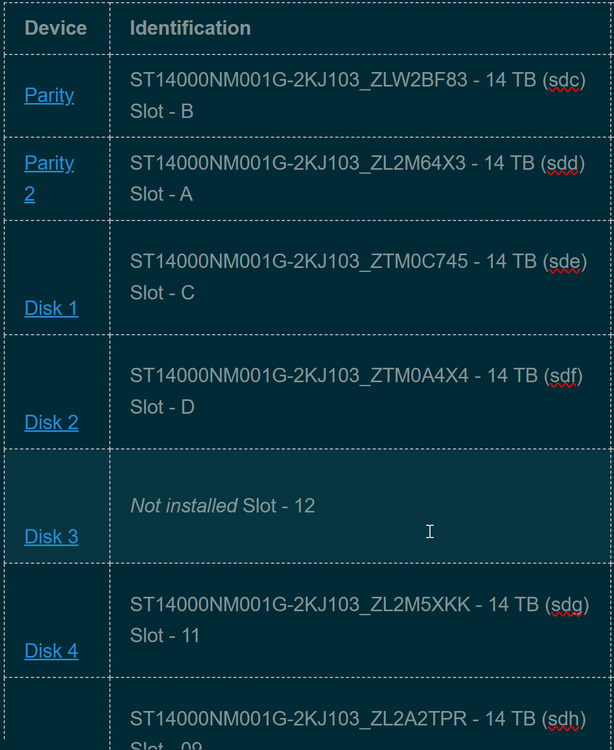
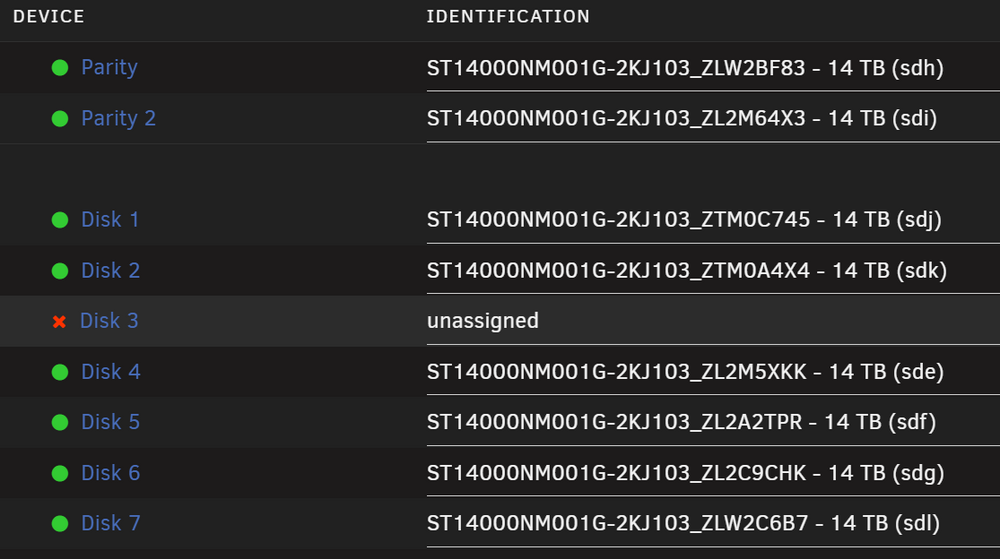
No changes. Still shows the same disk missing. All S/Ns are still the same in the disk and parity locations. There are some differences that I found from when I started this and that would be that the linux drive assignments have changed. Example: Parity 1 was labeled as (sdc) but is now labeled as (sdh) and so on. The S/Ns all stayed in the same number slot (disk 1, disk 2, etc.)
-
OK Makes sense.
-
OK. So I am understanding this correctly, are you saying all other disks would lose their data in the Array or that I can use one of my parity disks to rebuild the new drive once it's found?
-
Corsair HX Series, HX1200, 1200 Watt, Fully Modular Power Supply, 80+ Platinum Certified, Model Number: CP-9020140-NA
-
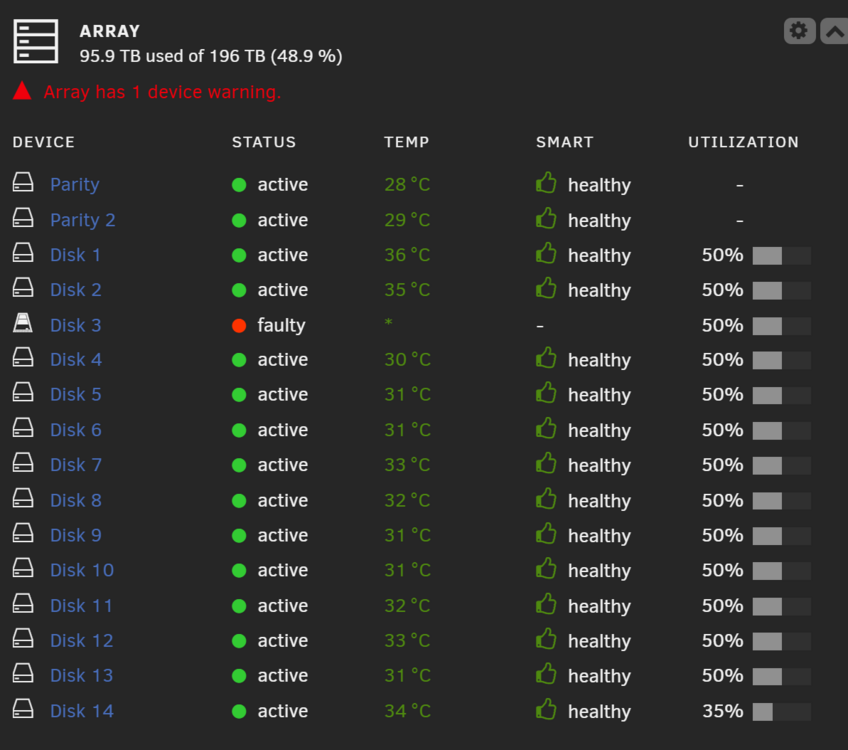
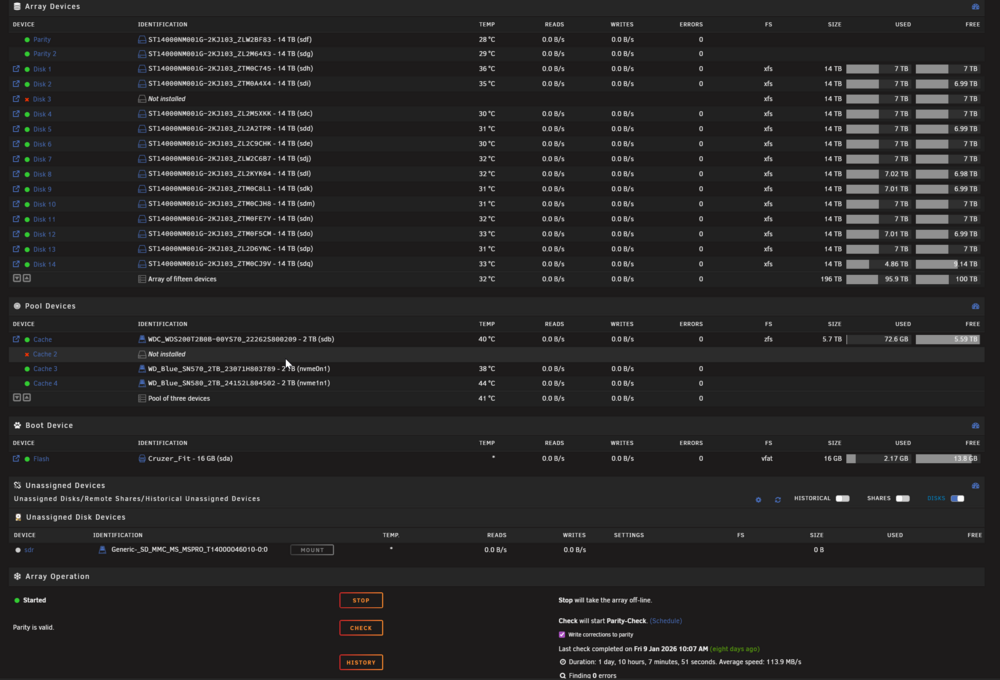
Hello All, Let me start by saying thank you in advance. I have read a lot of posts on these forums looking for answers and appreciate everyone's contributions. So again thank you to the community. In reference to my issue, I have seen similar issues and tried to solve accordingly but to no avail. I will elaborate to all things I remember doing (*unfortunately I have not documented the steps taken like I always intend to do). I am currently on unraid 7.1.4 I had my disk 3 fail. I have tried: Restart. No Luck. I physically replaced the bad drive with a fresh equal size drive. No drive showed up below as unnasigned and allowed me to assign the drive to the array. I tried rearranging the cables from my HBA to make sure the cable was not bad. I then replaced the cable from the HBA and still got same results. I updated the BIOS and Firmware on the HBA through the CLI in the GUI of unraid. I am not able to get into the BIOS of the card during boot up by hitting CTRL+C. I attempted multiple "solutions" from GROK and ChatGPT to return that option to no avail. Updated the motherboard BIOS. No luck Added app Unassigned Devices and the replacement drive now shows but I am unable to do anything with it. I have an extra HBA but am worried about if I switch it out will it destroy my array and I lose my data (* I have it backed up but would prefer not having to rebuild) I wondered if running New Config would possibly help but have the same worry of losing my data. I have uploaded my Diags as well as some screenshots. I hope this is helpful. Please let me know what else you would be looking for to help me get this issue resolved. I also included a screenshot of my shares and would take an criticism of the setup and recommended changes. Hardware is: Asus Pro-Art Z690 Creator Motherboard Intel Core i9-12900K Desktop Processor 16 (8P+8E) Cores up to 5.2 GHz Unlocked LGA1700 600 Series Chipset 125W 4x CORSAIR Vengeance DDR5 32GB (2x16GB) DDR5 5600 (PC5-44800) C36 1.25V - Black LSI 9305-24i x8 lane, PCIe 3.0 Full Height SAS SAS 9305 12 Gb/s SAS Host Bus Adapter 2-14TB Parity drives 14-14TB Array drives utilizing XFS 3-NVME & 1-M.2 2TB drives for Cache Pool using ZFS Corsair HX Series, HX1200, 1200 Watt, Fully Modular Power Supply, 80+ Platinum Nvidia RTX 3060Ti Video Card diags.zip