Skip to content
View in the app

A better way to browse. Learn more.

Unraid

A full-screen app on your home screen with push notifications, badges and more.

To install this app on iOS and iPadOS
  1. Tap the Share icon in Safari
  2. Scroll the menu and tap Add to Home Screen.
  3. Tap Add in the top-right corner.
To install this app on Android
  1. Tap the 3-dot menu (⋮) in the top-right corner of the browser.
  2. Tap Add to Home screen or Install app.
  3. Confirm by tapping Install.

oinkers

Members
  • Joined

  • Last visited

Everything posted by oinkers

  1. oinkers replied to wgstarks's topic in Lounge
    Intel Xeon® E3 banner by me, fits well with Header custom background color: 2881c9 Show banner background color fade: True

  2. yes its enabled, here diagnostics zserver-diagnostics-20221017-1005.zip
  3. it also doesnt show my vm on my router page like it does for my friend
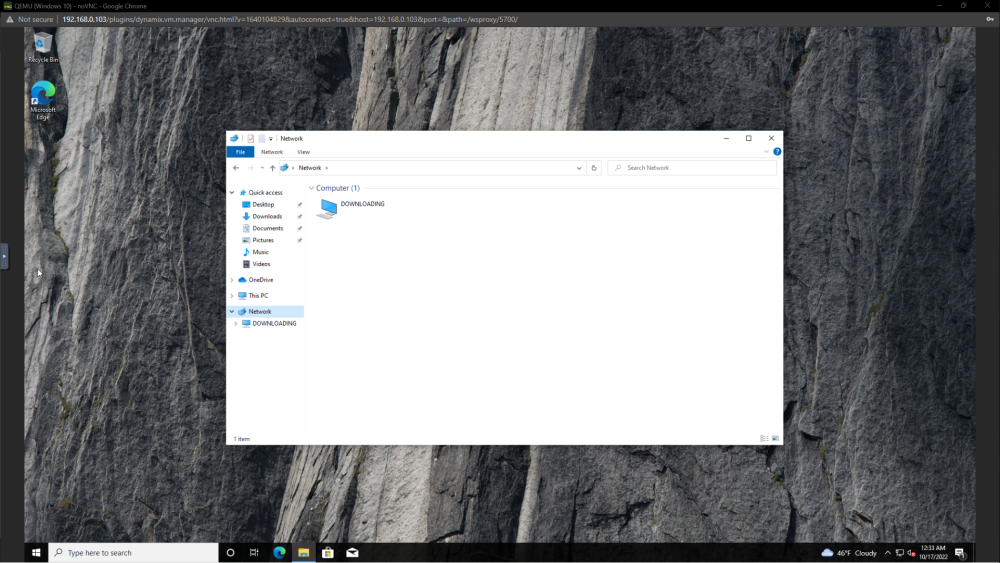
  4. first, br0 is missing. second my vm fails to see network shares and only sees itself

Account

Navigation

Search

Search

Configure browser push notifications

Chrome (Android)
  1. Tap the lock icon next to the address bar.
  2. Tap Permissions → Notifications.
  3. Adjust your preference.
Chrome (Desktop)
  1. Click the padlock icon in the address bar.
  2. Select Site settings.
  3. Find Notifications and adjust your preference.