





Zee-Unraid
Members
-
Joined
-
Last visited
Everything posted by Zee-Unraid
-
Thanks, I did a fresh install of the gameserver Docker as you suggested and copied over the config files, it seemed to have worked. I'll do this in future should I ever have a similar issue. Thanks for the tips on the logs, I'll be referring back to this post frequently I am sure. Enjoy the beers. Many thanks, Zee
-
I just tried now, today. Also tried yesterday, didn't work. No adblocking I am aware of. See previous post.
-
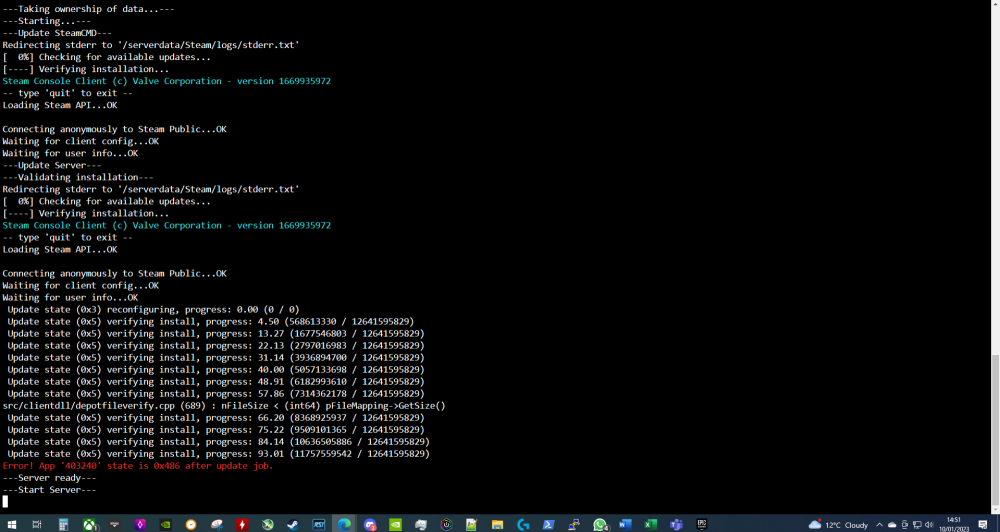
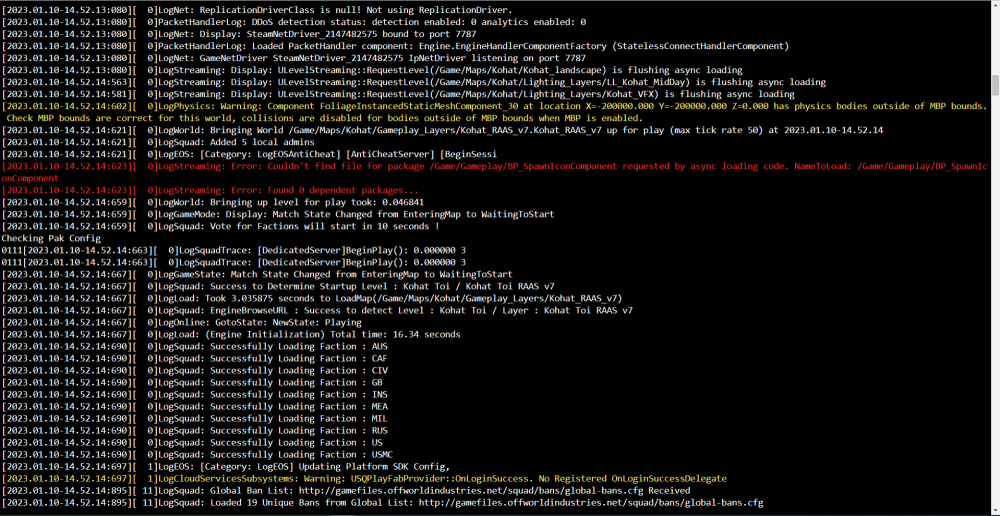
@ich777 I'm not sure if these screenshots help at all with troubleshooting: Can I also ask, is there a better way to view logs rather than just in the browser? I find that I cannot scroll directly back to the start of the logs once many lines have been written. I am viewing by clicking the docker logo in Unraid and clicking Logs which opens this browser window which is not ideal. It also closes when I Ctrl + C to copy any text. I am sure there is a better way to monitor Docker game server logs live? I'd like to also filter just on the red error messages also? Currently I have to "catch them" with a live screenshot before they disappear :D Many thanks. P.s - how can I buy you a couple of beers for all the help? I'd like to ping you a small tip for it. Please. I insist.
-
Thank you. Is this the same for all Dockers? I noticed my Squad docker is running an out of date version now and I tried force update but it is stuck on version 3.4, Squad is now on version 4. I'd had it offline for some time and just spun it back up. I can't seem to see anywhere to manually change the Squad Docker game version from 3.4 to 4, unlike the Terraria Docker. Any ideas please? Thank you, as always! Just to add: I can see the server in the server browser and it is online, but it shows an out of date version.
-
Hi @ich777, My Terraria docker is on version 1.4.4.5, but my client is on 1.4.4.9. I have tried force update but it is not working? Can the latest version be pushed to Docker please? Thanks Edit: I edited the version in the unraid config manually to 1.4.4.9 and it seemed to work. Just flagging it didn't update automatically with the docker update and seemed to be stuck on 1.4.4.5 in the config which prevented me from joining.
-
OK thank you, I will look into it. Does it download each map every time the map rotates then? When I removed the "//" from the maps that were excluded from the rotation I got Linux pak errors and the server was boot looping. I will look into if there is a special way to be loading these new maps.
-
Hello, Please forgive my ignorance as I usually load things via the CA app. Can you outline installation and configuration steps please? Thank you, Zee
-
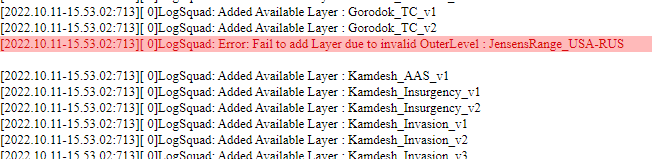
Hi Ich777, I'm not sure either, all that I know is that it is now showing up. Perhaps it was a time lag between it displaying in the in-game browser or something... Either way, thanks for all your help. On another note... I am trying to load a certain map, but it doesn't look like it is available in the package and I couldn't see that the game levels are installed locally on the docker? Where are they installed? Is it possible to store them locally? I am trying to play Jensens Range. [2022.10.14-17.34.26:568][ 0]LogSquad: Warning: JensensRange_AUS-RUS was not added to rotation list, please check that it is a valid layer [2022.10.14-17.34.26:568][ 0]LogSquad: Warning: JensensRange_CAF-INS was not added to rotation list, please check that it is a valid layer [2022.10.14-17.34.26:568][ 0]LogSquad: Warning: JensensRange_GB-MIL was not added to rotation list, please check that it is a valid layer [2022.10.14-17.34.26:568][ 0]LogSquad: Warning: JensensRange_USA-RUS was not added to rotation list, please check that it is a valid layer [2022.10.14-17.34.26:568][ 0]LogSquad: Warning: JensensRange_USMC-MEA was not added to rotation list, please check that it is a valid layer I also noticed that another new map called "Black Coast" is also missing, perhaps there are others too? It is possible to update the available maps please, the game itself was recently updated with new content? Thank you very much!! Zee
-
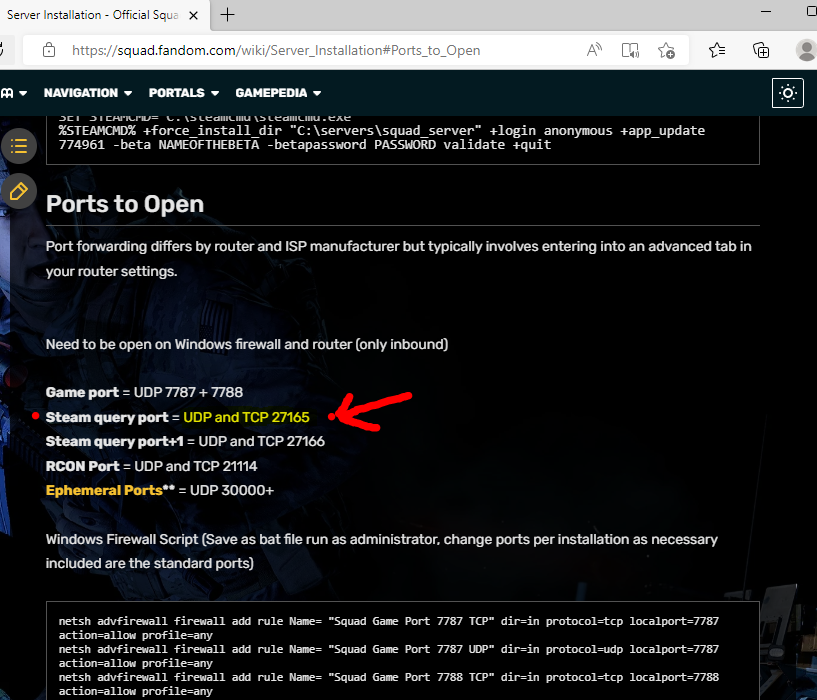
hi @ich777, I think I have solved it... See below... There is a discrepancy between what is required on the docker installation for port mapping, and actual port mapping: The docker says to map these ports: So I double checked the Squad support page on the ports... 27165 is required for both TCP and UDP, not just UDP as listed on the docker mappings. Are you able to update this docker so it lists it correctly please? Once I corrected it in my router mappings it worked okay! Thank you for your help! We saved the docker from getting deleted! Zee

-
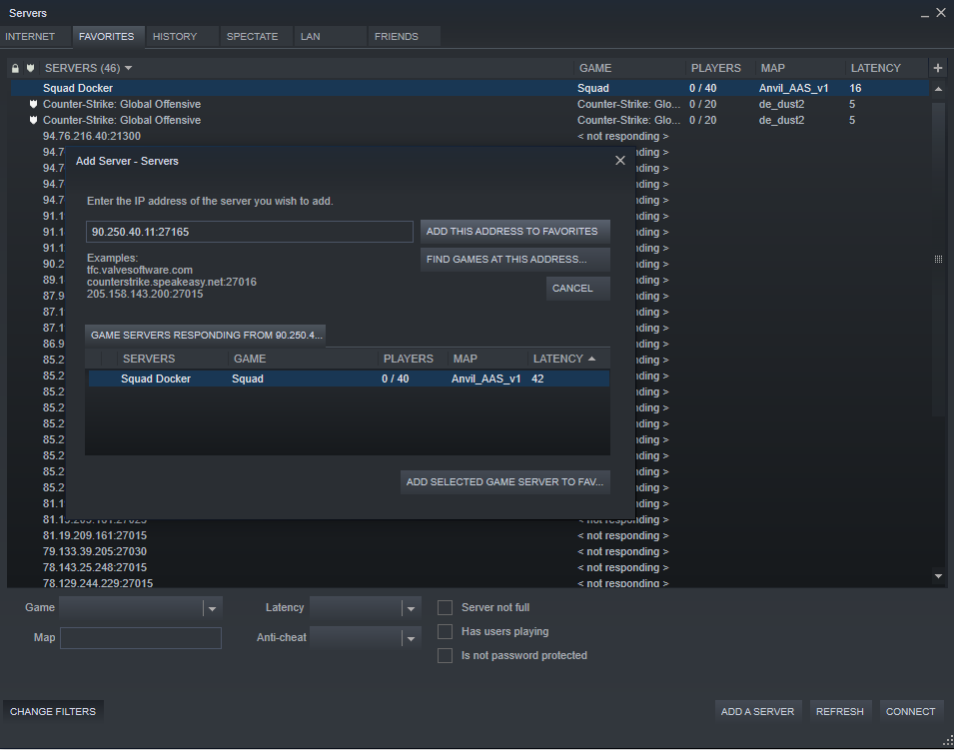
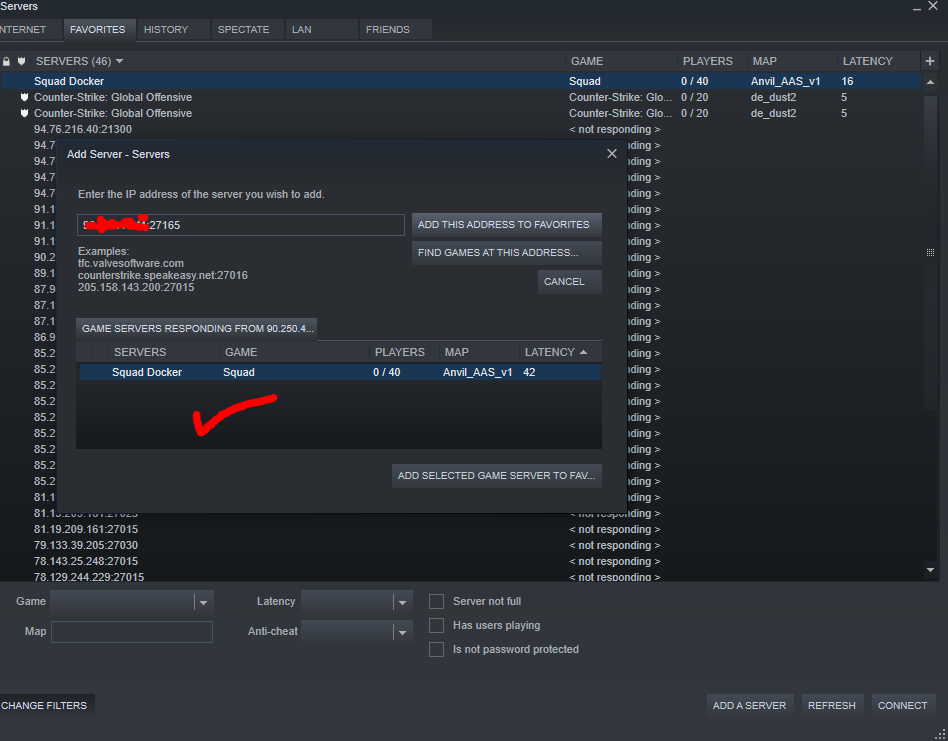
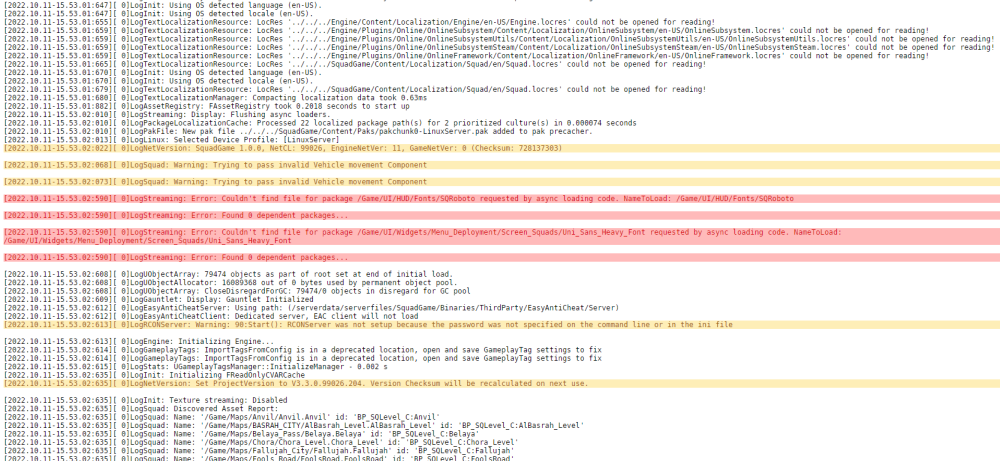
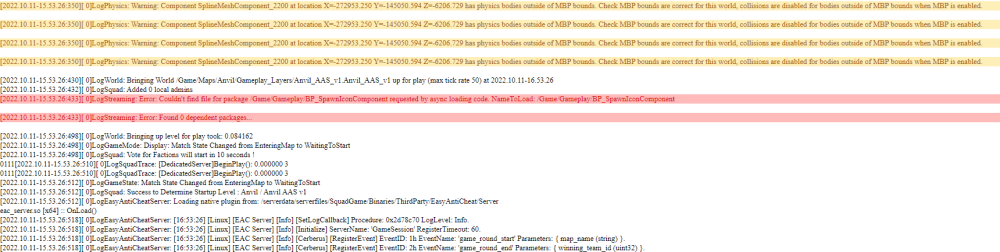
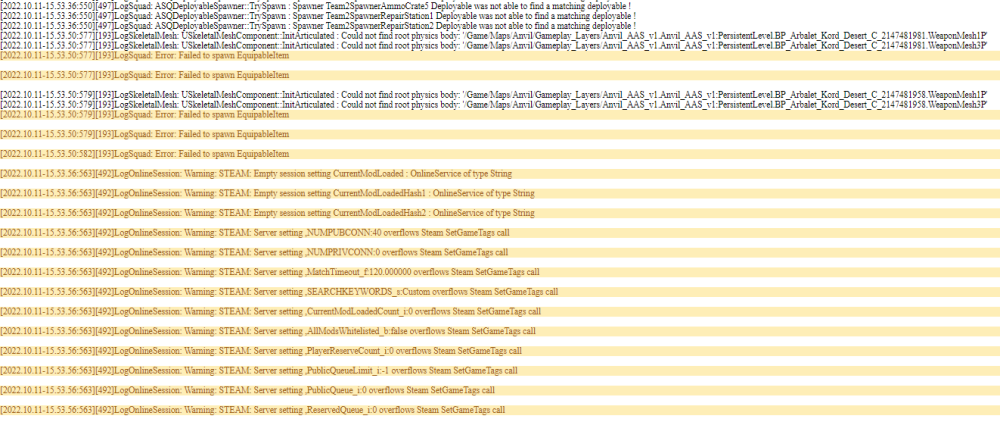
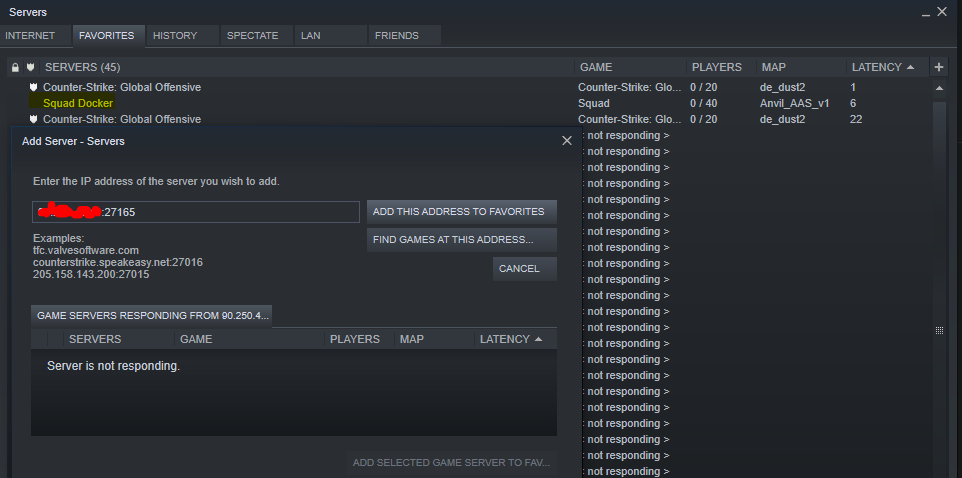
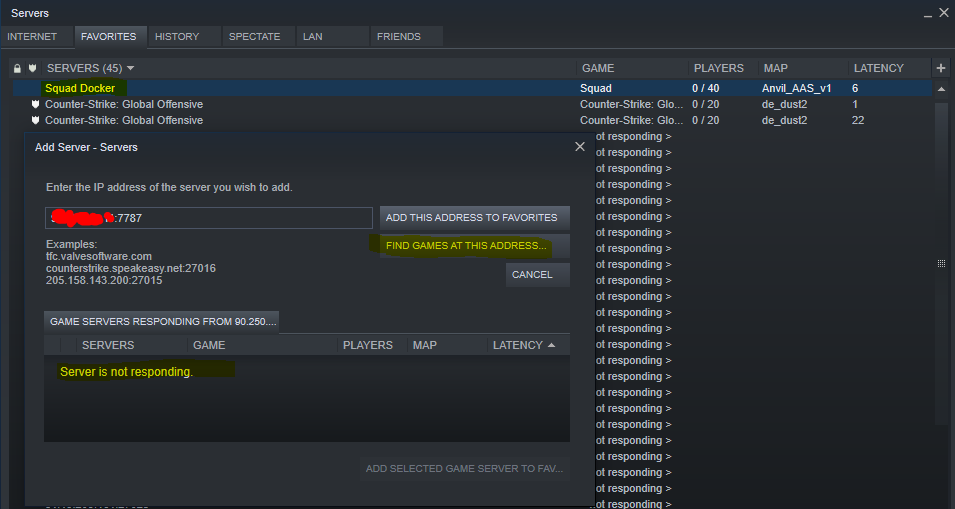
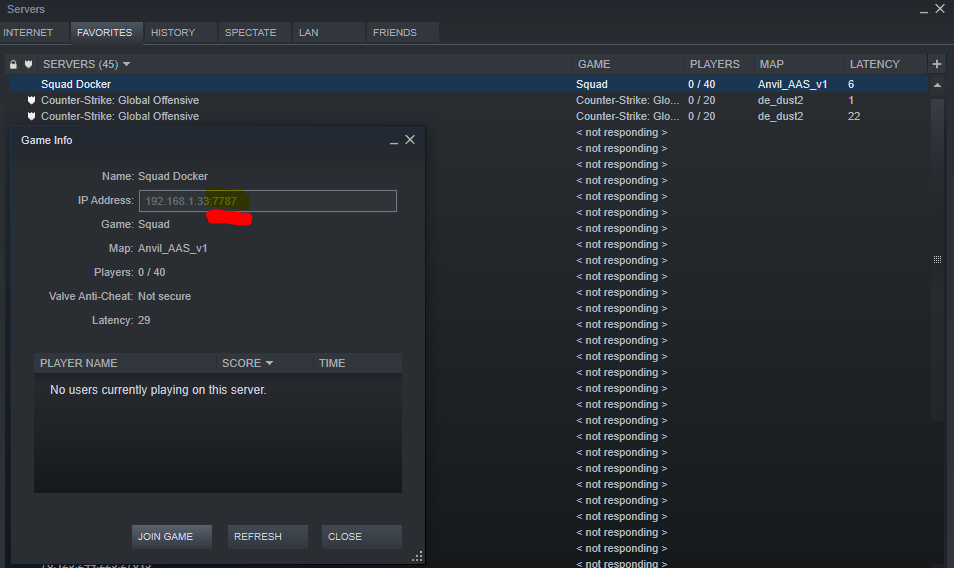
Hi Ich777, Were you able to identify it via your PublicIP:27165 from the add favourites list in steam or port 7787? Here is what it looks like for me, you can see the CSGO server x 2, (public and local IP address mapping), as well as the internal IP address Squad server being active and showing up. But public IP, hidden in red, is not showing up. I noticed the docker on my internal IP seems to respond to port 7787, not 27165, but neither work on my public IP? Is yours the same? It feels like some sort of network mapping issue with the docker, but it could also be my network. Ideally it would be helpful if someone else with the game could help test this before we delete the docker completely. Clutching at straws here... but if you don't see any issues with any of the above, could any of the below errors from my log have anything to do with it, please? And finally, at the end of my log, I am left with warnings, some of which repeat every minute and do relate to settings and steam - any of these?? I am about to upgrade my unraid version to see if that has any effect. If you are happy, for testing purposes, I am also fine to try and connect to your squad docker via your public IP, you can PM me if I can help you further, just let me know. I really hope we can fix this, please, as I really want this docker! Please let me know what you think to the above, hopefully we can get to the bottom of it. Thanks so much! Zee
-
Hi @ich777, I am able to find it in the steam server browser (using add favourite feature) when searching for my local UnraidIP and port 27165. It looks like it is online at least locally at the IP. The Squad server would not show up in the LAN tab though... I am unable to see the squad server on my PUBLIC IP address port 27165 using add favourite function, (nor does it show up on the LAN tab); however, when I spin up your CSGO docker server and allow that port through, I am able to see the CSGO server using add favourite and on LAN tab with the public IP?... I have tried disabling and re-enabling my firewall on my router. The CSGO server is fine regardless and shows up with public IP. The Squad server still does not show searching it on my public IP. So, to summarise, I can see the CSGO server using my public IP - but I cannot see the squad server on my public IP - only the local unraid IP and only when "adding favourite" and not in the LAN tab? Many thanks in advance!
-
Hi I did not change any template. I believe I have changed them... See below. Thanks!
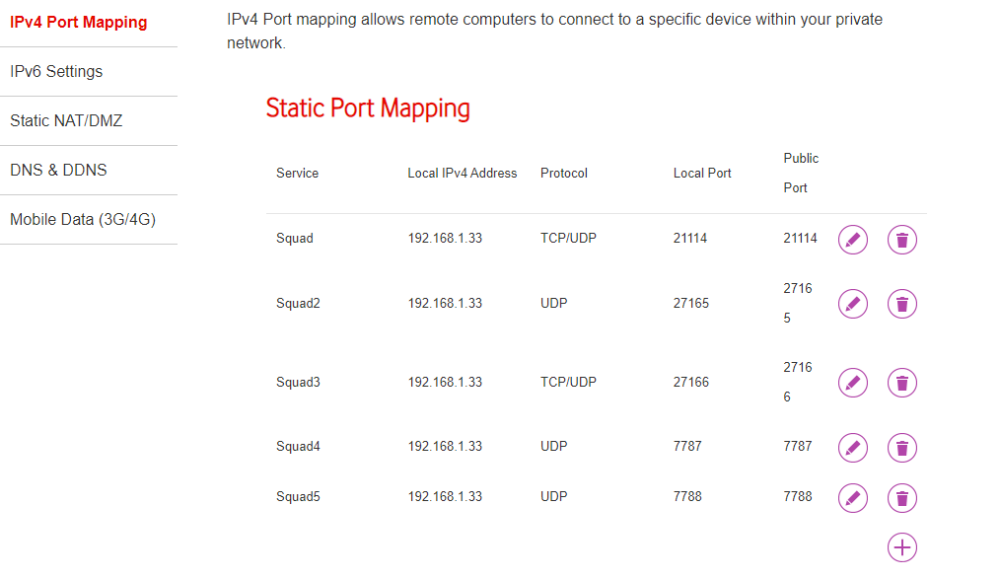

-
Hello, I have been trying to launch the Squad game server docker but it doesn't seem to be showing up in the in-game 'Custom Server' list, (where I would expect it to appear as it is classified as an "unlicensed" server), and I am unsure if it is even fully operational following boot? The docker log itself appears to be showing a number of errors and warnings and I wondered if you could kindly advise as to what I should do to get it operational please? This is a fresh install of the docker. Please let me know if you need any other information or require it in a different format. Thank you, Zee zoreo-diagnostics-20221009-2216.zip Log for_ Squad Zee-Unraid.html





