





cmalec
Members
-
Joined
-
Last visited
-
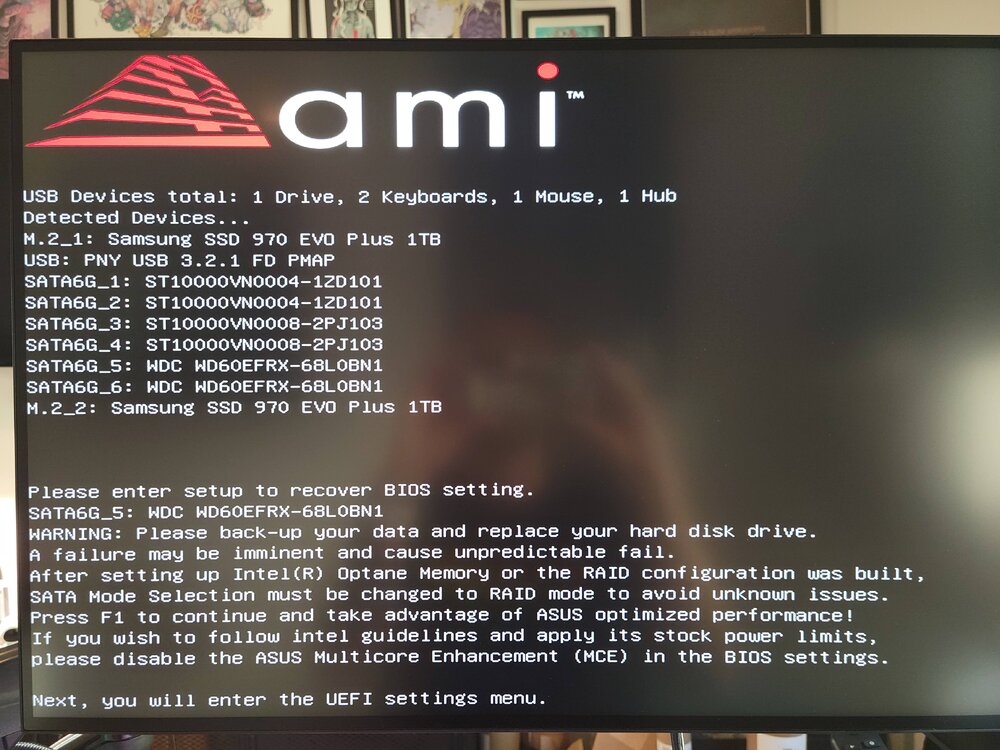
To recap for anyone that unfortunately stumbles into this in their own search for answers I ended up replacing the motherboard. Unclear if this was required but I am not curious enough to reinstall the old one and test. I switched from my old sandisk usb to a samsung usb which seems to have fixed a few issues I had with my system mainly the unreliable booting and needing to switch on CSM in BIOS to get things to boot. Now with the Samsung usb I don't have to mess with any BIOS settings to boot and finally my system boots in UEFI and I can actually get a command prompt and boot options. Finally I removed one of my drives which I knew had been having some SMART fails but I incorrectly thought I had more time. I could not get things booted properly until I removed this drive. Once this was all done I followed the directions to do a parity swap since new drive was now my largest. My system is now up and running it finished the parity rebuild and is now doing the data rebuild. Waiting for it to finish even tho its technically usable I figure another day of down time to be safe is not a big deal. Thanks @JorgeB for all the replies and ideas appreciate the help!
-
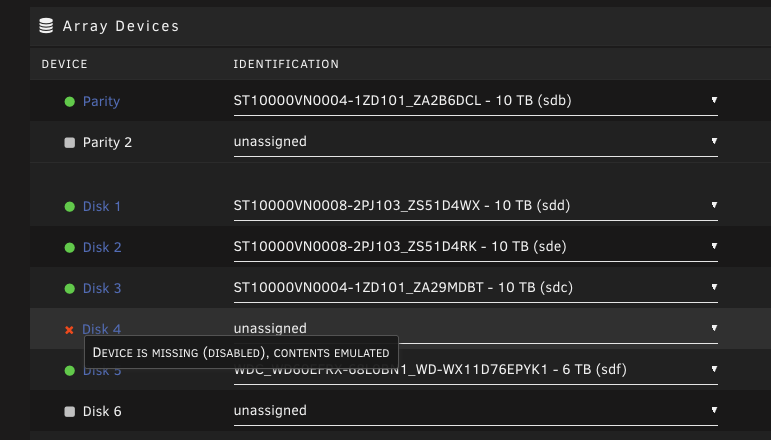
OK making progress 3rd flash drive worked. But also seems I need to disconnect the drive in slot 5 as if it is connected things wont boot. So I copied my config over from the old usb to the working one and disconnect the drive in slot 5. Everything boots and I can switch over the license, great. Now I need to replace the failed drive. But of course things are a little complicated I don't have a size appropriate replacement. But I do have a Larger Then Parity drive that I can swap in. So that lead me here https://docs.unraid.net/legacy/FAQ/parity-swap-procedure/ So it says I can swap in my new bigger drive but needs extra steps. Which calls out So my new question is this "Device is missing (DISABLED), contents emulated" enough to satisfy that warning message above? I started the array with it missing and then stopped it again so now it mentions 'DISABLED' but want to confirm that is good enough to continue on.
-
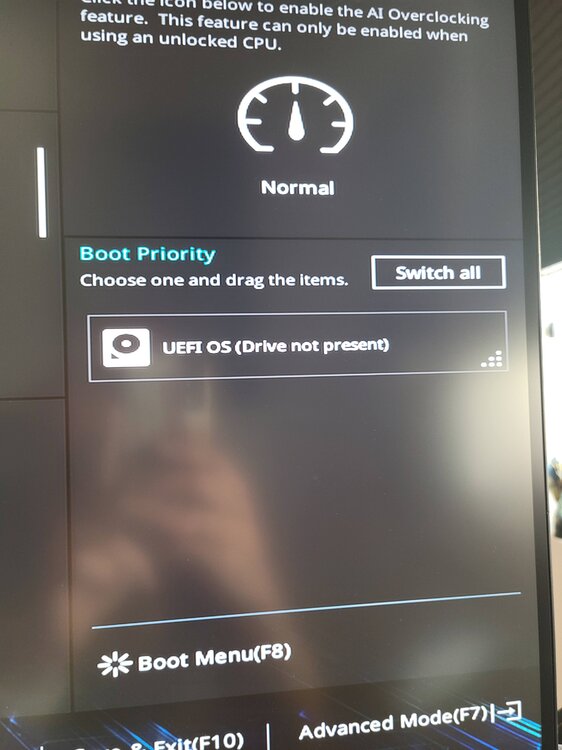
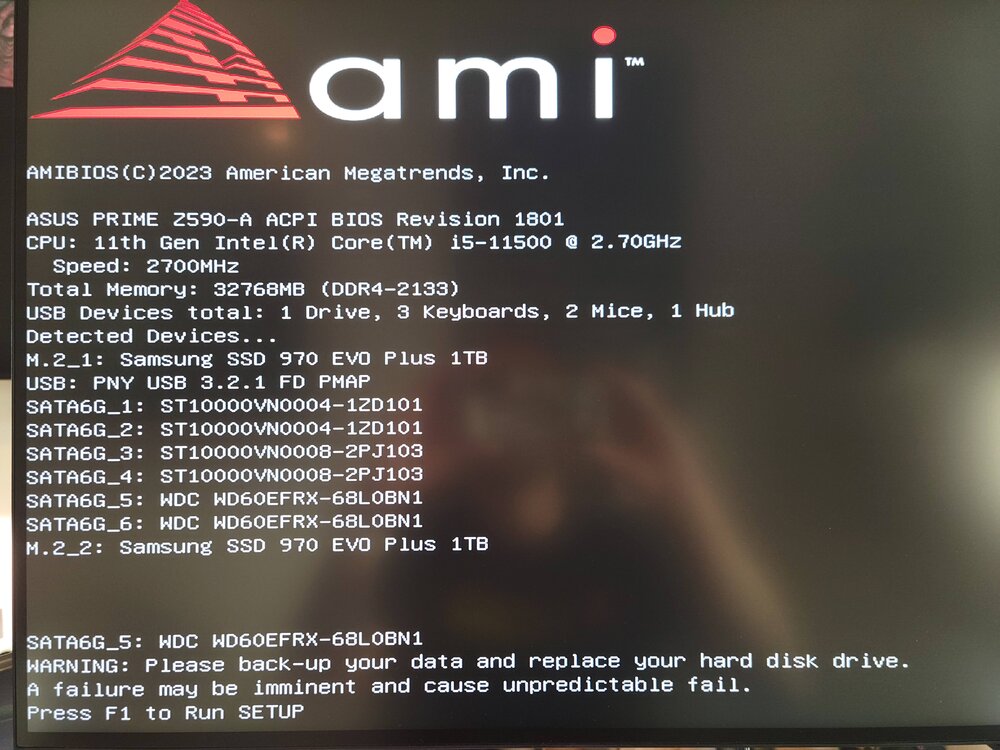
tried new fresh drive no luck. Just like the other drive it never appears in boot menu (that happened even when the system worked). I disconnected drive 5 to see if that would help. but nothing. I tried turning off fast boot no change. old usb was sandisk, new one is pny. fastbootoff_setting.txtbios settings in case thats helpful.
-
I should say I can get into BIOS now with the new one. But can't get unraid to boot
-
New motherboard same problem 💀
-
Ok retried with no RAM and heard no beeps. Figured might as well try with 1 stick in different slots and nothing changed. I was able to boot to BIOS just earlier today but now even that doesn't seem to be working. Fuck guess I will need to get a new Motherboard...this sucks.
-
which the no video whenever I boot up has always been true. IDK why but has always been the case
-
I get nothing. I don't even know what to look at. Its just no video output and webUI never is reachable. Hardware all spins up but thats it.
-
Short background context: I have always had issue with my server rebooting randomly. Couldn't find the cause but after sometime it happened less and I got the server to automatically start up the array and everything after a crash so became an out of sight out of mind issue. Now 2 days ago it crashed but didn't boot back up and now no matter what I try I can't get it back on. Info dump on all things tried and things I have noticed. Latest version of Unraid. Actually since upgrade I had noticed even longer uptimes like 20+ days before this crash. Previously the usual solution for me was remove CMOS motherboard battery which would then let me boot into BIOS. Once in BIOS turn off Fast Boot and turn on CSM. Restart and things would work. But not this time. I don't understand why CSM enabled usually boots up Unraid and when disabled I get to BIOS. But the other thing is when CSM is enabled I can't get to BIOS cause nothing ever appears on monitor no boot screen or anything. So I have to pick one or the other. When I boot into BIOS there is no boot device it does not see the USB drive. This has always been true. No SSH/PING response. Tried turning off Fast/Secure Boot but no change. Have reset and retried BIOS settings dozen+ times over 2 days. I have previous run memtest and checked usb both were clean. Have the USB drive with EFI folder meant to be used with UEFI but to boot I need to enable UEFI+Legacy. No errors on boot other then a notice about one of my HDs have a SMART error. Which has been true this whole time and do not see how that could be related to issue. Asus PRIME Z590-A ATX LGA1200 Motherboard rest of parts linked here Open to any and all suggestions so I can try to get my server back up. Appreciate any help I can get.
-
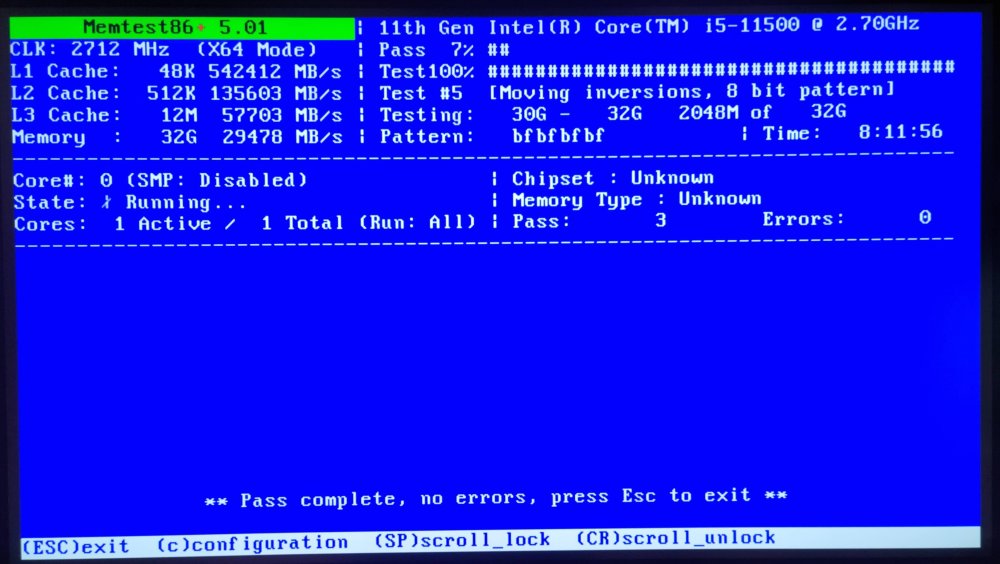
I have seen no 'hard' crashes since running the memtest. However I have noticed my uptime get reset when it should not. I have not restarted my server since the memtest so I should be at almost 14days however it says only 2days. Not sure why or how that happen. I do have my array set to auto-start but I did not reset it so unsure how it may have crashed and restarted itself. It maybe an entirely unrelated error/glitch but attaching logs from the last 3days anyway. So no answers but kind of no issues right now. Posting so if anyone finds this they don't think I fixed it and never posted the solution. scratch_12.txt
-
made another 4th pass still no errors. exited and booted back up Unraid.
-
memtest ran over night. Stilling running. will try to keep it running until later today
-
attached diagnostics edgerunner-diagnostics-20221228-0827.zip
-
I recently built a tower for my Unraid server(end of Oct) and it has been randomly "shutting down". It will be running fine and then I will notice everything is down. Its happened a few times its not consistent sometimes it runs for days or weeks without issue. When it does crash I can't reach the server but the tower is still on and running (lights fans etc still going). I run Unraid headless so nothing I can really do except reboot. Reboot and start the array without issue. I started capturing logs but I did not see anything in them that made me think something was wrong. There are large gaps in my logs that I assume is normal because it happens when the server is running normally as well. One time when I was rebooting and trying to figure out what was wrong I got an hardware error. I am not sure if this is the root cause or if it happens every time. Unsure how I would capture these hardware logs if im not literally looking at the screen. mcelog --cpu core_i5 --ascii --file /mnt/user/data/mce.txt Hardware event. This is not a software error. CPU 0 BANK 0 TSC 9d6db98fb MCG status: MCi status: Machine check not valid Corrected error MCA: No Error STATUS 0 MCGSTATUS 0 (Fields were incomplete) o which was from mce: [Hardware Error]: CPU O: Machine Check Exception: 5 Bank 6: f200000000900402 mce: [Hardware Error]: RIP !INEXACT! 10: <ffffffff810b5c67> {do_raw_spin_lock+0xb/0x1a} mce: [Hardware Error]: TSC 9d6db98fbo mce: [Hardware Error]: PROCESSOR O:a0671 TIME 1671733698 SOCKET O APIC O microcode 54 attached is the syslogs as well for example the server was up at 12/22 9am but then was found off at 9:50ish and i restarted things. there are no logs during this time. Any suggested next steps or ideas are welcome. syslog-192.168.1.77(12-22).log
-
Few days ago booted up a fresh built tower with my fresh unraid boot stick. Everything spun up and worked fine. set up the array and some cache pools. started migrating some data with rsync. Everything going fairly smooth til i realize I can't ssh to the tower. Try to reboot but then I couldn't get the usb drive to be detected that lead me to flipping the bios setting for CSM on/off and got the boot stick back. Got back to the webUI but still no ssh. Poking around setting accidentally switch on ssl in settings>access management and lost the webUI. Shutdown take out boot stick plug it into laptop and turn off ssl via config and turn on ssh setting in config. Also delete ssh and ssl folders as mentioned in other threads on a way to fix lack of ssh. Now when i try to boot up i get nothing. machine seems to start running but nothing goes thru to the monitor so just 'no signal' message. but keyboard and tower light, fans spin so things are working. But also nothing seems to boot the tower never seems to get back its IP or be available. So assuming its gotta be the motherboard(asus prime z590-a)/bios but everything was running before so some setting i changed? Any ideas? Any way to revert my unraid settings while keeping the array data intact? Also trying to see is there a way to reset the bios settings. Open to any other options or things to try.



