





_0din
Members
-
Joined
-
Last visited
Everything posted by _0din
-
Hi, Yes I am using the plugin, I'll give em a go there. Thanks for the redirect. _0din
-
Hi all, As stated in the title I updated to Unraid 7.0, installed Tailscale and Windows updated to 24H2 in the same 24hr period, a mistake in retrospect as it could be any causing trouble, since then I have had some unusual behaviour: I cannot access my Jellyfin instance from any browsers on my PC, however I can from my laptop and so can others in in my house. I can access other services like qBittorrent etc, without issue it only seems to be affecting Jellyfin. I can access it only if I open my unraid root account and open Jellyfin WebUI from the Docker Containers page. When I do this it runs flawlessly. I cannot see my server in Windows File Exploder however if I type the address manually or open a link to a file on the server it then recognises it and I have access again until I close it. Icannot see my server on any other device in my network either. I have checked all my windows settings and I can get all my full access again if I reboot Unraid in safe with GUI. Was hoping someone has experienced these issues or knows what I have done / not done and point me in the right direction. Diagnostics are attached. valkyrja-diagnostics-20250126-1355.zip
-
Hi JorgeB, Just tried that now and I have full access again in safe mode. So maybe a Tailscale issue?
-
Hi all, As stated in the title I updated to Unraid 7.0, installed Tailscale and Windows updated to 24H2 in the same 24hr period, a mistake in retrospect as it could be any causing trouble, since then I have had some unusual behaviour: I cannot access my Jellyfin instance from any browsers on my PC, however I can from my laptop and so can others in in my house. I can access other services like qBittorrent etc, without issue it only seems to be affecting Jellyfin. I can access it only if I open my unraid root account and open Jellyfin WebUI from the Docker Containers page. When I do this it runs flawlessly. I cannot see my server in Windows File Exploder however if I type the address manually or open a link to a file on the server it then recognises it and I have access again until I close it. Icannot see my server on any other device in my network either. Was hoping someone has experienced these issues or knows what I have done / not done and point me in the right direction. Diagnostics are attached. valkyrja-diagnostics-20250126-1355.zip
-
Hi Gragorg, Sorry it has taken so long to reply, but yes, I figured it out about about a month ago. Sorry, I didn't get back to you I got distracted by life and forgot to reply. In the Cloudflare cname I miskeyed one of the IP addresses and because I was looking at it so many times, I just glanced over it about 100 times before I finally noticed it. Again thanks for all the help, we were on the right track, but you type two numbers in the wrong order and it's all kaput!..
-
That sounds like a good idea. Thank you very much for all your help. you got me a lot further than I have been able to get for a few days now..lol If I find a solution I will post it here. Thankyou again
-
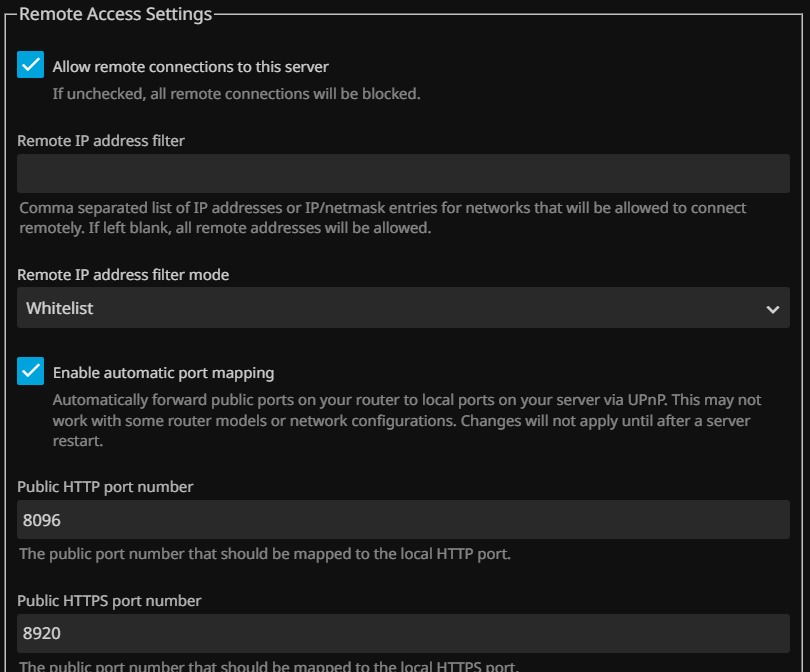
It seems correct..
-
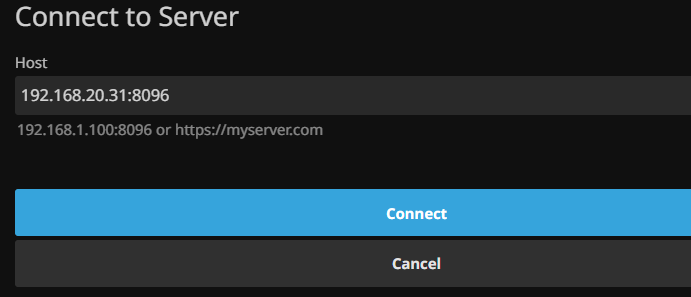
Yeah, on local net it works fine. I try this and get the error
-
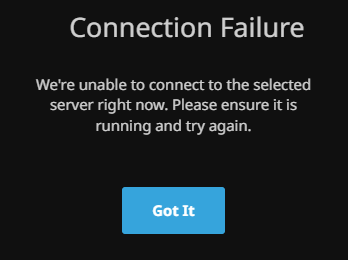
After clearing cache and opening a different browser in private mode I still get this:
-
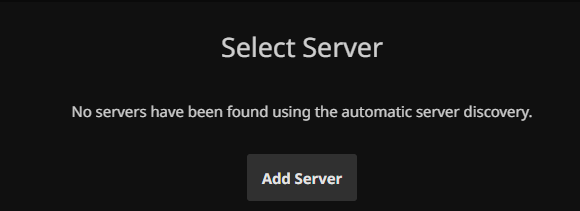
I have just changed to a static IP and forgot to change it. so I can now get to the jellyfin page but it now asks for a server
-
Sorry about that. that solved one problem. I now can connect to the jellyfin, but a new issue has arisen: its asking me to select a server and is I try my server ip and port it throws an error.. progress?
-
OMG.. I hadn't updated the A Record ip..
-
I might be able to, but I don't know how.. lol.. this is the noob bit :). I have my clouflare account open, and the status is 'proxied' for the cname record of the website. Where would I find the console or place to do that in my cloudflare page? This is the message I get when I attempt to login through my site, which make me think it is working?
-
Oh and here are the nginx ports:
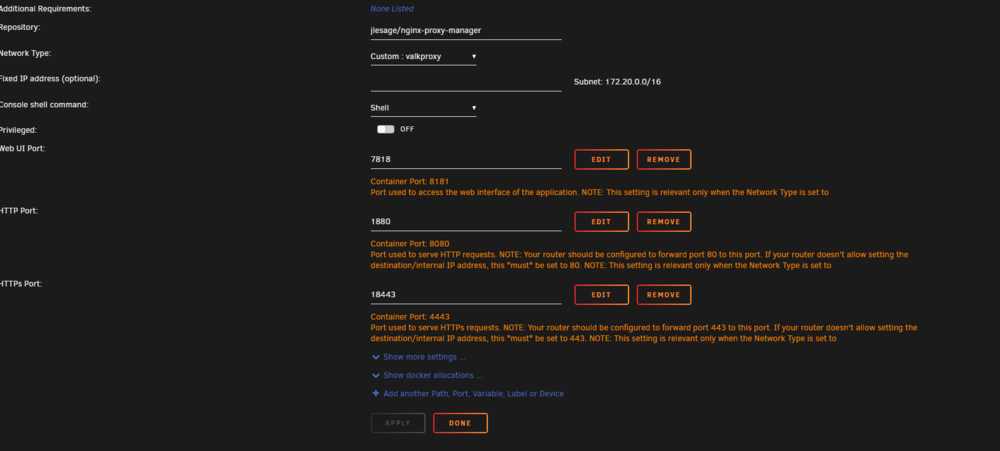
-
Hi, Thanks for the fast reply. I am using Nginx as I couldn't wrap my head around swag and have had it working a couple of years ago with nginx. I have my port forwarding info below: router is a ZTE ZXHN H1600
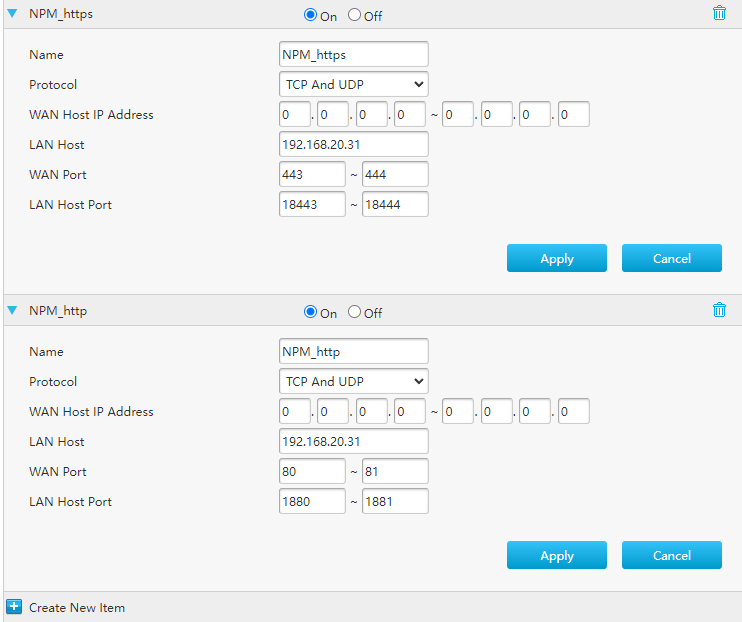
-
Hi, I am a low-skill student with Unraid and all things server. I have been using Unraid for about 3 years, mostly as a media server and for home labs. I know bugger all about docker except the absolute basics. The issue: I have been attempting to run a reverse proxy for my Jellyfin following the guides from Ibracorp and Spaceinvaderone. My Cloudflare and domain are communicating as expected, however, I cannot get to my Jellyfin instance through my domain. I have my docker containers set on a custom Docker network as prescribed in the documentation. I can ping from each of the containers to 1.1.1.1 or cnn.com. When I try to open my page from nginx I get a 522 error. It seems like there is a communication error between the nginx container and the Jellyfin container, but I don't know how to test for these things. This is my first post as I have usually been able to find information on here, the internet, or youtube university to fix my issues but after 3 days of trying, removing containers, reinstalling, and trying different RPMs (SWAG and Nginx), checking config over and over again, I am totally lost. I would greatly appreciate any help people are willing to offer or point me in the right direction for my issues. Thanks. valkyrja-diagnostics-20240822-1115.zip
-
Thanks very much I wondered if there were any changes that I needed for the different os but is seems very similar to the linux so I shall work at that. Truth is I think i'm just very new to this and it's quite complex..lol. Again thanks very much for your time. _0din
-
https://mod.io/g/insurgencysandstorm/r/server-admin-guide This is the mod. Thank you very much for looking at this, I understand if this is outside of your normal support and if its too much I will keep hitting up the mod.io community for answers. Again thank you _0din
-
Hi ich777, I have installed your app for insurgency sandstorm, thank-you very much by the way, but i am wanting to install the ISMC mod to it. This is my first Unraid server and I am new to docker. Any and all help would be greatly appreciated. Thanks very much, _0din



