




-
found the issue, some id's on devices got moved around and a sata controller was vfio bound for some reason. unbounded it from devices and then rebooted to take effect
-
pretty sure. oppened the case again and checked after initial reboot. And also since they appear in the Bios with capacity and vendor I doubt it. But I will check again a bit later if no other ideas come through.
-
Hi, newbie here so wantering what happened. Searched a bit but could not find a solution. I added a new m2 ssd in a free slot I had in the system. after reboot I can see both m2 ssds but none of the data HDDs looked in Bios and there I see everything. even tried a tools -> new_config Attached a diagnostics. any help would be appreciated. if I should have created the topic somewhere else please point me in the right section. Thank you! homenas-diagnostics-20231129-2039.zip
-
yeah, sorry for wasting your time. knew I should not have it bound to the vm but forgot even when it was staring me in the face. long day probably all good! the other steps I did on other machines so should be fine Thanks!
-
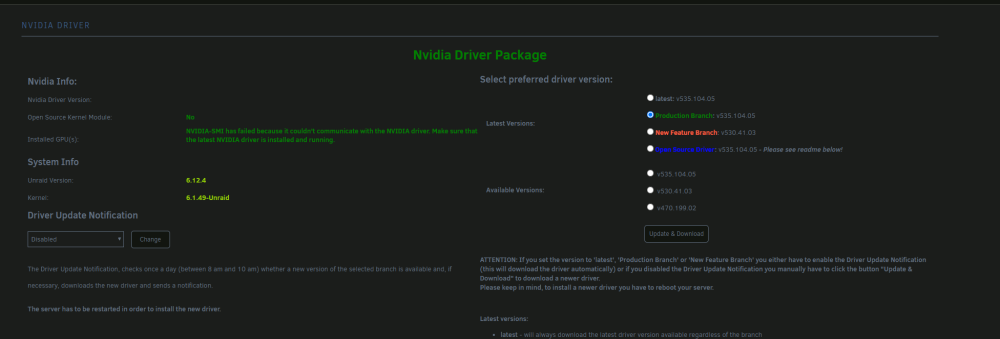
hey, Pretty new to unraid. I just got a gtx 1650 to put into my unraid and wanted to pass it to plex docker but i have the card not visible in the plugin page Previously I was able to see a old quadro I had in there. strange thing is I can also pass it to a VM and I see it in the system devices any input would be appreciated. Thanks, Alex homenas-diagnostics-20230918-1944.zip


View in the app
A better way to browse. Learn more.


