





smellthebean
Members
-
Joined
-
Last visited
Everything posted by smellthebean
-
Thanks for all the help. I did replace disk6 and cable(s). I then ran parity without error. So far, I see no data loss.
-
I will do that. Disk 6 sata cable replaced. Thanks.
-
I am in the process of backing up files of significance. Very little is mission-critical. When I finish that I will replace Disk 6. Does that sound right?
-
Interesting. I did complete both short and extended self-tests without error. and yes the number of hours on the drive is over 90k (this server is now used only for archival purposes, hence its age), so I intend to replace disk 6 regardless of the SMART result. However, the parity check forced out errors (as did the original one a couple of days ago), so I am just wondering what my options are. I have to replace disk 6, but what can I now expect, given the fact of two straight parity checks with errors? Do I have any other option than to replace disk 6?
-
SMART report attached. tower-smart-20221004-0943.zip
-
I apologize for not responding. The key problem has been fixed by a reboot, thank you. However, my initial problem is still unsolved. When I last posted, I had five working disks, but no parity, as it appeared there were errors with the drive. So, I replaced the parity drive with a new one. I just completed the initial parity check/data rebuild and it has found over 800 errors. What next? It seems that perhaps there were problems with Disk 6 and with the initial parity drive. I think next I should replace disk 6, but am uncertain if I am risking data loss. Suggestions? As ever, thank you. tower-diagnostics-20221004-0922.zip
-
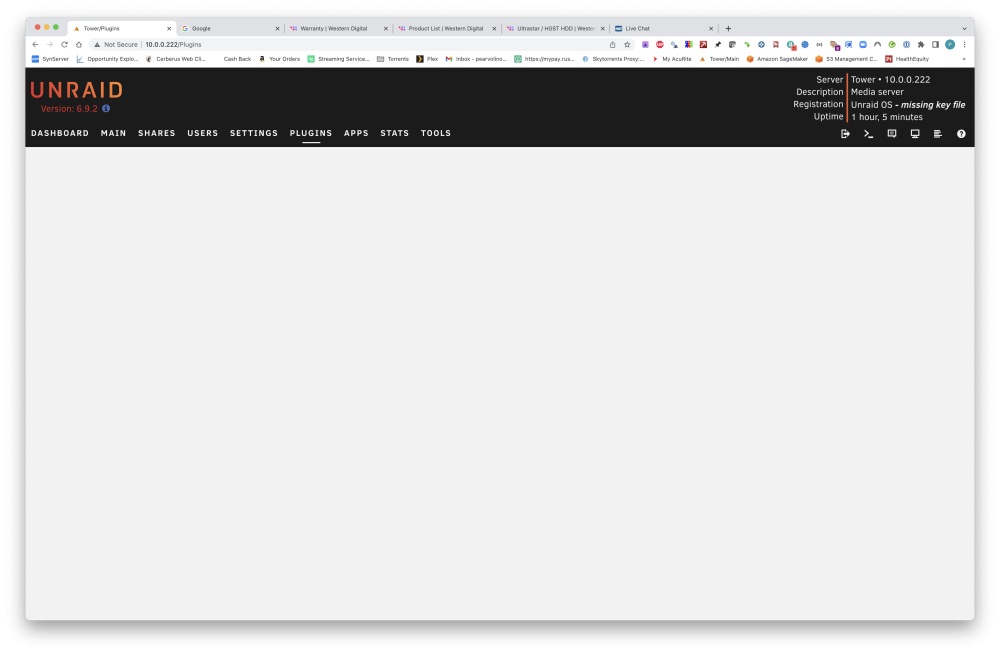
OK, I have done this. all disks up except parity. one last thing, i hope: I am apparently now missing a key.
-
never mind, i got the new config to work. starting array now
-
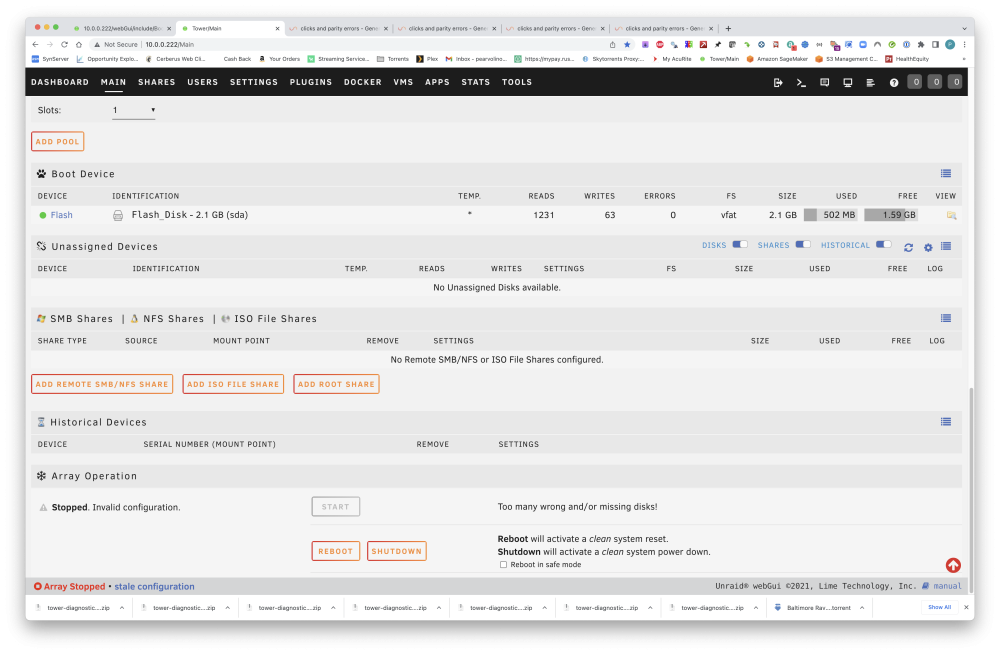
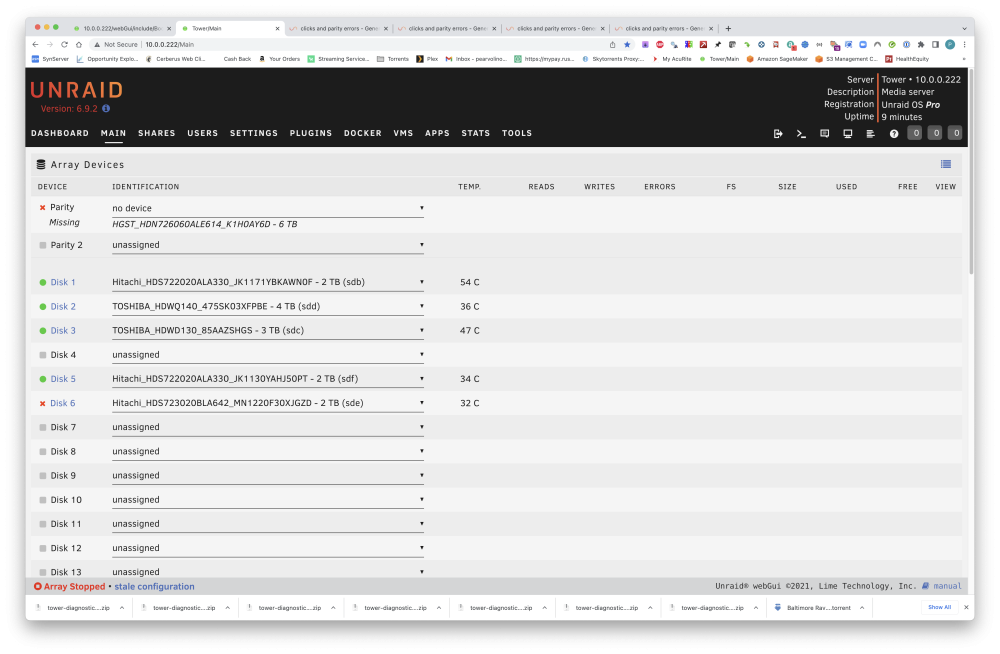
Start button still grayed out. screenshot. At least disk 6 is not italicized (is selectable in the dropdown menu: see screenshot).
-
If I were to get disk 6 fixed (command line utilities), wouldn't this be the same scenario as replacing a failed parity drive?
-
It worked for a lot of years, maybe it just crapped out. How does a parity drive get repaired if it isn't showing in unRAID?
-
Parity still not detected. diags attached could it be a problem with the drive itself? wouldn't it at least be recognized? tower-diagnostics-20220928-1130.zip
-
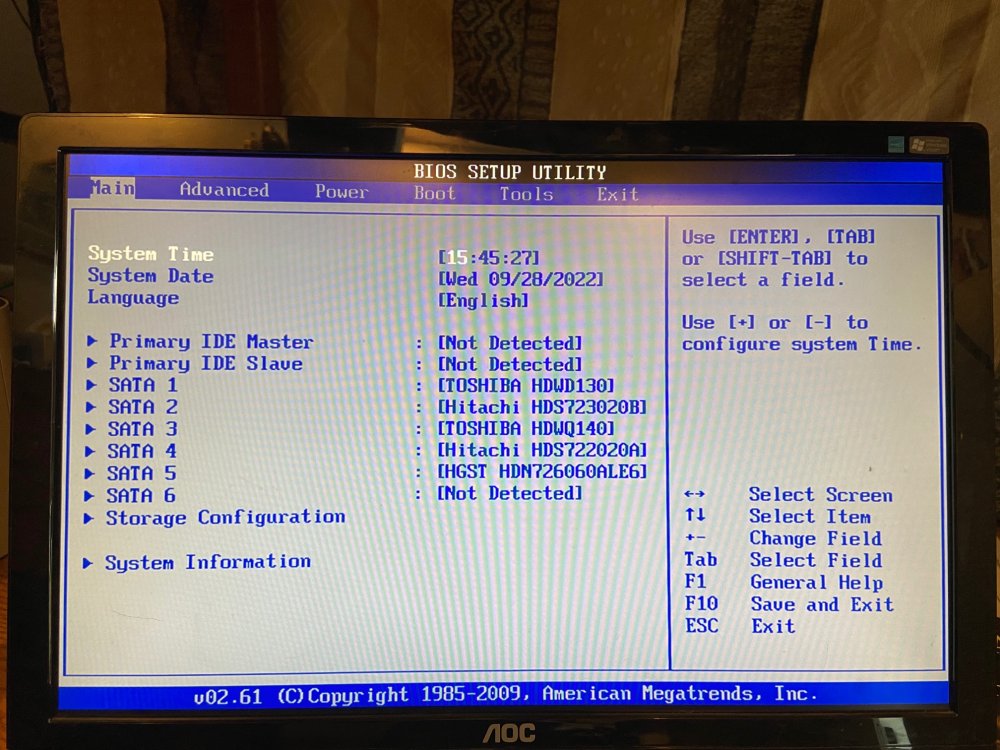
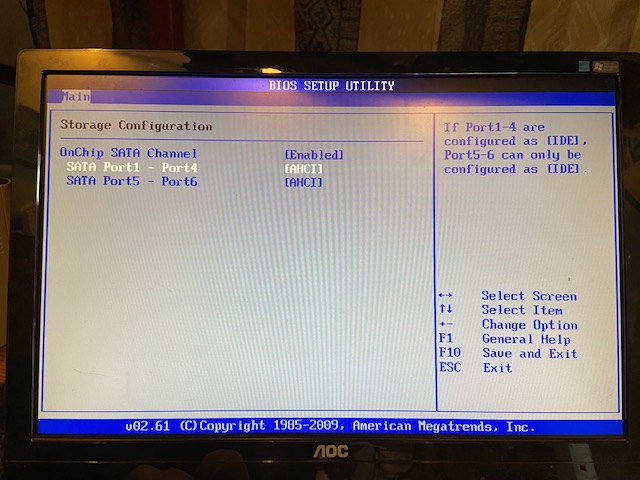
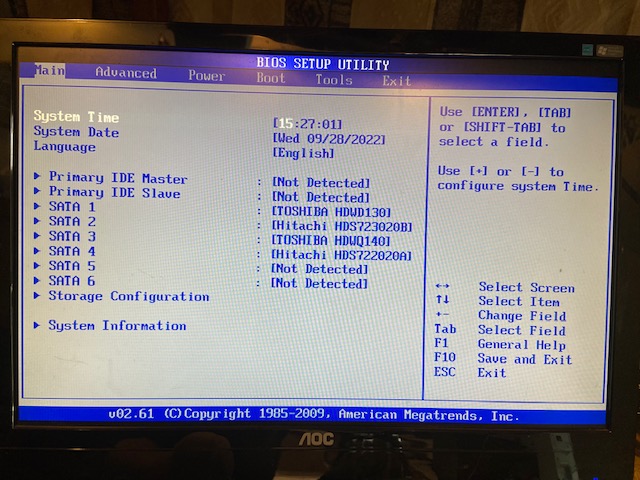
It was SATA5, which is now, after setting to ahci, no longer being recognized (it was being recognized earlier, on the BIOS SETUP UTILITY screen like above, before changing to AHCI). Resetting SATA5 and SATA6 to IDE and rebooting now shows the parity drive (HGST on SATA5). screenshot attached.
-
I have attached the screen display after boot from flash drive. Per that it looks like I have all SATA devices. Also screen shot in BIOS utilty.
-
Changed to AHCI and saved. Diags attached tower-diagnostics-20220928-1003.zip
-
tower-diagnostics-20220928-0920.zip
-
Yes, I can see it in BIOS. is there anything I can check via command line?
-
Thanks trurl and Jorge. I did swap out some cables, particularly to Disk 6 and to parity. Bottom line, I've got to get parity to appear (it continues to show as Missing) before I do any reassigning of the data drives? And if I can't get it to reappear?
-
Before I go through the New Config process, I want to be sure I've got it right: I am hoping that Disk 6 is ok. If it is NOT ok, I will not be able to rebuild it, right?
-
I did not, I'm afraid, perform diagnostics pre-reboot. The syslog merely has the following line, repeated several times: 6582 FastCGI sent in stderr: "Primary script unknown" while reading response header from upstream, client: 10.0.0.46, server: , request: "POST /plugins/unassigned.devices/UnassignedDevices.php HTTP/1.1", upstream: "fastcgi://unix:/var/run/php5-fpm.sock:", host: "10.0.0.222", referrer: "http://10.0.0.222/Main" By new configuration, you mean re-assigning the array disks to different drives?
-
Sorry, not sure how to obtain pre-boot diags. These are different than the syslog?
-
I began a parity check yesterday and this morning the parity check has failed with 206 errors on Disk 6, plus I heard cyclical clicking. On hard reboot (my only option) I find that Parity is missing; disk 6 is assigned, but has a red 'X' under the device column. The status bar at bottom says the array is stopped with a stale configuration. I can not start the array ("Too many wrong and/or missing disks"). Disk 6 passes the SMART short test and the Attributes table shows "Never" in the FAILED column on all items, yet on the Dashboard page the Array (stopped) table lists 'error' in the SMART column for Disk 6. I hope this is simply a matter of replacing Disk 6, but I await approval. version is 6.9.2. Diagnostics attached. Thank you. tower-diagnostics-20220927-0852.zip



