Posedin
Members
-
Joined
-
Last visited
-
Solved.
-
Thanks for the response. Should I paste it here or send directly to support?
-
Hi Guys, My USB is damaged, and unfortunately, I didn't backup my flash drive. Despite this setback, I was able to restore the server by using a trial version and my screenshots of my parity and arrays. I manually reinstalled the majority of my plugins. How do I retrieve my Pro key? I send an email to support and I haven't heard back from them. Thanks
-
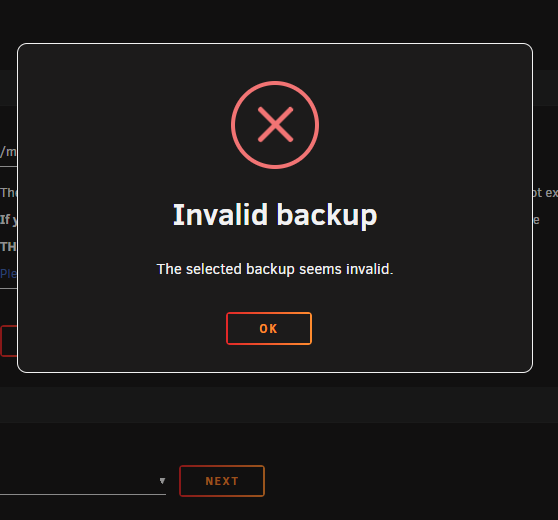
I was able to get my unraid and parity mapped to the correct drive. I would prefer to restore some of my settings but the new Appdata Backup is giving me an error.
-
I go it up and running on a new usb however I cannot restore using the new app
-
Unfortunately, I do not have a backup to my flash. However, I do have a screenshot of my array. I have installed unraid on a new flash drive but I see a messaging saying it will wipe everything on my parity 1
-
Same issue after trying it on 2 different workstation. My question is what next and how do I get this up an running?
-
I encountered unusual issues last night, prompting me to restart my Unraid server this morning. However, I'm currently facing a problem where my Unraid server cannot detect my flash drive, displaying the error message 'No bootable device detected.
-
I need some assistance on different options to auto backup my server. Auto backup appsdata and flash Scheduled backup. I don't need to backup my media files just apps/docker/flash How do you auto backup and what do you backup?
-
Looks like everything is working now. My fear is that I may have messed things up when troubleshooting. I still need help with my first problem.
-
Problem 1 - After I updated to Version: 6.11. and changed two drives and rebuild. I started noticing Owner (nobody & Unknown) Problem 2 - I have a docker that creates read only file but I want the file to be read/write because my radarr is not picking the files in the folder. - Radarr only picks the file if I change it to read/write otherwise the file stays there. What could possible be the issue?
-
Thanks for your help. After following the above steps, Disk1 looks okay but going thru parity check. I will try the same for disk3 once the parity is done. Here is the logs as requested. poseidon-diagnostics-20221122-1841.zip
-
Thank you! I am also concerned cos Disk1 is showing 0 read and 268 write. I already went thru the replace/rebuild 2 days ago for disk1 to replace my 1tb.
-
unfortunately, I did not initiate a backup. Is there a way I can access parity files and move them to my cache for now? I don't have a lot of data. I had 1 x 2tb and 2 x 1 tb before and I only used let says half of my 2TB capacity.
-
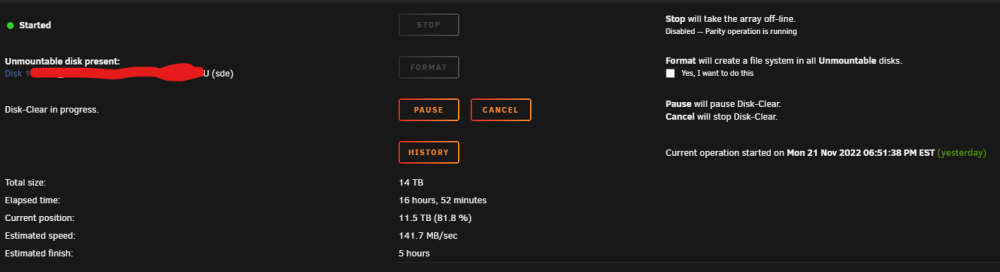
Well... It is already too late. The format started since yesterday. I assumed since they are new drives they need to be formatted. I will wait for it to complete or can I cancel it at 80% completed?