





Maniek2as2
Members
-
Joined
-
Last visited
Everything posted by Maniek2as2
-
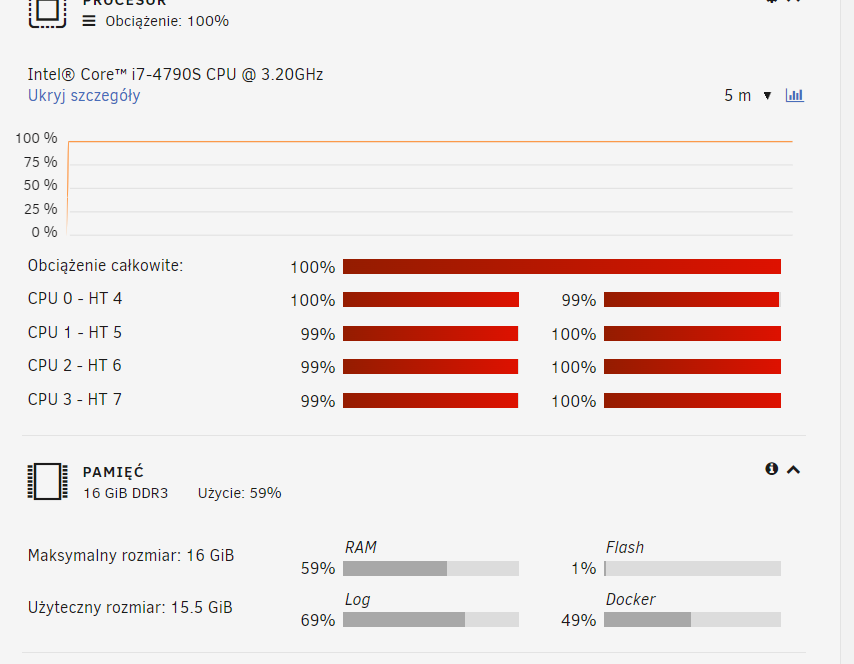
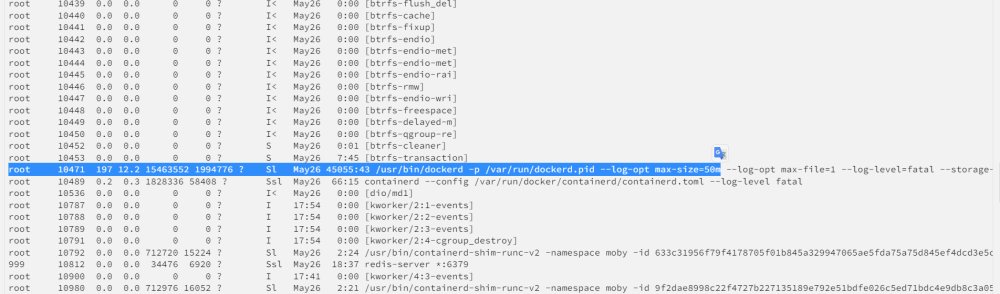
hello, how to check how its going on my unraid server ? i didint do anything, and i see 100% CPU , any idea ? I see tools > processes and this ? what it is ?
-
any one ?
-
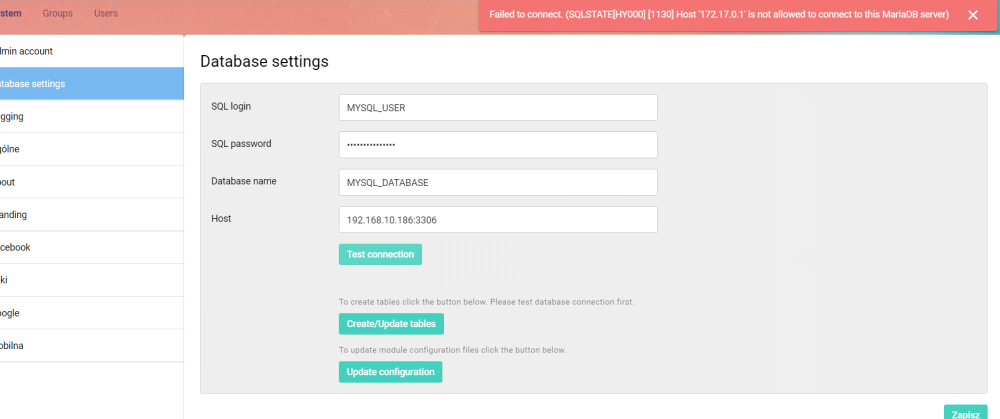
I'm trying mariaBd/ mysql all the time i have info on aurora, when I wanna make test connection , error

-
i'm not sure what you mean ?
-
im installled maria-db i'm used sql login/ password / database name from installation maria-db my ip unraid on network- this is the same pc. still error
-
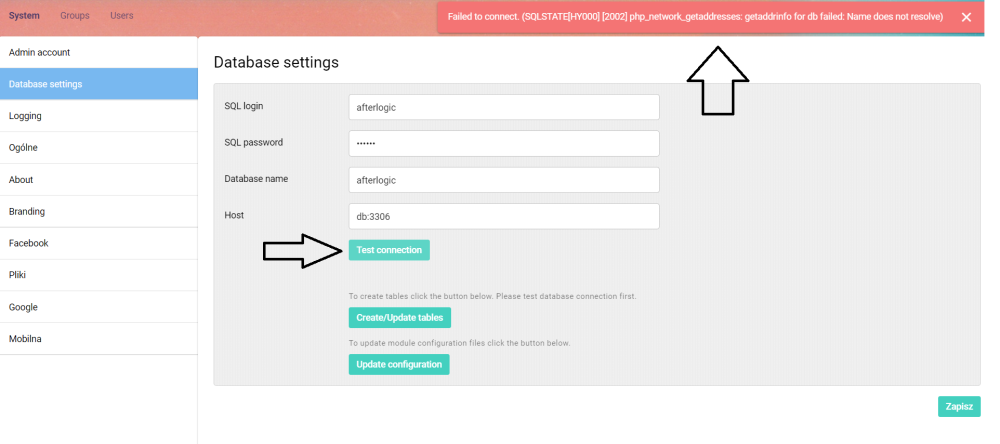
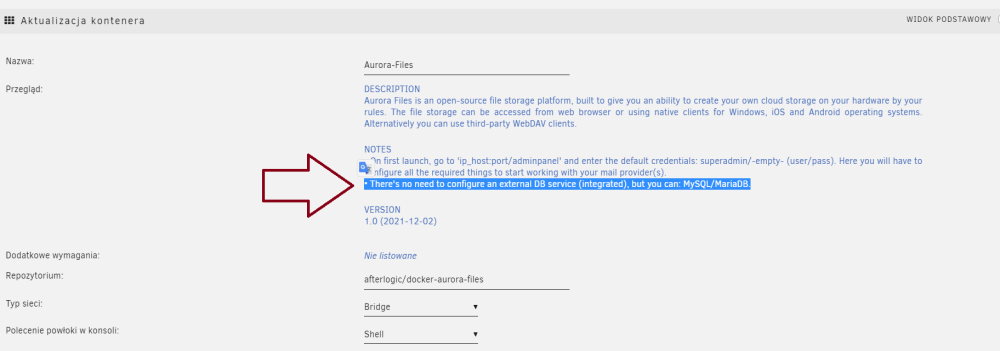
you mean ? db like mariadb? i didint istall anything more, because i saw this info on installation info
-
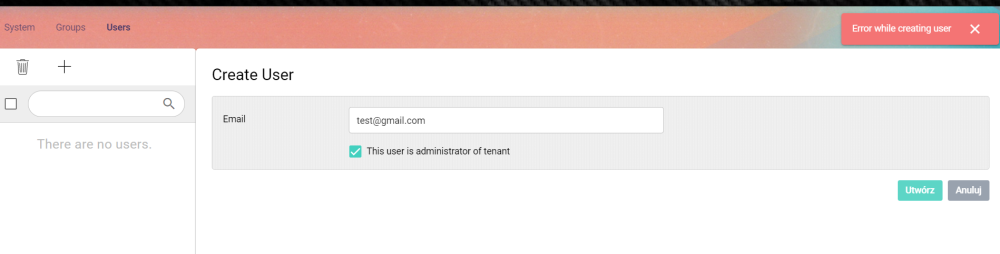
how to create new user? I wanna make a new user, but I have "error while creating new user"
-
hello i'm looking something to log networks on my home network I have edgerouter ER4 and I cannot check whats website people on my network check I found Graylog, and try install and runn , but i have a problem I try this : https://whitematter.tech/posts/run-graylog-with-docker-compose-on-unraid/ - does work for me, after installation I cannot connect to "my ip unraid:9000" - nothing or try install Graylog via app, but its does work Any one know how to install this ?
-
I was do this now, but after run docker still i have a problem , i was check log : *** /etc/my_init.d/30_parse_config_file.sh failed with status 3 *** Killing all processes... *** Running /etc/my_init.d/00_regen_ssh_host_keys.sh... *** Running /etc/my_init.d/10_syslog-ng.init... *** Running /etc/my_init.d/30_parse_config_file.sh... *** /etc/my_init.d/30_parse_config_file.sh failed with status 3 *** Killing all processes... *** Running /etc/my_init.d/00_regen_ssh_host_keys.sh... *** Running /etc/my_init.d/10_syslog-ng.init... *** Running /etc/my_init.d/30_parse_config_file.sh... *** Running /etc/my_init.d/40_install_xeoma.py... 2022-12-19 18:04:49 Determining version of Xeoma to use 2022-12-19 18:04:49 Config version is "latest" 2022-12-19 18:04:49 Fetching version information from Felenasoft at http://felenasoft.com/xeoma/downloads/version3.xml 2022-12-19 18:04:53 Using Xeoma version 22.12.5 (the latest stable version) 2022-12-19 18:04:53 Deleting files in /config/downloads to reclaim space... 2022-12-19 18:04:53 Downloading from http://felenasoft.com/xeoma/downloads/latest/linux/xeoma_linux64.tgz into /config/downloads 2022-12-19 18:04:53 Downloading from http://felenasoft.com/xeoma/downloads/latest/linux/xeoma_linux64.tgz 2022-12-19 18:04:54 Downloaded to /config/downloads/xeoma_22.12.5.tgz 2022-12-19 18:04:54 Installing Xeoma from /config/downloads/xeoma_22.12.5.tgz 2022-12-19 18:04:55 Installation complete *** Running /etc/my_init.d/50_configure_xeoma.sh... *** Booting runit daemon... *** Runit started as PID 68 /bin/sh: 1: ip: not found /bin/sh: 1: ip: not found /bin/sh: 1: ip: not found /bin/sh: 1: ip: not found /bin/sh: 1: ip: not found /bin/sh: 1: ip: not found *** Shutting down runit daemon (PID 68)... *** Running /etc/my_init.post_shutdown.d/10_syslog-ng.shutdown... *** Init system aborted. *** Killing all processes... *** Running /etc/my_init.d/00_regen_ssh_host_keys.sh... *** Running /etc/my_init.d/10_syslog-ng.init... *** Running /etc/my_init.d/30_parse_config_file.sh... *** Running /etc/my_init.d/40_install_xeoma.py... 2022-12-19 18:06:41 Determining version of Xeoma to use 2022-12-19 18:06:41 Config version is "latest" 2022-12-19 18:06:41 Fetching version information from Felenasoft at http://felenasoft.com/xeoma/downloads/version3.xml 2022-12-19 18:06:41 Using Xeoma version 22.12.5 (the latest stable version) 2022-12-19 18:06:41 Downloaded file /config/downloads/xeoma_22.12.5.tgz already exists. Skipping download 2022-12-19 18:06:41 Skipping installation because the currently installed version is the correct one *** Running /etc/my_init.d/50_configure_xeoma.sh... *** Booting runit daemon... *** Runit started as PID 66 /bin/sh: 1: ip: not found /bin/sh: 1: ip: not found /bin/sh: 1: ip: not found /bin/sh: 1: ip: not found /bin/sh: 1: ip: not found Dec 19 18:03:27 28e3380dd2c6 syslog-ng[14]: syslog-ng shutting down; version='3.13.2' Dec 19 18:03:39 28e3380dd2c6 syslog-ng[13]: syslog-ng starting up; version='3.13.2' Please edit the config file to specify your settings Dec 19 18:03:39 28e3380dd2c6 syslog-ng[13]: syslog-ng shutting down; version='3.13.2' Dec 19 18:04:48 28e3380dd2c6 syslog-ng[13]: syslog-ng starting up; version='3.13.2' Configuration: PASSWORD=<hidden> VERSION=latest [Dec 19 06:04:55 PM] Setting the password Password set successfull [Dec 19 06:04:55 PM] Starting the server in 5 seconds. See the log directory in your config directory for server logs. [Dec 19 06:04:55 PM] Not using archive cache Dec 19 18:04:55 28e3380dd2c6 cron[72]: (CRON) INFO (pidfile fd = 3) Dec 19 18:04:55 28e3380dd2c6 cron[72]: (CRON) INFO (Running @reboot jobs) Dec 19 18:06:14 28e3380dd2c6 syslog-ng[13]: syslog-ng shutting down; version='3.13.2' Core: Starting ... Core: Starting services ... Core: Started. Core: Stopping ... Core: Save settings ... Core: Stopping services ... Core: Stopped. Dec 19 18:06:40 28e3380dd2c6 syslog-ng[13]: syslog-ng starting up; version='3.13.2' Configuration: PASSWORD=<hidden> VERSION=latest [Dec 19 06:06:41 PM] Setting the password Password set successfull Dec 19 18:06:42 28e3380dd2c6 cron[71]: (CRON) INFO (pidfile fd = 3) Dec 19 18:06:42 28e3380dd2c6 cron[71]: (CRON) INFO (Skipping @reboot jobs -- not system startup) [Dec 19 06:06:42 PM] Starting the server in 5 seconds. See the log directory in your config directory for server logs. [Dec 19 06:06:42 PM] Not using archive cache And when I click Webui i have "HTTP error: 404"
-
any one ?
-
Hello , I have a problem, I'm installed Xeoma on default settings, but I cannot start application. Just press start, a few second later its still stopped any idea , how to fix this ?


-
I wanna run https://www.jaksta.com/ - Jaksta Media Recorder - this on my nas with unraid Its any idea how to do this ? I was trying run vm with windows 7 or 10, but I have problem with network adapter (and I dont have network connection insiede) Maybe we can ru this inside unraid ? without vm etc ? Thanks


