






u.stu
Members
-
Joined
-
Last visited
Everything posted by u.stu
-
Never mind, I finally found it. Thanks for the quick help!

-
Pardon my ignorance, but what's the "machine name panel?" The right side of the page header? If there's a wrench or spanner somewhere on the page after clicking the padlock, it's escaping my attention.
-
After removing a tile from the dashboard, how would one go about adding it back?
-
Great tip, the issue didn't occur in safe mode w/ GUI. After booting back into normal mode and disabling plugins one at a time I zeroed in on the one causing it. It only happens when the limetech "Unraid Connect" plugin (currently 2025.05.01.2159) is installed. I'll dig through that plugin's support subforum and raise the issue there if it's not been reported already.
-
I went ahead and tried an upgrade to the latest version 7.1.2, the problem persists.
-
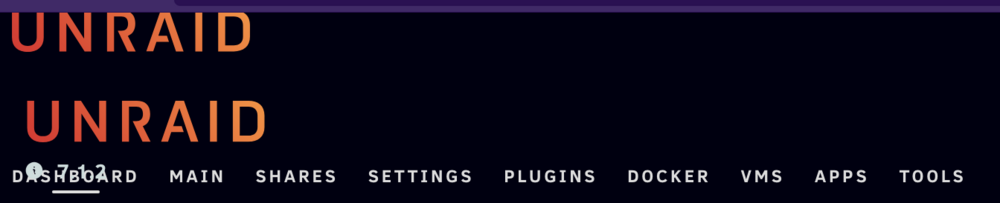
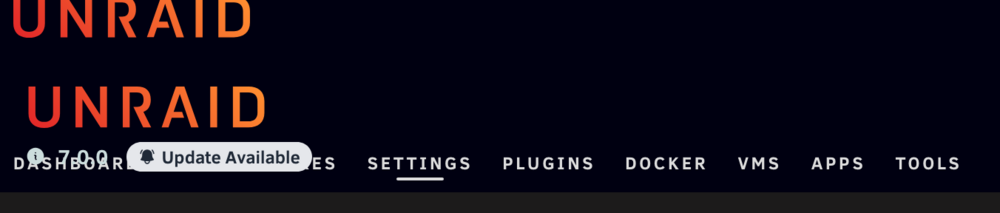
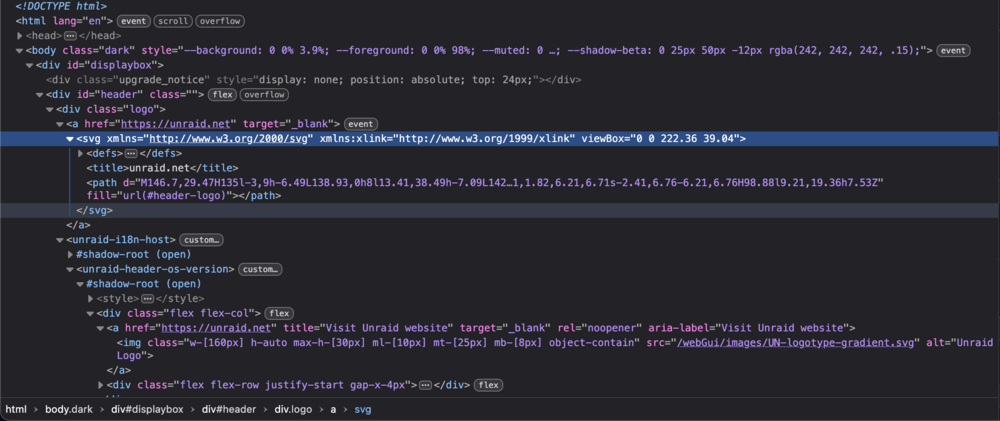
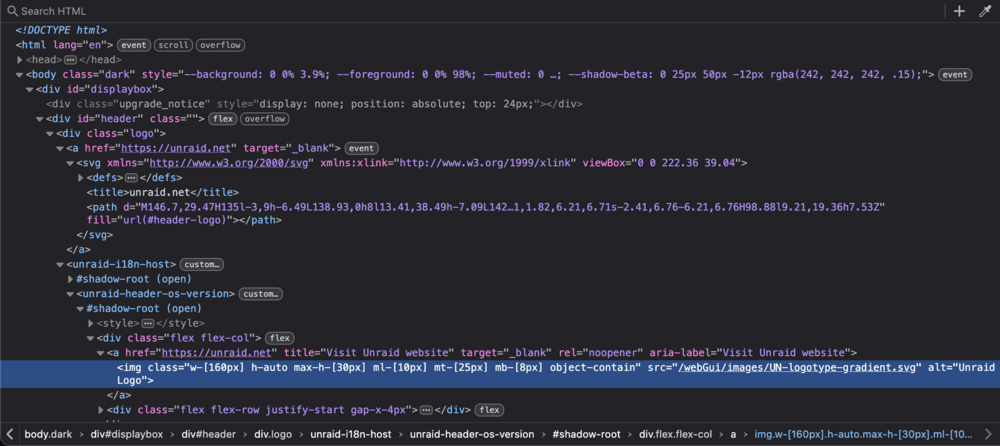
For the past few weeks my Unraid web UI has had two UNRAID logos in the top-left of the Web UI as seen in the attached screencap. Is this a known issue? If not, what information would be useful to help troubleshoot this? I'm seeing this in both Firefox 138 and Safari 18.5. Attachment logo1.png shows the HTML with the element of the top logo highlighted via 'inspect element' Attachment logo2.png shows the same HTML with the lower logo selected for inspection.
-
Thanks for the quick response. I rely on this machine too much to try the beta... looking forward to 6.12.12 or 7 to go stable.
-
Does this fix the mover manual split level that was broken in 6.12.9? I don't see any mention of it in the release notes as either a fixed bug or a known issue. Is there a more comprehensive changelog somewhere? I've been eagerly awaiting this fix, I've been having to go in periodically to manually reorganize the split directories that started getting scattered all over my disks since 6.12.9.
-
Not as long as the parity disk(s) are correctly assigned, from what I gather. The last time I had to replace a flash drive I took the opportunity to intentionally re-number the data disks into a more sensible order. I can't find the article or post I read back then as reassurance so maybe don't take my anecdote at face value until someone weighs in with something more authoritative.
-
Apparently this is a confirmed bug, I didn't search back far enough in the forum before posting:
-
Quick demonstration: root@unraid:~# mkdir /mnt/disk4/media/foo/ root@unraid:~# echo foo > /mnt/disk4/media/foo/file1.txt root@unraid:~# mkdir -p /mnt/cache/media/foo root@unraid:~# echo bar > /mnt/cache/media/foo/file2.txt root@unraid:~# find /mnt/disk?/media/foo /mnt/cache/media/foo /mnt/disk4/media/foo /mnt/disk4/media/foo/file1.txt /mnt/cache/media/foo /mnt/cache/media/foo/file2.txt root@unraid:~# mover mover: started file: /mnt/cache/media/foo/file2.txt mover: finished root@unraid:~# find /mnt/disk?/media/foo /mnt/cache/media/foo /mnt/disk1/media/foo /mnt/disk1/media/foo/file2.txt /mnt/disk4/media/foo /mnt/disk4/media/foo/file1.txt find: ‘/mnt/cache/media/foo’: No such file or directory root@unraid:~# Why would it create a new 'foo' directory on disk1 for file2.txt when there is already a 'foo' directory on disk4?
-
I have a share named "media" which includes all array disks. The "Split Level" is set to "Manual: do not automatically split directories" For years, the mover would place new files from the cache into their corresponding directories without splitting. A few months back, it began splitting them - e.g. it creates /mnt/disk1/media/tv/[showname] on Disk 1 when /mnt/disk4/media/tv/[showname] already exists on Disk 4. The "Minimum free space" setting for the share is 100G and /mnt/disk4 has 2884G free. (I see in the docs "In the event of there being conflicts between the Minimum free space, Split Level and the Allocation method settings in deciding which would be an appropriate drive to use, the Split level setting always wins," so that shouldn't matter anyway...) /mnt/disk1 does have the most free space, so it seems like the Allocation Method might be superseding the Split level, contrary to that excerpt from the docs? Any clues why Unraid might have begun splitting directories here? I noticed the /usr/local/sbin/mover script has a debugging parameter it can pass to /usr/local/bin/move. "move --help" says I need to provide function names for that argument: -d functions functions is a list of comma-separated function names to debug What are the relevant values I can pass for "function names to debug"? I'd like to see as much output as possible about the mover's decisions to help understand its choices. /boot/config/share.cfg: /boot/config/shares/media.cfg:
-
When I click "Cancel" to abort a parity check, it asks if I'm sure. My choices are 'Proceed' or 'Cancel'. Does "Proceed" mean: Proceed with the Parity Check? Or proceed with the cancellation? Does "Cancel" mean: Cancel the Parity Check? Or Cancel the cancellation? From experience I know the latter of each pair is the correct interpretation, but it's more confusing than it should be: If you want to Cancel the Parity check, don't click "Cancel," it cancels the cancellation, not the parity check. If you want to Proceed with the parity check, don't click "Proceed," it proceeds with the cancellation, not the parity check. Luckily so far I've only got it wrong when I actually did want to cancel the check, so I can just get it right on the second try, no harm done. But this syntactic land mine is bound to occasionally blow up in the face of someone who wants to "Proceed" with the parity check and instead throws away dozens of hours of analysis. It would be nice if the button labels more accurately described their result, e.g. "Cancel Parity Check" and "Continue Parity Check".
-
Including packages like iotop and borgbackup without their requisite library dependency libffi-3.3 is a bug. Fixing that bug is maintenance, not adding a new feature.
-
https://github.com/UnRAIDES/unRAID-NerdTools/graphs/commit-activity Last package addition was Oct 23, 2022, it was only maintained for six weeks after it was created.
-
https://github.com/UnRAIDES/unRAID-NerdTools/tree/main/packages/6.11
-
Unraid is slackware, so let's use a slackware package. # Download libffi from slackware.uk to /boot/extra: wget -P /boot/extra/ https://slackware.uk/slackware/slackware64-15.0/slackware64/l/libffi-3.3-x86_64-3.txz # Install the package: installpkg /boot/extra/libffi-3.3-x86_64-3.txz Once you have the package placed into /boot/extra it will be re-installed as needed each time you boot. During boot, Unraid installs all the packages I have in /boot/extra except this one (my best guess is because it thinks it's superseded by libffi-3.4.4 bundled with base Unraid install, provides libffi.so.8 instead of libffi.so.7). You'll probably need to invoke the "installpkg ..." command after every reboot, e.g. by adding it to your /boot/config/go file. I don't know if Nerd Tools will remove/replace outdated packages that have been manually downloaded, so leave yourself a reminder to check on this after libffi is added to nerd tools to make sure you're not hanging on to an outdated version.




