





yukonhijack
Members
-
Joined
-
Last visited
Everything posted by yukonhijack
-
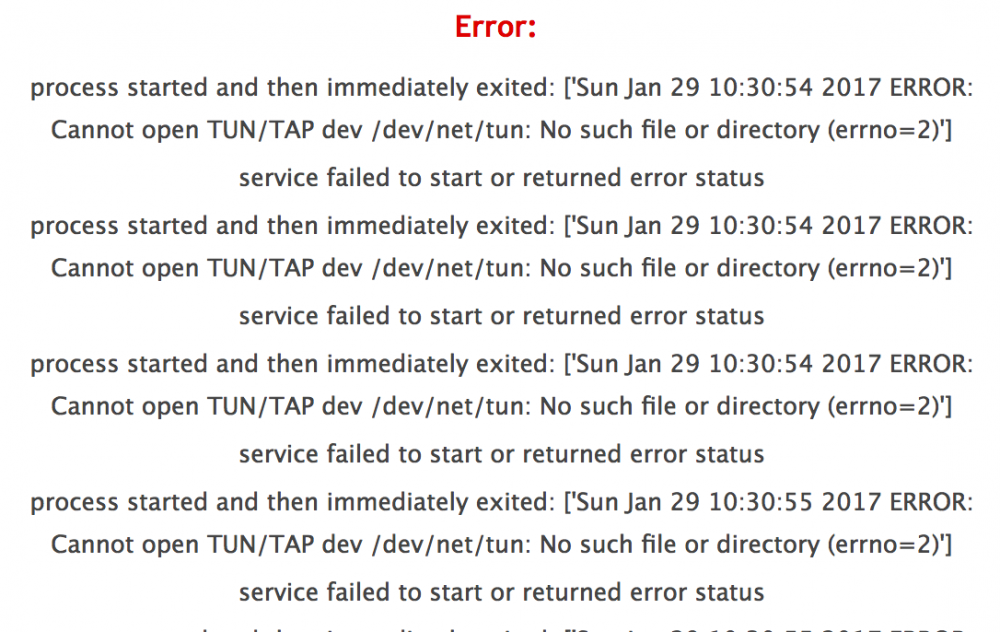
And one more of the error I get when I try to start the server
-
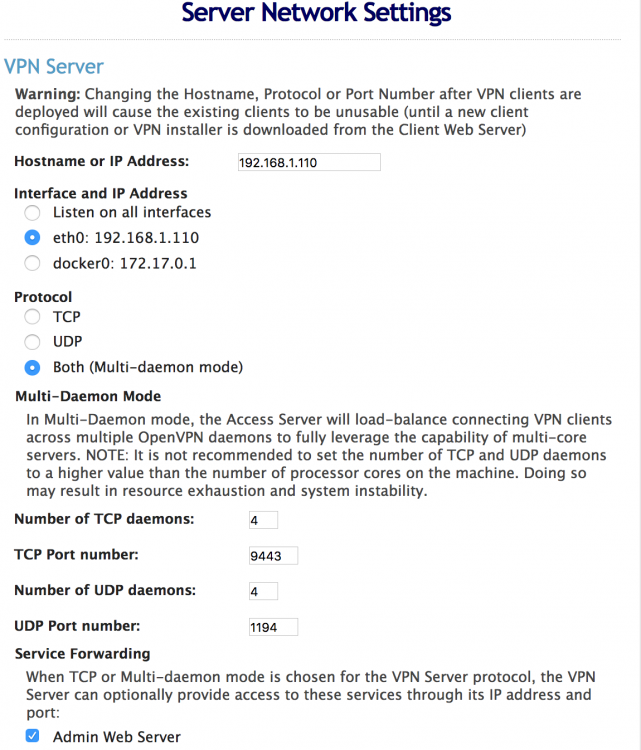
Here is another screen grab
-
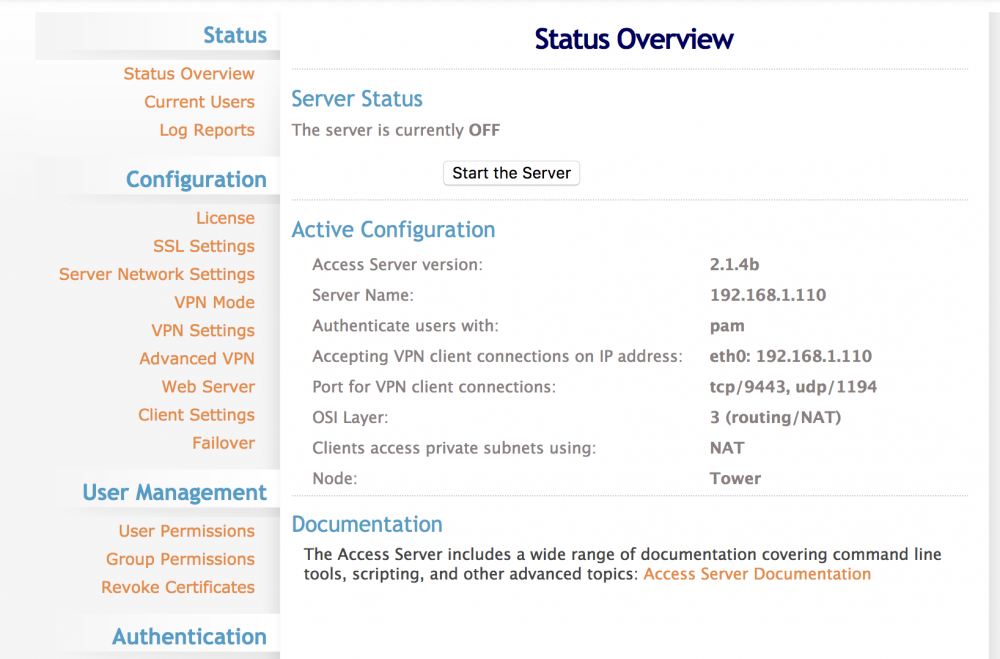
So I have been trying to set up OpenVPN-as on my unraid server, and I keep getting this error when I try to start the OpenVPN server: process started and then immediately exited: ['Sun Jan 29 10:21:33 2017 ERROR: Cannot open TUN/TAP dev /dev/net/tun: No such file or directory (errno=2)'] service failed to start or returned error status I attached some screen grabs if that helps. BTW, I took out the forward facing subdomain just for security sakes. The one in the screen grab is not the real address.
-
Thanks! Got it to work, and now the apps work on my iPhone, Macbook and iPad!
-
Should the port range be 443 (nextcloud port), and the local ip be my internal Tower IP address?
-
OK, so I am back sooner than I thought. I am trying to get remote access to the nextcloud setup on my server through the Mac client. I tried using my externalip:443 as the address, but it won't connect. Do I need to open ports on my router to get remote access?
-
Alright, had to go to the windows machine using Notepad ++ to properly edit the file. Wasn't working from my macbook (only because I don't know what I am doing). I now have it up and running. Next is to get my macbook and iphone/ipad to connect to it. Thanks for the help, I will likely be back
-
I think my post vanished (or I put it somewhere else in this thread) I am trying to set up my nextcloud app, but get this error every time I try to finalize set up in the nextcloud app: I edited the custom.cnf file in mariadb folder, but everytime I restart the mariadb app, it reverts back to the previous version of the custom.cnf file. Any thoughts?
-
So not sure what is happening, but I set up Nextcloud and never really messed with it. I just logged into the Nextcloud account through the login screen at home and tried to upload a file. It keeps saying "Upload failed, cannot find the uploaded file". I also tried using the Nextcloud ios app and while I can connect to the server, I cannot upload files. It keeps telling me that I dont have permission or something like that. Should I post my config file? I posted the log from Nextcloud. owncloud.log.txt
-
Awesome. Thanks! I will fix it tonight.
-
Thanks for the help, it is very much appreciated. Two questions. Can I edit MariaDB to move the config folder to the cache/appdata location without causing problems or should I nuke it and start over? Second - Is there an OSX app for nextcloud? I only found one for owncloud. Thanks again! Greg
-
Alright, did some test uploads and my data is stored in the /mnt/user/nextcloud folder. Now, I just need to figure out the mobile apps
-
OK, so it set up this time. Now, my question is this: Is my data going to be stored in the /mnt/user/nextcloud folder? I have data I want to copy to that folder for access outside my network.
-
Alright, just nuked the entire nextcloud container, image, and files on the cache drive. Going to install again just like you show.
-
How do I change it to use the mnt/user/nextcloud share?
-
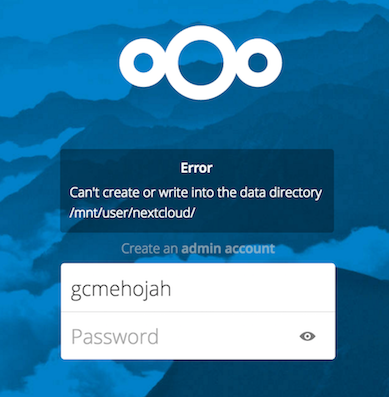
Here is the error I get when I try to finalize the setup:
-
Here you go. Also, yes this is a fresh install of Unraid, version 6.1.9

-
So is it okay that I created a share and pointed Nexcloud to it for the data dir? Where does the default data directory reside?
-
from unraid command line type. ls -lah /mnt/user and paste the output here. Here is the output: root@Tower:~# ls -lah /mnt/user total 11G drwxr-xr-x 1 root root 39 Aug 6 21:33 ./ drwxr-xr-x 9 root root 180 Aug 6 21:35 ../ drwxrwxrwx 1 nobody users 112 Jun 24 06:25 Backup/ drwxrwxrwx 1 nobody users 11K Aug 5 19:47 Movies/ drwxrwxrwx 1 nobody users 5.6K Jul 24 18:54 Music/ drwxrwxrwx 1 nobody users 2.2K Dec 8 2015 Old\ Archived\ Materials/ drwxrwxrwx 1 nobody users 8.9K Aug 24 2015 Pictures/ -rw-rw-rw- 1 nobody users 467 Dec 7 2013 Secondary\ (D)\ -\ Shortcut.lnk drwxrwxrwx 1 nobody users 136 Jun 27 18:58 TV/ drwxrwxrwx 1 nobody users 112 Dec 13 2015 Videos/ drwxrwxrwx 1 nobody users 144 Aug 6 21:34 appdata/ -rw-rw-rw- 1 nobody users 10G Aug 7 09:19 docker.img drwxrwxrwx 1 nobody users 52 Aug 6 19:31 mariadb/ drwxrwxrwx 1 nobody users 144 Aug 7 08:07 nextcloud/
-
Thanks for the reply. I tried putting in /mnt/user/nextcloud but I get an error that states can't create or write into the data directory /mnt/user/nextcloud. Any thoughts? I know I am close here
-
Alright, one more question (promise). I have a user share set up on my Unraid server that is mnt/user/nextcloud. How do I map that in the Nextcloud setup? there is a space that says /data but what is the path I should put in there to get it mapped to that share?
-
NVM. I learned some simple VIM commands and figured it out. I have Nextcloud up and running. Thanks everyone!
-
How do I get to the custom.cnf file? I do not see the folder for /mnt/cache/.appdata/mariadb folder in my windows file explorer? Sorry I am pretty noob at this stuff.
-
OK, I see the options. My screen looks different than the one in the instructions, but I didn't realize I had to select Advanced view from the top right of the screen when adding the container.
-
So I tried to set up NextCloud through the webui, and used root as the username, and left the password blank, but I keep getting a time out on the gateway. Any thoughts? I have the port open on my router (port 443). Not sure what is going on here.


