KamiNo0toko
Members
-
Joined
-
Last visited
Everything posted by KamiNo0toko
-
I'm also shifting everything a bit so that there's more space on each drive.
-
I should be replacing it with a 3TB this evening so it can rebuild
-
How does one specifiy a folder over an image? And the drive is still connected but seems to have completely died, not sure. I don't know why that would cause my docker containers to stop functioning.
-
After reboot tower-diagnostics-#4.zip
-
I restarted docker but missed the reboot step, doing so now and will repost diagnostic #4 after reboot
-
Fixed the errors in common problems tower-diagnostics-#3.zip
-
Here we go tower-diagnostics-#2.zip
-
Im getting "Bad Parameter" when starting any docker containers, but my shares are back and the corruption was repaired. THANK YOU. Making progress.
-
My bad, I can still check and repair. There was def corruption that needed fixing. Let me see if it worked.
-
Disk 3 failed and is being emulated
-
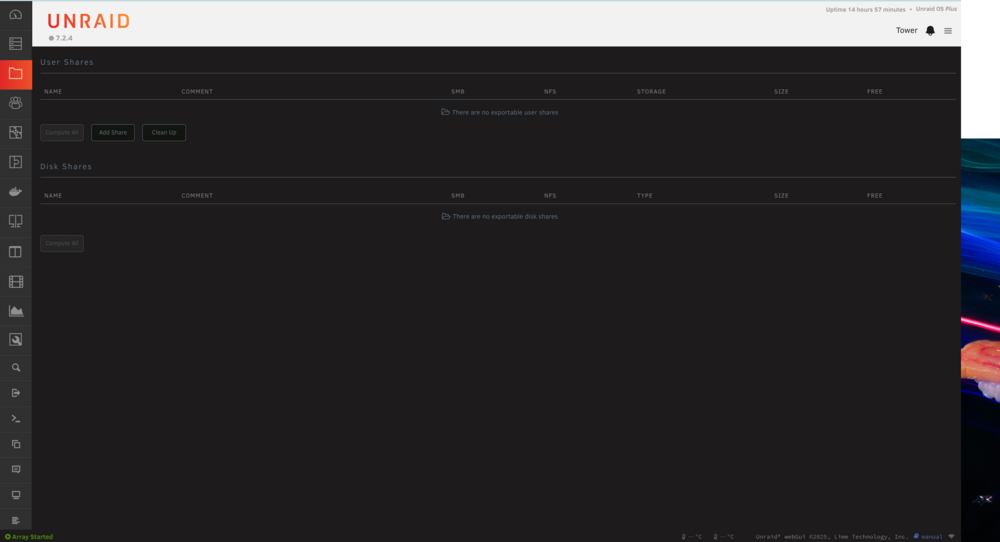
After a reboot I have lost all access to my User Shares. I've tried of number of things to get this working again , all to failure. I also cannot start any Docker Conatiners, I get a "Invalid Parameters" error, I assume because of the missing shares. VM's work just fine though interesting enough. Any help would be appreciated, this server is my lifeline for many things and I'm hoping the solution isn't monumental. Thanks, tower-diagnostics-20260320-1923.zip