





Denisy
Members
-
Joined
-
Last visited
Everything posted by Denisy
-
Hi, I'm sorry for missing your question. Yes,I use your version. I also tried the other one once it started failing, without success. I cleaned all files manually and re-installed several times to no effect and we're getting exact same errors reproduced each time as shared before. Eventually I moved the server into garage (cooler place) and its doing fine there (somehow the ipmi's own fan control is working well in the garage and not stressing the fan as much as when I kept it in the heated room). But the package doesn't work. Im wondering whether I could get hold of the previous version say one before update posted last December and to install it manually and see if it works again?
-
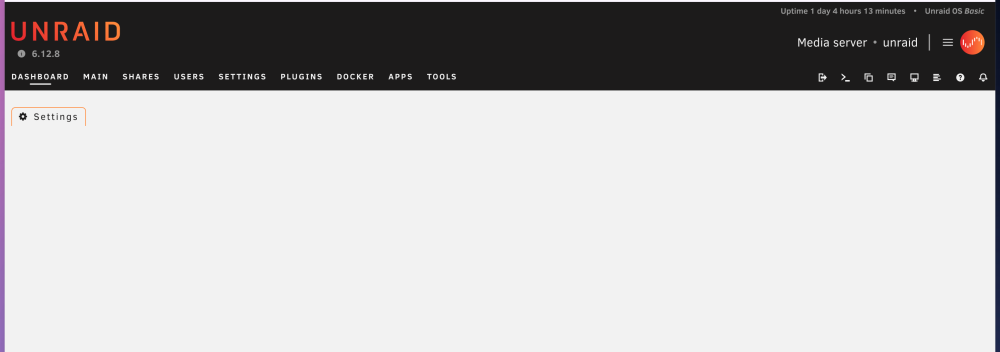
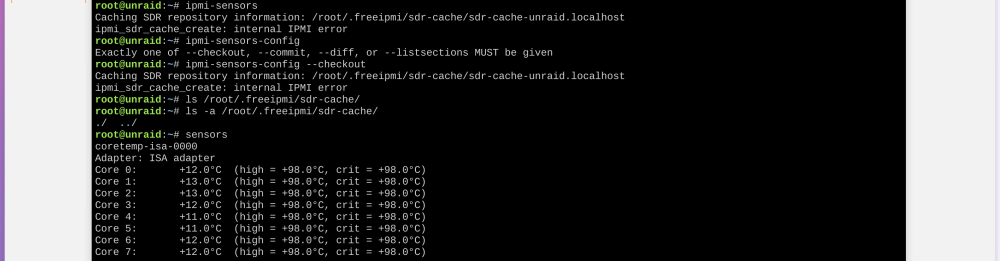
Hi thank you for your attention! No I don`t use network connection. The ipmi web-interface that is built-in with bios is accessible and is working fine. But it doesn`t work via plugin any more. I cant even access the settings via the plugin interface: just getting a blank page as on screenshot attached. dmidecode: andle 0x0001, DMI type 1, 27 bytes System Information Manufacturer: Supermicro Product Name: A1SAi Version: 123456789 Serial Number: removed UUID: Not Settable Wake-up Type: Power Switch SKU Number: 081315D9 Family: SMC X10
-
Hi All, I`m having exactly same issue as reported above on my Supermicro A1SRi-2758F. The plugin worked perfectly for over 2 year before this has happened recently. I tried to install the previous version by dmacias, but it`s too old and isn`t loading correctly (I'm using unRAID 6.12.8) and dmidecode returns correct information (same as before)

