





Sonicboom
Members
-
Joined
-
Last visited
-
I am currently using gvt-g to passthrough to windows VM. I want to compare the performance again gvt-d. Is there a Unraid guide available on how to use gvt-d ?
-
That is what I am trying to do, passthrough the iGPU to windows to use QuickSync with Plex / BlueIris (12th gen Alderlake UHD730) Has anyone had a 12th iGPU passthrough working with a windows VM ?
-
I've got a new flash drive on order already, i'll keep a backup and swap out the flash drive if I see any more issues, thanks Also im off the RC, now running 6.11.5
-
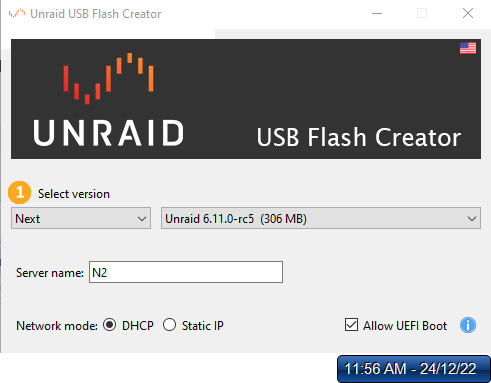
I must have accidently selected 'Next' rather than 'Stable' in the flash creator
-
Hi I'm a new user and recently installed the trial version of 6.11.0-rc5 I configured the server name as N2. Today I noticed my N2 network share is inaccessible, instead I see Tower in my network Everything else seem to still be as I configured it, any ideas why the server name changed ? Thanks tower-diagnostics-20221223-1235.zip
