





kilo323
Members
-
Joined
-
Last visited
Everything posted by kilo323
-
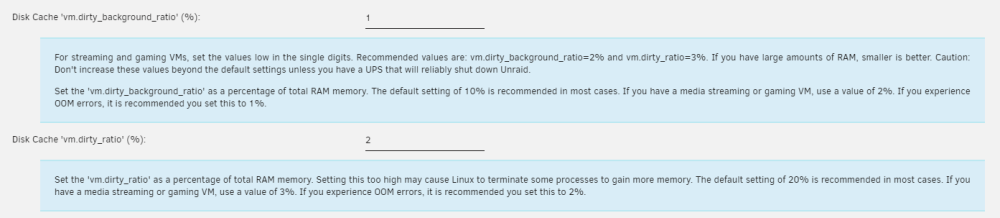
All of a sudden all my shares disappeared. Stopping array and starting array did not bring them back. Rebooted the server restored the shares. I did some searching and found a thread (sorry don't have the link) that recommended using the CA Tips and Tweaks plugin to set vm.dirty_background_ratio and vm.dirty_ratio to 1 and 2 respectively. Been up for a few days now without losing shares or getting the seg faults. Note: after setting the aforementioned tweaks, I did need to perform a reboot. Not sure if that will help anyone, but it appears to have helped me. Will continue to monitor the logs and see if the message reappears.
-
Having the same issue with general protection faults. Has anyone gotten a resolution to this issue? Attached is my diagnostic zip. unraid-diagnostics-20230322-0841.zip
