





Boy Kai
Members
-
Joined
-
Last visited
-
This is super helpful! Thank you so much. I'll give it a try.
-
Thanks! If I stop the array and remove parity disk then start the array Will the 2 disabled disks become available as-is with their existing data on them? I'd assume, if I add parity drives back later - it will rebuild the array to update the parity sync?
-
I totally get USB is not recommended. I just don't have the money to buy a 4U setup right now to run them through SATA. I am a bit confused why the rebuild runs for ~8TB but fails at 30-40% for a 20TB rebuild. Also confused why the USB setup has been working for the past 2 years but is now facing issues. Is there something I can do without buying completely new hardware to address the disabled disk issues I'm facing currently?
-
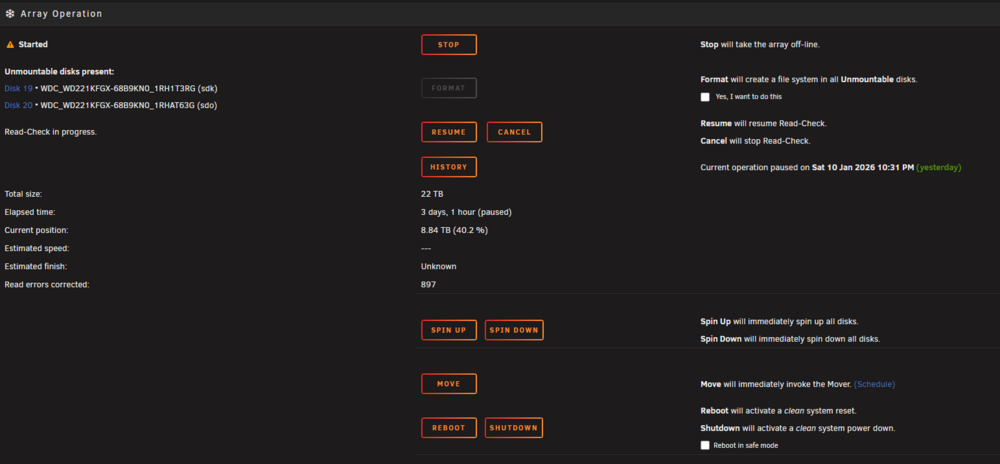
Unfortunately this failed again. It always fails around 35 - 40%. Not sure why or what to do to resolve. diagnostics-20260113-2112.zip
-
Thanks! I'll give it a try. Rebuilding 1 disk at a time and swapping USB ports.
-
I've had this setup for a couple years. Not sure how this is related to the new issues I've been having. Would appreciate some guidance. I plan on upgrading my server but right now prices are insane. Would like to resolve without having to get a 4U setup.
-
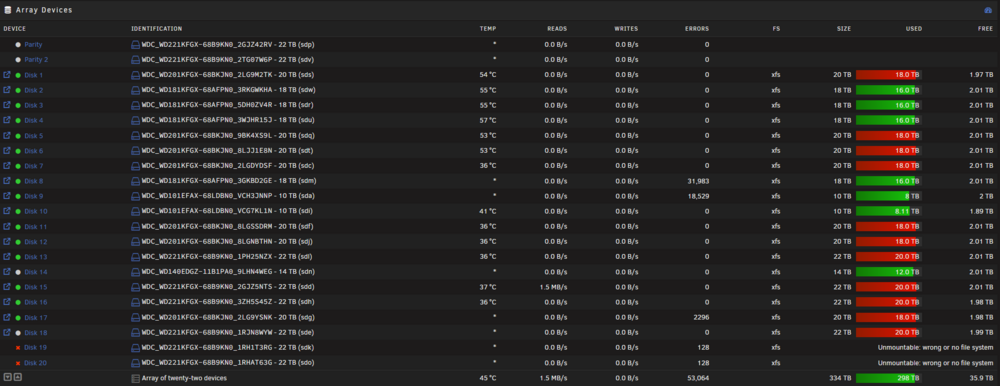
14 of the drives are on these: https://www.amazon.com/dp/B07Y4F5SCK 9 drives https://www.amazon.com/dp/B09TV1XPDD 5 drives The rests are in the actual PC case. Which are powered with a 850W PSU. 8 drives
-
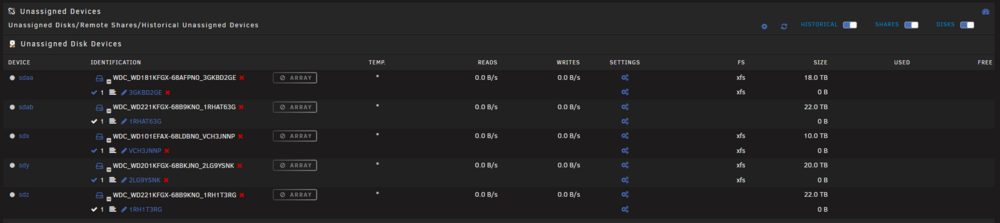
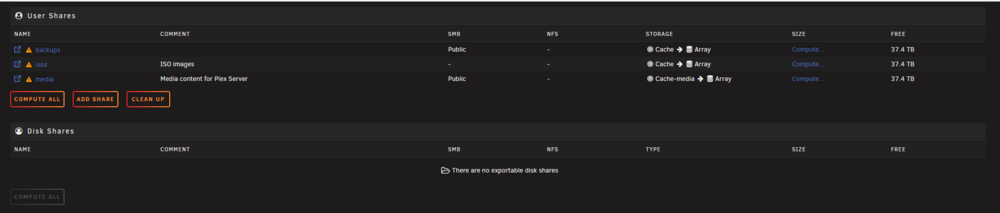
Hey everyone! Would appreciate some guidance here, as I'm at a loss. I was out of town for a few weeks and came back to 2 drives 'Device is Disabled, Content Emulated'. Luckily I have 2 parity drives. I ran SMART tests on the drives, everything seems fine. I shutdown my server, I took them out and put them back into their drive bays, booted the server, then stop the server, removed the drives from the array, started the server in maintenance mode, then shutdown the server again, added the drives back into the array, and booted up the server again. The data rebuild started - great. About 40% of the way through - the data rebuild stops/fails. It also kicks out multiple drives into Unassigned Devices. They now show with a * temperature, and throw disk errors during data rebuild. This is for both the drives being rebuilt, parity, and other random drives. Also, my 'appdata' and 'system' shares disappeared. This whole process has happened 3 times now - and I'm at a loss of what to do to properly rebuild the data disk. What's worse is it takes days to hit the issue due to rebuilding 20TB at 60MB/s. Please help! diagnostics-20260111-1235.zip
-
Perfect! I knew I must have been missing something. Thank you!
-
There are a ton of threads on Docker VDisk, and how to resize and increase the size. A lot of guidance says to check docker paths in configs to resolve issues. I have yet to come across guidance on how to determine which dockers are utilizing what size on the Docker VDisk. Is there a simple way to check which Dockers are the offenders before deep diving into config settings for a fix? Would be great if this was added into the UI natively, maybe it is and would love an assist to point me to it's location. Thanks in advance!
-
Thanks @Squid ! Do I need to attempt to move/merge the files into cache or just delete the shares manually and reboot? Should I backup the shares or anything like that?
-
@alturismo - do you know if there's a way for me to check what created the shares? The only real changes to my setup has been https://github.com/plexguide/Huntarr.io But I also don't know if this has something to do with Unraid +7.X and depreciating plugins or something like that.
-
Any chance anyone knows if this is related? Noticed I have +20 shares that have appeared out of no where. Not sure where they came from or how to update/handle them. Any suggestions? (images) My Unraid system keeps crashing after 10 minutes of being powered on. Not sure what's happening. If I disable all Dockers, it runs fine. I am slowly turning on Dockers 1 by 1 to see if I can identify the problem. Unraid OS version: 7.0.1
-
Noticed I have +20 shares that have appeared out of no where. Not sure where they came from or how to update/handle them. Any suggestions? (images) My Unraid system keeps crashing after 10 minutes of being powered on. Not sure what's happening. If I disable all Dockers, it runs fine. I am slowly turning on Dockers 1 by 1 to see if I can identify the problem. Unraid OS version: 7.0.1 Thanks for the help! laughingman-diagnostics-20250524-1024.zip
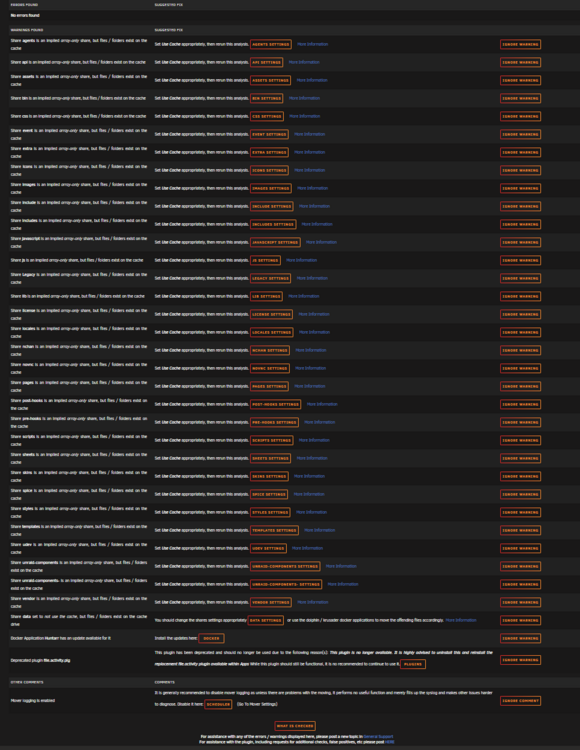
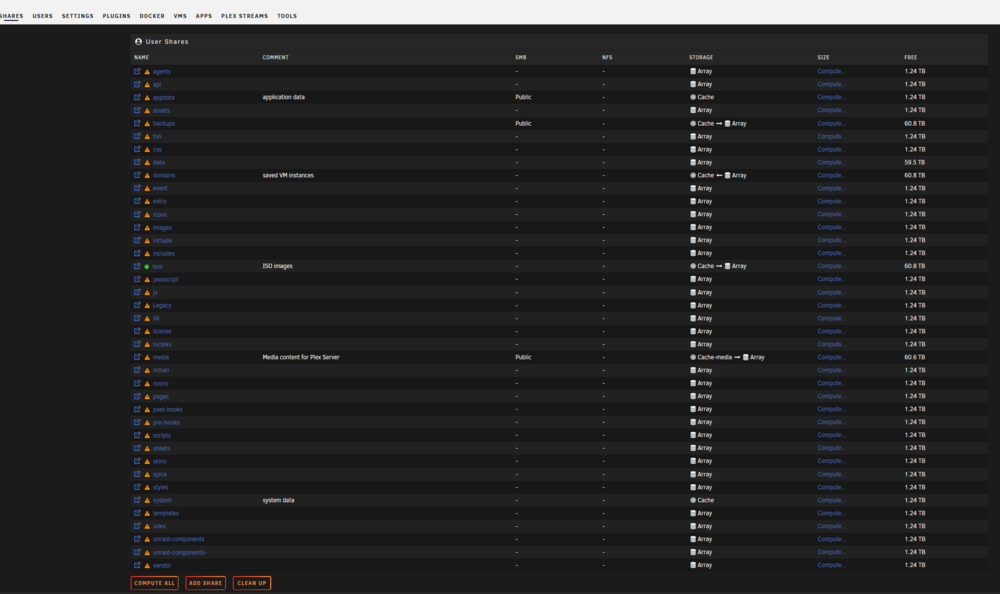
-
Frigate is not an issue for me either, not using it. I did the following....went from 100% CPU to 80% - 90% CPU usage. So not fixed but usable.... - Deleted docker.img - Re-installed each docker 1 by 1 There is something seriously wrong with Unraid. Definitely not performing normally. Would love if someone could take a look at diagnostic logs and help point these folks in the right direction for resolution.


