Bengelator
Members
-
Joined
-
Last visited
Everything posted by Bengelator
-
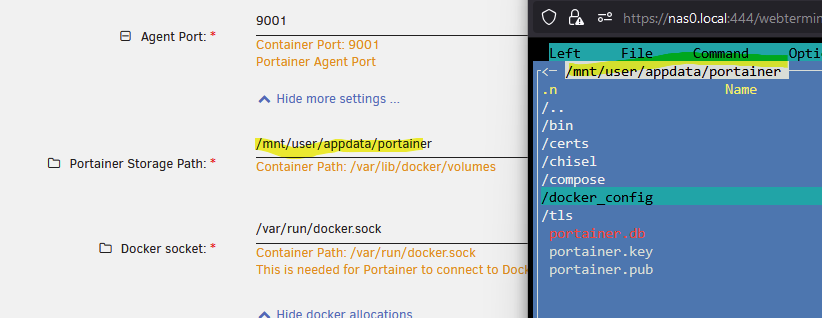
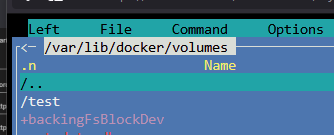
Dear all, im trying to understand the Storage Path, if i create a Volume in Portainer it creates it in /var/lib/docker/volumes instead of /mnt/user/appdata/portainer what can i do to tell the agent to create it in /mnt/user/appdata/portainer? Thank you
-
Dear all i have the issue that i dont get the script running when i plug in a HDD (USB). Did i miss something how it should work? I verified that the User Script location is correct and the Script itself is also running within User Script, but does not Autostart. Syslog note the PHP Warnings but i think its just a Warning because of exfat: Jan 26 00:53:25 Nas kernel: usb 2-2: new SuperSpeed USB device number 7 using xhci_hcd Jan 26 00:53:30 Nas kernel: usb-storage 2-2:1.0: USB Mass Storage device detected Jan 26 00:53:30 Nas kernel: usb-storage 2-2:1.0: Quirks match for vid 174c pid 55aa: 400000 Jan 26 00:53:30 Nas kernel: scsi host0: usb-storage 2-2:1.0 Jan 26 00:53:31 Nas kernel: scsi 0:0:0:0: Direct-Access WDC WD40 EFAX-68JH4N1 0 PQ: 0 ANSI: 6 Jan 26 00:53:31 Nas kernel: sd 0:0:0:0: Attached scsi generic sg0 type 0 Jan 26 00:53:31 Nas kernel: sd 0:0:0:0: [sda] 7814037168 512-byte logical blocks: (4.00 TB/3.64 TiB) Jan 26 00:53:31 Nas kernel: sd 0:0:0:0: [sda] 4096-byte physical blocks Jan 26 00:53:31 Nas kernel: sd 0:0:0:0: [sda] Write Protect is off Jan 26 00:53:31 Nas kernel: sd 0:0:0:0: [sda] Mode Sense: 43 00 00 00 Jan 26 00:53:31 Nas kernel: sd 0:0:0:0: [sda] Write cache: enabled, read cache: enabled, doesn't support DPO or FUA Jan 26 00:53:31 Nas kernel: sda: sda1 Jan 26 00:53:31 Nas kernel: sd 0:0:0:0: [sda] Attached SCSI disk Jan 26 00:53:33 Nas unassigned.devices: Adding partition 'sda1'... Jan 26 00:53:33 Nas unassigned.devices: Mounting partition 'sda1' at mountpoint '/mnt/disks/CoolBackup1'... Jan 26 00:53:33 Nas unassigned.devices: Mount drive command: /sbin/mount -t 'exfat' -o rw,noatime,nodiratime,nodev,nosuid,umask=000 '/dev/sda1' '/mnt/disks/CoolBackup1' Jan 26 00:53:33 Nas unassigned.devices: Successfully mounted 'sda1' on '/mnt/disks/CoolBackup1'. Jan 26 00:53:33 Nas unassigned.devices: PHP Warning: copy(): The first argument to copy() function cannot be a directory in /usr/local/emhttp/plugins/unassigned.devices/include/lib.php on line 1225 Jan 26 00:53:33 Nas unassigned.devices: PHP Warning: chmod(): No such file or directory in /usr/local/emhttp/plugins/unassigned.devices/include/lib.php on line 1226 Jan 26 00:53:33 Nas unassigned.devices: Running device script: 'packages' with action 'ADD'. Script: #!/bin/bash rsync -a --no-perms --no-owner --no-group /mnt/user/Nas /mnt/disks/CoolBackup1/ umount -l /mnt/disks/CoolBackup1