suharoba
Members
-
Joined
-
Last visited
Everything posted by suharoba
-
Thanks for the suggestion! PSU was my suspicion too. I went ahead and replaced it, and the system has now been stable for almost 3 days. Fingers crossed this was the root of the problem. I’ll keep monitoring and report back if anything changes. Thanks again!
-
Hi everyone, I've been using Unraid for quite some time without any major issues. However, recently my system has started randomly resetting. In the system log/description, it just says "Unknown shutdown" without any clear reason. Sometimes the reset happens after just a few minutes, and other times the system runs fine for several days before it happens again — there's no clear pattern. I’m looking for advice on how to troubleshoot this. Are there any settings I should check or specific logs that could help identify the cause? What I’ve tried so far: Updated Unraid to the latest version Checked CPU and motherboard temperatures (everything seems fine) Performed a disk check – no errors found The system resets even when it's not under heavy load I'd really appreciate any suggestions on what to check next or how to further diagnose the issue. Thanks in advance!
-
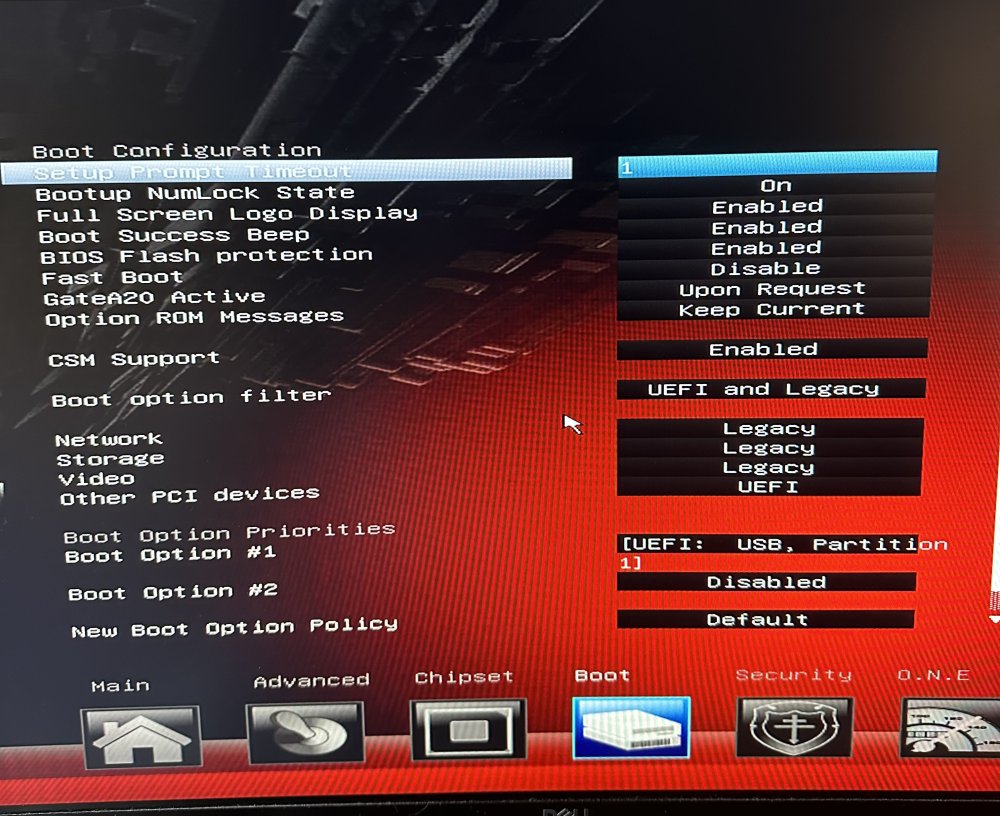
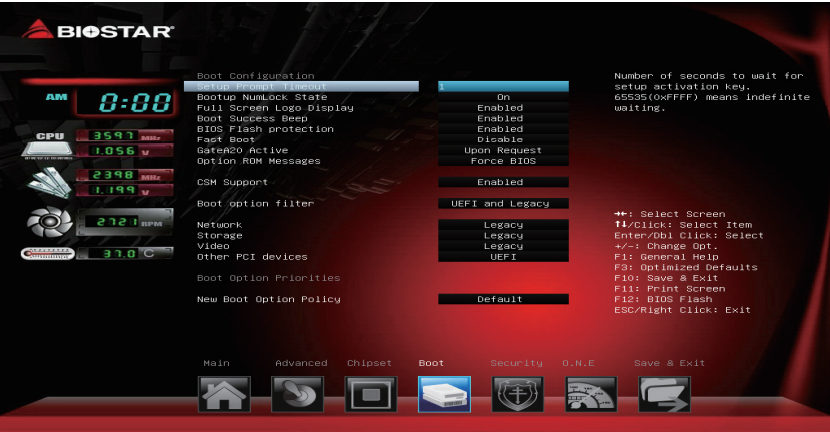
Hello, I figured out what settings was the right one. option ROM message : Keep current
-
I looked but did not find any option that resembles to "Halt On". I also included motherboard manuals if you would be so kind to look over because there is all the functions that I have in bios.
-
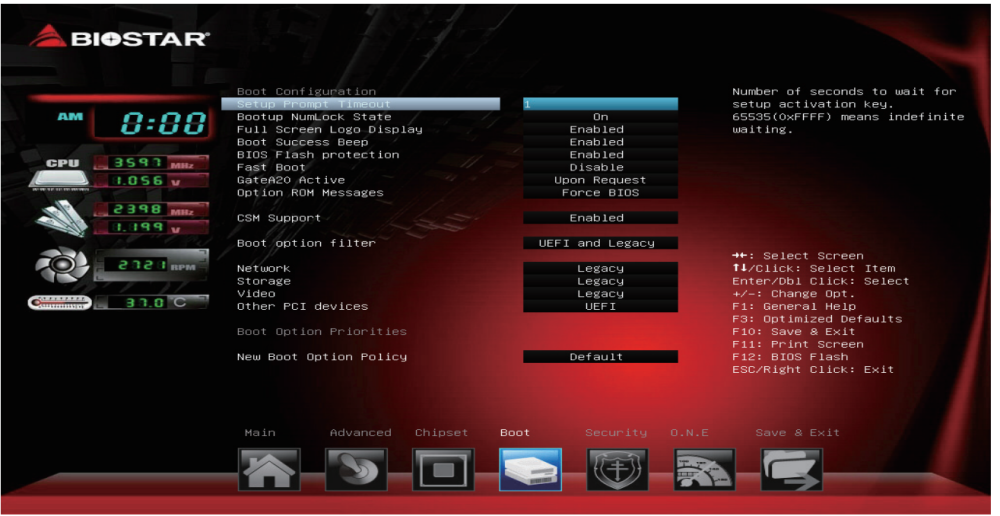
Here under CSM support i have it disable. Should I enabled it? and how to config it ? I have options: Options: Legacy (Default) / UEFI / Do not launch
-
Hello, this week my procesor died and I swapped it for same one (i5 6500) in between I performe cmos clear. Before the swap and cmos clear PC would boot without monitor. Now after the change it wont boot unless I plug in montor. I looked in bios for some settings but I did not find anything that would enabled. I know that I can get hdmi dummy plug, but I would prefer to do it without (especialy because it worked before). I am using biostar TB250-BTC+ motherboard Motherboard manuals
-
Hello, this week my procesor died and I swapped it for same one (i5 6500) in between I performe cmos clear. Before the swap and cmos clear PC would boot without monitor. Now after the change it wont boot unless I plug in montor. I looked in bios for some settings but I did not find anything that would enabled. I know that I can get hdmi dummy plug, but I would prefer to do it without (especialy because it worked before). I am using biostar TB250-BTC+ motherboard Motherboard manuals
-
One more question, is there a special settings in Unraid for running in headless mode that i need to turn on? Does UEFI have an impact for this? I know that i rename efi~ to efi on usb stick. Do i need to change some settings here? or how to set up settings.
-
I do not know how i was able to boot w/o monitor before. I am looking in bios but i do not find anything. (keep in mind that i perform cmos clear) If you have any experience regarding this topic to would really appreciate the help. This are the manuals of the motherboard i am using: Motherboard manuals
-
Hello, glad to report that with new / different cpu is now booting. But now it does not boot unless i have a monitor plug in the PC. Do you maybe know what is the issue or how to fix it?
-
Yesterday it finished memory test without eny errors. Waiting for a friend to deliver me his 6500 to test with different processor. Will report later if it made any difference.
-
that is good news because i have some backup on one disk and another one is for media storage. I am doing memory test right now (2/4 pass; 0 errors). Tomorrow i will get another i5 6500 and try to replace it. Is there any sensor for hardware change? (so if i replace cpu it wont boot because of that)? Will write when the memory test is done...
-
Yeah i tried booting into safe mode with gui and with out.
-
is there any way to recover (get back) all the data from the disks? if i see that the cpu is the reason and i decide to replace cpu/motherboard...
-
i download the memtest86+ and run it (1pass) 0 errors
-
I am no expert but how can be CPU problem if it is working in windows? Will try to get another i5 6500 and test it.
-
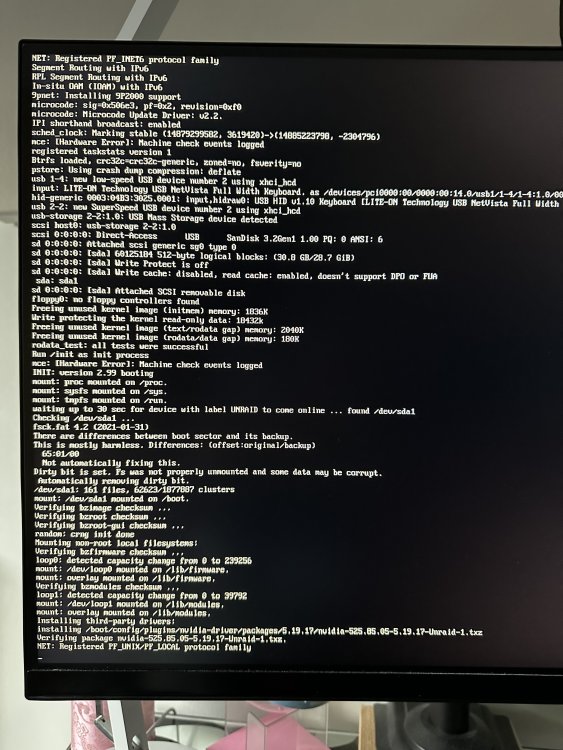
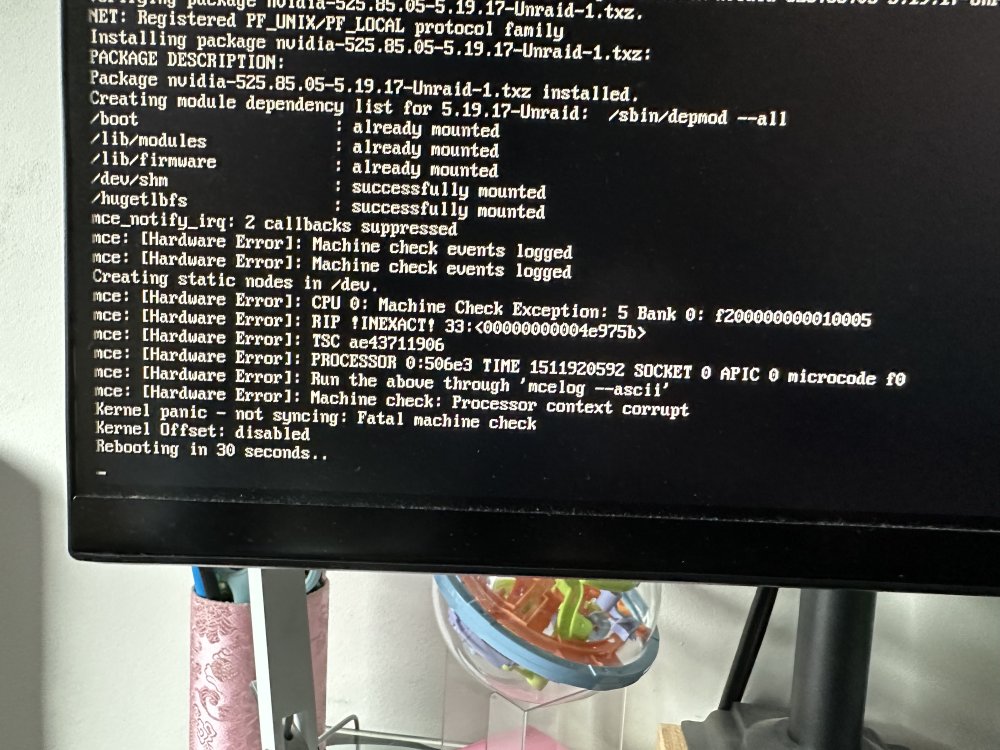
Hello, I am quite new to unraid (had it for about 4-5 months). Had it installed and had been using it without any problems. But 2 days ago I noticed that the array was not started for some reason. I started it manually. Next day the server was offline. I tried to restart it manually with the press of the button on the pc case and when it did nothing i unplug it from wall and replug it. But still it was offline. Than i connected the display to see what is going on and realized that it was stuck in a boot loop. It gives me this message (sorry for picture but i dont know where to find logs or how to find them) I also took picture with more of the lines of text. I am using: i5 6500 2x4gb ddr4 2133Mhz TB250-btc+ motherboard I did memory test (it passed) used only 1 ram (swapped it) still same problem tried to do cmos clear (same problem) disabled c-state tried different usb stick with fresh install of unraid booted into windows from different usb (it booted) replaced cmos battery if someone can help it would be appriciated.