





Jef74
Members
-
Joined
-
Last visited
-
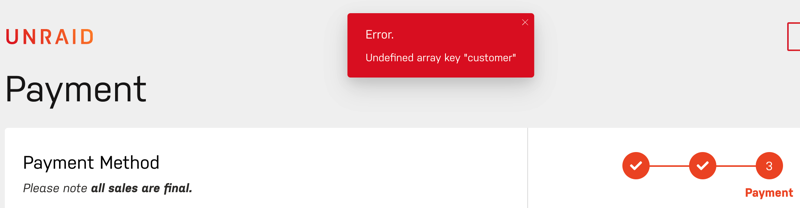
Hi, I'm trying to purchase the basic license but when I press Pay after filling in my credit card details I get Undefined array key "customer", I have checked my details but it looks correct. (page https://unraid.net/checkout/payment) Any idea on what this is?
-
Hi, I changed from using DNS name to my NAS and using IP, then i works so I assume it tried to lookup the name and didn't get it properly. Now it works, so thank you for taking the time!
-
No, I'm not conntecting to a server with it. The docker I'm using is binhex-qbittorrentvpn
-
I have one docker who is using Wireguard but I thought that wouldn't effect my Unraid instance? I turned on Debugging when I tested now.
-
Also found this setting but did not help either. poppelsrv-diagnostics-20230203-1547.zip

-
Jef74 joined the community
-
Hi, Started to use UD to mount a NAS to my Unraid, I have configured it to automount under settings but if I make a reboot of the unraid it will not automount, I need to click Mount manually to get it to work. What have I missed to do? Thanks for good work!
