





can4d
Members
-
Joined
-
Last visited
-
YOU'RE A FREAKING GENIUS. THANK YOU. THANK YOU. WORKED.
-
Holy sh****t this fixed me. thank you for the post.
-
Trying now. thank you for that. will revert back if successful.
-
Ok, let me just start with the fact that I have read as much as I could for the past 3 days. Attempted to verify the issue is not with my hardware, modified uefi config for proper settings, modified the SYSLINUX CONFIGURATION and yet still no love. Not sure what I am doing wrong or am totally off base with my plan. END GOAL Assign my new Radeon RX 6600 to my vms to run advanced graphics software SPEC MB: ASRock B550 Phantom ITXax Processor: Ryzen 7 3700 RAM: 32GB GPU: AMD RADEON RX 6600 UNRAID: Version: 6.11.5 I only have a single pcie x16 slot for the card. MB has integrated graphics. I only remote in to my vms and no display is physically connected. NOTICEABLE FLAGS All VMS show "virtual" as the graphics card All new VM config only shows "virtual" NO IOMMU groupings actually show. BIOS/EUFI SVM MODE: Enabled for AMD-V AMD fTPM Switch: Enabled What am I missing here? Any help or passed or wisdom for unraid grasshopper would be greatly appreciated.
-
All done. Everything seems like it was. one vm didn't require recreating/installing. I just added it and referenced the disk image and it was working where it left off. The others I had to readd with no issue. one question: On my pools do I need to add a minimum of 3 drives so one can act as a backup? Thank you again for all of your help. I won't post here anymore with questions off topic. very much appreciate it.
-
VMs are enabled but they still do not show. Parity Check completed with zero errors. Diagnostics are posted. I definitely think my issues stem from inproper use of cache / pool. tower-diagnostics-20230211-1141.zip
-
only thing I noticed is I lost my previous virtual machines but can live with that as I wasn't attached to them anyway. I can redo those. If there is a way to readd great but no loss otherwise. Started a new parity check.
-
BACK IN BUSINESS. HAHAH. Thank you Thank you. I have learned a lot in this little adventure. Couldn't have survived without you trurl. I have made another backup. Now I would love to evaluate my config to understand if there is a better method to the madness.
-
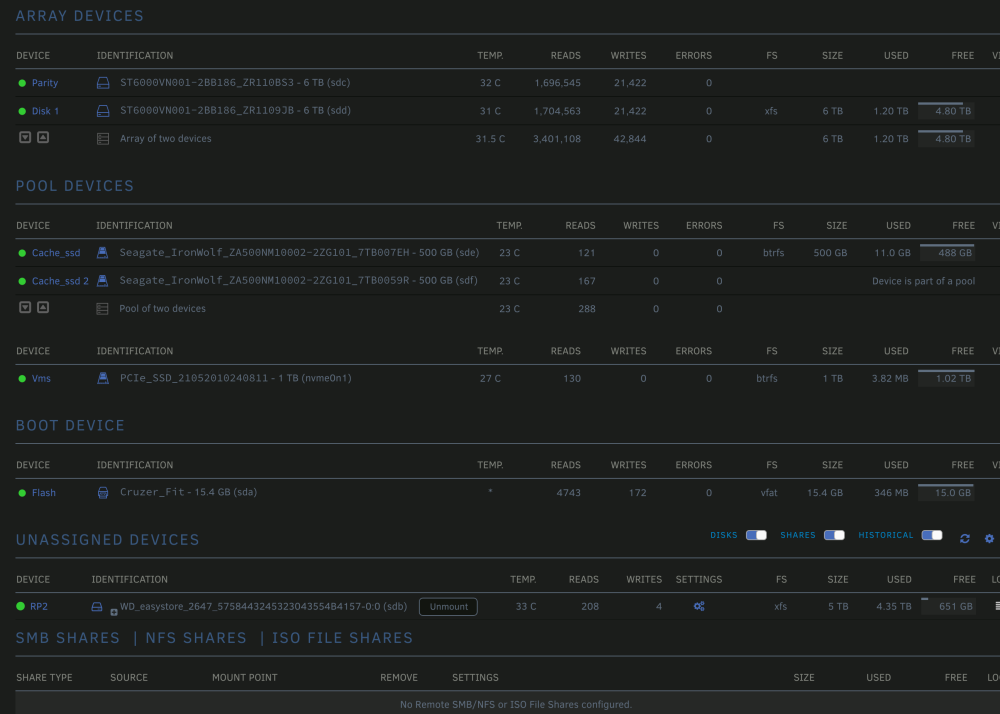
about to replace new config with original config. tower-diagnostics-20230210-2259.zip
-
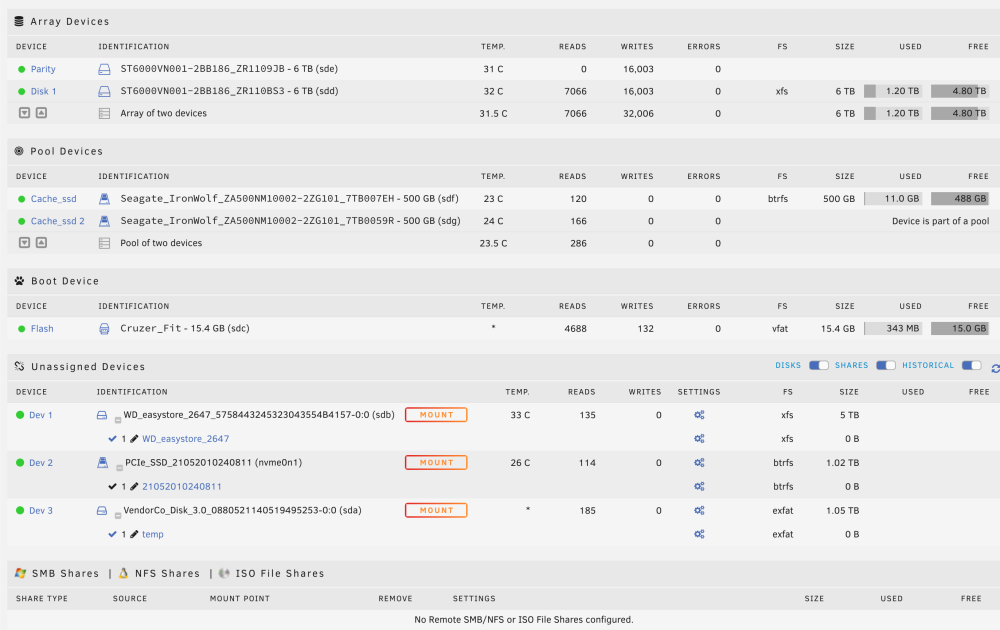
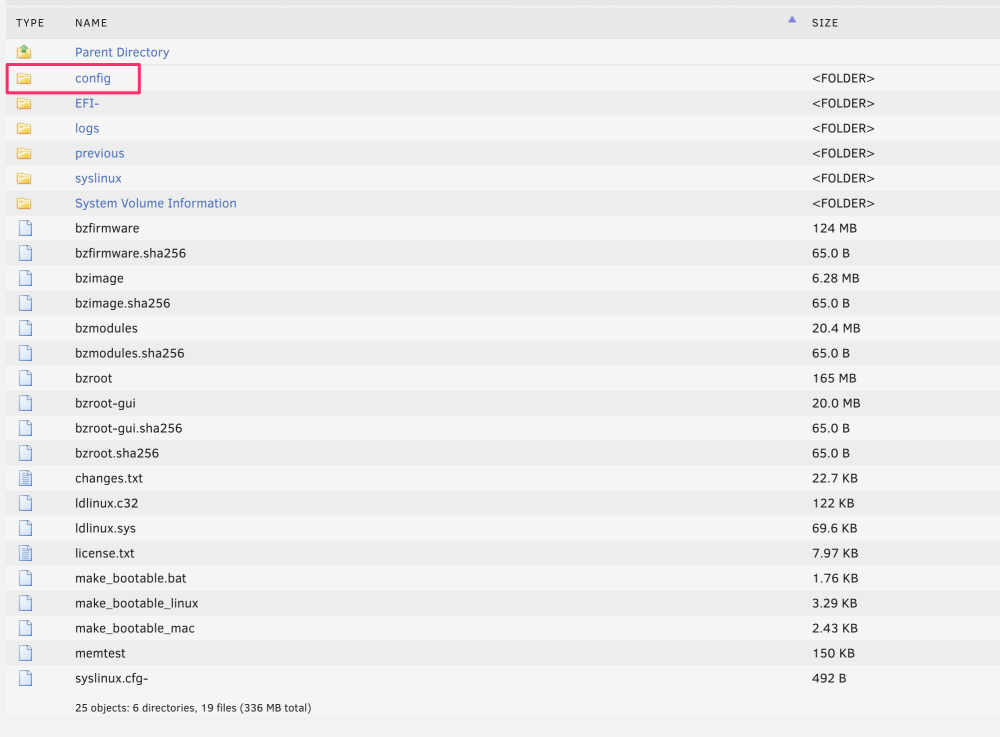
I was able to mount the drive that I moved all of my files too. Would it be easier to pull the config directory and make a new usb replacing with old config? Everything appears to be there.
-
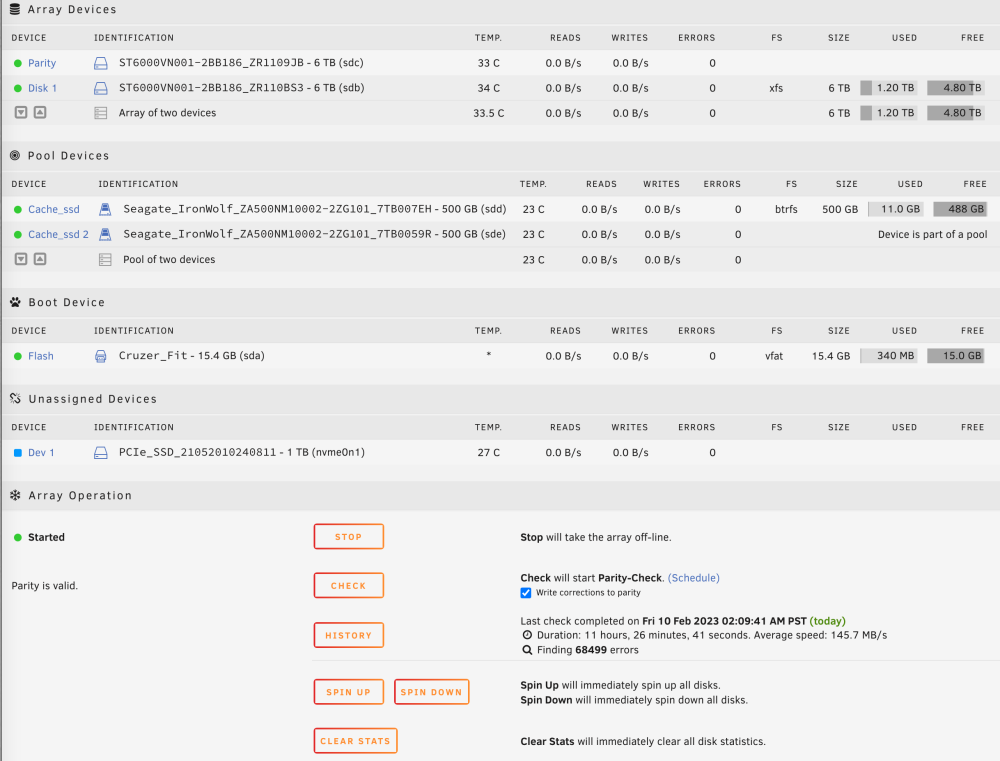
I went ahead and added the other 500 to the cache_ssd pool because I honestly remember it that way and it appears it accepted both as the pool as shown. The other thing I am pretty sure I did was use the nvme as the parity 2. But I will wait for your thoughts.
-
ok.
-
if both 500 were originally a pool don't they both have to be added to make the pool? and that is why just one added is not mounting?
-
Done. tower-diagnostics-20230210-1409.zip
-


