





hsingh314
Members
-
Joined
-
Last visited
Everything posted by hsingh314
-
Hi, I updated to 6.12.8 (as from I read it was ok to update, but maybe I didn't read enough). I cannot access the webui. I cannot access the array and have no way to get the diagnostic zip file. I did do the suggested solution here: But to no avail. I am not sure what to do. Was working fine for 90+ days without a reboot straight before this update. Any suggestions?
-
Could having PCIe ACS override set to enabled cause this issue?
-
Hi, I keep getting my VM crashing and it goes into a 'pause' mode. I checked the logs and keep getting the same error. I think it has something to do with my GPU as the ID of the error corresponds to the GPU I am passing through (Tesla P4). Has anyone else encounter this before? Any suggestions on what to do next? 2023-08-05T22:35:43.826885Z qemu-system-x86_64: vfio_err_notifier_handler(0000:09:00.0) Unrecoverable error detected. Please collect any data possible and then kill the guest Thanks!
-
-
Welp! that sucks. Maybe it's worth indicating that in the documentation as it says that all xeon E3 v6 cpus would work, but I believe all the v6's has this gpu. Well... onwards and upwards... I'll try to figure something else out. Thanks!
-
I tried using this to passthrough my Intel iGPU to my VM while still being able to use it for a container. However, when I opened it, it said my system wasn't compatible even though my CPU is a E3-1245v6. The dialogue said I should download my diagnostics (attached) and post here..... so here I am.... I tried using this to passthrough my Intel iGPU to my VM while still being able to use it for a container. However, when I opened it, it said my system wasn't compatible even though my CPU is a E3-1245v6. The dialogue said I should download my diagnostics (attached) and post here..... so here I am.... bishop-diagnostics-20230804-1824.zip
-
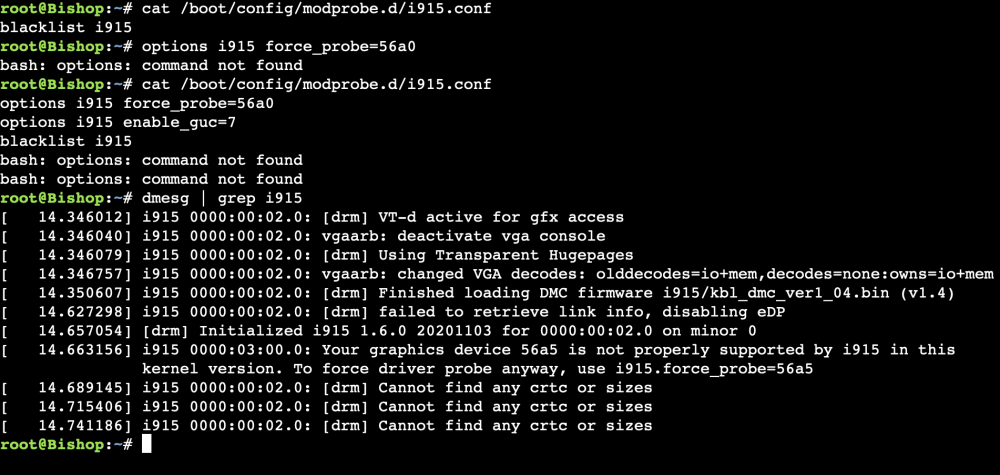
Ok, I figured it out. I just typed in exactly what you had, not realizing that was the output of the .conf file & I had to edit the .conf file to have those parameters (lol - I am dumb). I got it work, or at least Unraid to detect the card. Thanks!
-
Ugh - I am not sure what I am doing wrong. Also I do have intel gpu top installed but the a380 doesn't show up there either.
-
So I updated to 6.12 (yay) - but the driver still doesn't see the a380? Is there something else I need to do. I've seen people mention 'probing' but I am not sure how to do that.
-
Cool, I'll wait. Thank you.
-
Is it safe to, or should I wait for the stable version to be released?
-
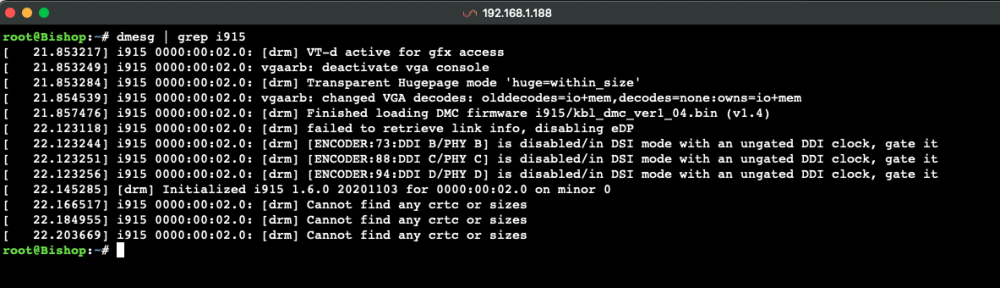
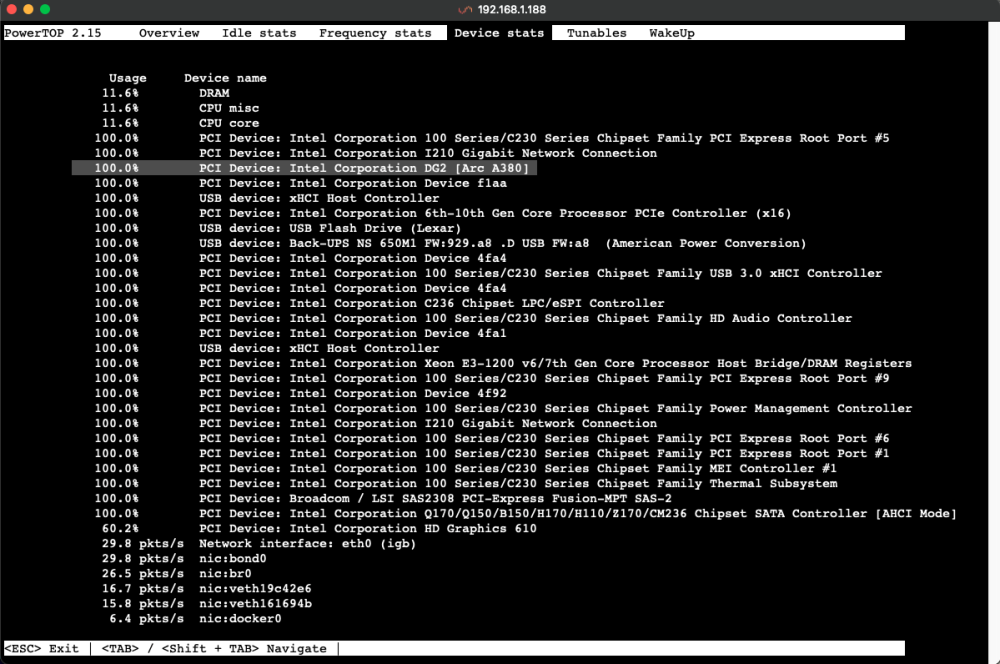
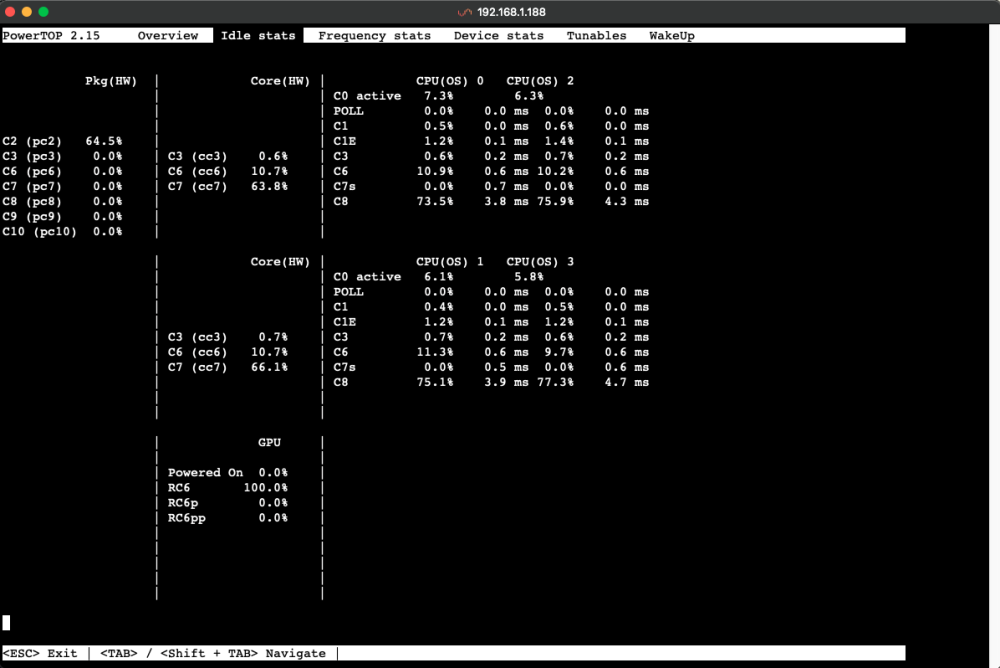
I am running 6.11.5. I am aware about 6.12, but my understanding its not in the 'stable' category (which I am not sure if that matters, but this is my first time doing something like this). I have attached the output from 'dmesg | grep i915' and I have no idea what any of this means. I understand that I might not be able to use the intel arc gpu until I update the OS (which I will when its stable), but is there a way that I can reduce its power consumption, instead of it idling at 100%?
-
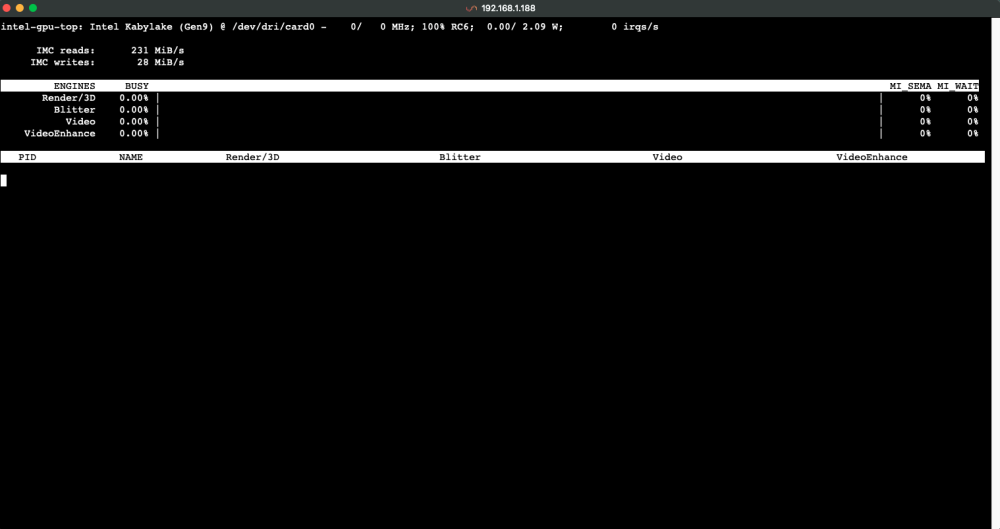
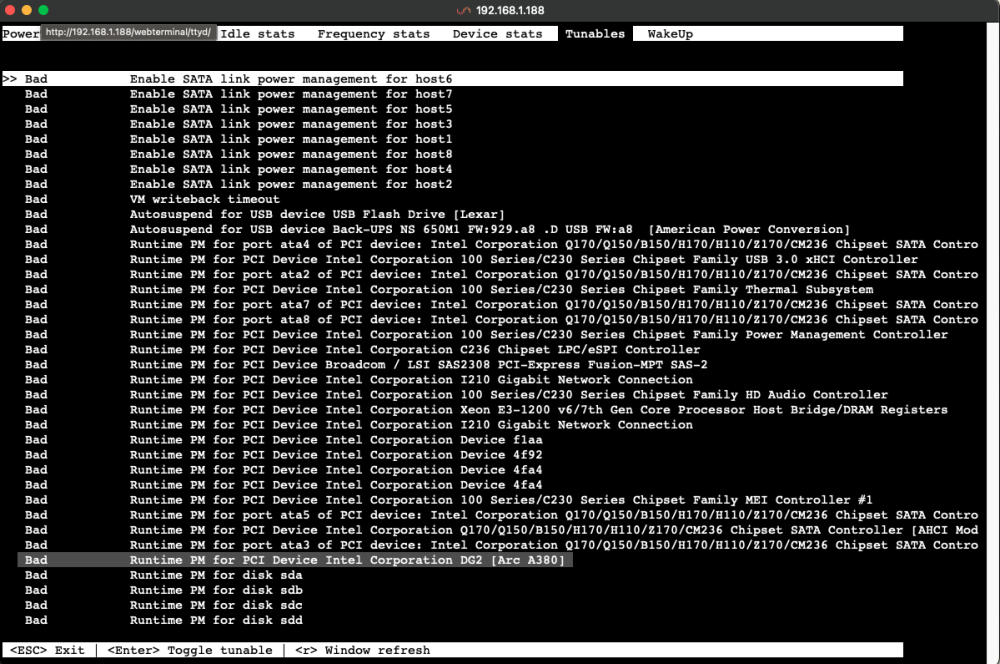
My server is idling at 130W with all the drives spun up, it dips to 80W, but that still seems high. I suspect my Intel A380 is running at 100% even though it doesn't show up on the GPU Statistics, but does show up in System Devices & in Powertop. I understand that there aren't drivers for Intel Arc Gpus at this moment, but if I cannot use it, is there a way that I can make it use less power (short of pulling the card, which isn't possible right now)?
-
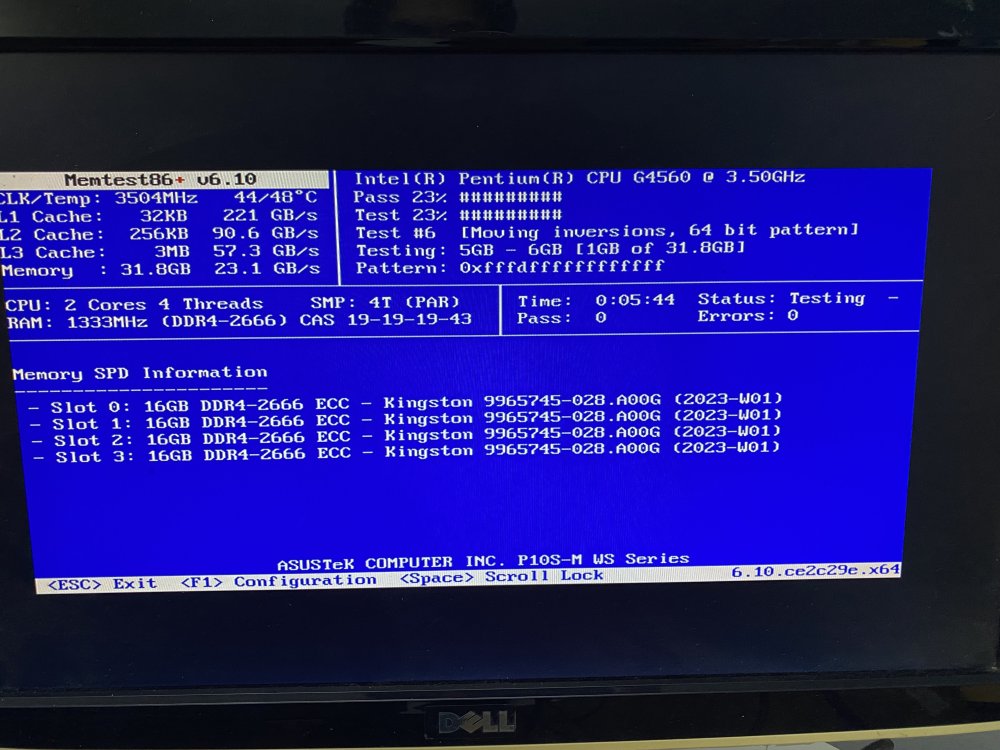
Oh - it looks like I was using Memtest 86+, its the newest version, but maybe the wrong one and will try Memtest86
-
Oh damn, thank you for this heads up, I will go look for that right now and try it out (or at least its good to have if I do ever solve this). Thanks. Ok, that makes sense, my bad in misunderstanding. Yea, I am hoping thats not the case, but if it is, I was looking around and thinking maybe 32gb might be good enough for my purposes for unraid. I think I am worried that maybe the bent pins might cause instabilities in the short-term or long term.
-
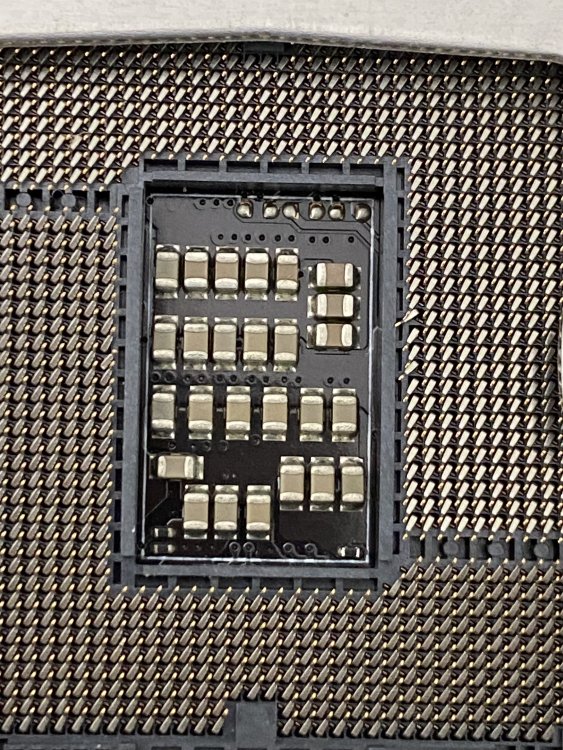
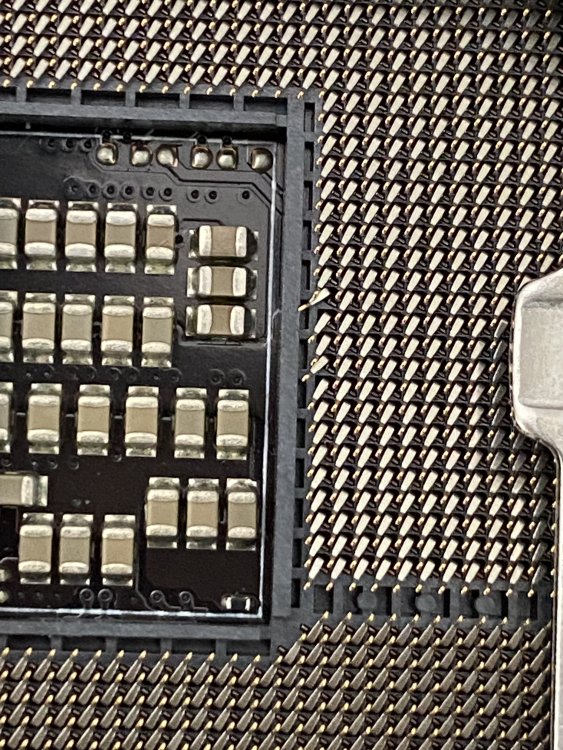
I just ordered some precision tweezers off amazon, so hoping this is the solution but very nervous I am going to break the pin I am trying to fix (or drop something while trying to fix it and it somehow breaks all 1151 pins instantly). I looked up the LTT video on fixing pins, but if you or anyone else has any tips/tricks/guidance for fixing pins, i'd really appreciate it.
-
Unfortunately no one makes their DIMMs from the QVL anymore. My understanding if it was bad memory either the mb wouldn't detect it or MEMTEST+86 would throw out and error or the OS couldn't use it, but I've tried each stick individually in each slot with MEMTEST and each pair in both of the pairs of lanes (seperately as 32gb) and it passed MEMTEST also as was able to be used by the OS. But I might have missed something or my understanding of ram is lacking (first time build). I tried to look up everything to trying before posting.
-
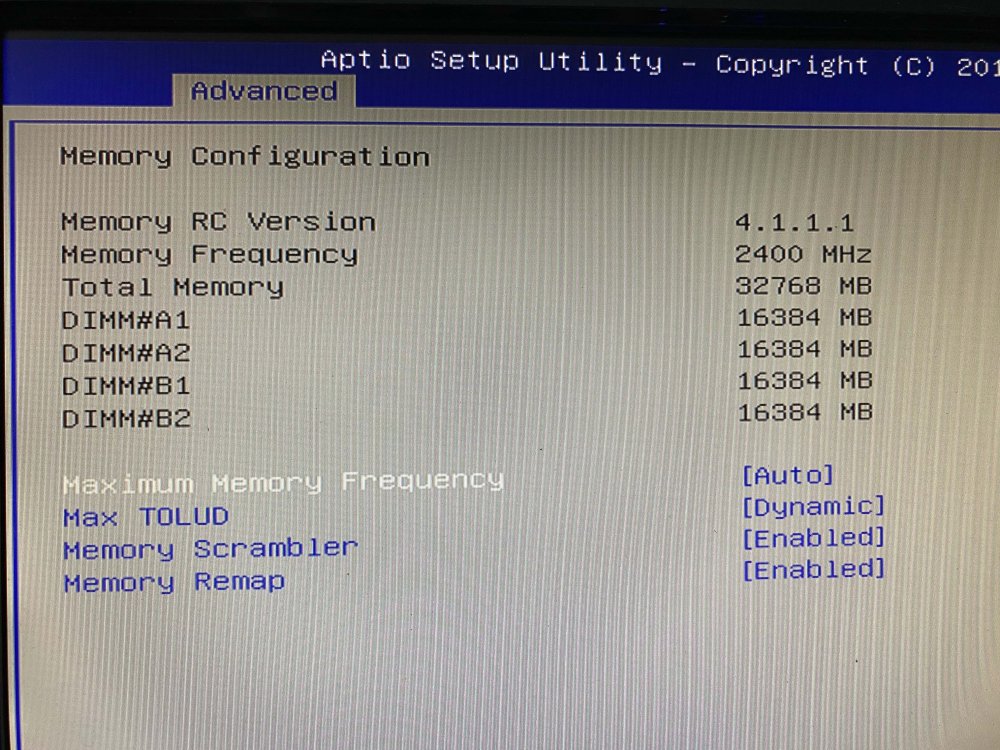
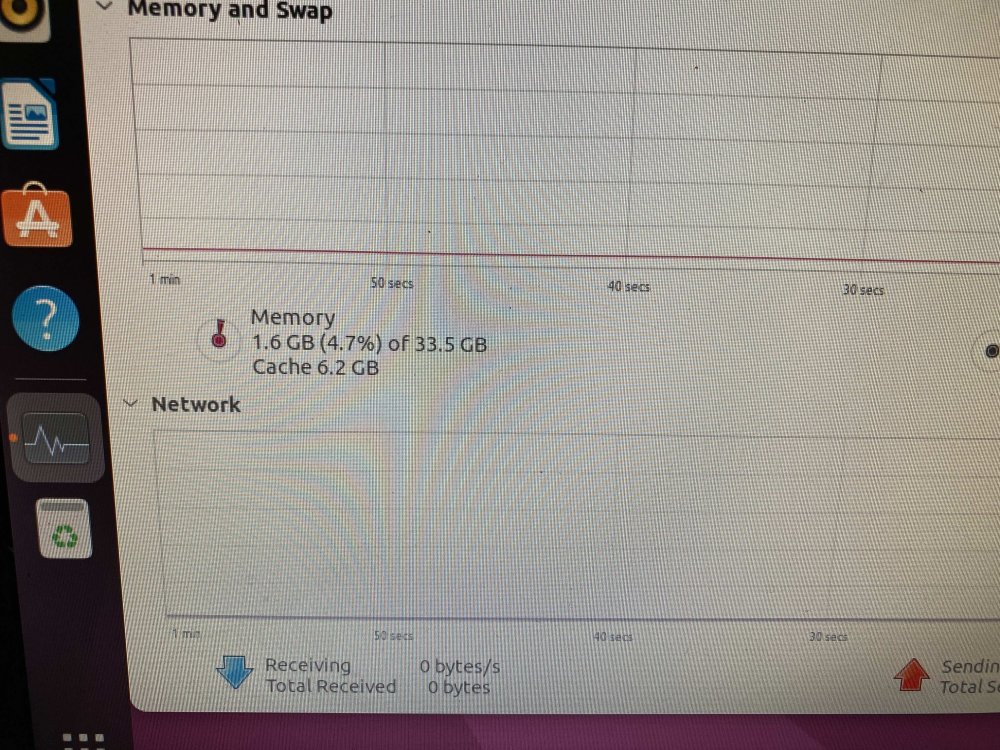
Building my first unraid build and as I was testing out parts I saw my ram is only half reporting but the motherboard sees each stick: The bios reports total as 32gb (even though it sees 4 x 16gb). Ubuntu and Memtest also show only 32gb. The ram is brand new from kingston and was their recommended ram for my motherboard. - Asus P10s-M WS Motherboard - Kingston KSM26ED8/16HD - Intel G4560 CPU Both the ram and motherboard should be able to used 64gb ECC UDIMM Ram. I have updated the bios and moved the Ram into each slots, each Ram stick seems to be working well and If I populate 2 Ram lanes (A2 & B2 or A1 & B1) it shows 32gb and useable but if I put 3 sticks, still shows as 32gb and same with 4 stick. I also cleared the CMOS and same issue. The only thing I can think of, when I got the motherboard, did notice 2 pins slightly bent, but since I didn't have the tools and didn't feel comfortable I wouldn't break it, so just tried the cpu and since it booted up I thought it was ok initially. Is it possible the overlapping pins could be causing this issue? Is there something else I should try?
-
I am slowly putting together parts for my build and I have one nvme slot for my cache (and apps and whatnot). I am not doing anything intensive, mainly media and arr stuff - so not that many docker containers (I am pretty basic). However, I am between Intel 670p 1tb or Intel Optane 118gb. They are about the same price for me ($10 more for the optane). Is the optane worth it? I am slightly worried about the low TBW of the 670p, but I am not sure if those worried are unfounded. And I don't think i'd need more than 118gb, so not sure. Anyone have any suggestions?




