Niklashere
Members
-
Joined
-
Last visited
-
Niklashere changed their profile photo
-
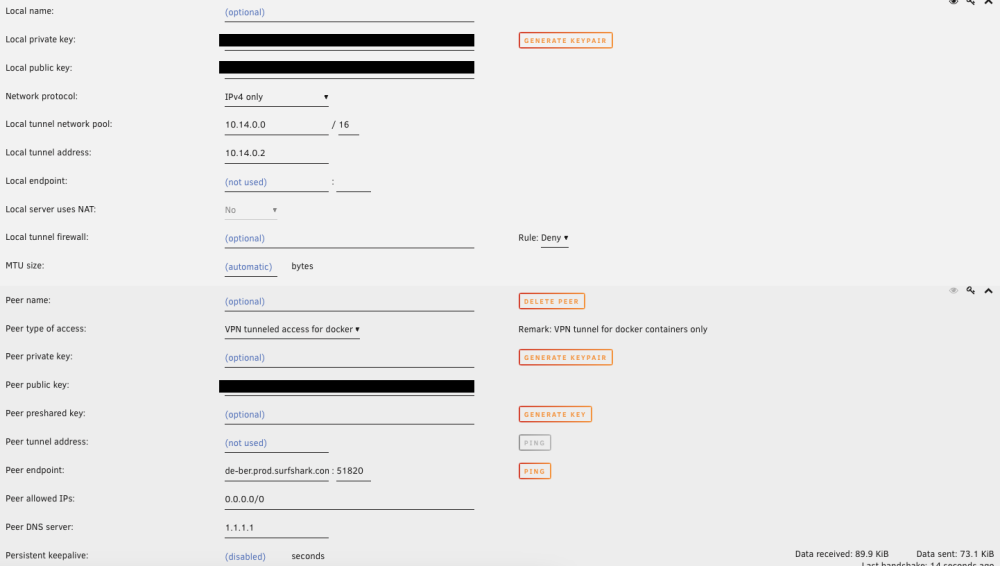
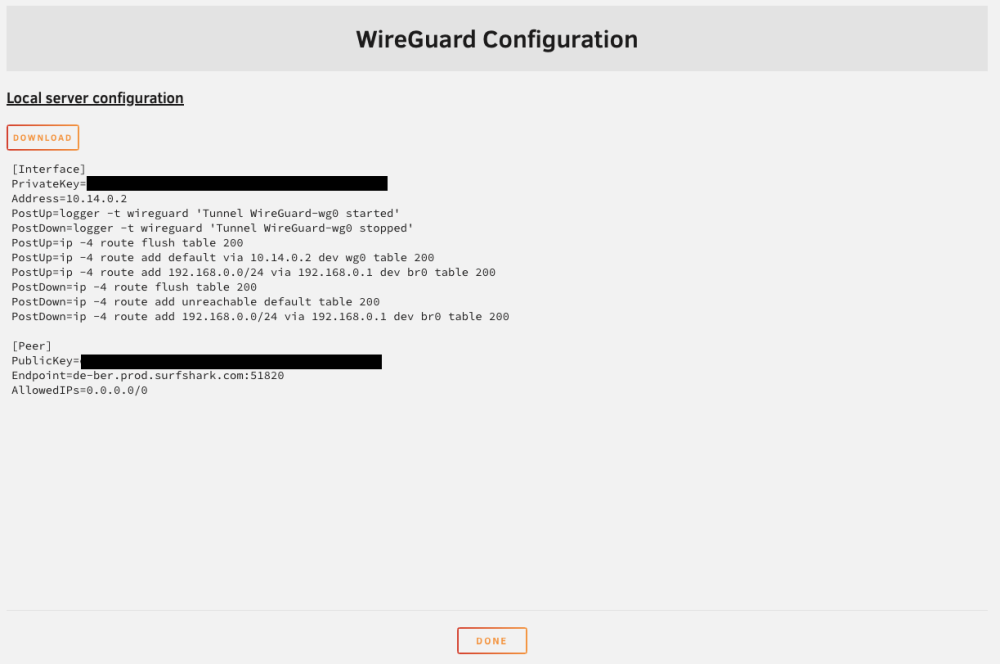
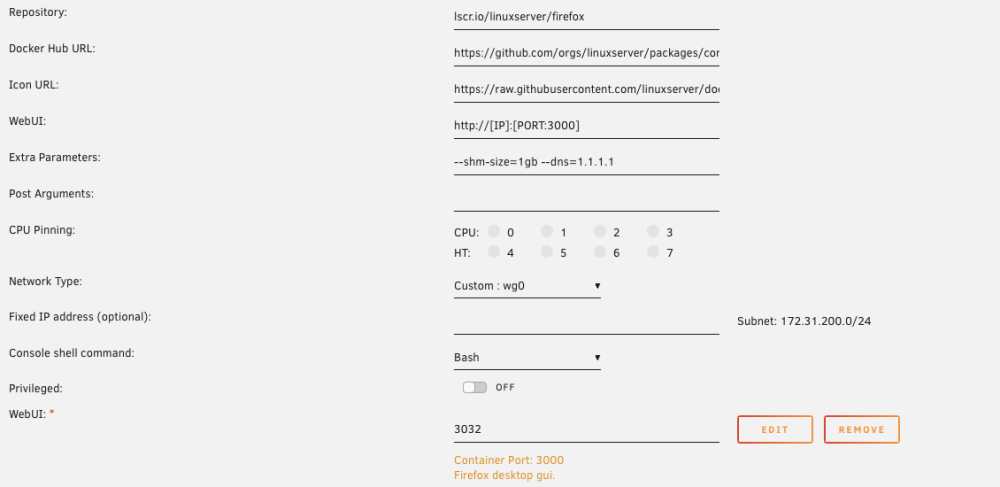
Hi all, I have a weird problem with the VPN connection. I hope you can help me find a solution. I set up the VPN according to the instructions and at first glance, it seems to work. It performs a handshake with the server. I have selected the network interface wg0 for a new Firefox container and also set the --DNS=1.1.1.1. Now, when I try to access a website, it only works if the website can be accessed via HTTP. HTTPS connections are not possible. I also tried this via the command line with several containers. The IP address I get back is from the VPN provider. The problem does not exist with the standard network interface. Screenshot for visualization: I hope you can help me with this. I have attached some screenshots of the settings. VPN-Manager: WireGuard Config: Container Settings: Thank you! Edit: I tried the „passthroughvpn“ container and with it, it seems to work. It’s still just a workaround for me, so I would appreciate any help.