Skip to content
View in the app

A better way to browse. Learn more.

Unraid

A full-screen app on your home screen with push notifications, badges and more.

To install this app on iOS and iPadOS
  1. Tap the Share icon in Safari
  2. Scroll the menu and tap Add to Home Screen.
  3. Tap Add in the top-right corner.
To install this app on Android
  1. Tap the 3-dot menu (⋮) in the top-right corner of the browser.
  2. Tap Add to Home screen or Install app.
  3. Confirm by tapping Install.

Murakamin

Members
  • Joined

  • Last visited

Everything posted by Murakamin

  1. ah, gotcha. I was afraid that might be it. This is an old gaming pc, hence the older gear. This was also transcoding a 4K HDR 10 bit video to 480p.
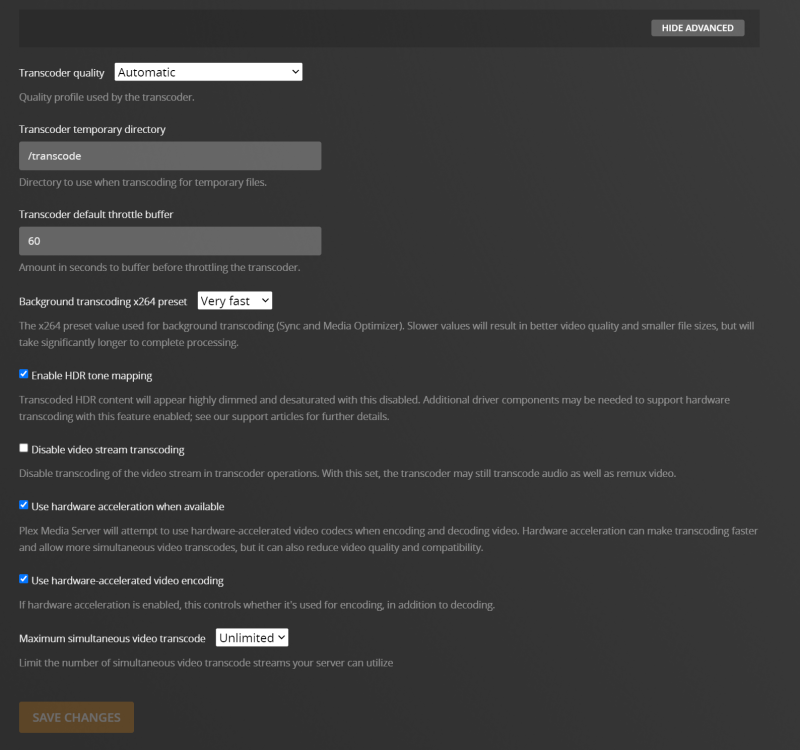
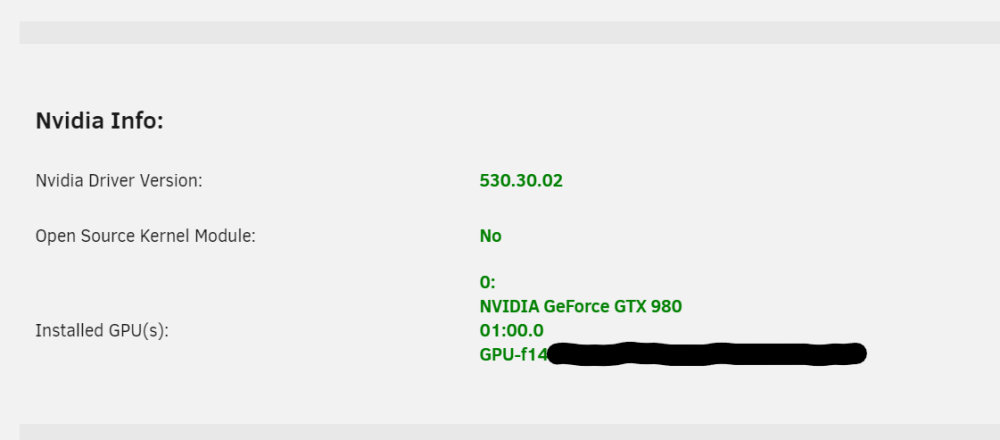
  2. Ah! That seems to have gotten me a step closer. I've gotten that corrected but I still seem to be CPU encoding. My GPU shows some activity from plex, but my cpu is still maxing out.
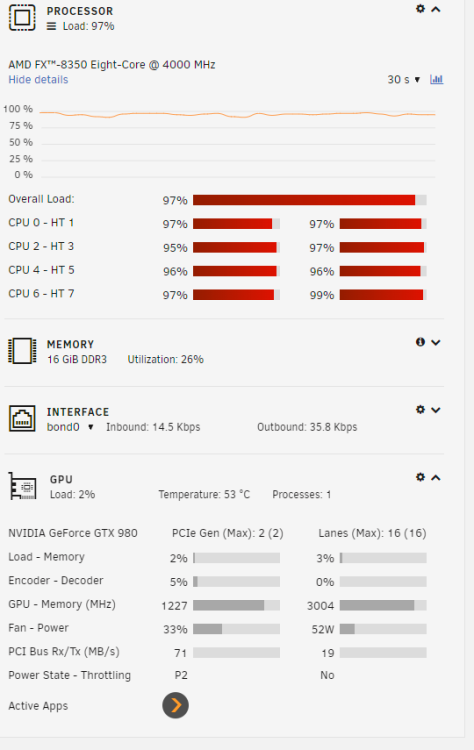
  3. I seem to be having the same issue here, and I believe that I have everything set correctly, but i'm also new to unraid so I may have missed something.


Account

Navigation

Search

Search

Configure browser push notifications

Chrome (Android)
  1. Tap the lock icon next to the address bar.
  2. Tap Permissions → Notifications.
  3. Adjust your preference.
Chrome (Desktop)
  1. Click the padlock icon in the address bar.
  2. Select Site settings.
  3. Find Notifications and adjust your preference.