foobaan
Members
-
Joined
-
Last visited
-
Hello Icarium, I just have the same issue as you and it is related to location, permission and owner of password file generated. Here what I have done to correct : Launch this docker with anonymous permission (Run Insecure MQTT Server = 0) Create a new password file from docker console with command : mosquitto_passwd -c passwd MQTT_User Copy this passwd file to your persistent data directory : cp passwd /mosquitto/data/ Stop the docker Go in your Unraid file manager and set permission Read-only to "Other" at least on this file Change in your docker settings Run Insecure MQTT Server to 2 Edit config file mosquitto-unraid-default.conf and uncomment the following last line: listener 1883 protocol mqtt password_file /mosquitto/data/passwd (change with the location of you password file from your persistent directory) Start your docker and go in your docker console to change permission and owner of your password file with : chown mosquitto: mosquitto/data/passwd chmod 700 mosquitto/data/passwd Check with : ls -l mosquitto/data/passwd Hope it helps you and other people to save some time in search not like me.
-
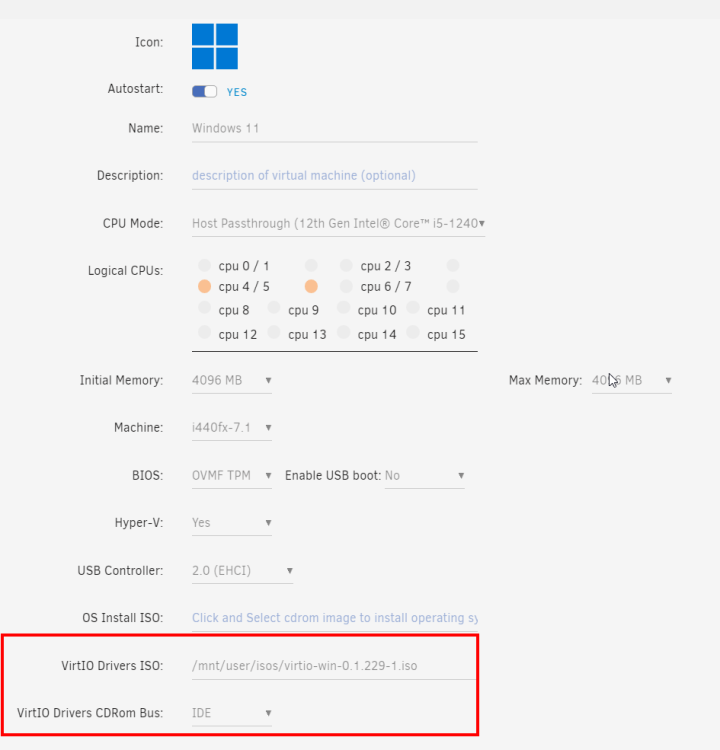
I had already tried SATA and USB but with no luck. With your message I tried again in SATA and I got a blue screen on windows start. After an other reboot, it WORKS !! Very strange behaviour but thank you very much !
-
Hello, I have made a fresh install of a windows 11 vm. During install, i was able to access VirtIO share to install disk pilote. But in windows 11, I haven't cd drive with VirtIO ISO mounted. What am I missing ? Thanks