





uglytuna
Members
-
Joined
-
Last visited
Everything posted by uglytuna
-
My journey started with trying to run Nextcloud on Unraid. No matter which version I tried I could not get Nextcloud to connect to the Collabora server. I would always get a connection time out error (guessing a network error on my end). So, I turned to setting up a LXC (unprivileged) container to run NextcloudPi, which had worked for me in the past Only problem with this was that I had to keep increasing the disk space as I added more data and backups took longer and longer. Nextcloud Pi has an GUI interface that allows for easy moving of your data directory to another location. Unfortunately, the GUI doesn't like moving the data dir to SMB or NFS shares. I can across several posts that suggested if you modify the config.php file it would work: nano /var/www/nextcloud/config/config.php and change to new location: 'datadirectory' => '/mnt/NAS/new_location/data', I initially set up an SMB share on Unraid and gave access to the LXC following these directions: https://forum.proxmox.com/threads/tutorial-unprivileged-lxcs-mount-cifs-shares.101795/ but apparently Nextcloud doesn't support SMB2 data dir (at least that's what the error message said). I found another post suggesting that NFS is supported. So, followed this howto: https://forum.proxmox.com/threads/tutorial-mounting-nfs-share-to-an-unprivileged-lxc.138506/ I then created a NFS share in Unraid with Export: Yes Security: Publix After moving (copying) all the data to this location I was able to access data and Read/Write Success! To help secure the share I changed Security:Private and added rule 192.168192.168.1."node IP"(async,wdelay,hide,no_subtree_check,fsid=104,anonuid=99,anongid=100,sec=sys,rw,insecure,root_squash,all_squash).1."node IP"(async,wdelay,hide,no_subtree_check,fsid=104,anonuid=99,anongid=100,sec=sys,rw,insecure,root_squash,all_squash) Be sure to use the IP address of the node and not the container Everything appears to work I apologize if this isn't formatted properly, I am a bit of a noob, but wanted to share in the hopes I could help someone else Please let me know if I have done something incorrectly or if there is a better way to implement this.
-
I am running unraid as a VM in proxmox. Passing thru the USB and the array drives via a LSI HBA controller. Everything works great. My question is, the VM can be backed up to a PBS but exactly would get backup up? I am guessing the USB would not. Will the contents of the drive array (via LSI) be backed up? Just curious. TIA
-
Am running Spinrite on both drives now. Will blkdiscard do something better/different?
-
Just wanted to let others know that, in my case, the issue was a bad SSD in my cache. Even though extended SMART test didn't show any problems switching out cache pool SSDs fixed problem for me
-
Just completed switching out SSDs (from Crucial to WD) and resilvering completed SMB transfer of 3GB completed w/o problem Docker update of immich completed from GUI w/o problem Would have never guessed that one of the SSDs was bad. They weren't that old and extended SMART test didn't reveal any real problems Thanks again
-
I also do have a couple SSDs on hand (differednt brand) that I could replace with
-
Just to make sure I am understanding - Move data from present cache - destroy and recreate cache as a second pool (mirrored) or create pool2 and pool3 separate pools with the SSDs
-
OMG - just transferred a 3GB file to two different drives in array and worked w/o problem. So, the problem is with the SDDs that I am using?
-
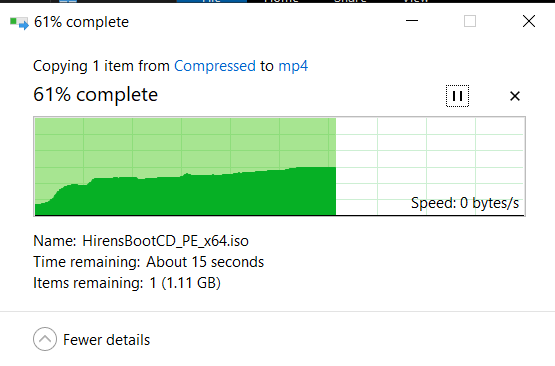
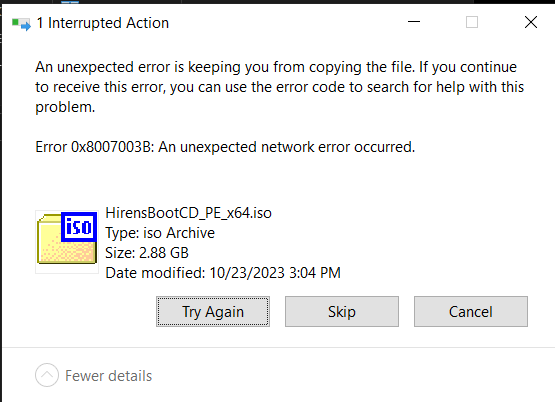
This is something that I have been troubleshooting for some time now and have been searching forum for possible answers When transferring large files to unRaid(1), upload to server starts and then stalls for a few minutes. Then eventually, says an error has occurred, but when I select SKIP, the file has successfully transferred to unRaid1. I have a second unRaid(2) server (on same network/switch) and file transfers to it work fine. Howerver, transferring from unRaid2 to unRaid1 again displays same behavior. On unRaid1 I have tried different NIC (am now using both bonded), changed out SATA cables, tried connecting drives to both motherboard SATA data and PCI SATA (HBA) Have also tried switching Boot USB with an new USB drrive All w/o success Both unRaids are using SSD ZFS (mirror) cache - unRaid1 has 50GB out of 1TB unRaid1-diagnostics-20240822-1216.zip
-
Switching to USB NIC made no difference. Transferring 2gb file from windows to unRaid1 stalls at about 1.5gb, then says can't complete, but if skip the offending file it ends up being transferred anyway Transferring from second unRaid server to unRaid1 server had same result - stalls and finally completes However, a transfer from unRaid1 (server with docker problem) to unRaid2 completes w/o problem. A quick search shows that others may be having similar issues https://forums.unraid.net/topic/151968-issues-transferring-larger-files-from-windows-pc-to-unraid/
-
In my case, I am beginning to wonder if it is a file transfer (or NIC) problem and not a Docker problem. I say this because I notice when moving files (~2gb) to this same unRaid server it also would stall and then eventually complete. I tried the same files on a second unRaid server and the transfer went fine. I do have Cache setup (ZFS raid1) on both, but they do have different motherboards I will try a usb NIC to see if it makes any difference and report back
-
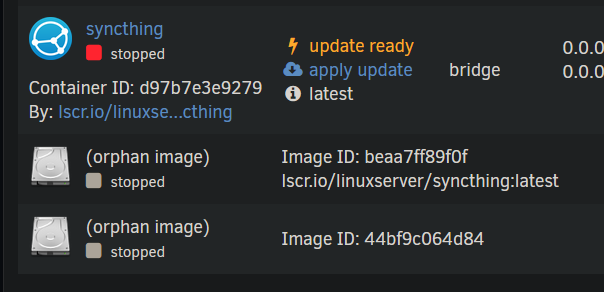
Don't the significance of this, but when I update syncthing from CLI docker image pull lscr.io/linuxserver/syncthing The pull completed successfully, but ended orphaning image
-
Tried to updated Immich today. Both times, with and w/o x10 in php file, failed to update Have included diagnostic file just in case untower-diagnostics-20240815-0947.zip
-
Just wanted to update - Anytime I have a container that fails to update "normally", I just run the docker pull command and it works. May take a while, but it works so far every time.
-
CLI pull does seem to work for me also. Cache is on SSD on zfs mirror I did notice something unusual, This was under ZFS Master tab. There are approximately 170 entries like this Are these the orphaned images? (I am not as technically savvy as the two of you)

-
I tired running pull from CLI on paperless-ngx, which I was also having problems updating and it worked here also Again, it took an extended period, but it did work
-
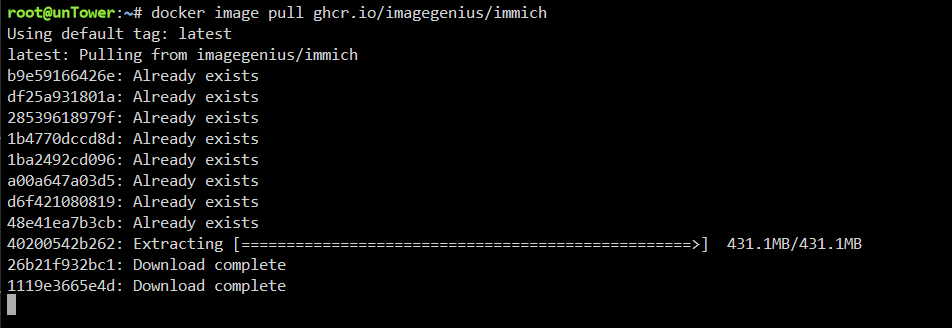
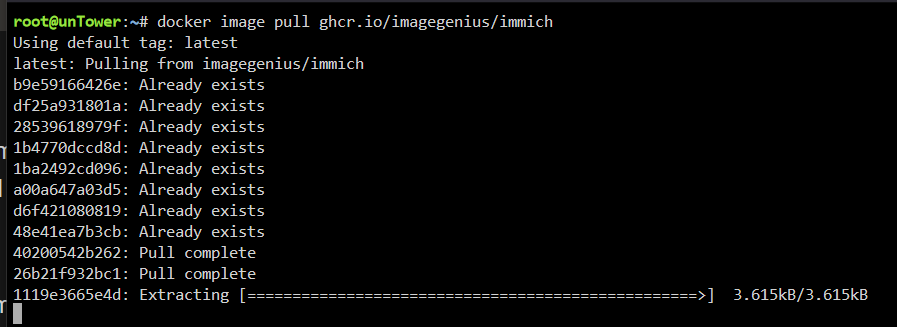
Hey - thanks for the tip. I tried it and it did work. Very strange how it hangs at certain points (above and below) for an extended period but it does complete and then can update from GUI

-
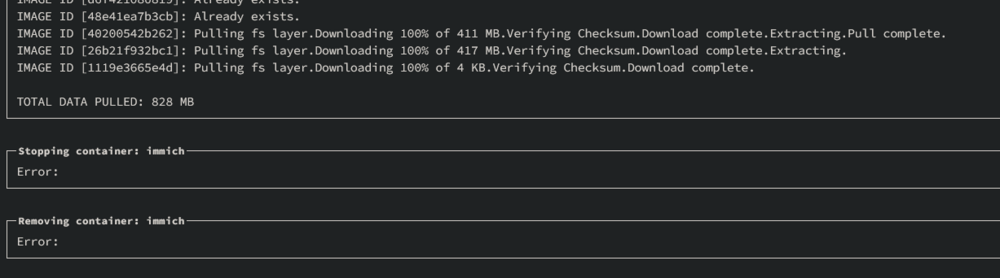
Just a fyi - I tried to update immich today with only the time out set to 300 (did not use the init flag and it also failed for me. Looks as thou the larger img pull did not complete

-
-
Same result, "finished successfully", but still saying needs updating.
-
did you mean remove everything from extra parameters except --init? Tried again with everything as before with same result - still saying needs updating
-
yep, did that and restored just fine (have had to do numerous times in the past), but still showing as update available I did do a diagnostic download unraid-diagnostics-20240731-1609.zip
-
When I tried starting it, it said execution error, Immich container now gone and there is an orphaned container now listed.
-
Adding the --init to Netdata container seemed to work. Adding to Immich did not. Althought the Immich container had a lot of other things listed in "additional parameters" --init <br>PostgreSQL 14/15/16 with (https://github.com/tensorchord/pgvecto.rs), Redis<br>This container requires an external application to be run separately.<br>You can also use a docker mods to start redis within the container,<br>Set `DOCKER_MODS=imagegenius/mods:universal-redis`, and `REDIS_HOSTNAME` to `localhost`.<br> Ran update twice and still shows as update available
-
Tried the --init parameter and it did update successfully. Will try with other containers as they become available and report back. Thanks for all your help so far




