uglytuna
Members
-
Joined
-
Last visited
Everything posted by uglytuna
-
Reread the linked post and tried updating with timeout set to 60. Updating a different container yielded: Removing container: Error: The command finished successfully! But container still shows as needing update
-
I increased timeout from 10 to 120. Seemed to be stuck at removing old image Competed with update failed and still shows "update ready" Page refresh now show paperless-ngx gone and there is now orphaned image
-
I have been dealing with this for a while now. Whenever I update a docker app (primarily those with larger images), it fails, repeatedly. Will often fail to remove old image or will have orphaned image Because it was affecting larger images thought maybe it was a read/write problem. So changed out SATA cables and even tried a different USB boot drive. (Grasping at straws) Reviewed the forums and tried what others had suggested: Have tired changing from single img file to directory (under settings/docker/ ) I have tired removing container and reinstalling. Sometimes it works, most times, even after a re-install, it will still say update available. Tried updating with Portainer. I know it's not a internet issue because I have another unraid server right next to it that updates just fine. The included diagnostic file was created just after I tried to update paperless-ngx TIA unRaid-diagnostics-20240729-1246.zip
-
I have had similar problems, and as stated usually involving updating containers with larger files. Seems it would partially thru downloading file and then stall. My docker.img file was located on a ZFS formatted drive. Removing and recreating did not solve this for me. What did worked was changing from .img to directory under docker settings setting -> docker -> enable docker = no -> change from vDisk to Directory, then reenable.
-
Just as a follow up - I was able to resolve by clearing error from disk settings and then scrubbing a second time
-
Not a snapshot - don't have any for this particular dataset. Have run scrub once, will do so again and will also do memetest. Thanks
-
I am looking for help in correcting this error. I have done a parity check on system (found and repaired 5 errors) and run a scrub on the pool (showed 1 cksum error) currently zpool status shows root@unRaid:~# zpool status -v disk1 pool: disk1 state: ONLINE status: One or more devices has experienced an error resulting in data corruption. Applications may be affected. action: Restore the file in question if possible. Otherwise restore the entire pool from backup. see: https://openzfs.github.io/openzfs-docs/msg/ZFS-8000-8A scan: scrub repaired 0B in 03:09:41 with 1 errors on Fri Sep 29 00:58:48 2023 config: NAME STATE READ WRITE CKSUM disk1 ONLINE 0 0 0 md1p1 ONLINE 0 0 0 errors: Permanent errors have been detected in the following files: /mnt/disk1/media/music/Music/P/Hits/07 file.mp3 disk1/media:<0x84> I have tried replacing file (new copy of file to location with the mp3) and just removing file (disk1/media:<0x84>) I am not sure how to proceed. Is there some way to repair or should I just reformat this drive? TIA
-
Thanks - will give that a try
-
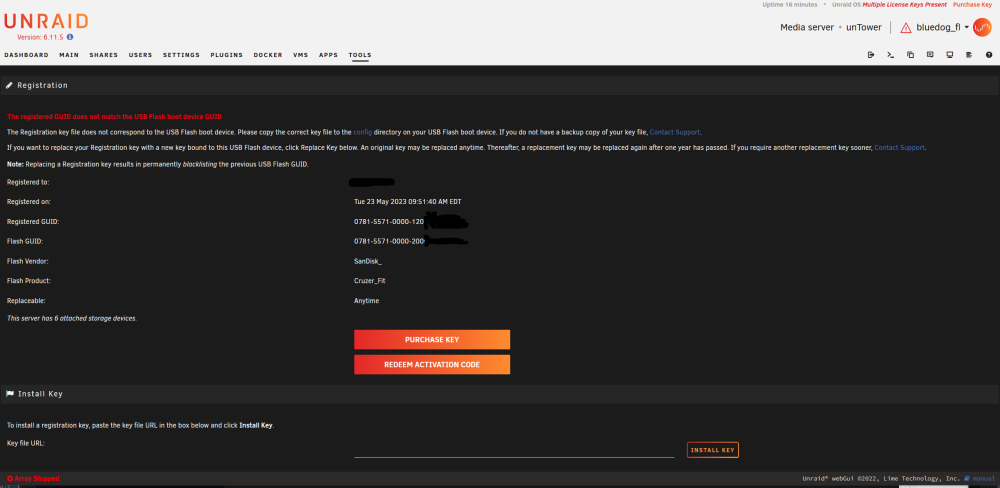
I tired that, but with original keys present the recovery key button disappears and and the only options are to purchase or redeem code
-
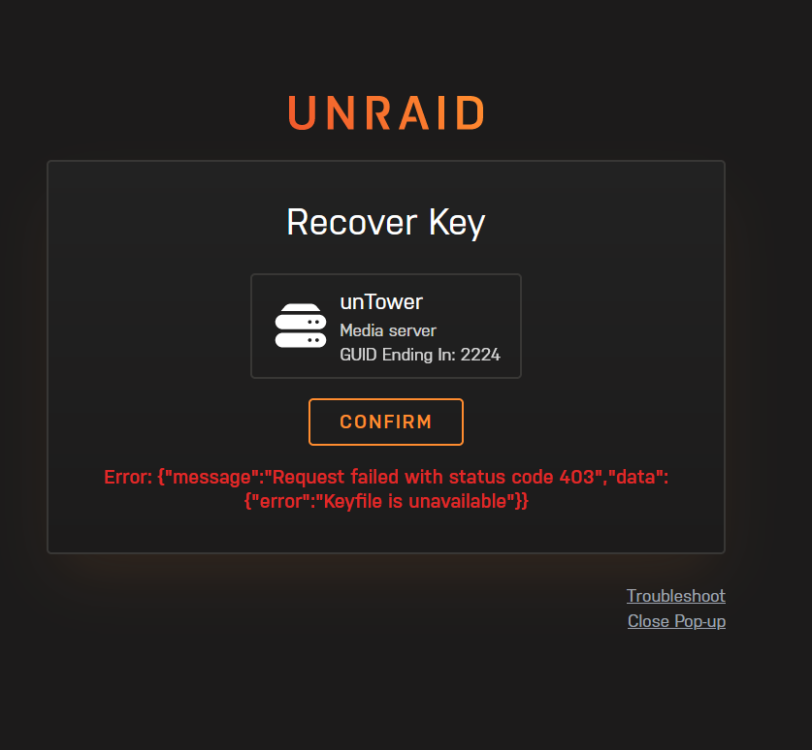
I am trying to move my unraid boot usb to a new usb. Created usb using unraid USB creator and used backup zip for file/drive creation Booted with new drive. Removed old keys (as instructed in error message) and hit Recover Key button but fails with status code 403 Keyfile unavailable Tried searching forums for what I might be doing wrong, but not having much luck