



Skip to content
View in the app

A better way to browse. Learn more.

Unraid

A full-screen app on your home screen with push notifications, badges and more.

To install this app on iOS and iPadOS
  1. Tap the Share icon in Safari
  2. Scroll the menu and tap Add to Home Screen.
  3. Tap Add in the top-right corner.
To install this app on Android
  1. Tap the 3-dot menu (⋮) in the top-right corner of the browser.
  2. Tap Add to Home screen or Install app.
  3. Confirm by tapping Install.

skynet_unraid

Members
  • Joined

Everything posted by skynet_unraid

  1. Resolved. I had to make a new docker/compose-files directory and edit the plugin settings and point it there for compose projects. not shure why but its good now.
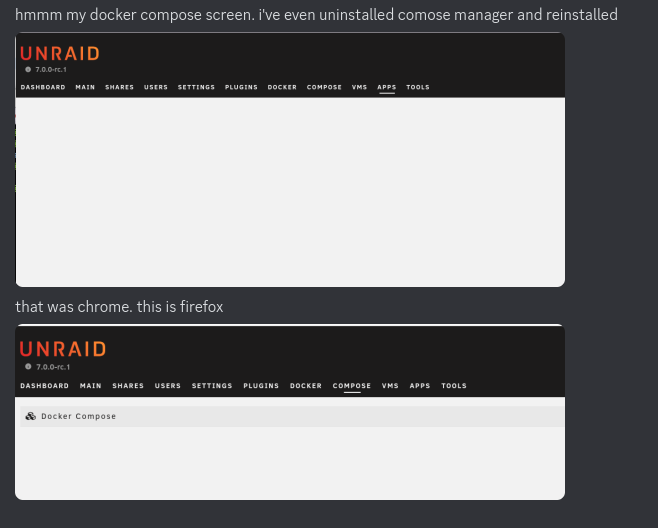
  2. the first one is chrome. i was on apps page and clicked on 'Compose' tab, not sure why the underline doesn't move (does now) but both chrome and firefox present the same blank page
  3. Docker Compose plugin blank page with either chrome/firefox. Unraid 7.0 rc 1
  4. Works great. Thanks for this utility.
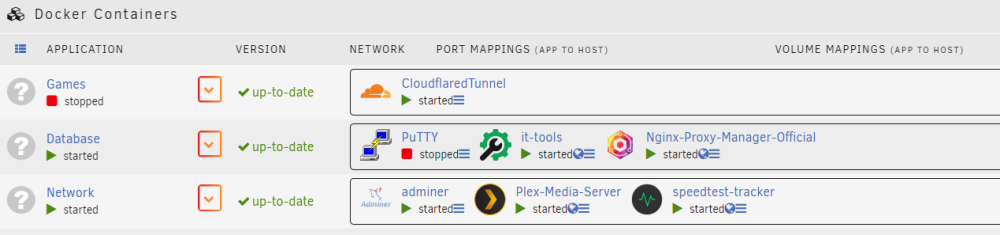
  5. Not working for me. Create several folders and have reorganized many times. none of the items selected are showing in the folder I put them in.

Account

Navigation

Search

Search

Configure browser push notifications

Chrome (Android)
  1. Tap the lock icon next to the address bar.
  2. Tap Permissions → Notifications.
  3. Adjust your preference.
Chrome (Desktop)
  1. Click the padlock icon in the address bar.
  2. Select Site settings.
  3. Find Notifications and adjust your preference.