






ProblemWithField
Members
-
Joined
-
Last visited
Everything posted by ProblemWithField
-
Ok, thank you, Im at where I am at. I appreciate you taking your time with me.
-
No it wasn't formatted in Unraid. I thought it would do it as I triggered the rebuild which it seems I didn't do correctly either. Can I redo the process over? Is there a place to point me to do it correctly?
-
It was a spare drive that was formatted on a PC to clear it and have it as a spare for whatever. I did no formatting when it was put in the array. I was in a bit of a panic when I tried to get things back. I should have taken a breath and... is there anything I can do from this point, or just deal with the consequences?
-
It was an empty drive.
-
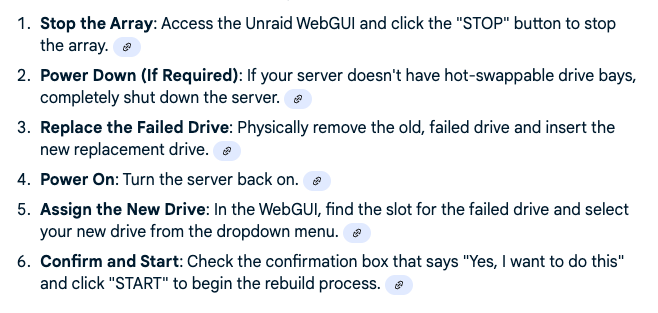
These are the steps I followed to replace the drive. It took about 2 days for it to be all set, but the drive was empty when it said it was finished.
-
I have a 16 TB Parity drive and I lost a drive from the array that was 8TB. I replaced the drive assigned the new disk to the old drive space, but it seems that the drive did not rebuild from the previous drive. Is there anything I can do to get it back? I have attached my diagnostics. tower-diagnostics-20250914-1904.zip
-
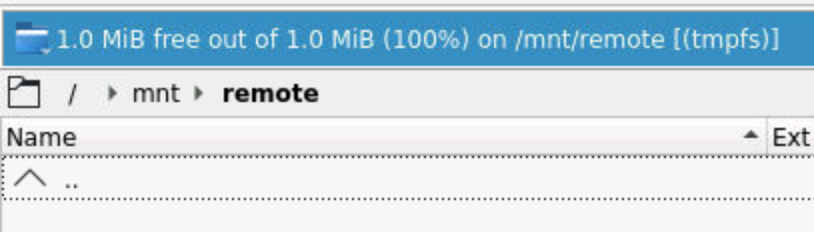
Thank you for your reply. I did not know there was a Krusader thread. I will do a search. When I am in Krusader I cannot see the shares I have set up in Unraid. I set up a SMB share on the main page of Unraid. Example A I then set it up in the Krusader App with a path to it. Example B This will work flawlessly until I have to reboot. Even though the paths remain after a reboot in the respective settings. When I have to reboot the system and I go back to Krusader and go to the same file path there are no folders from the share. Example C. If I delete the settings from Unraid and Krusader several times then for some reason it will start working again until I reboot, then I have to go through all the hassle again to try to get it to work. Please let me know if I am not being clear. I will also find the Krusader thread and post it there if I am making any kind of sense at all.


-
I had to shut my Unraid Server down because of loss of power. It was shut down properly. When I bring it back up, my SMB shares don't work in Krusader. All the paths I had previously set up are there, but it seems the only way to get things back is to continually delete the Unassigned mount on the main menu, and then delete the path I have setup in the Krusader menu multiple times until it works. Any ideas on what I could be doing wrong that I keep loosing this connection to my other SMB? I have the same issue with USB drives I have connected and built out. This has been an ongoing issue for over a year. I asked once before with no replies. Am I not following protocol when asking? Or do I need to add more information? Please let me know, I would really like to get this resolved. Other than getting data on my Unraid server from other places it has worked incredibly well.
-
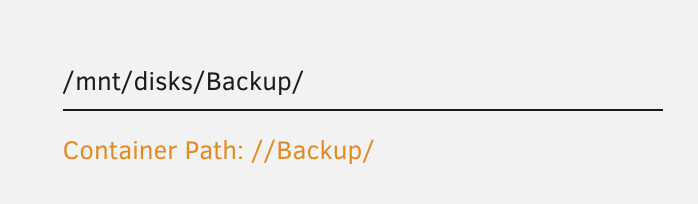
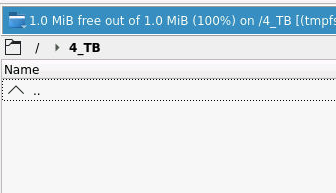
I have build several of the paths out for different usb drives to off load data to my Unraid server. Initially they all worked perfect as expected. However now when I connect them I can see the drive, but when I click into it, it doesn't show any of the flies just a blank screen. Have I done something wrong? I have attached a picture of one of the paths to see if I have it wrong. Any help would be greatly appreciated.
-
doh, sorry I got it, I had it under remote rather than disk. Thanks!
-
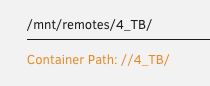
I must still have something not quite right, I can get to the drive but it won't show me the contents. I have connected it to my other server without issue, but the USB shows none of the contents.
-
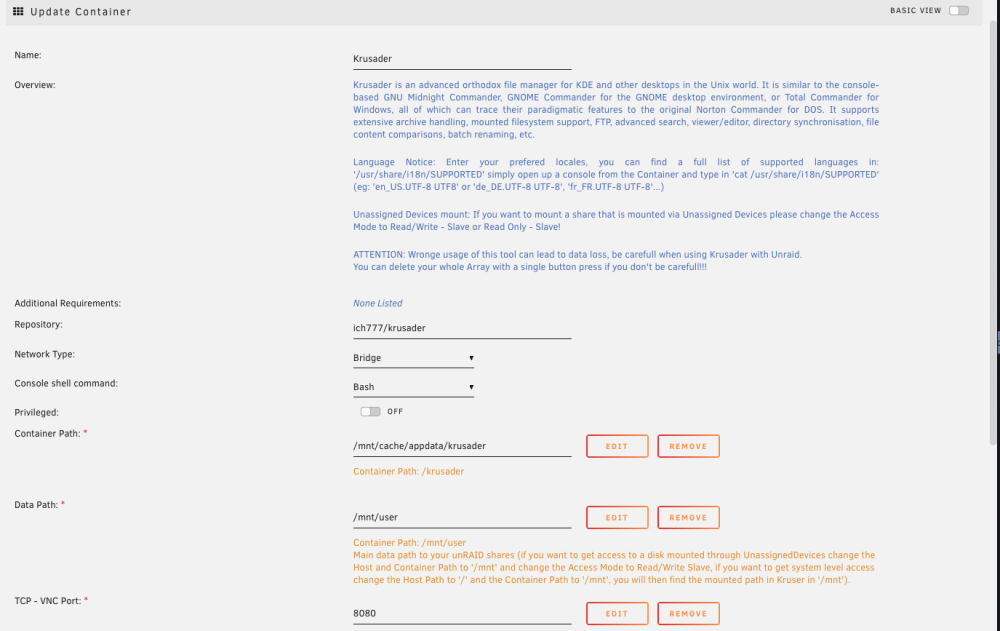
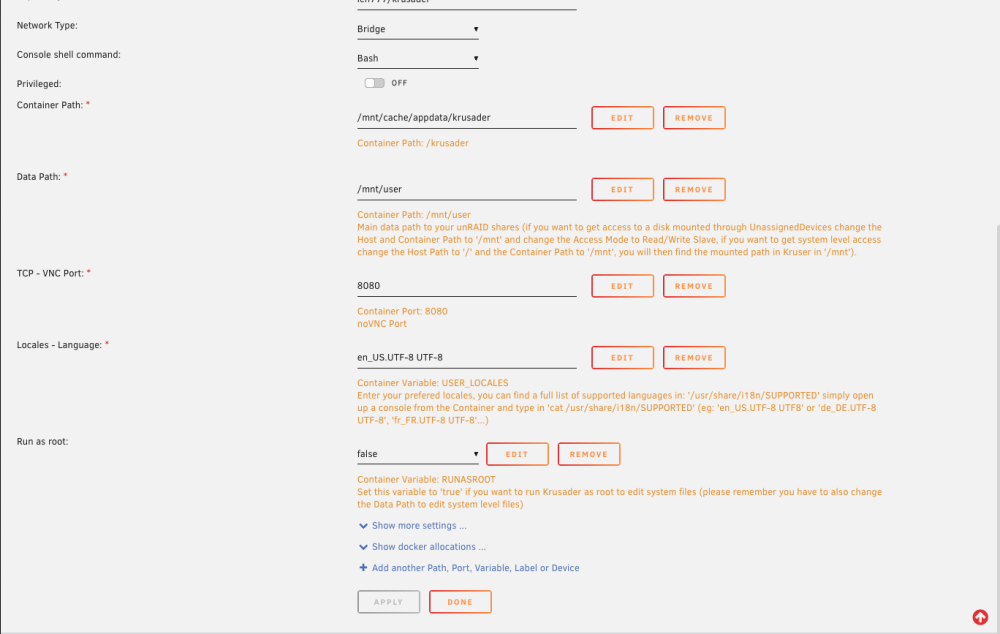
Is this what you mean by settings?
-
Could it be that it's a mac formatted drive?
-
When I built the server some time ago I had this set up and now I lost it. I have the usb mounted under the main window in Unraid, but when I load up Krusader I cannot find the mounted drive. I have searched and searched and cannot remember how to do this. I do have the community applications plugin installed and current. But I know I am missing something. Sorry to ask such a base question. Thanks for any help you can give.
-
Thanks again to all that helped. It is solved and back up with the new drive. I marked the last comment as solution, although this was pretty much a thread of solutions
-
I am sorry if I am understanding things incorrectly. I have emptied the drive, I would pull the drive out of the system, and then go to new config and apply and that will update everything to change the config to not having that drive any longer, but will not affect the data on the other drives.
-
The drive I want to remove seems to have finished copying, but it says there is 55.8 gigs on it yet, but all that appear is the Parent directory on the drive. Do you think I am safe to pull it?
-
Thanks trurl!
-
I am currently moving the data from the old drive using the dynamix file manager plugin, hopefully I did it correctly, I may need help to get the New Config figured out/
-
I got a new drive and my original intention was to replace it (16 TB for an 8TB) However I did it wrong and ended up adding the drive to the array. Is there a way I can move the data off the 8TB to the 16 so I can remove it? Main goal is to get everything to CMR drives to make things work a little smoother. I will be getting another 16 TB at Christmas time. Merry Christmas! Any Help would be greatly appreciated. I must suck at putting in search terms here.
-
I have marked this as being solved, it is working so good! Thanks again for all the help!
-
The whole finish key replacement isn't working for me, so I sent them an email.
-
Trurl, THANK YOU! Thanks to all who helped me work through these issues. I have requested a new licenses key and as soon as that arrives I believe I will be all set with all my data. Thanks again to all of you. I have a been a bit laid up after a couple surgery's, and was quite anxious about all this. Thanks so much to a great community!
-
That will be the first thing I check when I get back to the machine. Thanks so much!
-
I did rebuild the drive, I have not moved the config yet. (Figured I would see if it worked first). When it shows up on my network it still says Super Micro computer and gives me the above Super Micro Screen. Do you think that possibly means the network settings on the BIOS somehow got messed up? All the drive settings needed to be corrected to get rid of the shell prompt. On my end it's just a total guess. Thanks for the info on my data, I have been trying not to panic since all this happened. I appreciate your patience with me.


