Skip to content
View in the app

A better way to browse. Learn more.

Unraid

A full-screen app on your home screen with push notifications, badges and more.

To install this app on iOS and iPadOS
  1. Tap the Share icon in Safari
  2. Scroll the menu and tap Add to Home Screen.
  3. Tap Add in the top-right corner.
To install this app on Android
  1. Tap the 3-dot menu (⋮) in the top-right corner of the browser.
  2. Tap Add to Home screen or Install app.
  3. Confirm by tapping Install.

syper

Members
  • Joined

  • Last visited

  1. Hello, thank you for the answer my server becomes slow as soon as I start Unraid API even though I am not even opening the UI. Same with MQTTRefreshRate=60 env variable In log MQTT :
  2. Good morning, For my part still doesn't work! The unraid web interface becomes slow and when I stop the container the following errors appear in the logs
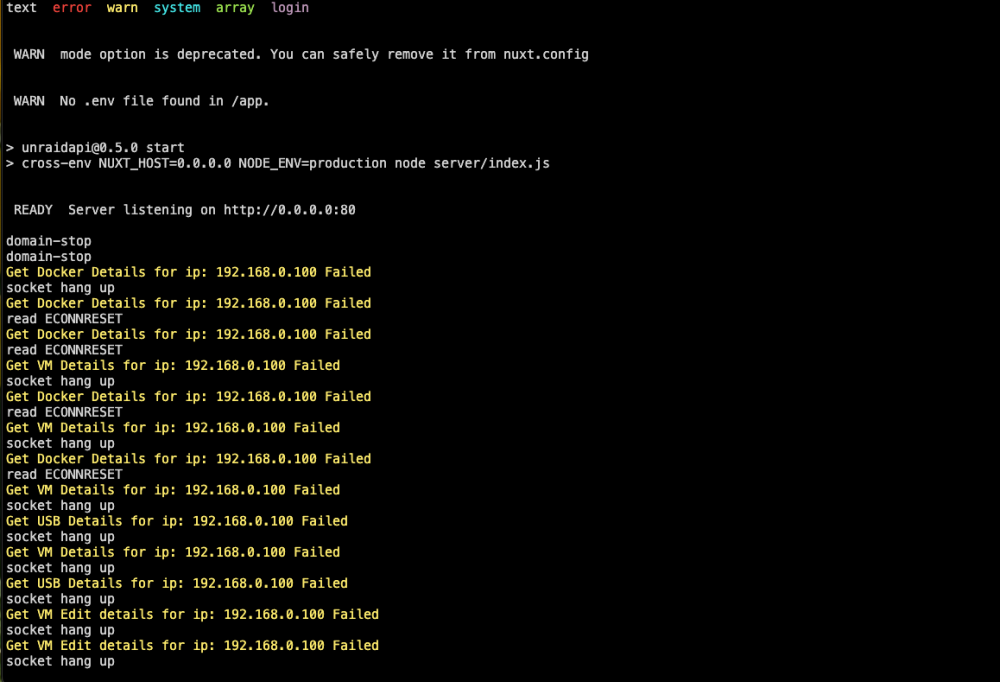
  3. @BoKKeR I deleted everything and started again and I saw this error at the beginning: Then it loops over: Thank you
  4. Unraid : 6.12.2 Unraid api : bokker/unraidapi-re:6.12 Home Assistant 2023.7.2 Supervisor 2023.07.1 Operating System 10.3
  5. Hello, The information goes back to "Home Assistant" but the actions do not work. I can't turn on or off a docker container. I have no error message 🥲 thank you for your work.

Account

Navigation

Search

Search

Configure browser push notifications

Chrome (Android)
  1. Tap the lock icon next to the address bar.
  2. Tap Permissions → Notifications.
  3. Adjust your preference.
Chrome (Desktop)
  1. Click the padlock icon in the address bar.
  2. Select Site settings.
  3. Find Notifications and adjust your preference.