BoKKeR
Members
-
Joined
-
Last visited
-
I managed to fix the issue, it kept trying to write to a folder that didnt exist. Just created manually: /app/log/history and it works
-
This container uses a lot of cpu when idle, I tracked down that its the single container out of 40 keeping my cpu occupied at all times, I encourage testing turning it off when not used.
-
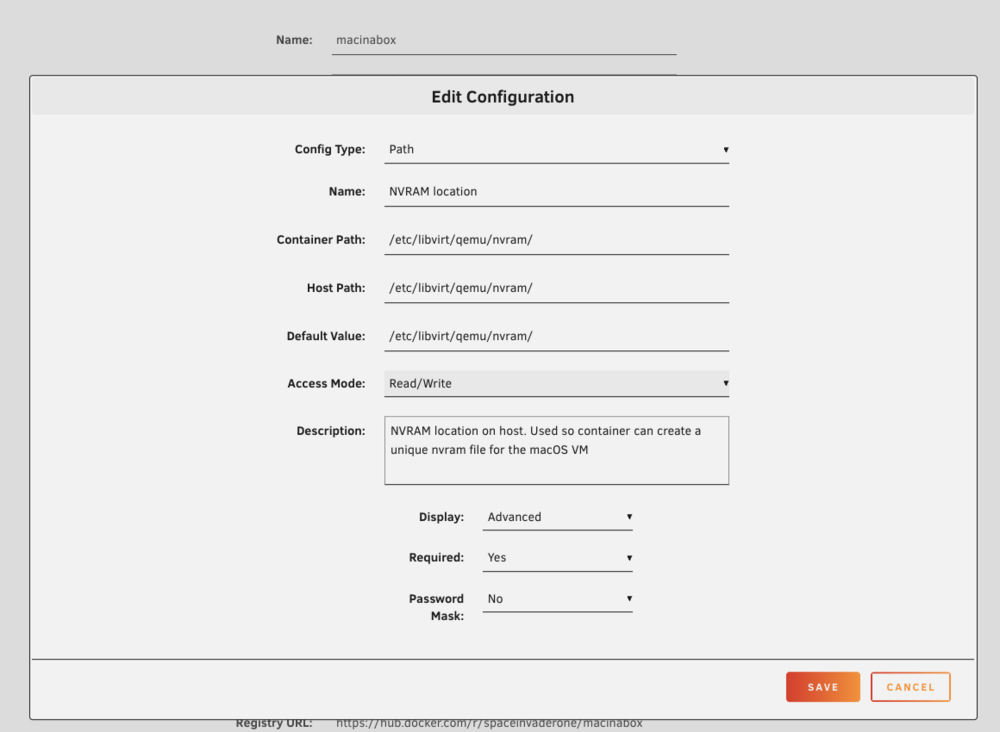
Hopefully this helps someone in the future, I have been facing this error: operation failed: unable to find any master var store for loader /etc/libvirt/qemu/nvram/1b777903-7a8f-451f-95cd-eac2f843354d_VARS-pure-efi.fd I checked in /etc/libvirt/qemu/nvram and the file was not created The solution was the following, the nvram path in macinabox docker container, hidden paths, has been set to READ ONLY, I changed it to read and write. Unfortunately I had to delete the vm to be able to re-run the docker and then it created the nvram file, but if you want to, you can probably just run the missing command manually, which generates the file https://github.com/SpaceinvaderOne/Macinabox/blob/d2b961f831cf10523bcc7cb66918b42b837b960e/Macinabox/run/unraid.sh#L317
-
It was because I was sharing my nvidia gpu with other containers
-
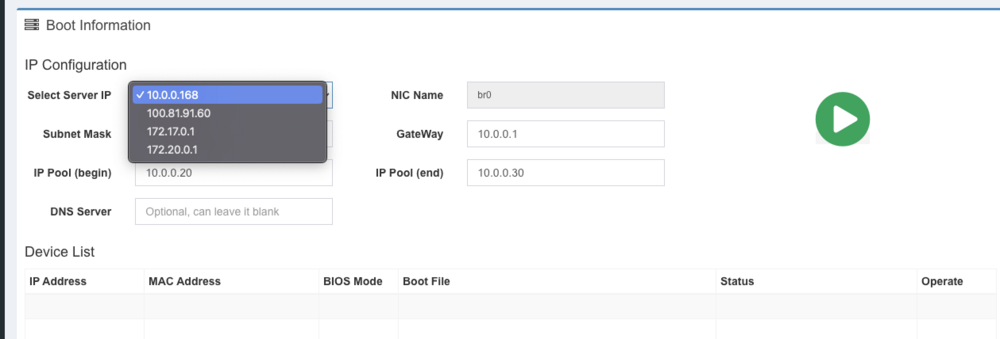
To disable the vm service using the dhcp and tftp port run the following and reboot virsh net-autostart --disable default For those of you who dont have the right ip under interface, I solved this by changing the network adapter from bridge to host for this docker container!
-
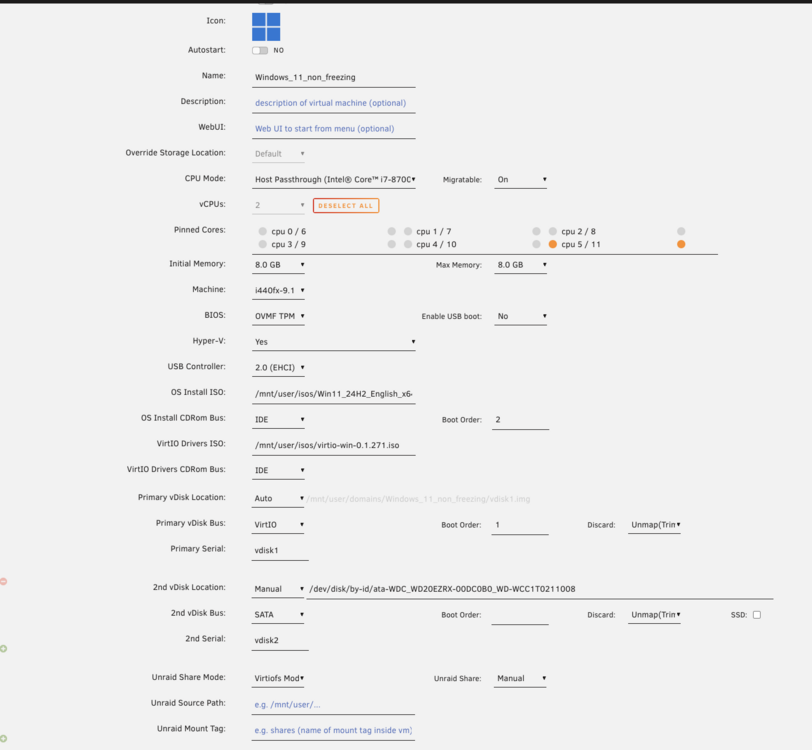
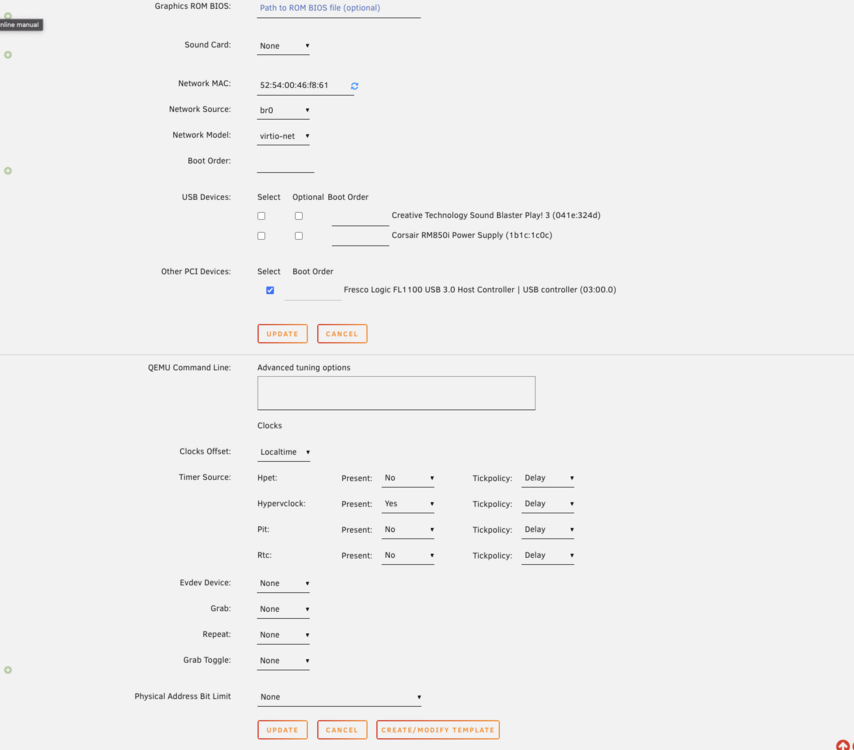
This window vm is crashing my server upon starting it passed in GPU passed in drive, and a vdisk on a cache drive. 2-4 cores, (min 4 cores free for unraid) upon starting the vm it crashes the server web-ui wont load anymore forced to reboot over ssh. Running 7.2.2 but I doubt that its caused by the update. unraid-diagnostics-20260116-0906.zip
-
Thanks that solved it, works also on 7.0.1 seems like.
-
I am posting diagnostic s before and after update to rc, the update seems to have not fixed the issue. unraid-diagnostics-20250425-1039.zip unraid-diagnostics-20250425-1105.zip
-
Thanks thats good to know, will just wait it out
-
--------Nothing to do, Nvidia Driver v575.51.02 already downloaded!--------- ------------------------------Verifying CHECKSUM!------------------------------ ----------------------------------CHECKSUM OK!--------------------------------- root@unraid:~# nvidia-smi NVIDIA-SMI has failed because it couldn't communicate with the NVIDIA driver. Make sure that the latest NVIDIA driver is installed and running. root@unraid:~# sudo modprobe nvidia modprobe: ERROR: could not insert 'nvidia': No such devic running with a RTX3070. This started happening after upgrade to 7.0.0, any ideas?
-
I am having this issue both on MAC OS and all my kubernetes nodes are failing to list shares. Downgrading helps. unraid-diagnostics-20250407-1033.zip
-
Has this been removed? I cant find it in the app browser
-
Might be a little bit off topic, I noticed that many might be using this iscsi target for kubernetes, with some users naming their targets as k8s. Could anyone share their yaml setup? I have been looking at democratic-csi and as far I understand I would have to use node-manual driver. This might not create new targets automatically as I understand. Great plugin btw!
-
I have checked on it but since I am using typescript and this is a backend+frontend project it quite difficult to build in a way that both components work In the meanwhile could you remove dangling images, I usually run this command, read in the console what it doas: docker system prune -a WARNING! This will remove: - all stopped containers - all networks not used by at least one container - all images without at least one container associated to them - all build cache
-
https://discord.gg/GjAyxvuyEx Feel free to join my discord for direct support.