Skip to content
View in the app

A better way to browse. Learn more.

Unraid

A full-screen app on your home screen with push notifications, badges and more.

To install this app on iOS and iPadOS
  1. Tap the Share icon in Safari
  2. Scroll the menu and tap Add to Home Screen.
  3. Tap Add in the top-right corner.
To install this app on Android
  1. Tap the 3-dot menu (⋮) in the top-right corner of the browser.
  2. Tap Add to Home screen or Install app.
  3. Confirm by tapping Install.

ScottyYDG

Members
  • Joined

  • Last visited

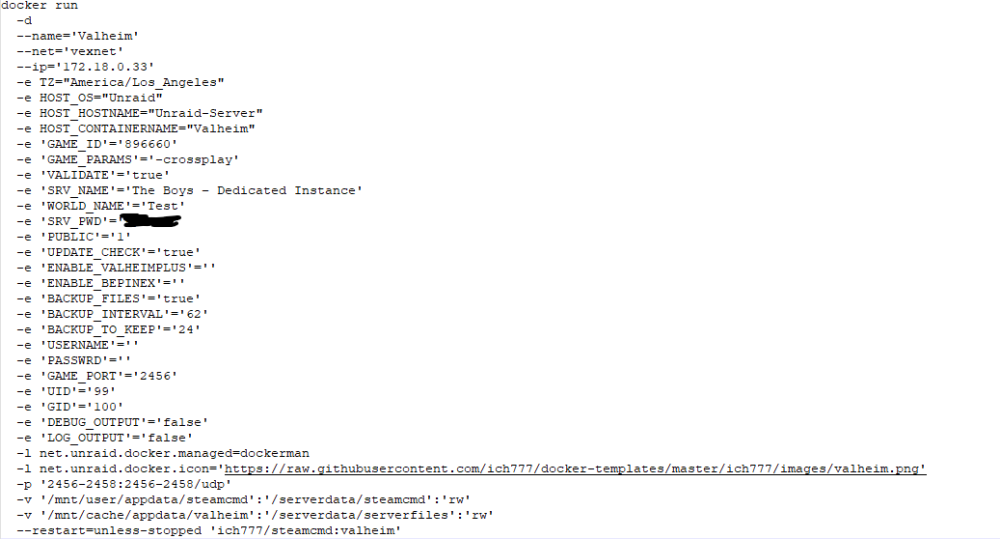
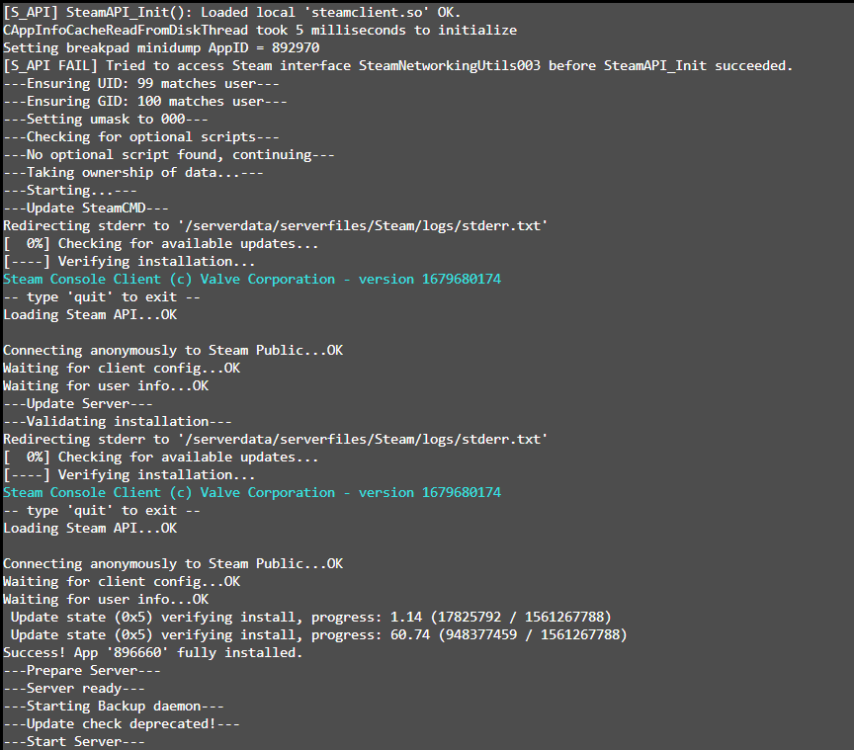
  1. Hello, I am working on setting up a Dedicated Valheim server w/crossplay for my friends. I've hit a bit of a snafu, though, as it seems the '-crossplay' tag isn't forcing the PlayFab information to be downloaded when the server files are being downloaded? My server seems to show up in the community tab and I can access it (running from it's separate Unraid box), but the specific tab does not appear showing Crossplay as working in the server list. As well, here are my current docker settings as they are in the config menu, I'm running it on a custom Host network, though I saw a few posts within this thread mentioning they may be needing to switch to Host, but I'm not 100% sure.
Account

Navigation

Search

Search

Configure browser push notifications

Chrome (Android)
  1. Tap the lock icon next to the address bar.
  2. Tap Permissions → Notifications.
  3. Adjust your preference.
Chrome (Desktop)
  1. Click the padlock icon in the address bar.
  2. Select Site settings.
  3. Find Notifications and adjust your preference.