





Vilaran
Members
-
Joined
-
Last visited
-
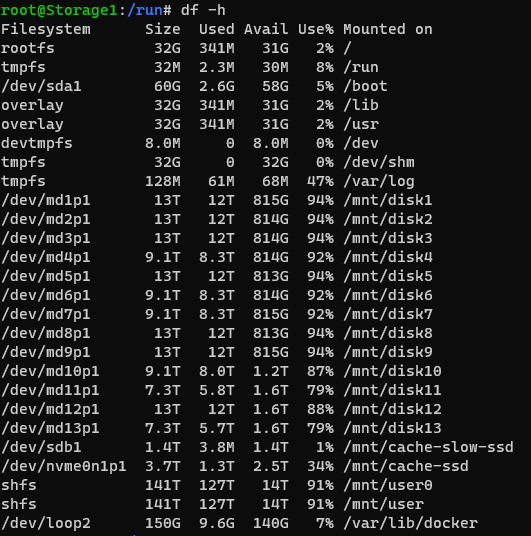
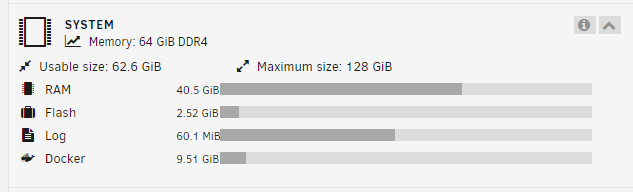
I am experiencing this issue too. Every 3-4 days, I can no longer start any docker containers. I get the following "no space on device" kind of error for each container. docker: Error response from daemon: failed to create shim task: OCI runtime create failed: runc create failed: unable to start container process: unable to apply cgroup configuration: mkdir /sys/fs/cgroup/docker/92f1ef37cbe933b33651c450bfb566b2243b365d4bae76b791f7c5f990f5ec67: no space left on device: unknown. Unlike the posters above me, I am not running the nvidia container and my /run directory is not being filled. I tried the suggestions posted there anyways with no success. I can't find any directory or drive that is being filled. df -h yields nothing concerning. A reboot fixes this, but this is extremely annoying.
-
Lately I've been having an issue where when I add a new container to the system by creating a docker-compose.yml and then using docker-compose to pull or run the container, I lose the /mnt/user mountpoint entirely. To get it back I have to reboot the system. The error when trying to do anything with /mnt/user after the problem happens is: Transport endpoint is not connected The only thing I see in the system logs is this line: Apr 5 11:32:30 Storage1 shfs: error: strcpy_share_path, 452: No such file or directory (2): path too long: /✔ Container graylog-mongo-1 Created 0.0s
