




Skip to content
View in the app

A better way to browse. Learn more.

Unraid

A full-screen app on your home screen with push notifications, badges and more.

To install this app on iOS and iPadOS
  1. Tap the Share icon in Safari
  2. Scroll the menu and tap Add to Home Screen.
  3. Tap Add in the top-right corner.
To install this app on Android
  1. Tap the 3-dot menu (⋮) in the top-right corner of the browser.
  2. Tap Add to Home screen or Install app.
  3. Confirm by tapping Install.

oceanborn75

Members
  • Joined

  • Last visited

Everything posted by oceanborn75

  1. When I had this problem two things I did fixed this issue 1-Turn off the container, then Run the "Docker Safe New Perms" on the TOOLS section of Unraid 2-Add the line 'check_data_directory_permissions' => false, in the config.php file in the config directory /mnt/user/appdata/nextcloud-ffmpeg/config
  2. you have to use github's "download raw file" button to get the proper contents
  3. IT Worked! thank you so much for the suggestion
  4. I'll give that a Go, thanks
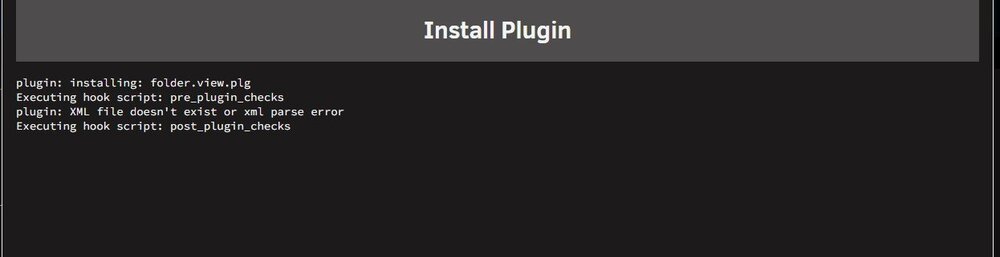
  5. I tried this method but I get this error when trying to install it, I put the two required files in their respective folders, any ideas?
Account

Navigation

Search

Search

Configure browser push notifications

Chrome (Android)
  1. Tap the lock icon next to the address bar.
  2. Tap Permissions → Notifications.
  3. Adjust your preference.
Chrome (Desktop)
  1. Click the padlock icon in the address bar.
  2. Select Site settings.
  3. Find Notifications and adjust your preference.