





neba
Members
-
Joined
-
Last visited
-
I found the problem. The problem was in the Taulscale plugin. Either you need to turn off MagicDNS in the Tailscale admin console or Disable "Accept DNS" in the plugin.
-
In Network settings I set it for the DNS server 208.67.222.222, 208.67.220.220. When I type nslookup google.com I get Server: 100.100.100.100 Address: 100.100.100.100#53 Non-authoritative answer: Name: google.com Address: 142.251.38.238 Name: google.com Address: 2a00:1450:4017:801::200e This bothers me 100.100.100.100, why doesn't the DNS server I set up work. How can I check which DNS is being used?
-
If that's the only solution. That's what I'll do. Thanks everyone for your help
-
I'm so desperate and I don't know what to try, adjust. Is it possible, that the pfSense DHCP server takes over the assignment of IP addresses based on MAC address or anything else. The Unraid DHCP server assigns Containers addresses to me non-stop. Of course, everything is set to a certain VLAN and Unraid and pfSense.
-
The problem may be in the Switch. On port 1 is pfsense (10.10.10.1) On port 2 is Unraid (10.10.10.10) On port 3 is a wifi AP (10.10.10.2)
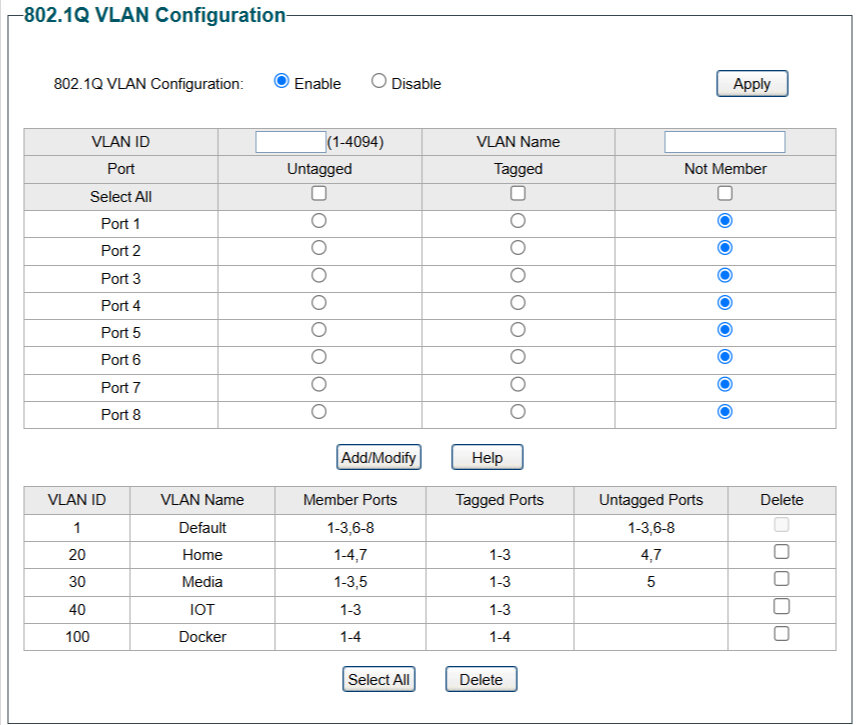
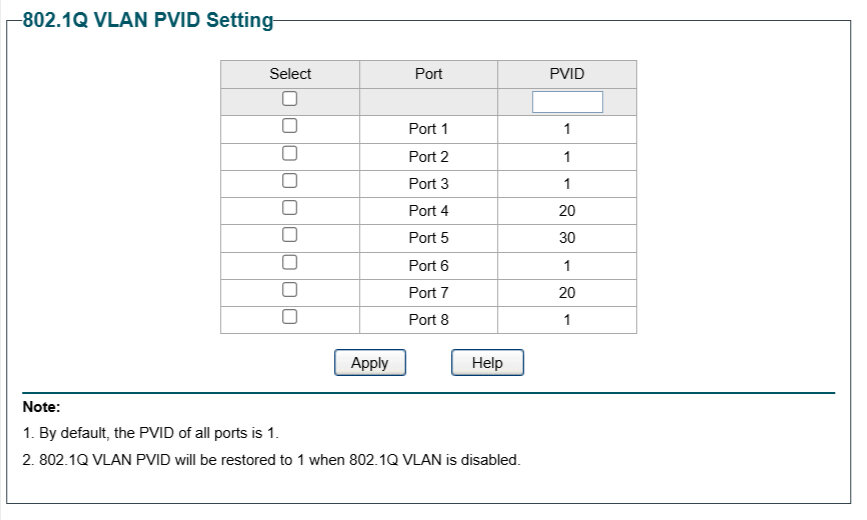
-
Here are the settings in pfsense. I installed Unraid from scratch. I have only one Container installed and I will try with it.
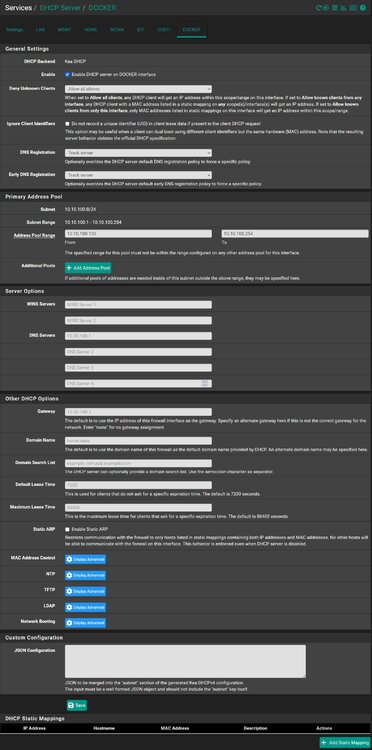
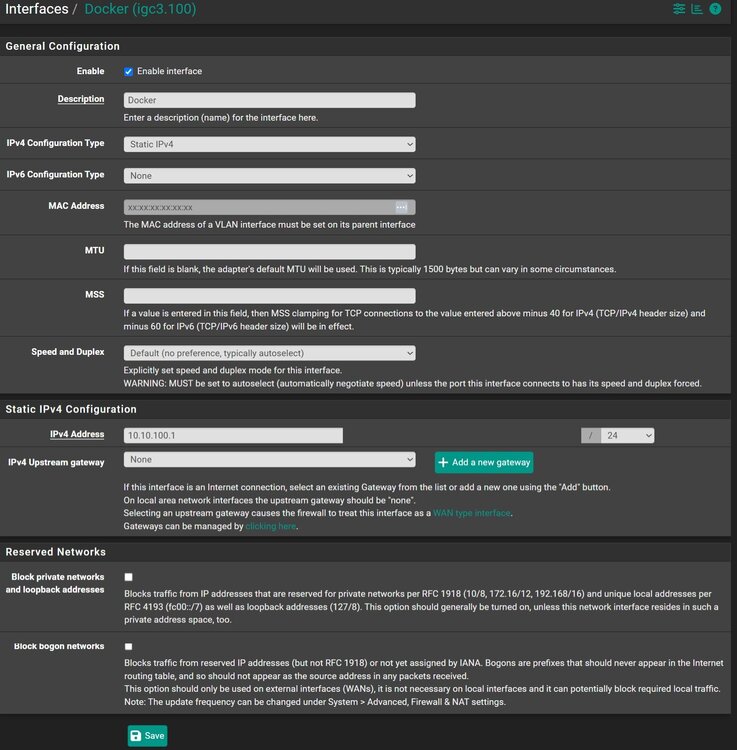
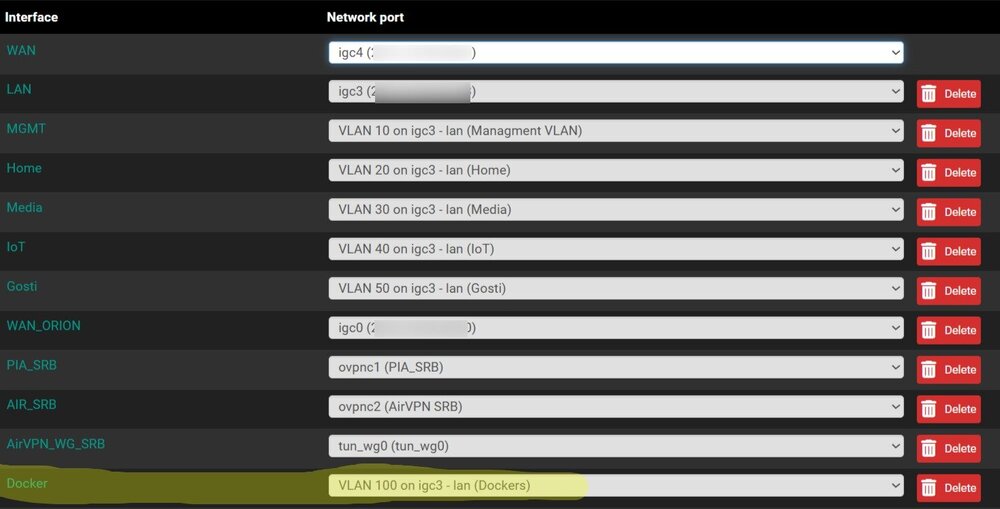
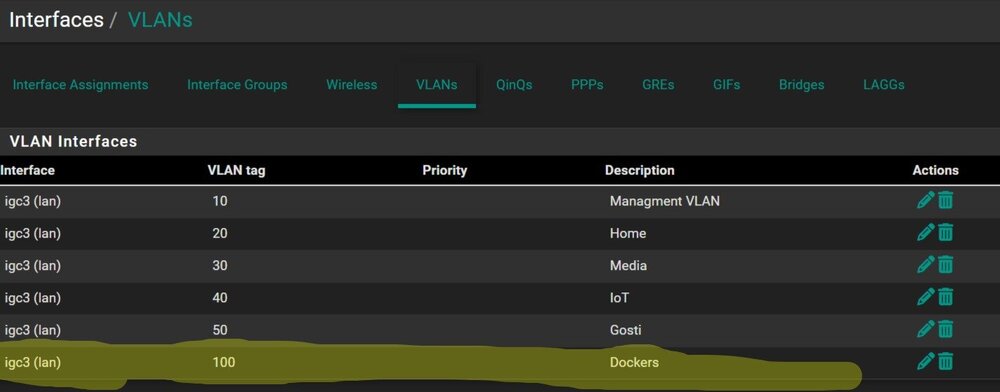
-
Uh, thanks for such a detailed answer. What I notice is that I set it up under docker settings: Host access to custom networks: Disabled Preserve user defined networks: No Your advice is to be Enabled and Yes That's right, and I think it's not pfsens, but the Unraid DHCP server assigns IP addresses. That Docker doesn't reach pfsens. I'll send the settings from pfsens later when I get home, and check everything you mentioned. Thanks again
-
I'll give it a try
-
That's right, with the fact that I manually entered the MAC address and IP address. I'm not sure that the DHCP leases show the MAC addresses of the Container.Great, thanks. As far as I understand, if I want the IP address 10.10.100.10, I need to put the MAC address 02:42:0a:0a:64:0a. What is the purpose of pfsense and the possibility for it to give me an IP address based on a MAC address?Thanks, but I don't know what else to do. If you don't mind, take a look at the screenshots I posted. Macvlan for Docker network type is set. I did not understand the last sentence. Is it better to add a custom MAC address with the --mac-address=xx:xx:xx:xx:xx:xx option (somewhere it says that it must start at 02:42:xx:xx:xx:xx), or is it better that the Container itself assigns the MAC address during installation. What does it mean that it is related to the IP address. In the example above, I let the Container assign the MAC address itself, and it can be seen through two commands. There are screenshotsNothing has to be done automatically. I would enter the MAC address into pfSense and based on that pfSense would assign an IP address for that Container.Thanks for the quick answer. I found a topic on this forum that with the MAC address they fixed the IP address on Opensense. But there is no explanation of how it was done. Apparently it can do the same on ProxMox. The custom MAC address assigneed to Container and the IP address is fixed for that MAC address in pfSens.




