





dubbleb
Members
-
Joined
-
Last visited
-
yes, thats correct. Okay, now I need to get home and see if I can get all of the appdata moved over successfully and point to the correct cache drive. Thanks @JonathanM
-
Okay, then if I have a different pool name than "cache" that will not work for me correct? The docker drive is in a pool named "Cache_nvme". Im assuming I should point the docker appdata to /mnt/Cache_nvme/appdata, is that correct?
-
Hi Unraiders, I recently replaced a failed cache drive that stores my appdata for all docker containers. Now I am trying to get everything back up and running. I know it is recommended to point Plex to operate out of the cache drive /mnt/cache/appdata. I am curious how do I verify what drive is being pointed to when using /mnt/cache/appdata? The reason I ask is when trying to restore the appdata tar file I had some how it reported that the drive ran out of space. The drive is 1 TB in size and my appdata is only 170GB decompressed, so I know that is not possible. I do however have a small cache drive and am wondering if some how when the appdata share was deleted if the link some how changed? Any guidance on the command to show what this directory string /mnt/cache/appdata is pointing to? I have 3 drives under pool. One is dedicated to docker, one to VMs and the other a small cache drive for downloads.
-
Thank you, will definitely back it up from now on. I mainly mess around with the docker containers so never really thought about backing up the VMs.
-
Thanks @JorgeB I was hoping that might not be the answer. I have some odd virtual machines like GNS3, so not really sure I can remember the settings. I will test on a small one.
-
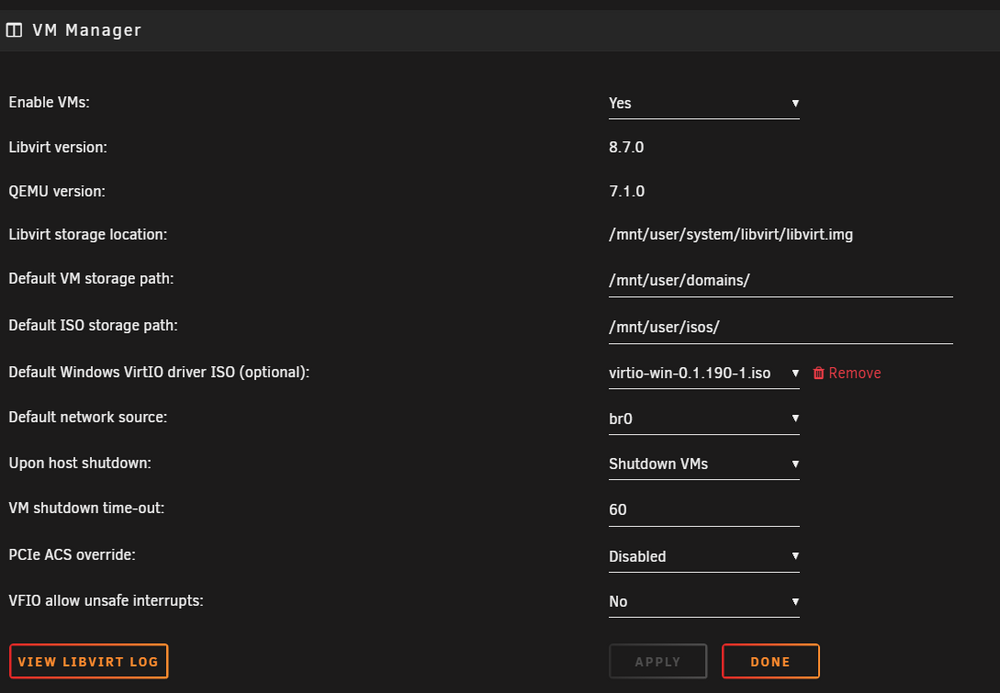
Long story short, I lost my cache drive for docker containing appdata. I replaced the drive and restored and Docker is up and running(I think). I noticed while restore docker that all of my virtual machines are missing and the screen is blank like initial config. The Domains share still has all of my vdisks for the virtual machines. I have cross checked the domain.cfg and everything appears to be correct. I have even verified that the libvirt.img is in the location specified. /mnt/user/system/libvirt/libvirt.img. I believe the libvirt.img was on the cache drive that I lost and I dont have a backup. Can anyone give some guidance on how I can restore the VMs? Also what is the best method of backing up the hypervisor and VMs on unraid? Scripts to copy the libvirt image to another server? I have attached diagnostic tools but it is not showing any logs in QEMU. asgard-diagnostics-20240603-2333.zip
-
Resolved in url below. Backup json files of docker.folder, uninstall plugin and reinstalled forked version for 6.10+. Copies json files back into plugin directory docker.folder. https://forums.unraid.net/topic/89702-plugin-docker-folder/page/28/
-
Disregard looks like its an issue with the Docker Folder plugin.
-
Anyone have any thoughts or suggesions?
-
yes, at the moment Im the only one who uses the plex server. It was the GPU that came with the workstation and I wanted to test it I could use it. I would like to add an additional GPU and pass this old one through to a VM.
-
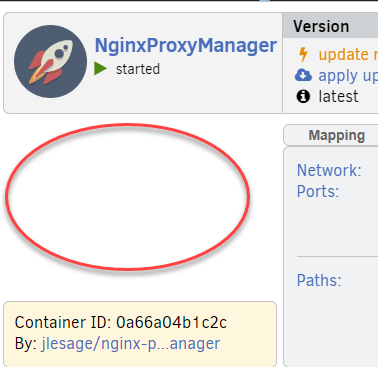
I updated to 6.11.5 two days ago and I just realized that the quick launch menu's are now missing from all of my docker contaiiners icons. Anyone else run into this? I have tried stopping and re-enable docker as well as multiple reboots no luck. I re-installed a container as well and still no quick launch options ie. open url etc.
-
Yes, I actually use it for transcoding. I was able to get it to work again. I only use it internally and just one machine at a time. Thanks everyone for your help. Oddly enough, that option did not work for me in the past. This time I was able to uninstall, reinstall and it worked.
-
Does anyone have or know the process to point to an old driver? My old GPU was previously working but I updated unraid and it seems to try and use the newer drive version 530 as seen below. I have tried manually changing a couple of files that worked for me previously but I do not seem to be having any luck to make it use version 470.

