Everything posted by BL76
-
@CkChong I had to reboot today after doing some maintenance and that fixed it. Thank you! Another request -- would it be possible to offer more fine-grained "Interval" options (less than 1 minute - on the order of seconds)? I've been allowing the BIOS to control my CPU and exhaust fans, but would like to allow this plugin to do it instead. However, CPU temps can change abruptly (depending on load) and need quick response in terms of adjusting fan speed(s). Allowing an interval as low as 1 second would be ideal, as long as it wouldn't introduce additional burden / load on the system from the higher rate of temperature polling, and as long as it doesn't break the existing architecture of the code. What are your thoughts? Thanks.
-
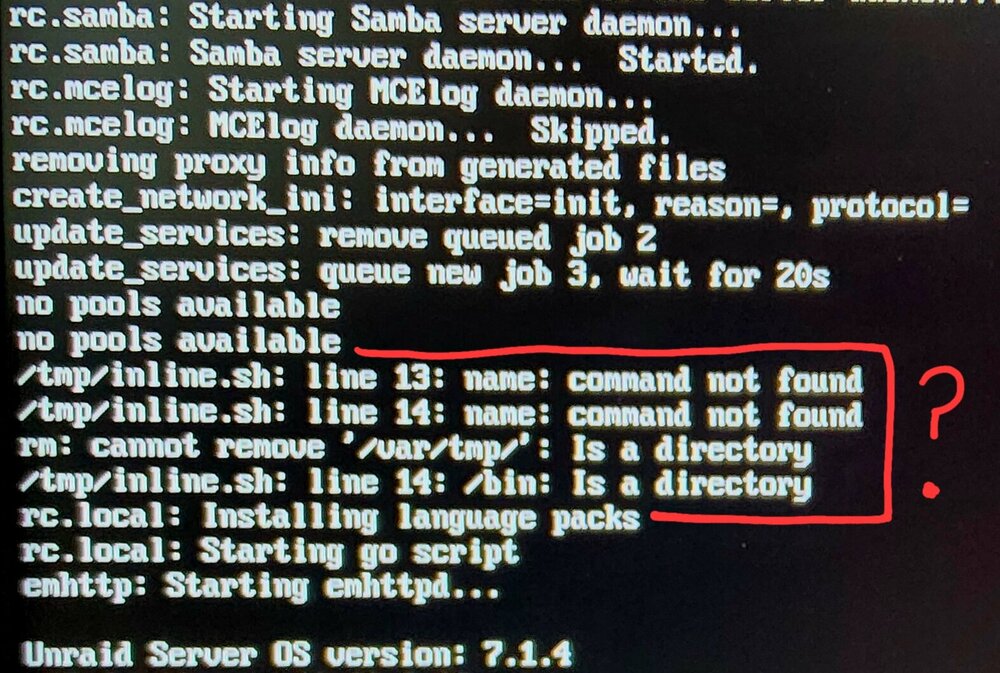
The plugin works great, thank you for developing it. However, it's generating the following (benign?) boot log errors related to /tmp/inline.sh: /tmp/inline.sh: line 13: name: command not found /tmp/inline.sh: line 14: name: command not found rm: cannot remove '/var/tmp/': Is a directory /tmp/inline.sh: line 14: /bin: Is a directory I confirmed that those errors are only generated when the plugin is installed. Thank you.
-
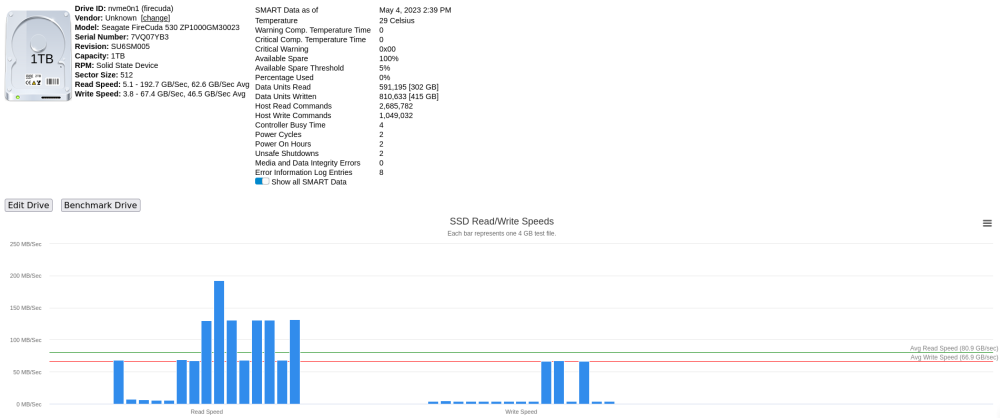
I am also getting similar results on a brand new top-of-the-line Seagate FireCuda 530 1TB nvme drive. Is it possible not enough threads are being used in order to saturate the drive read/write capacity? I'm trying to diagnose why I'm suddenly no longer getting a sustained 10Gb/s of copy throughput from my machine to my Unraid machine (both have 10Gb NICs and are connected via a 10Gb switch). At one point I was able to copy movies at full network capacity, and iPerf 3 confirms that the network is indeed functioning at full speed. That leaves the disk (or OS) as the primary suspect. So I just replaced the previous 500GB FireCuda 530 with this new 1TB (the read/write speed specs on the 1TB are slightly better) and nothing changed in terms of real world copy speeds. However, the benchmarks indicate a minimum of 3.8 GB/sec of write speed. (BTW, the average write speed line looks incorrect in my results). When I'm copying movies, they start out at around 2.3GB/s and eventually grind down to around 600MB/s. It's bizarre and I have no idea what's causing it.