





classma
Members
-
Joined
-
Last visited
Everything posted by classma
-
Danke für den Tipp, kannst du mir was nenne wo ich mich einlesen kann. Also was mich dann auch weiter bringt.
-
Dankeschön, Ich werde das mit dem System machen. Wenn das auf dem Cash ist dann sollten alle Array Festplatten in standby gehen wenn nichts passiert? Wegen der BIOS Einstellung werde ich es beheben. Muss mal schauen was ich da einstellen muss. Wenn ich das habe muss ich da Dan auch noch was einstellen wegen dem Cache? Viele lieben Dank Und viel grüße!!!!
-
Nein, habe ich nicht. Das hat mir mal alles ein Freund eingerichtet und der hat alles im Standat der Installation von Unraid übernommen
-
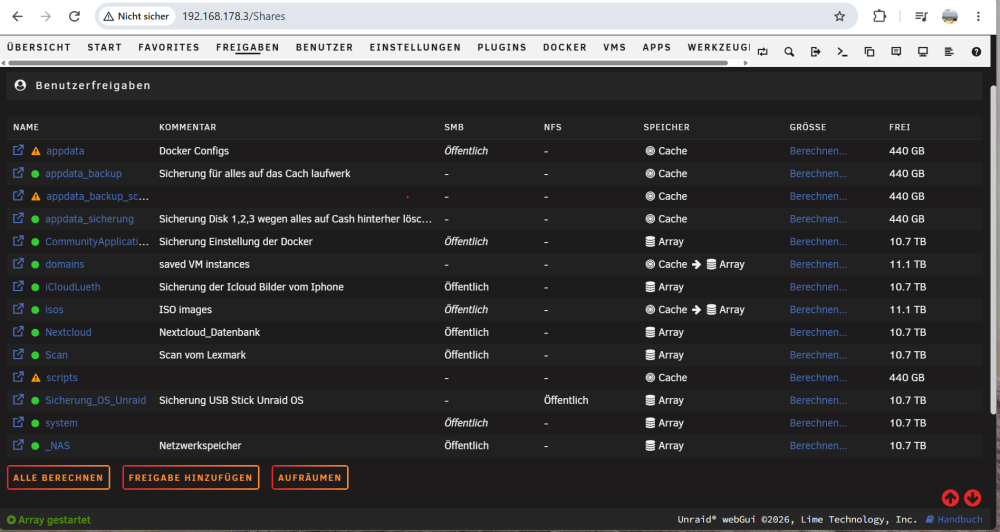
Das ist meine Aktuelle Share Übersicht
-
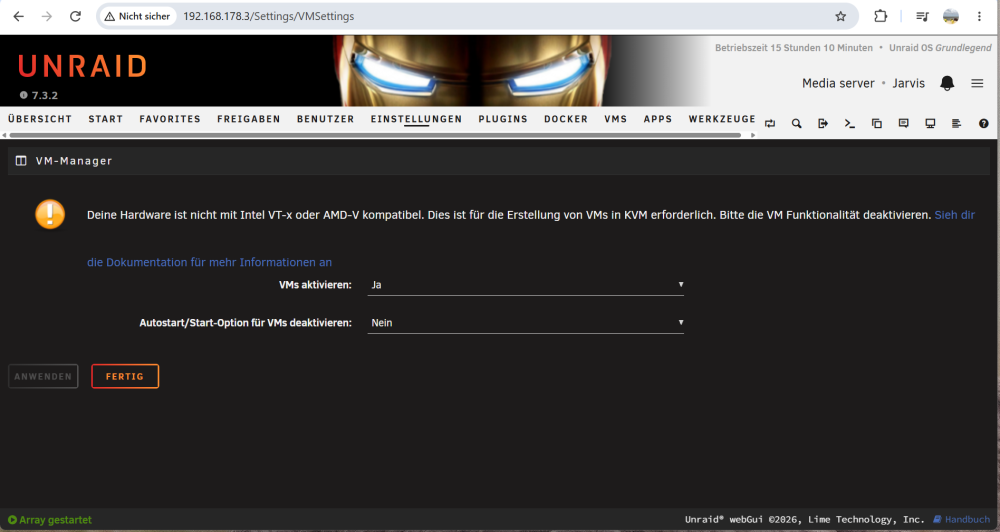
Ich nutze zur Zeit keine VM möchte aber gerne wissen wieso da steht das es nicht geht ? Wäre aber für die ferne Zukunft zur Zeit würde ich eh keine nutzen
-
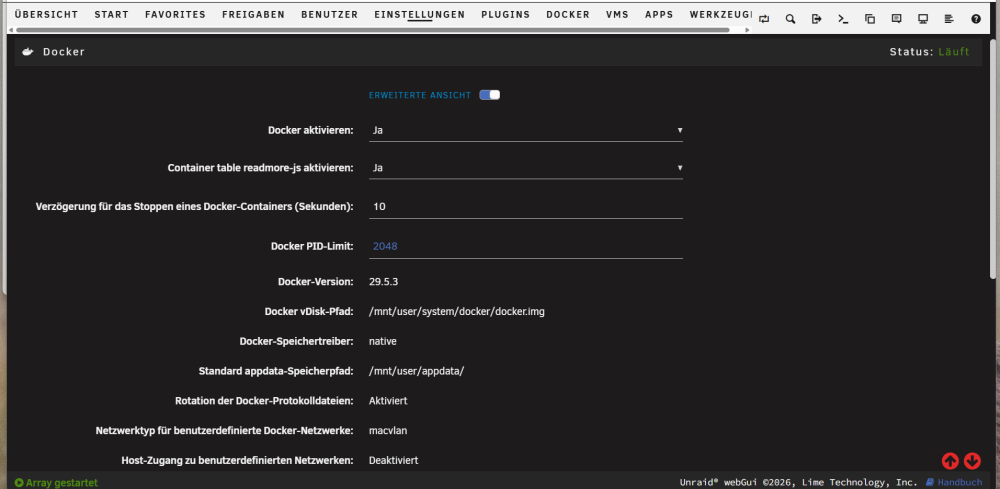
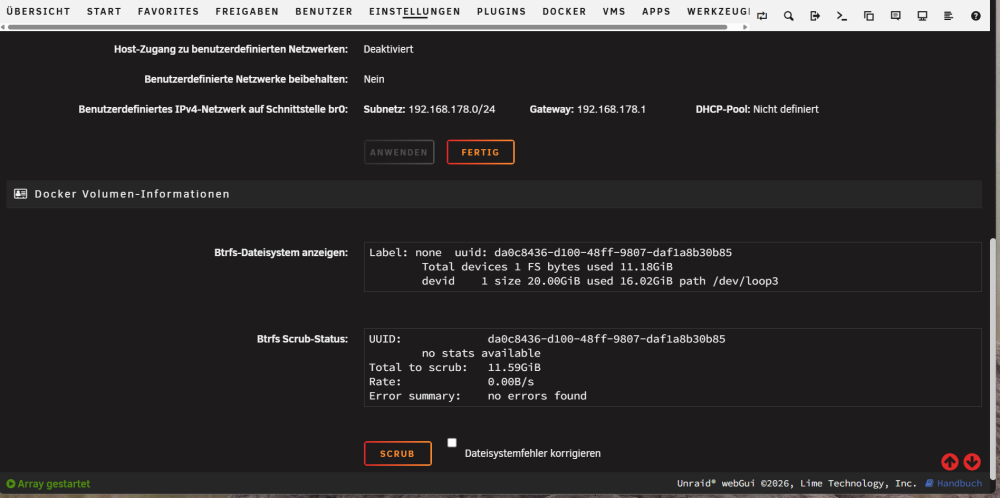
Das sind die beiden Fotos für 1. Docker Settings
-
Hallo, hiermit melde ich mich. Denn das System sitzt auf meiner Disk 3 vom Array und tatsächlich ist das jetzt die Einziege die nicht in den Ruhemodus geht. würde mich sehr freuen wenn du mir erklärst wie ich das einstelle das es auf den cache kommt. Danke
-
Hallo zusammen, ich möchte mich bei euch für die Hilfe bedanken. Ich habe alles erfolgreich hinbekommen. Danke dafür.... Aber ganz besonders möchte ich alo und alturismo danken.
-
Ich hoffe dir wird geholfen!! Ich werde am Samstag das mit dem Mover auf die alte SSD machen und Umzug auf neue Cash NVME denn da habe ich ruhe und kann mich darauf konzentrieren. Würde mich freuen wenn ich dabei bin und auf Probleme stoße das ich in dem Moment Beistand und Hilfe bekomme. Der weg wurde ja schon oft erklärt und ist ja auch nicht wirklich schwer, es ist halt die angst vor doofen Fehlermeldungen mit denen man nix anfangen kann und dann niemanden hat der helfen kann. DANKE Werde erstmal das backup per Kommandozeile machen dann bin ich sicher. und dann das hier : Docker ausschalten Mover Action drehen (also Array—>cache) Mover starten Dann sollte alles auf dem Cache liegen (Prüfen!) Dann secondary Storage rausnehmen Docker wieder starten. Dann werde ich schauen ob alles läuft. Danach werde ich wenn die Zeit noch da ist den Umzug machen. Docker dienste stoppen Sprich alles von cache ---> Array kopieren und alles (einfach kopieren oder per Mover) Alte Cache Platte aus System entfernen System runterfahren Hardware umbauen System Starten. Neue NVME als Cache platte einfügen Formatieren in BTRFS Alles von Array ----> Cache platte Kopieren. (einfach kopieren oder per Mover) So hoffe ich klappt es......
-
Okay, also wenn dort finished steht dann ist alles kopiert!?
-
Das sollte eigentlich" ich möchte noch gerne wissen WENN ich den Mover manuell Starte, ....... Lustig was die Worterkennung daraus macht 😂.
-
Vielen tausend Dank!!!! Ich bin echt über so viel Hilfe von allen überrascht!!!! Danke.... Ich möchte noch gerne wissen wann ich den Rover manuell starte, wo kann ich sehen ob er alles bewegt hat und fertig ist?
-
Danke für den Tip mit der Größe. Jetzt habe ich eine 128gb SSD. Das sollte so hoffe ich erstmal passen. Kannst du mir einen Gefallen tun? Die Schritte nochmal aufführen die ich machen sollte.(ne kleine Anleitung) das wäre total klasse . Wie alturismo deine Anleitung aufgreift? Es ist so es wurde viel geschrieben. DankeIch meine den letzten Absatz.Das hört sich echt gut und einfach an!! Wenn aber das passiert was hier beschrieben wird: 7 minutes ago, alo said: Sag ich ja: „Docker ausschalten“ - damit meine ich natürlich den Dienst. Das Mergen macht ja der mover. Laut den Einstellungen oben werden neue Dateien auf dem Cache geschrieben und nachts dann vom mover aufs Array geschoben. Genau das macht man jetzt rückgängig. Problematisch wird es wenn es eine bestimmte Datei z.B. auf beiden (Cache/array) gibt. Das sollte nicht vorkommen denn dann würde das mergen auch Probleme machen….Okay, aber den Mover würde ich dann manuell anstossen? Und das was du im Letzten Satz schreibst damit meinst du wenn es eine Datei mit dem gleichen Namen gibt? oder was ist gemeint?Ich bin echt auch wenn sich das doof anhört ängstlich🫥. Das klappt? Habe ich hinterher wenn es nicht geht die Möglichkeit dieses wieder auf den alten stand zu bringen. Wo drehe ich es denn um ? In der AppData Freigabe? Bei Mover Action? Und du Schreibst Prüfen, was denn ob die Daten von den ArrayPlatten weg sind und auf dem Cache liegen?Okay, das ist eine gute Idee. Aber ich möchte meine Docker nicht neu aufsetzten. Es muss doch eine andere Lösung geben, wie z.B. aus AppDataBackup es wieder herstellen auf der Cache Disk?. Oder aber alles von Disk 1,2,3 auf die Cache kopieren natürlich vorher Docker Stoppen und dann es auch Cache Only umstellen?Das wäre die Freigabe von AppData. Und das war so von Anfang an konfiguriert. Aber was meinst du mit wie ist der Share konfiguriert? Wo finde ich das? Ich weiß schon bisschen was aber da muss ich passen.
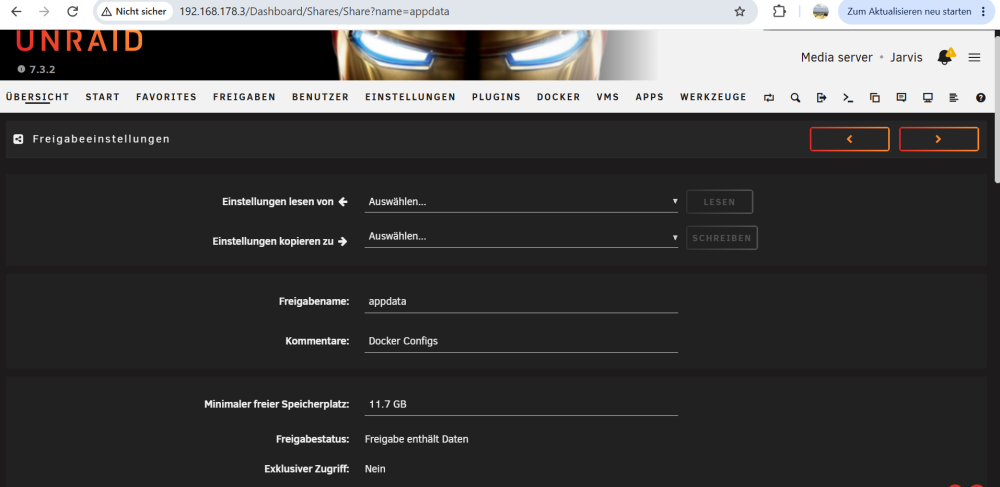
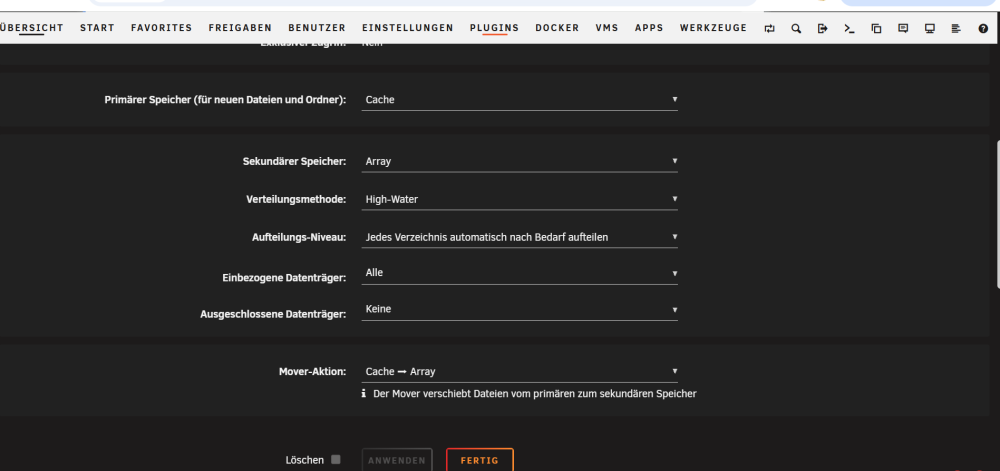 Hallo, Ich hoffe das dass hier gemeint ist. Wenn nicht dann sage mir was fehlt ich liefere das dann. Wäre nur richtig Dankbar wenn diese Sache mit dem Cache Only und der Umzug auf die NVME klappen würde. Habe halt Angst das es kaputt geht. DANKE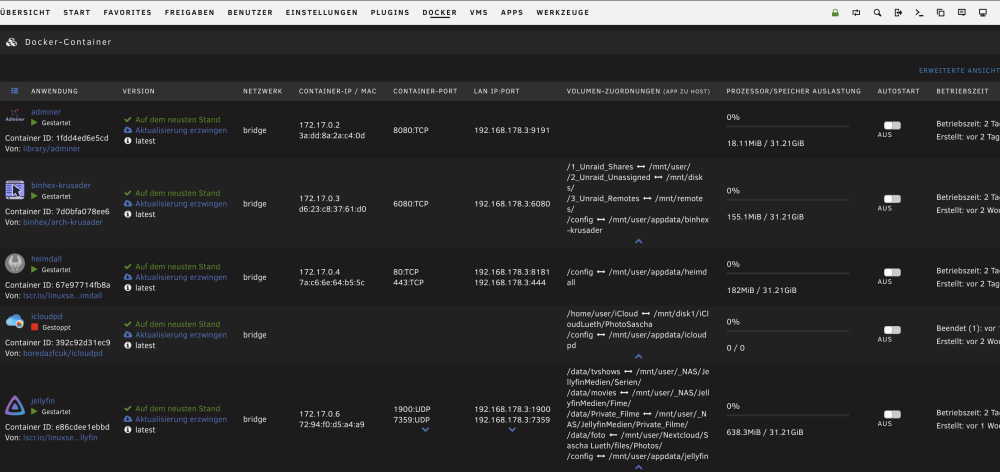
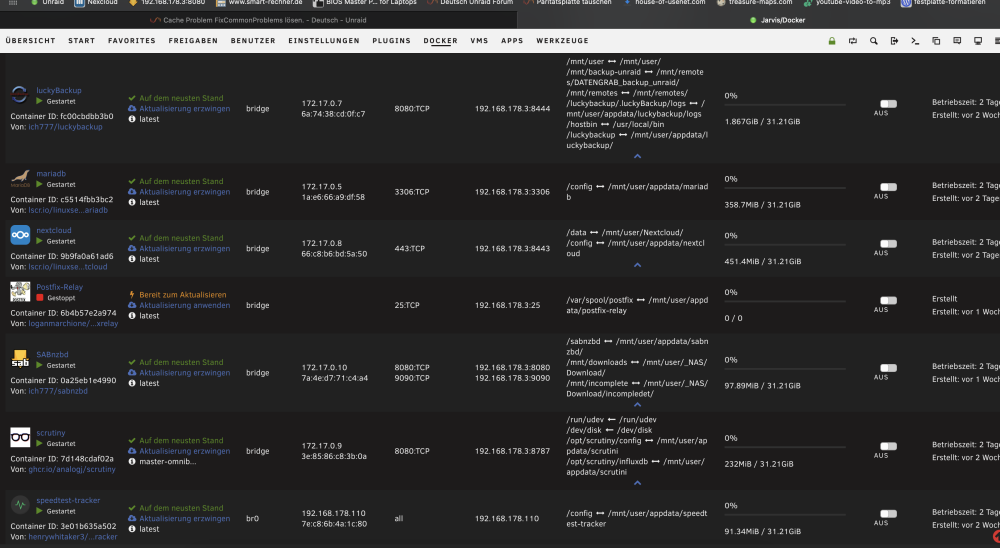 Ich habe vorsichtshalber noch ein Bild von meiner Cache ssd gemacht.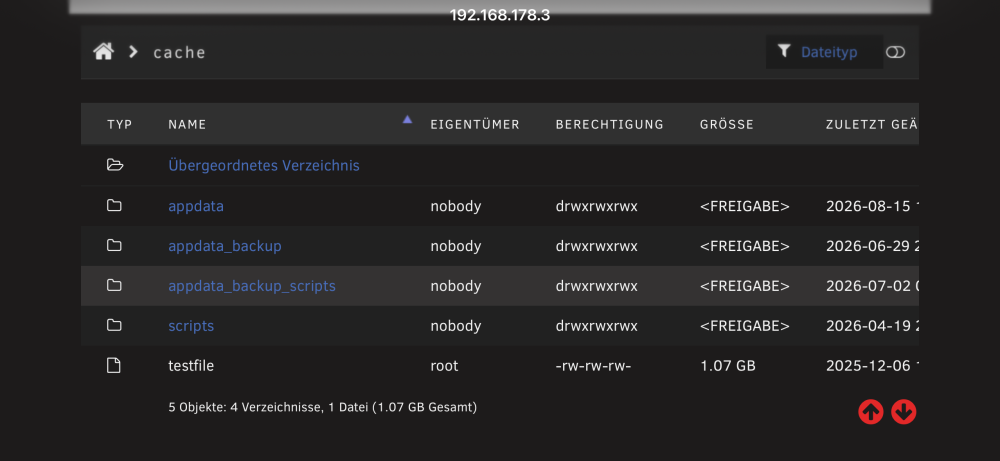
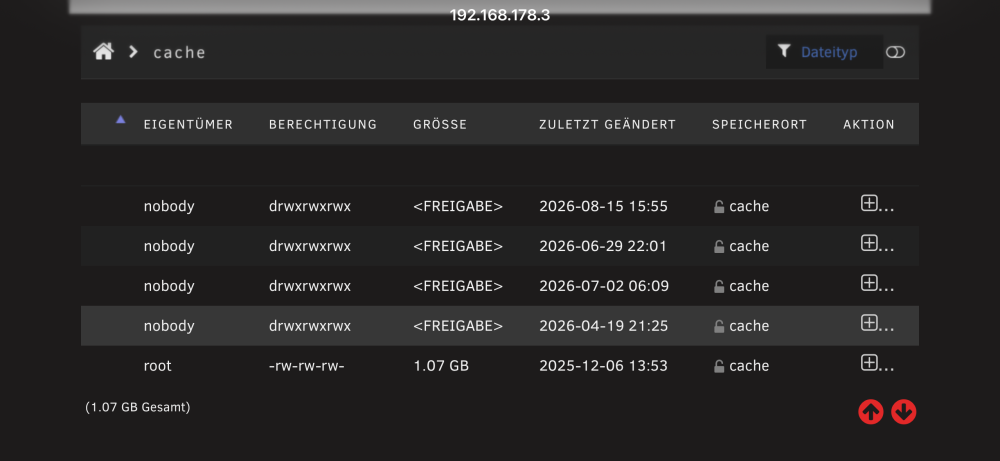 Hallo, danke für deine Hilfe. Ich habe 2 Bilder angehängt und hoffe das hilft? Zu der Frage 2 mit den Dockern verstehe ich. Ich habe überall mnt /user bis auf adminer da ist das Feld leer. Ich würde dazu nachher nochmal ein Bild senden das ist auf dem handy doof weil der Screen nicht reicht. Danke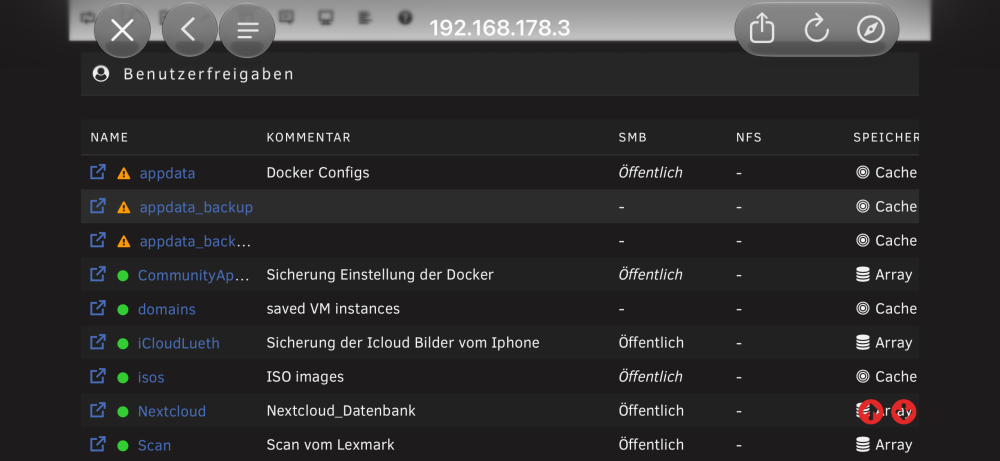
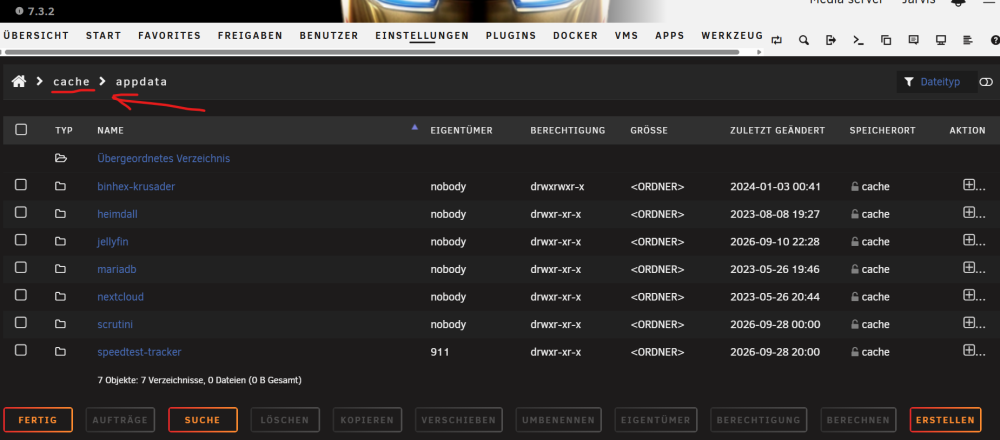
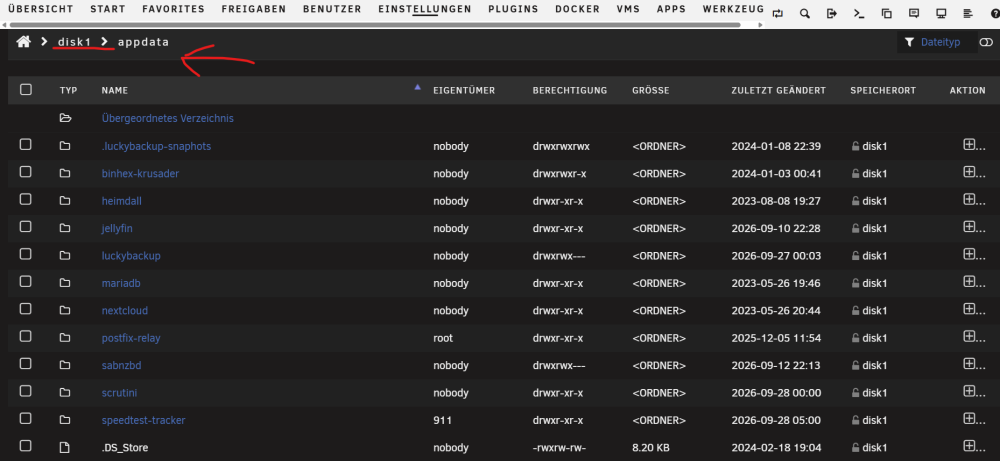
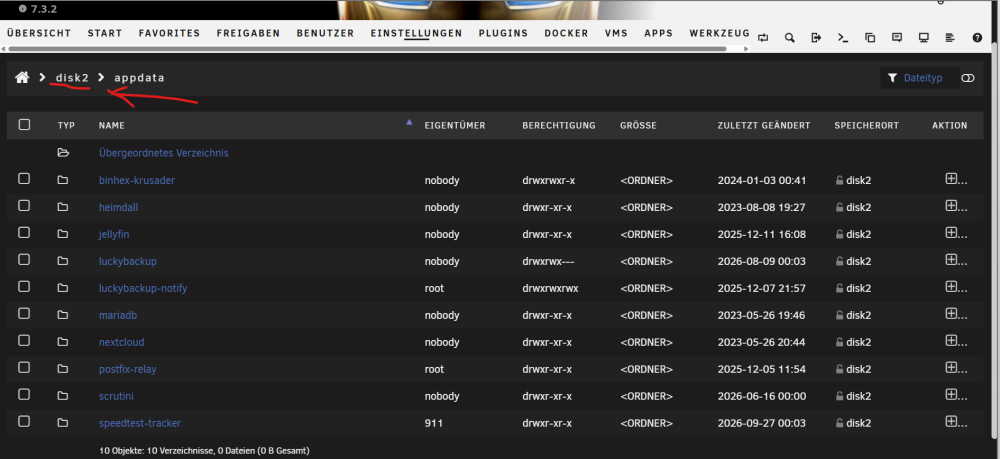
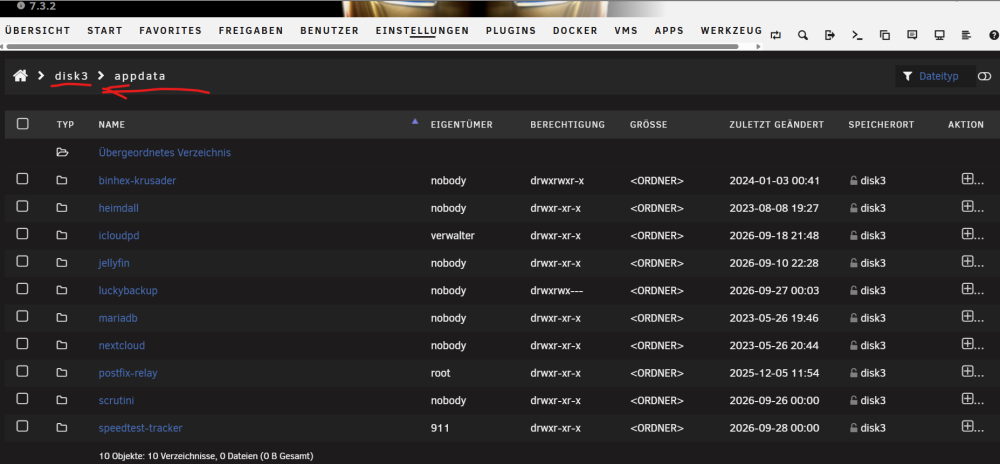
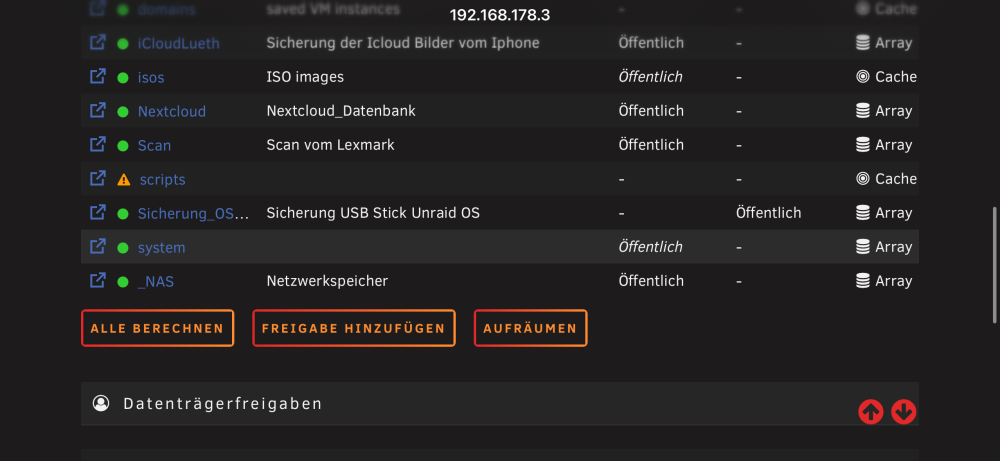 Hallo zusammen, ich benötige Hilfe..... Mein System läuft soweit bis auf den Cache. Ich habe ein Meldung von Fix Common Problems (Siehe Foto). Dieses hätte ich gern gelöst, das Problem was ich habe, ich weiß nicht wie ich es machen soll. Ich habe gesehen das ich auf dem Cache Pool einen Ordner mit AppData habe (Foto2). Diesen Ordner Finde ich aber auch auf den ArrayDisks 1,2 und 3 (Foto 3,4,5). Wie ich gelesen habe soll ich die Einstellungen für den Cache auf Cache Only Share stellen und die Second auf None. Das Appdata nur auf dem Cache ist. Wie gehe ich da ran? Ich habe diese Problematik mit Fix Common Problems, und möchte zusätzlich meine jetzige Cache SSD 128GB mit einer NVME 512GB ersetzen. Kann mir bitte jemand eine schritt für schritt Anleitung schreiben.? Ich würde mich über Hilfe sehr freuen denn ich habe schon einmal mein System zerstört. Danke ......!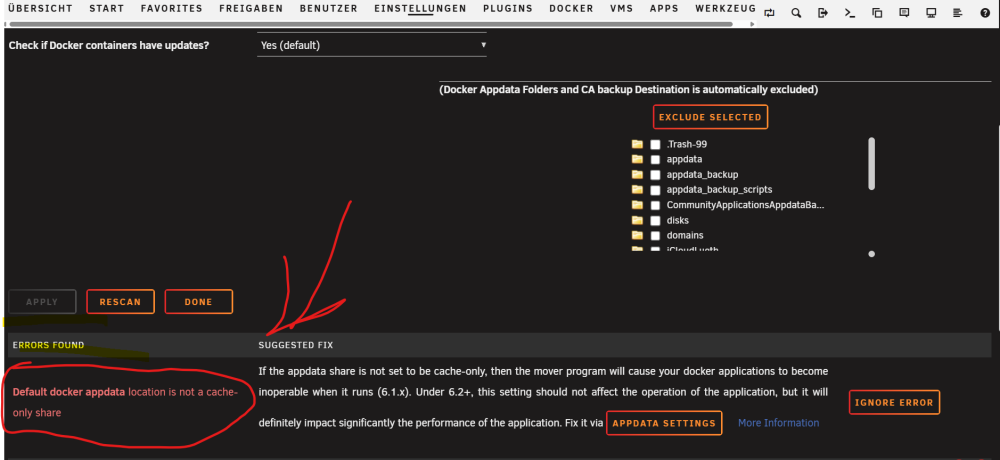
 Hello, I was able to solve it. It's very simple! Deleted Docker LuckyBackup! Reinstalled it... Re-entered the paths, including email settings with app password. And boom, it's working again! Many thanks to the helpful people here, you guys are doing a great job!!


