





kal-el681
Members
-
Joined
-
Last visited
Everything posted by kal-el681
-
Ended up having to wipe and format the cache drive. Thanks @trurl for all the help.
-
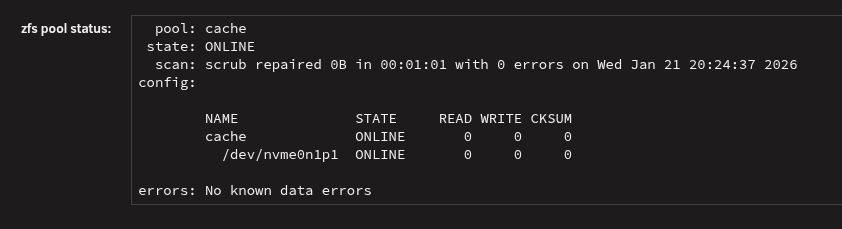
No errors showing up with a scrub or SMART test.

-
Reboot wouldn't work, had to unclean shutdown. This time it created a new docker.img file, but Docker still failed to start. New diagnostics attached. lovenest-safemode-diagnostics-20260121-1957.zip
-
Didn't make a difference. I did find this in the syslogs though: Jan 21 19:10:54 Lovenest nginx: 2026/01/21 19:10:54 [error] 2955#2955: *2695 upstream timed out (110: Connection timed out) while reading upstream, client: IP-REDACTED, server: , request: "POST /update.php HTTP/1.1", upstream: "fastcgi://unix:/var/run/php-fpm.sock:", host: "IP-REDACTED", referrer: "http://IP-REDACTED/Settings/DockerSettings" Jan 21 19:27:17 Lovenest ool www[46289]: /usr/local/emhttp/plugins/dynamix/scripts/emcmd 'cmdStatus=Apply'
-
Okay, well I asked because now it's not creating the docker.img file when attempting to start docker.
-
What permissions should the docker and libvirt folders have? They're currently set as root.
-
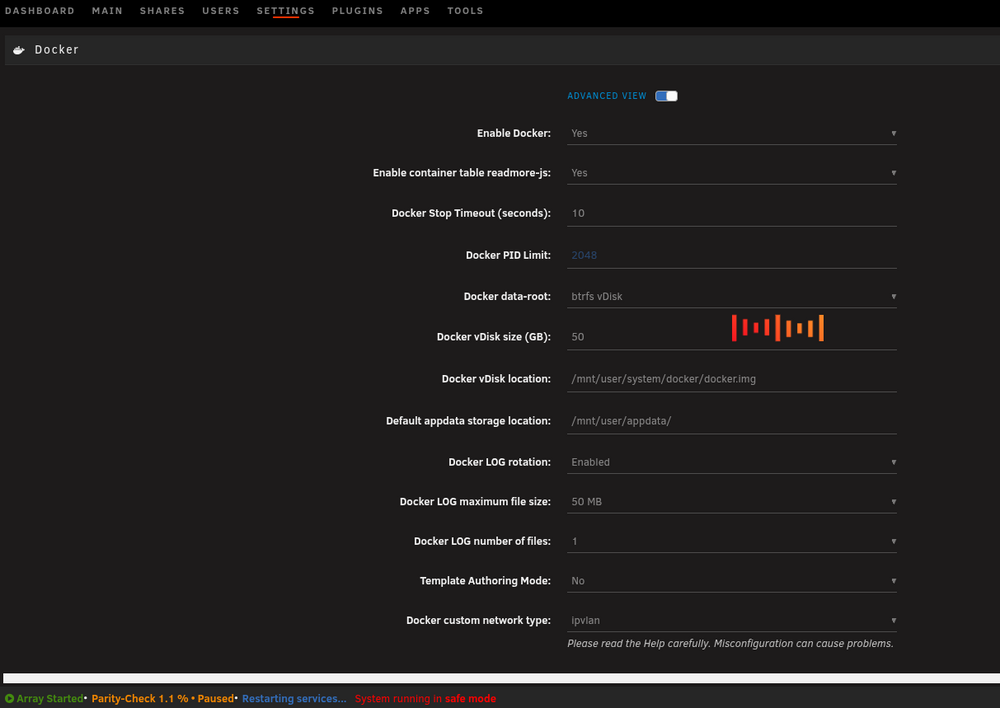
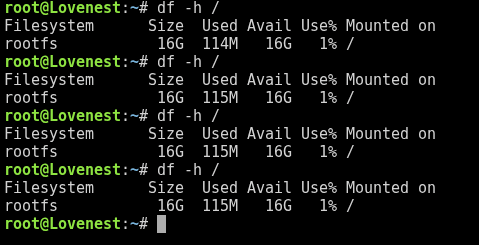
So.. I paused the parity check, and tried to start docker. The screenshot below is what I see once I hit apply to start docker and it just sits there forever (I left it last night and it was the same when I got back home this evening.) I can refresh the page, and it will say that docker is stopped, but the docker tab shows up in the webui and shows "docker service failed to start". The cli shot is one before I did anything and then two while docker "was starting" and then one after I refreshed the page.
-
Will do.. It seems fine when I run it without Docker or VMs, but as soon as I turn either on that's when I run into issues.
-
Did that and it looks like the array came up without issue. lovenest-safemode-diagnostics-20260121-1811.zip
-
Okay, so I wiped the flash and tried again. It now hangs on array startup. The webui will load pages, but is not responsive to any commands. New Diagnostics attached. lovenest-diagnostics-20260120-2135.zip
-
Oh, you're saying to wipe the whole thing, or just the USB drive?
-
I do, could you link me the steps to restore it please?
-
It does, yes.
-
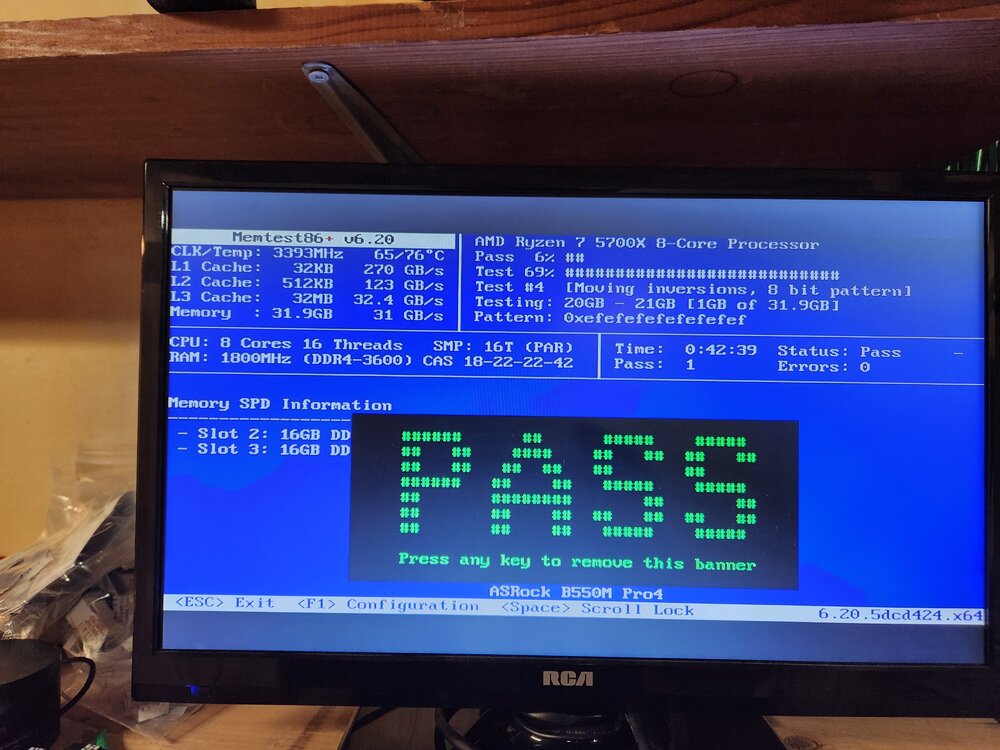
Alright, so here's where I stand, I ran memtest on all the sticks, found a dead one and in the process of RMA. Installed two of the good sticks and started up. It booted fine as before, but still hangs/kills the web UI when I try to access the VM's tab or VM settings. If I don't navigate away from the dashboard, I can still see all the information (RAM/CPU usage, network graph) updating as it should. It's even showing the parity % working at the bottom. If I try to navigate away from the dashboard the pages won't load, also tried to SSH, and I can access it, but running any commands hang.
-
I reset the profile to default and am still getting the same thing.
-
I did see that and adjusted the "Power Supply Idle Control". I'll remove the xmp profile and run it again.
-
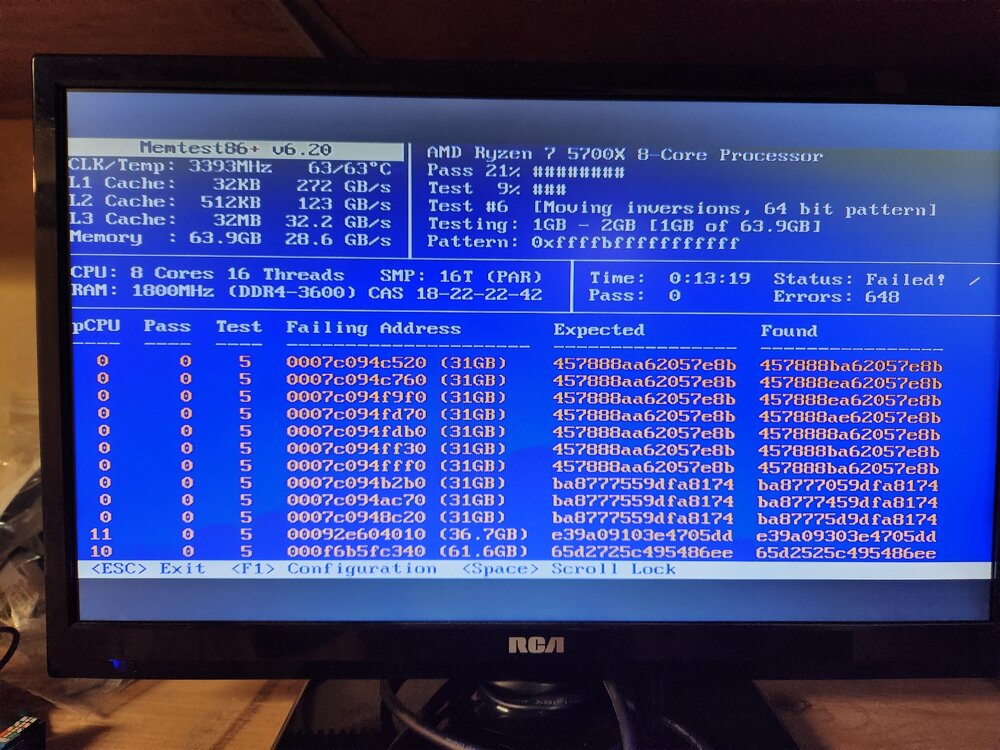
Welp, there's the problem.. Two of these are basically new sticks. I'm wondering if there's an issue with my MB causing it.
-
I did have to replace some RAM a few months ago and had run memtest on all the individial sticks in the system seperately. Everything was fine after the replacement. I'll run a couple cycles and see what it says.
-
I deleted the VM vdisk as I'm not going to use it anymore anyway, and used the delete docker.img tool in the docker settings, I'll do the docker.img file again and set it to 50G once I get the UI back from the 500 error I have right now.
-
I have noticed that now when I try to access the VMs tab, even after disabling the problem vm, everything stalls. I was able to grab new diagnostics this morning. The result of zpool scrub is: scrub results pool: cache state: ONLINE status: One or more devices has experienced an error resulting in data corruption. Applications may be affected. action: Restore the file in question if possible. Otherwise restore the entire pool from backup. see: https://openzfs.github.io/openzfs-docs/msg/ZFS-8000-8A scan: scrub repaired 0B in 00:20:54 with 2 errors on Tue Jan 20 00:41:03 2026 config: NAME STATE READ WRITE CKSUM cache ONLINE 0 0 0 nvme0n1p1 ONLINE 0 0 4 errors: Permanent errors have been detected in the following files: /mnt/cache/system/docker/docker.img /mnt/cache/domains/Windows 10 - VMS/vdisk1.img lovenest-diagnostics-20260120-1052.zip
-
The filesystem check revealed my docker.img and one of my vm img files were both corrupt. I've removed them but docker still fails to start. I'm also still getting severe lag after I start my VM's even with the one that was causing problems disabled. Can I ask what it was in the diagnostics that pointed you to that? I'd like to be able to diagnose it in the future. If I remember correctly I couldn't get one of the containers to access my shares, so I added some space to the docker.img file.
-
Having a lot of trouble with a server that was running great for a while. Attempted to update a docker container and everything went down hill. I grabbed some diagnostics and attempted a restart. Issue 1: Web UI being laggy. Can log in on restart, but attempting to access VM or Docker tabs causes web GUI to freeze. Thought it might be errors being thrown by one of the GPUs based off the diagnostics. It has been removed. Also saw issues with NVIDIA driver plugin, loaded up safemode and removed that, pulled new diagnostics at that time. Issue 2: Docker is now giving "Docker Service Failed to start". Attempted to remove and rebuild dockerimg, but Web UI froze again. Attempted to pull a third set of diagnostics via SSH but it's also stuck at "Starting diagnostics collection..." Any help would be greatly appreciated. lovenest-diagnostics-20260119-1900.zip lovenest-safemode-diagnostics-20260119-2014.zip
-
Rebuilt the cache from backups. Not sure what happened. Works great now. Thanks for the suggestions.
-
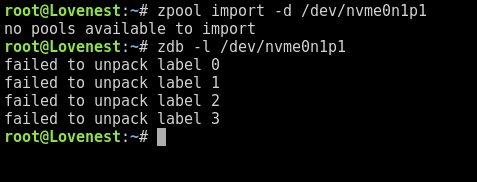
Yes, I had to remove the old pool and create a new one to allow the drive to format. Using 7.0.1. It doesn't look like there's any data left on the drive, should be around 900GB. I'm going to have to rebuild everything...
-
Nope, it says no pools available. This is a brand new drive that went from the box to the system.



