





kal-el681
Members
-
Joined
-
Last visited
Everything posted by kal-el681
-
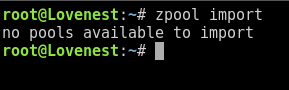
It says "no pools available to import"
 I just replaced my cache drive from a 1TB drive to a new 2TB drive. Both drives were formatted for ZFS. I followed the steps in the SpaceInvaderOne guide to replace the cache drive and used mover to move the files and then move them back. Most of my Docker containers and all of my VMs started with no issue. The exception was Jellyfin and Nextcloud. These would show as started in the GUI, but would not allow access to the WEBUI. I checked the folders on the cache and they were empty. Jellyfin logs were giving a "insufficient permisions, unable to write to /config ..." type error. In an attempt to resolve the issue, I first ran the New Permissions Tool, when that didn't resolve the issue, I removed the Jellyfin container and attempted to rebuild. I attempted to remove the full container and files by using the CA Appdata cleanup tool and it would allow the process but would referesh and the folder would remain. After rebooting the system, the cache drive is now showing as unmountable and it's asking to format. Am I able to remount the drive as it was without formatting? If not, how can I retreive the files that are currently on the drive so I don't have to rebuild all of my containers and VMs? Diagnostics are attached. lovenest-diagnostics-20250428-1534.zipI did a memtest when I upgraded the RAM about a year ago and have made no hardware changes since. When I formatted the cache, I copied everything from that drive to the array and then back after. The system files are also set as cache->array for mover and backup. Is this incorrect? It may have been a week ago but I did rebuild it following the steps for the docs.I have not run a memtest recently. I can do that this weekend at some point. Here are the new diags from a reboot about 45 mins ago. lovenest-diagnostics-20250213-1244.zipIt happened again, not sure if I got to the diagnostics in time. lovenest-diagnostics-20250213-1212.zipI've been having issues with my docker containers not restarting properly after Appdata Backup has run. I attempted to update to 7.0.0 from 6.12.14 a few weeks ago and the containers gave an execution error and wouldn't start. I rolled back to 6.12.14 (currently running) and rebuilt the containers. I've since also had to rebuild my VMS. I've followed all the docs and forum posts I could find, including below, to attempt to resolve the issue but it still continues to present itself: https://docs.unraid.net/#Re-Create_the_Docker_image_file https://docs.unraid.net/#Re-Installing_Docker_Applications I've also cleaned and formatted my cache drive. A restart does seem to bring them back but only for a couple days. I've attached a before reboot diagnostic and a fresh reboot diagnostic. I'm at my end with this and can't seem to figure it out. Please help! lovenest-diagnostics-20250210-1605_after.zip lovenest-diagnostics-20250210-1556_before.zipI've figured it out. It seems that my vdisk1.img files were corrupt. I rebuilt the VM and it worked without issue. I did also notice through all of this that I had to manually assign the port for VNC on them to avoid them all trying to use the same one and crashing.Here's a couple screenshots that should show what you need:
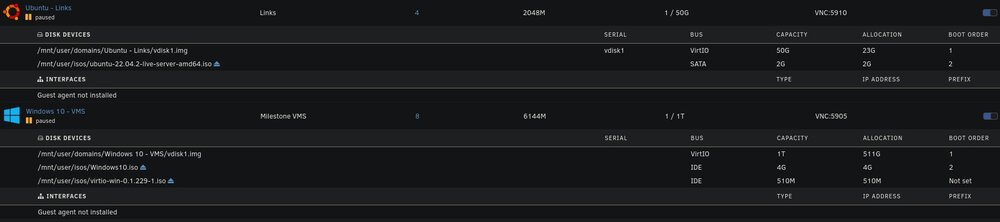 I've restarted and taken two additional diagnostics. First from right after restart, second from restart + ~ 2mins when some of the VMs pause themselves. I can do additional diags after stopping and restarting VM service if needed. after-restart-lovenest-diagnostics-20240617-1251.zip after-vms-load-and-pause-lovenest-diagnostics-20240617-1253.zipI've rebooted multiple times. The VMs will start and then two of them will pause. These diags posted are after a restart. If I disable VMs they won't re-enable unless I reboot and again some of them will pause and not start properly.I'm having the same issue currently. Diagnostics are posted below. I've tried all the previous fixes. lovenest-diagnostics-20240616-2045.zip



