





jackdellis
Members
-
Joined
-
Last visited
-
Apologies for the delay, I can confirm that that command does nothing.
-
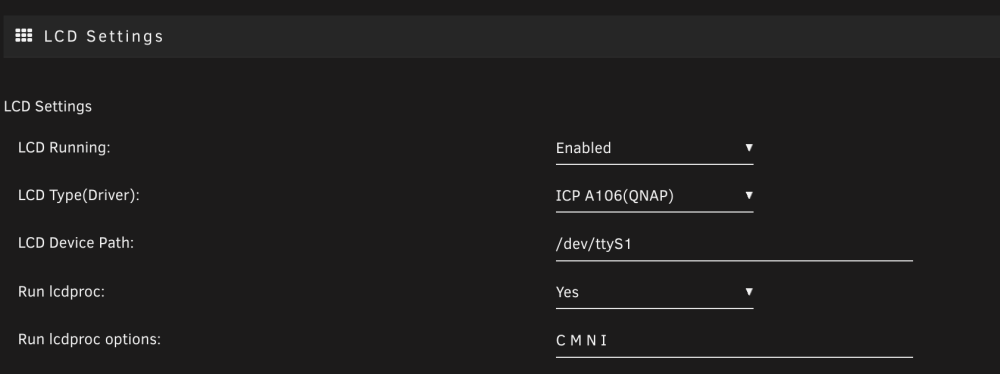
So the command came up with: I set my settings to this: Haven't managed to change the LCD text yet, still stuck saying "Booting..."

-
Ok I'm now on version 6.12.0-rc6. I've ran the same commands via the terminal but nothing on the LCD, do i need to set any settings within the app?
-
6.12 is a beta version right? Happy to update if you think it'll help me get my LCD editable.
-
I'm using version 6.11.5 I ran those commands in Unraid, nothing changed on the LCD
-
lsusb Bus 001 Device 003: ID 346d:5678 Intenso Intenso Micro Line Bus 001 Device 002: ID 090c:1000 Silicon Motion, Inc. - Taiwan (formerly Feiya Technology Corp.) Flash Drive Bus 001 Device 001: ID 1d6b:0002 Linux Foundation 2.0 root hub Bus 003 Device 001: ID 1d6b:0001 Linux Foundation 1.1 root hub Bus 002 Device 001: ID 1d6b:0001 Linux Foundation 1.1 root hub Bus 005 Device 001: ID 1d6b:0003 Linux Foundation 3.0 root hub Bus 004 Device 001: ID 1d6b:0002 Linux Foundation 2.0 root hub ls /dev aer_inject fd@ loop2 null sdb tty tty19 tty3 tty40 tty51 tty62 vcs4 vcsu2 block/ full loop3 port sdb1 tty0 tty2 tty30 tty41 tty52 tty63 vcs5 vcsu3 bsg/ fuse loop4 ppp sdc tty1 tty20 tty31 tty42 tty53 tty7 vcs6 vcsu4 btrfs-control hpet loop5 ptmx sdc1 tty10 tty21 tty32 tty43 tty54 tty8 vcsa vcsu5 bus/ hwrng loop6 ptp0 sg0 tty11 tty22 tty33 tty44 tty55 tty9 vcsa1 vcsu6 char/ initctl| loop7 ptp1 sg1 tty12 tty23 tty34 tty45 tty56 ttyS0 vcsa2 vfio/ console input/ mapper/ pts/ sg2 tty13 tty24 tty35 tty46 tty57 uinput vcsa3 vga_arbiter core@ kmsg mcelog random shm/ tty14 tty25 tty36 tty47 tty58 urandom vcsa4 vhci cpu/ log= md1 rtc@ snd/ tty15 tty26 tty37 tty48 tty59 vcs vcsa5 vhost-net cpu_dma_latency loop-control mem rtc0 stderr@ tty16 tty27 tty38 tty49 tty6 vcs1 vcsa6 xconsole| disk/ loop0 mouse@ sda stdin@ tty17 tty28 tty39 tty5 tty60 vcs2 vcsu zero fb0 loop1 net/ sda1 stdout@ tty18 tty29 tty4 tty50 tty61 vcs3 vcsu1
-
Any possibility of this coming to ReadyNas?
-
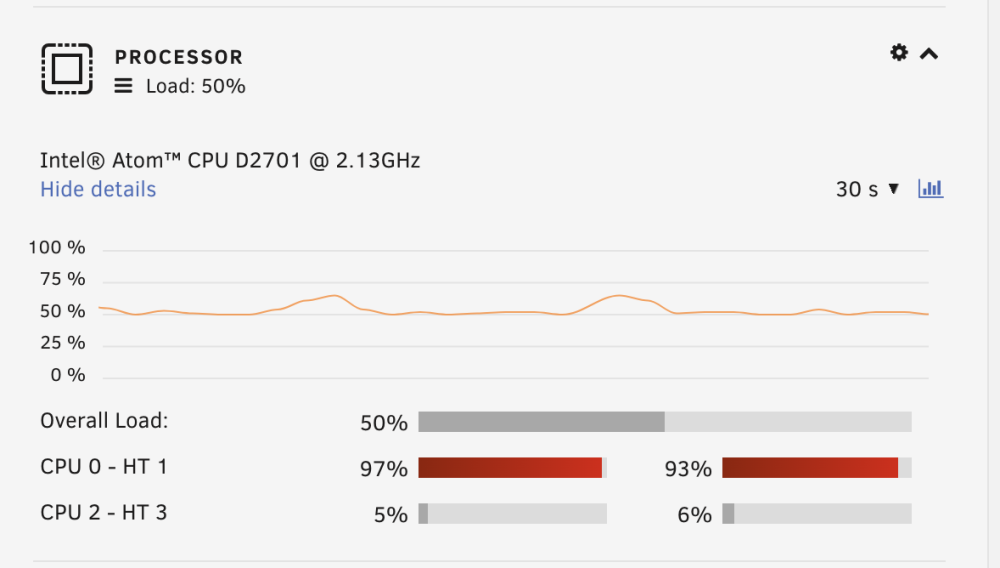
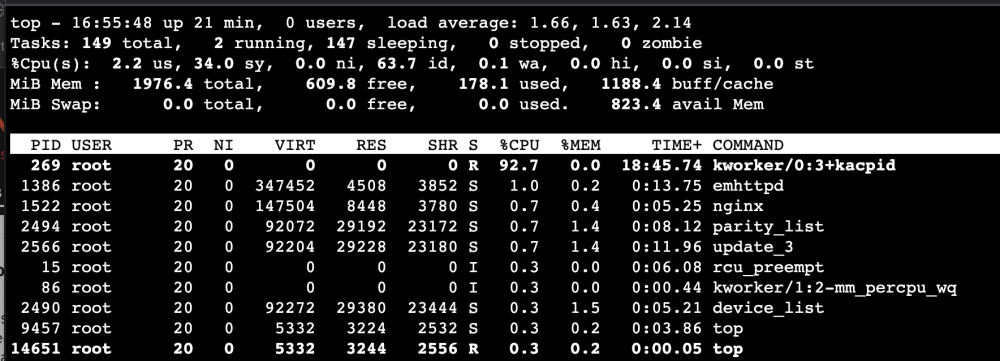
Hello, I've recently installed Unraid on my ReadyNAS 316, it has 2gb RAM so currently i'm unable to install applications (i've ordered a RAM upgrade to 4gb). Could this be why the CPU is very high at the moment? I have ran the command to look at processes and have attached what comes up. Hope someone can point me in the right direction. Thanks
-
I know this is an old thread but i'm trying to install Unraid on my RN316 and not having any luck. I can't figure out how to get the device to boot from USB. If you can provide any instructions or tips it'd be much appreciated. Thanks


